How Receiptd prints your day onto a retro paper receipt
Inside Receiptd: four templates, a live-rendered thermal receipt with torn edges and a faux barcode, and why the whole thing runs with no network at all.
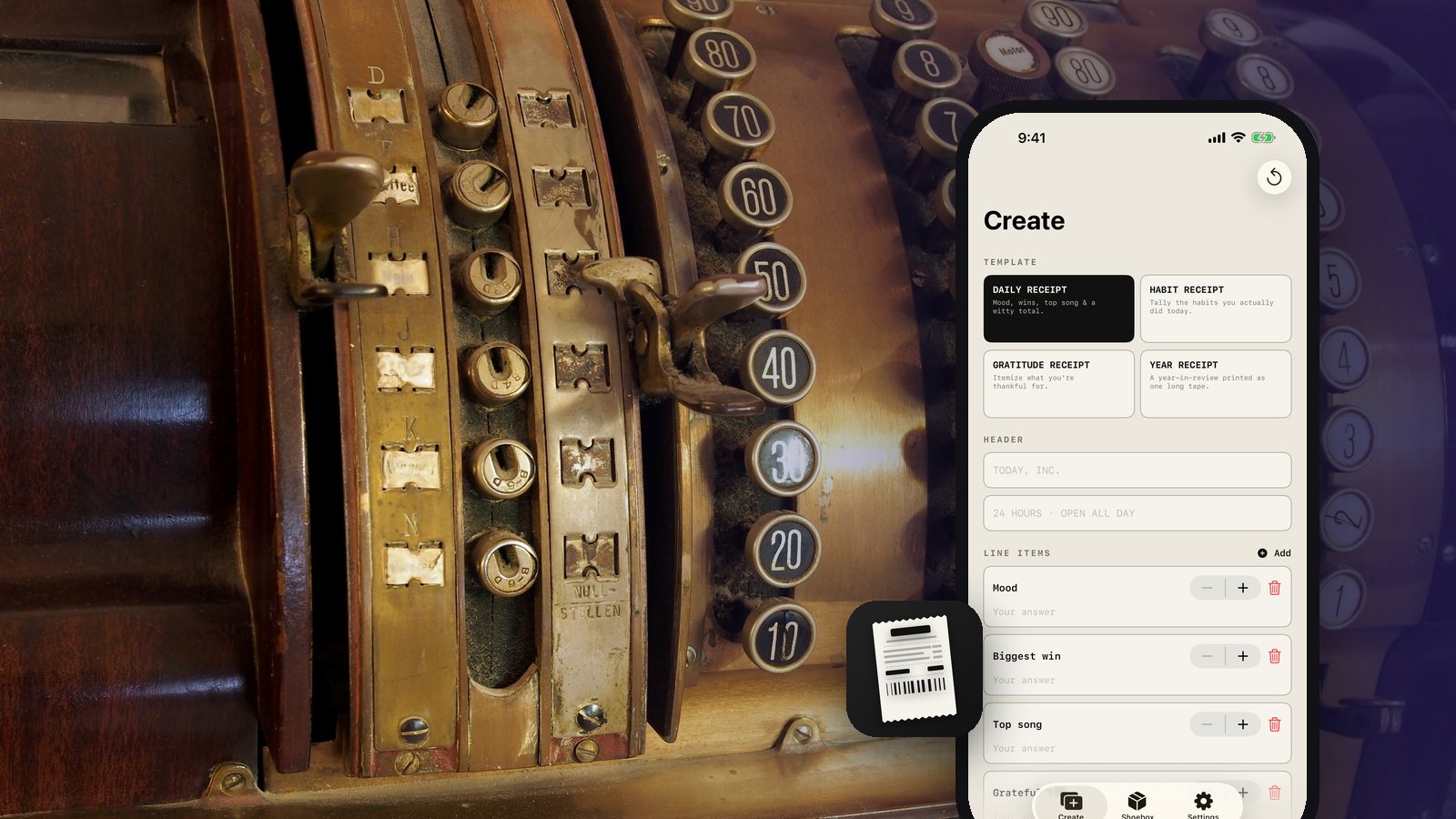
Journaling apps have a presentation problem. The entries are worth keeping and the result looks like a list, which is why almost nobody shares one and plenty of people quietly stop writing them. Receiptd fixes the format rather than the habit: your day comes out as a retro thermal receipt, the little paper strip a printer spits out, and that artifact is genuinely fun to make.
Four templates, a few lines each
You pick a template and fill in a handful of fields. The Daily Receipt takes your mood, your biggest win, your top song, something you are grateful for, and a witty day total. The Habit Receipt tallies what you actually did today. The Gratitude Receipt itemizes what you are thankful for. The Year Receipt prints a year in review as one long tape.
The prompts are short on purpose. Five lines is a thing you finish. A blank page is a thing you close.
The receipt is the product, and it is drawn, not photographed
The output is not a template with your text dropped into it. Everything is monospaced and hand-tuned to behave like real thermal paper: a merchant header, a timestamp, itemized lines, a dashed divider, a TOTAL, a thank-you line, and a faux barcode with variable-width bars on off-white stock with torn, perforated edges. There is faded ink and there are star ratings.
Those details are why it reads as an object rather than a graphic. A receipt with evenly spaced barcode bars and clean edges looks like clip art. The irregularities are the whole illusion.
The novelty only works if the paper looks like paper, which means most of the engineering went into things a reader never consciously notices.
To be clear about what it is not: the receipt look, the faux prices, and the barcode are decorative. They do not represent a real transaction, store, brand, or payment, and the barcode does not scan. It is your own words, styled.
Built live, on the device, with no network
The receipt builds as you type. There is no render step and no waiting, because everything is composed locally and the preview is the final artifact. When you tap Share, it exports a tall receipt image you can post anywhere, through the standard share sheet, so you choose the destination for every single one.
The privacy story is short because there is nothing to explain. There is no account and no sign-in, and the app has no network capability at all, which means it has no way to send anything anywhere. No analytics, no tracking, no ads, no third-party libraries watching. Every receipt is stored only on your device using Apple's own on-device storage.
Saved receipts land in a Shoebox where you can revisit, re-share, or delete them. It is a universal app for iPhone and iPad, and it is free with no subscriptions, ever.
Why the constraint helps
Having no server ruled out feeds, profiles, and follower counts. What is left is a maker: you produce a small thing, and you decide who sees it. That turns out to be a better fit for a daily habit than an audience would be, because the receipt is worth making even on the days you send it to nobody.
Print one tonight and see what your day looks like itemized. It tends to be more interesting than you expect, and the rest of our apps work the same offline way.
Related posts
-
How-to
How to journal your day in sixty seconds
Oct 09, 2026
-
Product
How DockLedger takes a truck yard off paper without a server
Sep 14, 2026
-
AI & Trends
Privacy is an architecture decision, not a policy page
Sep 06, 2026
Recent posts
-
How-to
How to photograph Diwali lights at night with your phone
Nov 01, 2026
-
How-to
How to host a Diwali party at home
Oct 31, 2026
-
How-to
How to build a 20-minute bodyweight workout that keeps working
Oct 30, 2026
-
How-to
How to hit a third shot drop in pickleball
Oct 29, 2026
-
How-to
How to pick a health insurance plan during open enrollment
Oct 28, 2026
-
How-to
How to free up storage on your phone in 15 minutes
Oct 27, 2026
0 comments
No comments yet — be the first.
Leave a reply
Sign in with Google to join the conversation. We require a quick sign-in to keep comments spam-free.
Sign in with Google to comment