How to photograph Diwali lights at night with your phone
Night mode without blur, diyas up close, sparkler trails, faces lit by candlelight, and why the flash stays off all evening.
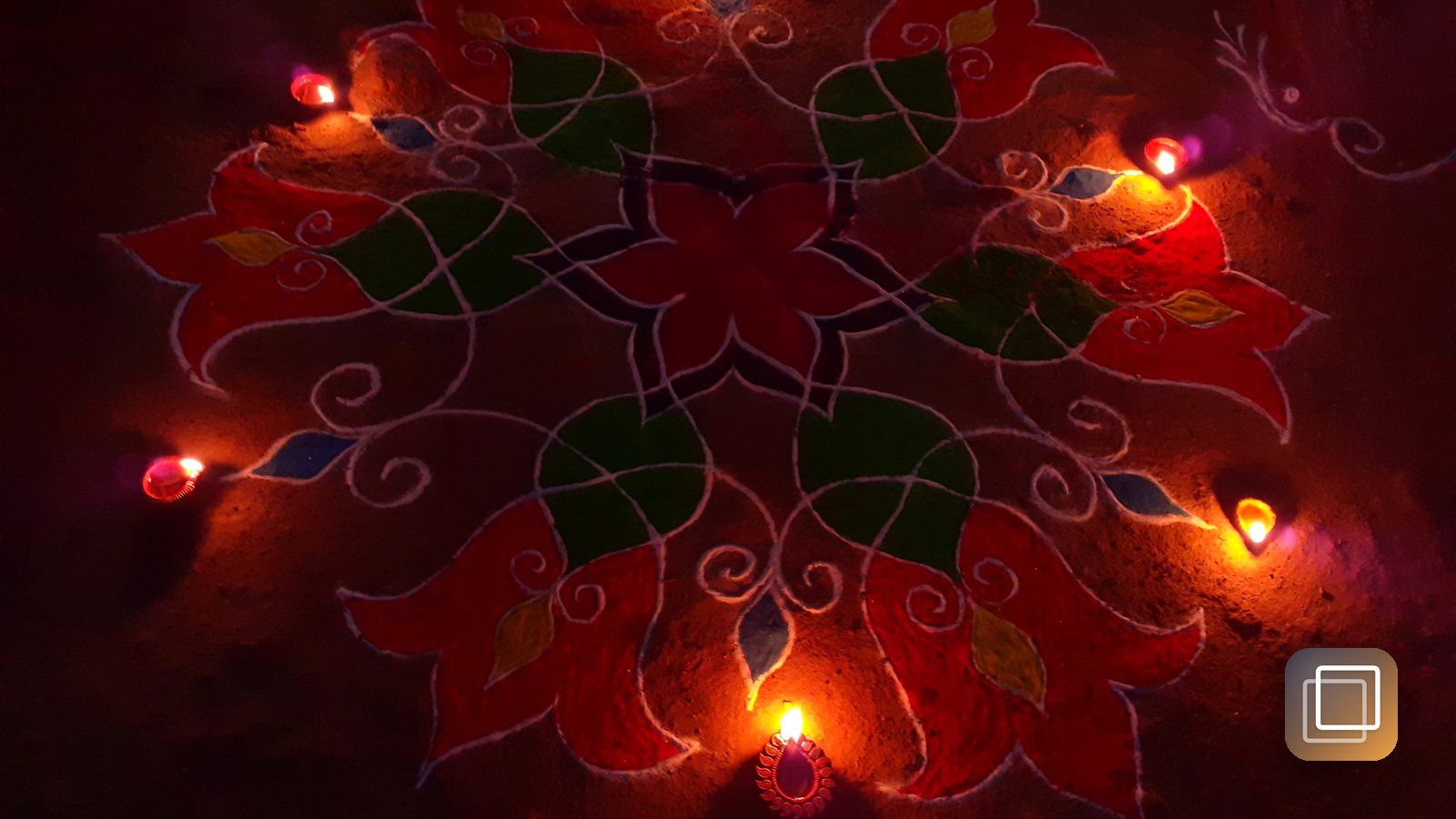
Diwali falls on Sunday, November 8 this year, and by nine that evening every phone in the house will be full of the same photo: a blurry orange smear that was supposed to be a row of diyas. The light was beautiful. The phone just needed a little help. Here's how to get the glow you actually saw.
Turn the flash off and let Night mode work
Flash is the fastest way to ruin a Diwali photo. It flattens the warm candlelight, bleaches faces, and turns rangoli into a shiny glare. Switch it off before you start and leave it off.
Instead, let the phone gather light over time:
- iPhone 11 and later switch to Night mode on their own in dim scenes. A yellow moon icon appears with a number of seconds. Tap it to adjust the time, or slide it to Max when the phone is resting on something.
- Most recent Android phones have a Night mode in the camera's mode list. Pick it before shooting the courtyard or balcony lights.
- Expect a pause. Night mode takes a second or more per shot. Keep still until the capture finishes, not just until you hear the shutter.
Hold steady (or don't hold at all)
Long exposures show every wobble. Three easy fixes:
- Brace. Tuck your elbows into your ribs, breathe out, and press the shutter gently.
- Rest the phone on a railing, a step, or the edge of the puja thali stand. A stable phone often gets a longer Night mode exposure and a sharper image.
- Use the timer. The three-second timer stops your tap from shaking the frame.
Darkness is fine; motion is the enemy.
Diyas, rangoli and sparkler trails
Diyas up close. Get low, close to a single diya, and tap the flame to focus. Then drag the exposure slider down until the flame has a clear shape instead of a white blob. A row of lamps fading into blur behind it looks better than ten lamps all in focus.
Rangoli. Shoot from directly above, standing on a chair if you can, so the pattern isn't stretched. Use the light from the surrounding diyas, not a room light overhead.
Sparkler trails. You need a long exposure. On iPhone, take a Live Photo while someone writes a shape in the air, then open it in Photos and choose Long Exposure from the Live menu. Some Android cameras have a light-painting or long-exposure mode. Either way, keep the phone on something solid, and keep sparklers well away from faces, clothes and the phone itself.
People in candlelight
The most loved Diwali photos are usually the people, not the lights.
- Let a diya light the face. Have someone hold a lamp at chest height, a little to one side. The warm glow from below and to the side is flattering and feels like the evening.
- Tap the face, not the flame, so the exposure is set for skin.
- Ask for a three-second hold. Night mode portraits need people to stay still, so a quick "freeze and smile" works better than candids.
- Get one wide shot of the whole family on the doorstep with the lights. It's the one you'll still be looking at next year.
If you want a single image that tells the story of every Diwali, take the same doorstep photo each year from the same spot. Our guide to making a photo-a-day timelapse shows how small, repeated photos add up.
GhostFrame helps with that kind of repeat shot. It fades your last photo over the live camera so you can line up the same doorway, and Then vs Now lets you wipe or fade between two years side by side. Everything stays on your iPhone, and it's free, no subscription.
Charge the phone before the lamps go on. The best light lasts about an hour.
Related posts
-
How-to
How to photograph fall colors with your phone
Oct 19, 2026
-
How-to
How to build a photo-a-day habit that survives past January
Sep 10, 2026
-
How-to
How to make a photo-a-day timelapse of your kid growing up
Oct 03, 2026
Recent posts
-
How-to
How to host a Diwali party at home
Oct 31, 2026
-
How-to
How to build a 20-minute bodyweight workout that keeps working
Oct 30, 2026
-
How-to
How to hit a third shot drop in pickleball
Oct 29, 2026
-
How-to
How to pick a health insurance plan during open enrollment
Oct 28, 2026
-
How-to
How to free up storage on your phone in 15 minutes
Oct 27, 2026
-
How-to
How to reset your sleep when the clocks fall back
Oct 26, 2026
0 comments
No comments yet — be the first.
Leave a reply
Sign in with Google to join the conversation. We require a quick sign-in to keep comments spam-free.
Sign in with Google to comment