How to take a Thanksgiving family photo with everyone in it
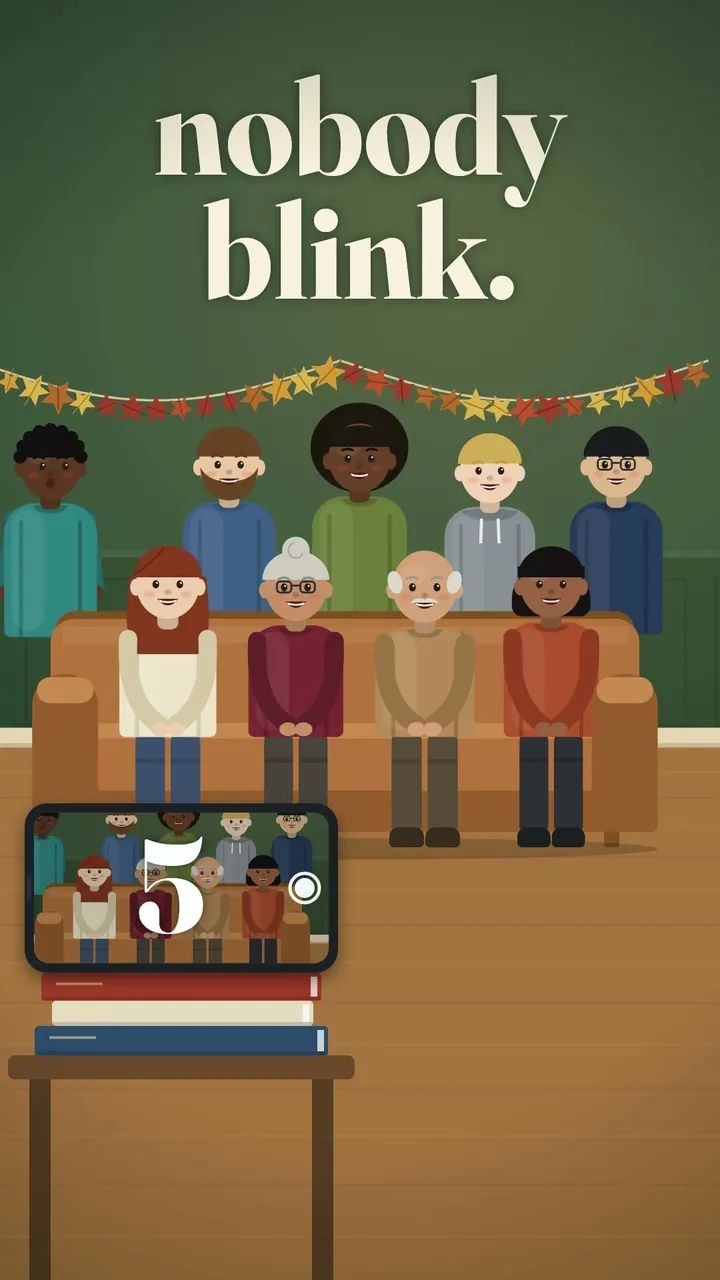
Prop the phone at eye level, get yourself in the shot with a timer or a watch, shoot more frames than feels sensible (people ÷ 3), and pick the one where every eye is open.

Every year there's a Thanksgiving photo, and every year the person holding the phone isn't in it. Then you look closer and Grandpa is mid-blink, a cousin is looking at the dog, and half the group is lit from behind by the window. Thanksgiving is Thursday, November 26. A few minutes of setup fixes all of it.
Set the phone up before you call everyone over
Do the fiddly part while people are still in the kitchen.
- Pick the light first. Put the group facing a big window, not standing in front of it. Light from behind turns faces into silhouettes. Shoot before dinner, while there's still daylight.
- Prop the phone at eye level. A tripod is easiest, but a stack of books on a chair or a mug against the phone on a shelf works. Shooting from below adds chins; shooting from above shrinks the back row.
- Use the 1x lens, not 0.5x. The ultra-wide lens stretches faces near the edges of the frame, and that's exactly where Aunt Linda will be standing. Step the phone back instead.
- Frame loose. Leave space around the group so you can crop later and nobody's elbow gets cut off.
Arrange people so every face has a clear line to the lens. Tall people go in the back, kids and seated grandparents in front, and stagger the rows so heads sit in the gaps. Quick test: if you can't see the camera, the camera can't see you.
Get yourself in the frame
You have two good options on an iPhone.
- The timer. In the Camera app, open the camera controls, tap Timer, then pick 3, 5 or 10 seconds. Ten gives you time to walk over and settle in.
- Apple Watch as a remote. The Camera Remote app shows a live preview on your wrist, so you can check framing from inside the group. By default it shoots with a 3-second timer, which is enough time to lower your arm. It works within normal Bluetooth range, about 33 feet.
On many Samsung Galaxy phones, turn on voice commands under the camera's Shooting methods setting and just say "Cheese" or "Shoot."
Shoot more frames than feels sensible
One photo of twelve people is a gamble; a burst of them is a plan.
Blinks are random, and the more people in the group, the lower the odds that everyone's eyes are open at once. CSIRO researchers in Australia worked out a rule of thumb that won a 2006 Ig Nobel Prize: for groups under 20, divide the number of people by three to get the number of shots you need. In dim light, divide by two. So 12 people in good light means at least 4 frames, and 6 in a dim dining room.
The easy way to get there is Burst mode. Swipe the shutter button to the left and hold, or turn on Use Volume Up for Burst in Settings > Camera and hold that button. Do a "normal" round, then a silly one. The silly one is often the keeper.
Pick the keeper, then share it
Burst photos land in one stack. Tap it, tap Burst, and choose the frames to keep; gray dots mark the shots the iPhone suggests. Zoom in on every face before deciding.
With a whole afternoon of bursts, CullKit speeds this up. It groups bursts and near-identical shots, can flag closed eyes and blur, suggests a pick in each group, and lets you star or reject with one tap. It's free to try in your browser, with no subscription.
Once you have the shot, put it somewhere safer than one phone. Our guide to backing up family photos for good covers that.
Take the same photo in the same spot next year, and in a decade you'll have a series worth framing.
Videos
Watch this post as a reel
Related posts
-
How-to
How to plan Thanksgiving dinner backwards from serving time
Nov 08, 2026
-
How-to
How to make a photo-a-day timelapse of your kid growing up
Oct 03, 2026
-
How-to
How to build a photo-a-day habit that survives past January
Sep 10, 2026
Recent posts
-
How-to
How to check a charity before you donate on Giving Tuesday
Nov 22, 2026
-
AI & Trends
How to scale a recipe for a crowd with AI (and catch the math it gets wrong)
Nov 21, 2026
-
How-to
How long will a generator run in a power outage (and how much gas to keep)
Nov 20, 2026
-
How-to
How to buy a TV without overpaying this Black Friday
Nov 19, 2026
-
How-to
What Thanksgiving foods dogs shouldn't eat (a fridge-door list)
Nov 18, 2026
-
How-to
Why your tire pressure light comes on when it's cold (and what to do)
Nov 17, 2026
0 comments
No comments yet — be the first.
Leave a reply
Sign in with Google to join the conversation. We require a quick sign-in to keep comments spam-free.
Sign in with Google to comment