
Utilities
Sofa: universal TV remote
The last remote you'll buy.
| Price | Free, no subscription |
|---|---|
| Account | None needed |
| Works offline | Yes |
| Data | On your device, never on our servers |
| Platforms | App Store · Google Play · Browser |
| Status | Live on the App Store & Google Play |
| Last updated | 2026-10-20 |
Accessibility: Larger Text · VoiceOver labels · Haptics · Browser version How we checked →
 Try it live
The full Sofa, right here in your browser.
No account and no install. What you enter is saved in this browser only, never on our servers.
Open Sofa →
Try it live
The full Sofa, right here in your browser.
No account and no install. What you enter is saved in this browser only, never on our servers.
Open Sofa →


About this app
What Sofa does
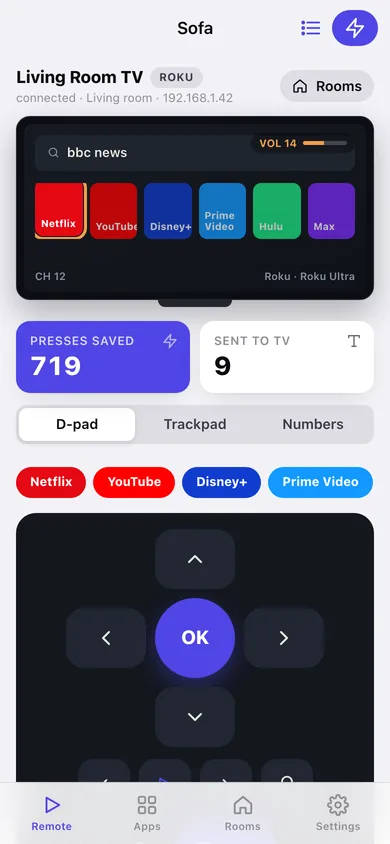
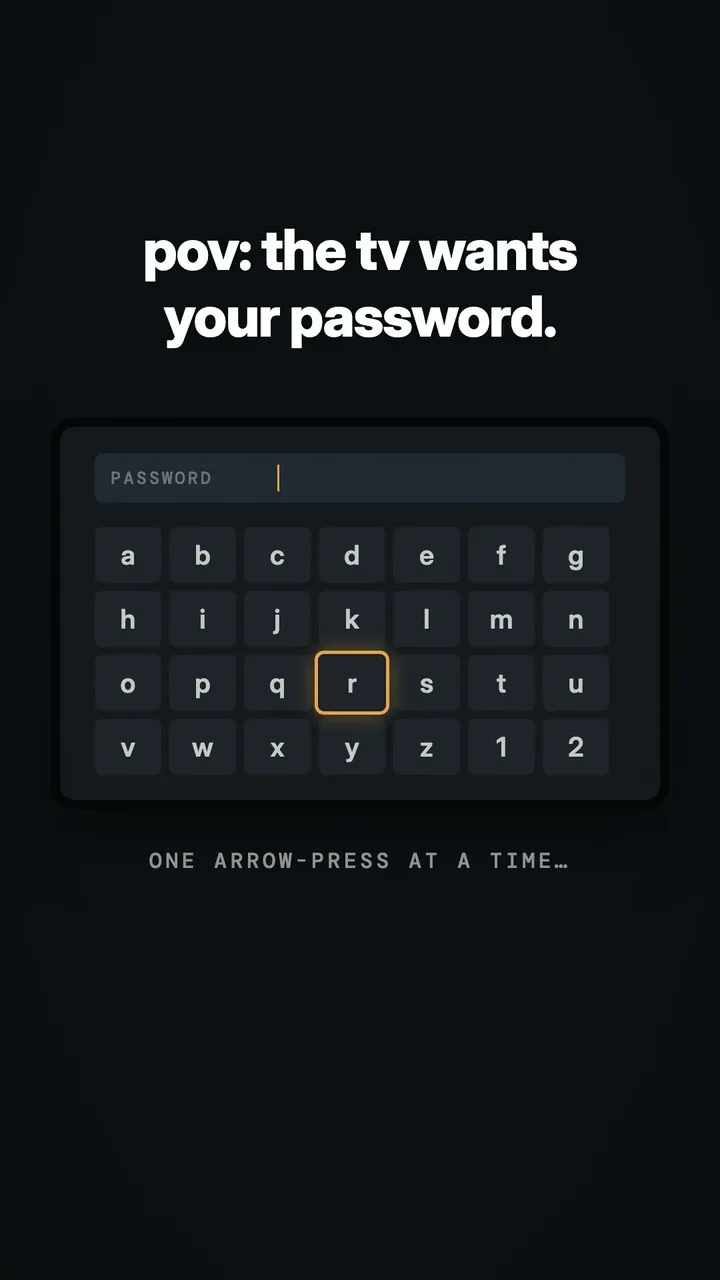
The worst part of a smart TV is typing on it. Sofa fixes exactly that. Sofa is a remote built around your phone's keyboard: open the Type sheet, write "that show with the chess prodigy," and it lands straight in the TV's search box. No more spelling passwords one arrow-press at a time. WHAT'S IN THE REMOTE WORKS WITH ROKU, SAMSUNG, LG & VIZIO Samsung, LG and Vizio ask for a one-time approval on the TV screen the first time Sofa connects — then it just works, and reconnects automatically when the TV comes back on. FREE, THAT'S IT No subscription. No ads. No "premium" upsell. The remote apps charging $40 a year for a keyboard are the reason Sofa exists — Sofa is free and complete. PRIVATE BY DESIGN Sofa talks directly to your TV on your home network, and your photos and files go straight from your phone to your TV — nothing is uploaded, and there's no account. Sofa sends anonymous usage stats (never your TV names, network addresses, what you type or what you show) so we can fix what breaks; turn them off anytime in Settings. TRADEMARKS Netflix, YouTube, Disney+, Roku, Samsung, LG, Vizio, Apple TV and other names are trademarks of their owners. Sofa is independent and not affiliated with or endorsed by them — it uses those names only to show which TVs and apps it can control. Privacy policy: https://allthingsn.com/apps/sofa/privacy/ Terms of use: https://allthingsn.com/terms/
Features
Built to be useful, not noisy.
Type sheet
A real keyboard for every TV text field — search, email, password — typed on your phone and sent to the TV instantly instead of spelled out with a D-pad.
Three input styles
Classic D-pad, a swipe trackpad, and a number pad with channel up/down, so you can control the TV the way that's fastest for what you're doing.
One-tap app launch
Launch Netflix, YouTube, Disney+, Prime Video and more with one tap; on Roku, the full channel grid renders with each app's real icon.
Rooms
Save every TV in the house and switch between them with a tap — no re-pairing, no hunting through a discovery list each time.
Wake on Wi-Fi
Save a TV's MAC address so the power button can wake it from a fully-off state, not just standby.
Works with Roku, Samsung, LG & Vizio
Roku connects with no pairing at all; Samsung, LG, and Vizio ask for a one-time on-screen approval the first time, then reconnect automatically from then on.
Why it exists
The problem
TV remote apps make you spell out search queries and Wi-Fi passwords one D-pad click at a time, or paywall a real keyboard behind a subscription that costs more per year than the TV app it's controlling.
What's different
How Sofa stands out
Built around a real on-screen keyboard first (not bolted on as an afterthought), works with four major TV platforms without pairing hardware, and is free and complete — no subscription, no ads, no premium upsell, unlike remote apps that charge $40/year for the keyboard alone.
You might also like
All apps →
Moment: Run of Show
Utilities
Run the event. Everyone's in the loop.

CoverKit: Paint & Tile
Utilities
Measure walls, buy exactly enough

CurbDay
Utilities
Beat street sweeping tickets

PackCycle
Utilities
Battery fleet & cycle tracker

TongueCheck
Utilities
Decode your CAT scale slip

GasBook
Utilities
Know when your LPG runs out
FAQ
Questions about Sofa
How much does Sofa cost?▾
Sofa is free. All features are included from day one — no subscription, no in-app purchases, no paid tiers. Everything you see in this listing works the moment you install it.
Where does Sofa store my data?▾
On your device. Sofa is built privacy-first: no account is required, no analytics SDKs, no third-party trackers. Nothing is uploaded to a server we control — the app works without one.
What platforms does Sofa support?▾
iOS, on iPhone and iPad. You can find the latest availability on this page.
How do I get support for Sofa?▾
Use the Support link on this page, or email support@allthingsn.com. We answer every message and keep responses on the same thread.
Videos
Sofa on Instagram
Related guide
Best iPhone apps with no subscription (one-time purchase & free), 2026
More baby, family & home apps with no subscription →
More in Utilities
