
Education
Revise: exam syllabus & revision tracker
Exam syllabus & revision tracker
No account, no install. What you do stays in your browser.
This app is a community proposal.
Try the full browser version now. We build the iPhone and Android app once 100 people upvote it.
We'll email you once, when it ships. Unsubscribe anytime.
| Price | Free, no subscription |
|---|---|
| Account | None needed to try |
| Works offline | Yes |
| Data | On your device, never on our servers |
| Platforms | Browser |
| Status | Community proposal (built for phones at 100 upvotes) |
| Last updated | 2026-06-07 |
Accessibility: Larger Text · Light & Dark · iPad layout · Browser version How we checked →
 Try it live
The full Revise, right here in your browser.
No account and no install. What you enter is saved in this browser only, never on our servers.
Open Revise →
Try it live
The full Revise, right here in your browser.
No account and no install. What you enter is saved in this browser only, never on our servers.
Open Revise →


About this app
What Revise does
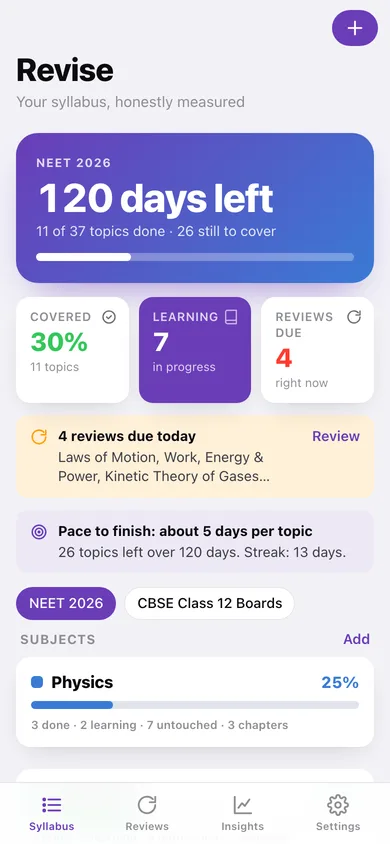
Revise turns a giant competitive-exam syllabus into a plan you can actually finish. Break your exam down into subjects, chapters and topics, and mark each one as you learn it — Revise shows true completion across the whole syllabus instead of a vague sense of being 'behind'. When you mark a topic learnt, it schedules timely reviews using spaced repetition so the material sticks through exam day. Set your exam date and a countdown shows days left alongside how much syllabus and revision remain, so you pace yourself instead of cramming. No account. No ads. No social feed to lose hours to. Everything stays on your phone.
Features
Built to be useful, not noisy.
Syllabus tree
Subjects, chapters, topics with status (not started/learning/done) and overall progress.
Spaced revision
Schedule and surface topic reviews using spaced-repetition intervals.
Exam countdown
Days to exam plus remaining syllabus and revision workload.
Study log
Log study sessions and confidence per topic.
Why it exists
The problem
Aspirants face enormous syllabi and don't know what they've truly covered or when to revise; they cram, forget, and burn out, and most study apps are content stores, ad-driven, or account-locked rather than a private personal-progress and revision system.
What's different
How Revise stands out
A private, offline syllabus-and-revision tracker that combines a granular progress tree, spaced-repetition review scheduling, and an exam countdown with remaining workload — distinct from content/coaching apps and from the pipeline's flashcard app (QuickDeck); it tracks YOUR syllabus and revision timing, not pre-made…
You might also like
All apps →
Readfox
Education
Any book. Listens as they read.

Sayline
Education
Learn any speech or script by heart.

SpellHive
Education
Spelling Bee Prep — Spell It Out Loud

Podium: Speech Coach
Education
Live filler-word coach

IEP Vault
Education
Your IEP paper trail, offline

Minutes Owed
Education
Scheduled vs delivered minutes
FAQ
Questions about Revise
How much does Revise cost?▾
Revise is free. All features are included from day one — no subscription, no in-app purchases, no paid tiers. Everything you see in this listing works the moment you install it.
Where does Revise store my data?▾
On your device. Revise is built privacy-first: no account is required, no analytics SDKs, no third-party trackers. Nothing is uploaded to a server we control — the app works without one.
What platforms does Revise support?▾
iOS, on iPhone and iPad. You can find the latest availability on this page.
How do I get support for Revise?▾
Use the Support link on this page, or email support@allthingsn.com. We answer every message and keep responses on the same thread.
Related guide
Best iPhone apps with no subscription (one-time purchase & free), 2026
More notes & productivity apps with no subscription →
More in Education

