How EOB Keeper matches your bill to your insurance statement
A look inside EOB Keeper: on-device scanning, the pairing engine that flags overcharges, and the design choice that keeps the whole thing instant.
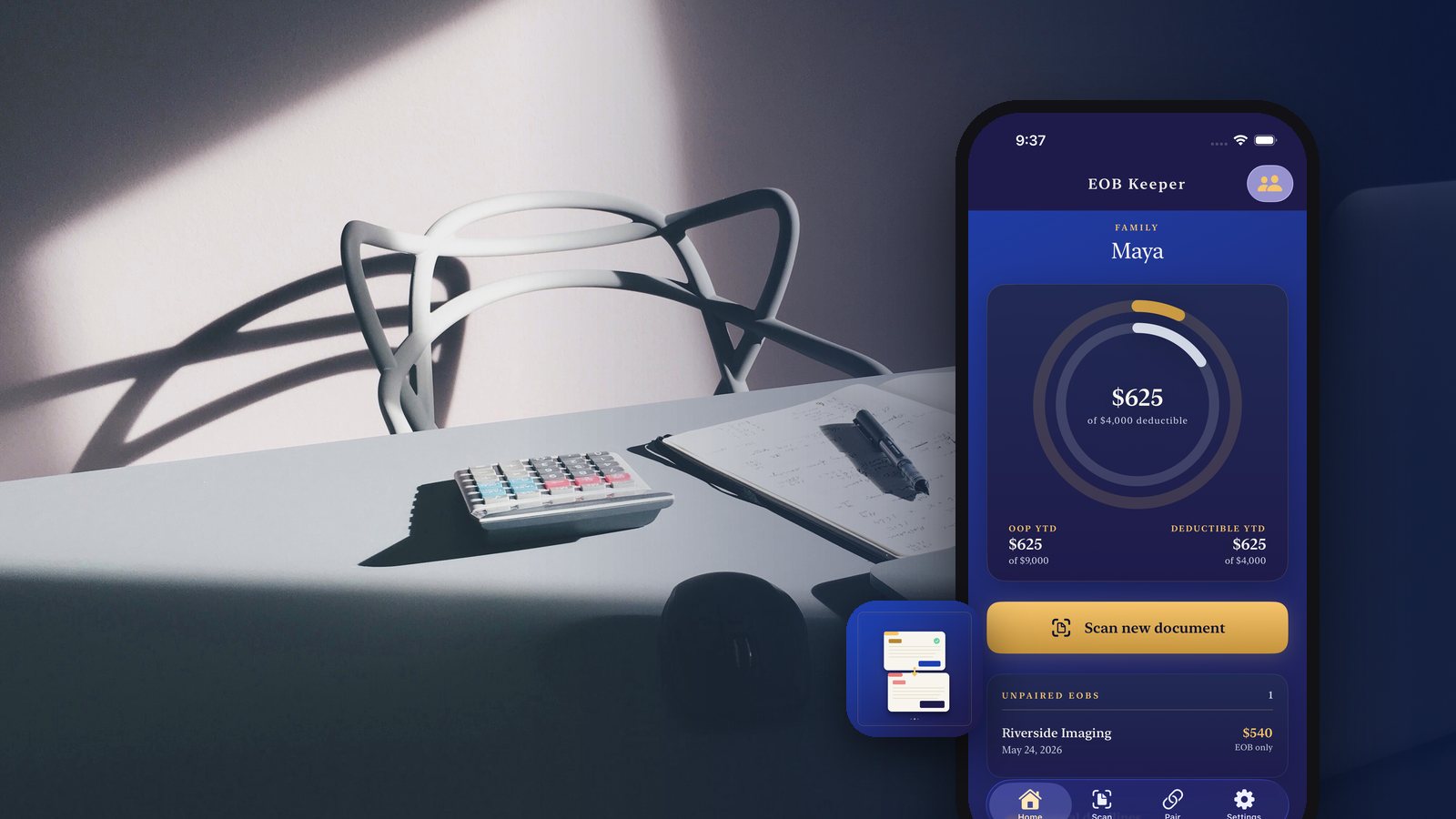
A medical bill and the insurance statement explaining it almost never arrive together. One shows up from the provider, one from the insurer, weeks apart, in different envelopes, describing the same fifteen minutes in an exam room in two different vocabularies. Nearly all of the work of catching an overcharge is just getting those two pieces of paper next to each other.
The scan runs on the phone
Point the camera at an Explanation of Benefits and EOB Keeper reads it with Apple's on-device text recognition. It pulls out the provider, the date, the service codes, and the amounts, then shows you what it found so you can confirm or correct it. Do the same with the provider's bill.
That confirmation step matters. Text recognition on a folded, faxed, photocopied statement is good but not perfect, and the app would rather show you a field it is unsure about than quietly file a wrong number. You are the last check, and it takes a couple of taps.
Nothing about that scan touches a network. There is no account, no cloud, and no protected health information sitting on somebody else's server, because the pipeline that would put it there does not exist in the app.
Pairing is arithmetic, not a guess
Once both documents exist, the matching engine pairs them on service date and code. When the amounts agree, you get a green check and you can pay the bill and stop thinking about it. When the provider is charging you more than the statement said you owed, you get a red flag on the specific line, before the money leaves your account.
That is the whole product thesis. Not advice, not a chat window, not a claim it will negotiate on your behalf. A comparison you would do yourself if you had both documents in hand and an hour.
The value is not intelligence, it is adjacency: almost every overcharge people miss is one they would have caught instantly if the two documents had ever been in the same place.
Why it feels instant
There is exactly one design decision behind the speed, and it is that everything lives locally. No sign-in screen, no sync spinner, no round trip to ask a server what your deductible is. Scan, confirm, done.
That locality pays off everywhere else too. The deductible and out-of-pocket gauge for each family member updates the moment you add a visit, because the math is happening on the same device as the data. Appeal reminders are local notifications scheduled 90, 30, and 7 days before the 120-day window the No Surprises Act gives you to dispute a charge, so they fire whether or not you have signal. Year-to-date receipts filter into a single PDF for HSA reimbursement without an upload.
It is free, with no subscriptions, ever.
The next version of this problem is the one nobody has solved yet: the bills that never get an Explanation of Benefits at all. Until then, matching the two documents you do have is the highest-value ten minutes in American household finance.
EOB Keeper is on iPhone, and if you are also managing a parent's care, Caregiver Ledger works the same way on the clinical side.
Related posts
-
How-to
How to pick a health insurance plan during open enrollment
Oct 28, 2026
-
How-to
How to appeal a denied health insurance claim
Oct 02, 2026
-
How-to
How to spot the errors hiding on a hospital bill
Sep 25, 2026
Recent posts
-
AI & Trends
What AI agents can actually do for you now
Nov 02, 2026
-
How-to
How to photograph Diwali lights at night with your phone
Nov 01, 2026
-
How-to
How to host a Diwali party at home
Oct 31, 2026
-
How-to
How to build a 20-minute bodyweight workout that keeps working
Oct 30, 2026
-
How-to
How to hit a third shot drop in pickleball
Oct 29, 2026
-
How-to
How to pick a health insurance plan during open enrollment
Oct 28, 2026
0 comments
No comments yet — be the first.
Leave a reply
Sign in with Google to join the conversation. We require a quick sign-in to keep comments spam-free.
Sign in with Google to comment