
Web app · Education
Permitlog
Teen drive hours, always ready — two rings that show exactly how far from the DMV log you are
Tap to start a drive or log one after the fact, tag it night or day with weather and road type, and watch total and night hours fill against your state’s pre-loaded requirement. A month-by-month history and a signable summary are ready when the teen is. Free, no account.
Stored in your browser only. Nothing you do in the web version is sent to our servers. Clear your browser data and it's gone — so export a backup from the in-app menu if you want to keep it.
This app is a community proposal.
Try the full browser version now. We build the iPhone and Android app once 100 people upvote it.
We'll email you once, when it ships. Unsubscribe anytime.
In your browser
What you can do in Permitlog on the web
Drive timer
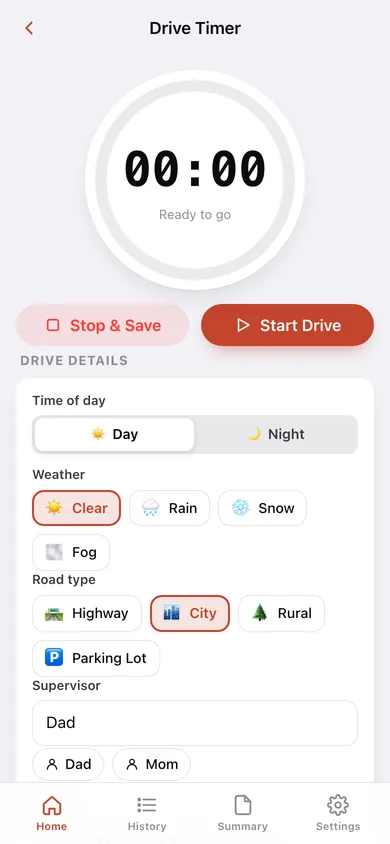
Start, pause, resume, Stop & Save — the ring fills over an hour and the drive is logged with its exact start and end times.
Quick manual entry
Log a drive after the fact with date, hours and minutes, day or night, weather, road type, supervisor and notes.
All 50 state requirements
Total and night-hour quotas for every state pre-loaded; pick the state and the rings recalibrate. A custom override covers edge cases.
Progress rings
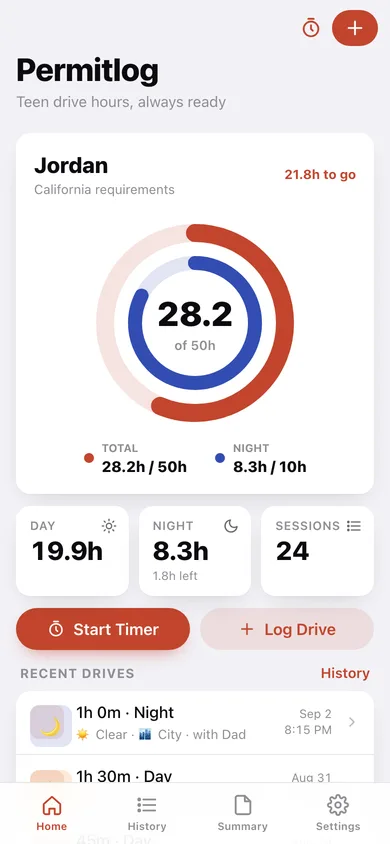
Outer ring total hours, inner ring night hours, the remaining hours at a glance, and a Ready! badge when both quotas are met.
History
Every drive grouped by month with hours-per-week bars, all-time totals, and tap-to-edit or delete.
Signable summary
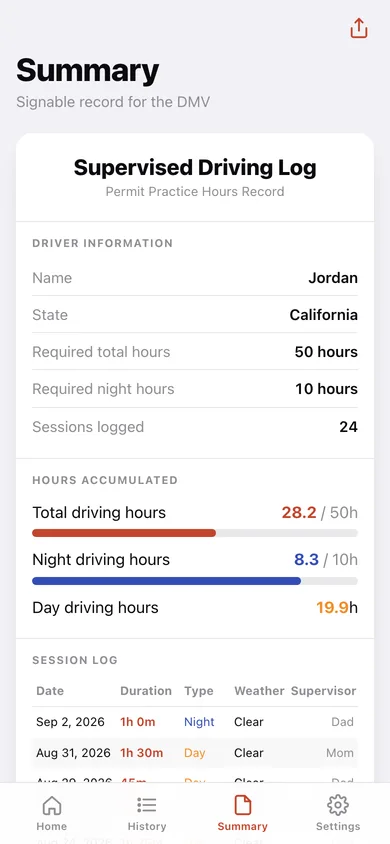
Driver information, requirements, progress bars, the full session table and a parent/guardian certification line — share, download as text or CSV, or print.
Siblings
Multiple drivers, each with their own state and log.
Screens
Every screen, rebuilt for the browser
-
1
Dashboard
The two progress rings, day/night/session stats, Start Timer and Log Drive, recent drives.
-
2
Drive Timer
Live clock with a filling ring, pause/resume, Stop & Save, and the drive’s tags.
-
3
History
Hours per week and every drive grouped by month.
-
4
Drive
One drive’s duration, conditions, supervisor and notes; edit or delete.
-
5
Summary
The printable, signable supervised-driving log.
-
6
Settings
Drivers, state requirements, backup, sample data and erase.
Try it with sample data: Adds Jordan, a California learner, with 24 tagged drives over the last eight weeks — highway, city, rural, rain and fog, day and night — from Mom and Dad. You can start fresh at any time.
Ready? It's free.
No account, no install, no subscription. Everything you do stays in this browser.
Your say
What should Permitlog do? Tell us before we build it.
Tell us what to build next.
Comments need a free Google sign-in, so every one is from a real person.
Sign in with Google to commentNo comments yet — be the first to say what this app should do next.
Questions
Is the web version of Permitlog free?+
Yes. Every screen is free to use: no subscription, no in-app purchases, no account.
Do I need an account?+
No. Open Permitlog and start using it right away. Sign in with Google only if you want to upvote an app, save it to your list, or leave a comment.
Where is my data stored?+
Only in this browser's local storage. Nothing you enter is sent to our servers, so we can't see it, back it up, or restore it. Clearing site data, a private window, or another device starts empty. Export a backup from the in-app menu to keep it.
Is there a Permitlog app for iPhone or Android?+
Not yet. Permitlog is a community proposal: the browser version is complete, and we build the iPhone and Android app once 100 people upvote it. Upvoters get one email when it ships.