
Web app · Finance
PadalaBook
Every padala, accounted for — and the rate you actually got
Log each transfer home in any currency pair with its fee and channel, and PadalaBook works out the effective exchange rate, ranks GCash against Western Union, Remitly, Wise and your padala center, and splits the month into envelopes. Free, no install.
Stored in your browser only. Nothing you do in the web version is sent to our servers. Clear your browser data and it's gone — so export a backup from the in-app menu if you want to keep it.
This app is a community proposal.
Try the full browser version now. We build the iPhone and Android app once 100 people upvote it.
We'll email you once, when it ships. Unsubscribe anytime.
In your browser
What you can do in PadalaBook on the web
The rate no remittance app shows you
Fee and FX markup combined into one effective rate per transfer — so a "zero fee" promo with a marked-up rate stops being invisible.
Channels ranked by what they delivered
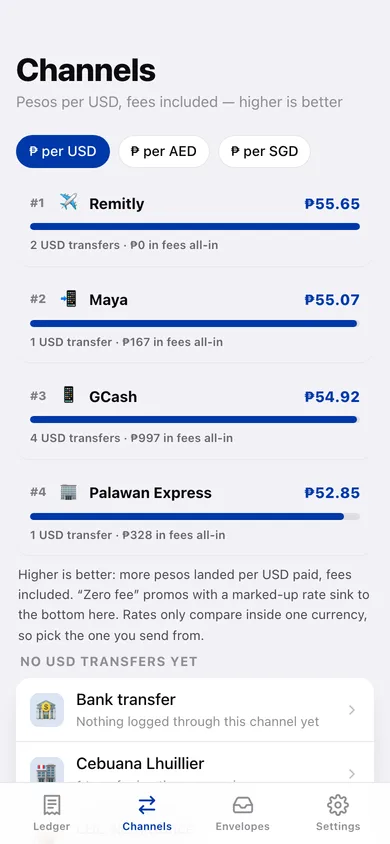
GCash, Western Union, Remitly, Wise, Palawan Express, Cebuana, MoneyGram, LBC, Maya, PayPal/Xoom and any centre you type in — ranked by average effective rate, with a rate-over-time chart each.
Padala received and sent, any currency pair
USD, AED, SAR, SGD, HKD, QAR, KWD, JPY, CAD, AUD, GBP, EUR, TWD, KRW and NZD, in both directions, with fees counted in the payer's currency and converted to pesos for the totals.
Monthly envelopes so every peso has a job
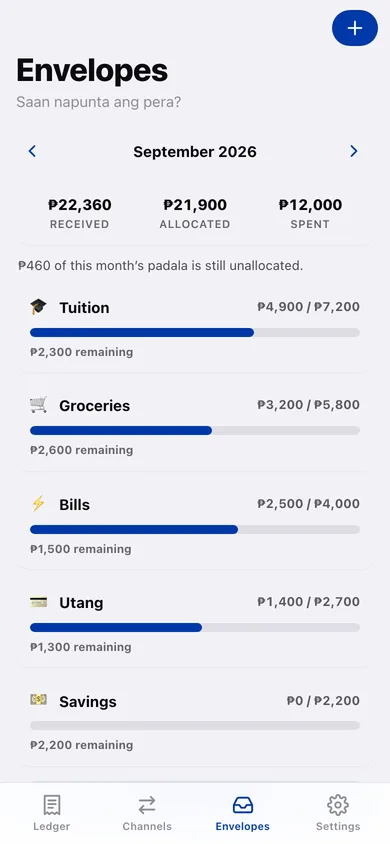
Split the month's padala into tuition, groceries, bills, utang, savings and more, record spending against each, and see what is still unallocated.
Saan napunta ang pera?
The yearly summary shows pesos received by month, what came from which currency, fees lost, the savings share, and which channel gave the best rate all year.
Stays in your browser
No account, no sign-up, no bank linking — the ledger lives on your device, and you can export it as JSON or CSV any time.
Screens
Every screen, rebuilt for the browser
-
1
Ledger
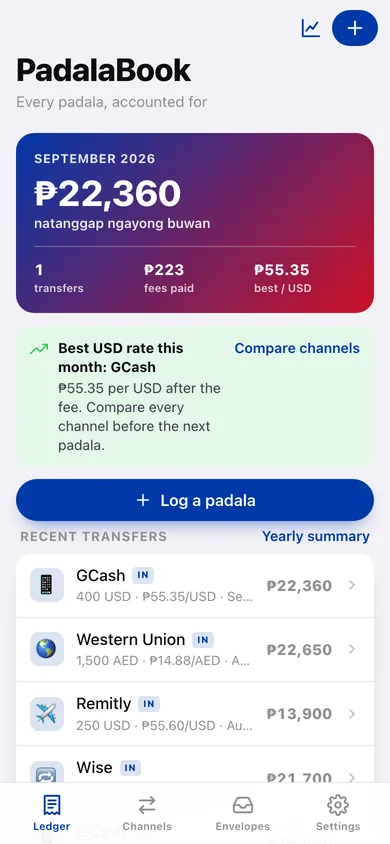
This month's pesos received, transfers, fees paid and best rate, the best-rate channel callout, and every recent transfer.
-
2
Padala detail
One transfer: pesos landed, advertised rate versus effective rate, what the fee cost as a percentage, and the channel.
-
3
Log padala
Direction, date, foreign amount and currency, pesos, fee and channel — with a live effective-rate preview.
-
4
Channels
Every channel ranked by the average effective rate it actually delivered, with fees paid and transfer counts.
-
5
Channel detail
One channel's average rate, fees, rate-over-time chart and full transfer list.
-
6
Envelopes
Month by month: received, allocated and spent, with a progress bar per envelope and what is still unallocated.
-
7
Envelope detail
One envelope's allocation, spending list and what remains — record new spending here.
-
8
Yearly summary
Pesos received by month, currency mix, fees lost, savings share and the channel ranking for the year, with CSV export.
-
9
Settings
Default currency, rate warnings, your channels, backup, sample data and erase.
Try it with sample data: Adds fourteen padala across the last three months — GCash, Western Union, Remitly, Wise, Maya, Cebuana and Palawan Express in USD, AED and SGD, including two "zero fee" promos — plus this month's and last month's envelopes with real spending against them. You can start fresh at any time.
Ready? It's free.
No account, no install, no subscription. Everything you do stays in this browser.
Your say
What should PadalaBook do? Tell us before we build it.
Tell us what to build next.
Comments need a free Google sign-in, so every one is from a real person.
Sign in with Google to commentNo comments yet — be the first to say what this app should do next.
Questions
Is the web version of PadalaBook free?+
Yes. Every screen is free to use: no subscription, no in-app purchases, no account.
Do I need an account?+
No. Open PadalaBook and start using it right away. Sign in with Google only if you want to upvote an app, save it to your list, or leave a comment.
Where is my data stored?+
Only in this browser's local storage. Nothing you enter is sent to our servers, so we can't see it, back it up, or restore it. Clearing site data, a private window, or another device starts empty. Export a backup from the in-app menu to keep it.
Is there a PadalaBook app for iPhone or Android?+
Not yet. PadalaBook is a community proposal: the browser version is complete, and we build the iPhone and Android app once 100 people upvote it. Upvoters get one email when it ships.