Meet STR Compliance Binder — Keep every short-term rental legal
Short-term-rental enforcement changed in 2026.

Business
STR Compliance Binder
Keep every short-term rental legal
Every feature, from the first launch.
No account, no login, no cloud. Everything runs on your device and works fully offline — nothing in this post is hidden behind a wall.
What STR Compliance Binder does
Short-term-rental enforcement changed in 2026. Cities stopped waiting for a neighbor to complain and started running automated audits: Houston now requires per-unit registration with the certificate and a 24-hour emergency contact posted inside every listing, and the EU's host-registration deadline landed in May. Miss a permit renewal or a lodging-tax filing and the penalty — or the delisting — can be automatic. Notes and Reminders were never built to hold a per-property, per-jurisdiction compliance calendar, and cloud property-management suites are subscription overkill for someone with one to three units.
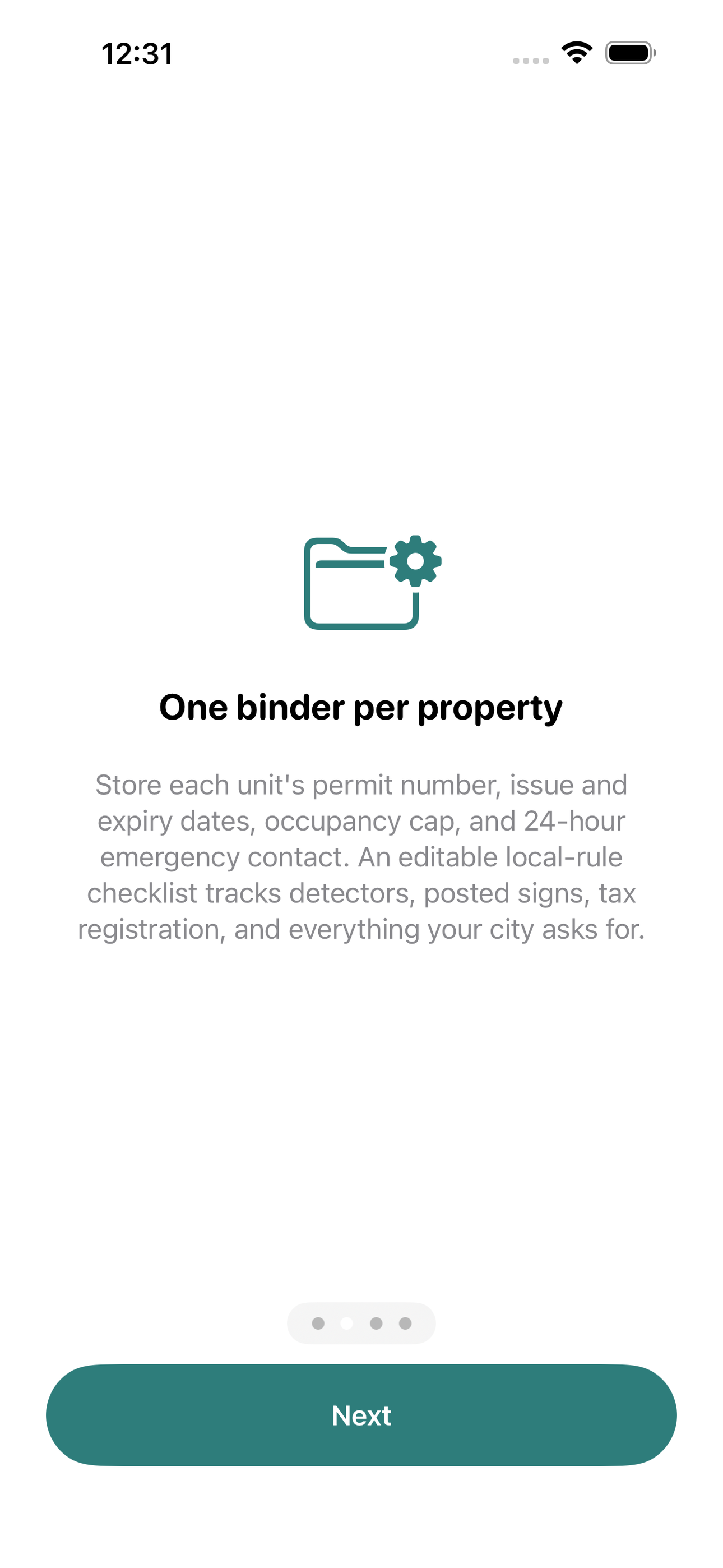
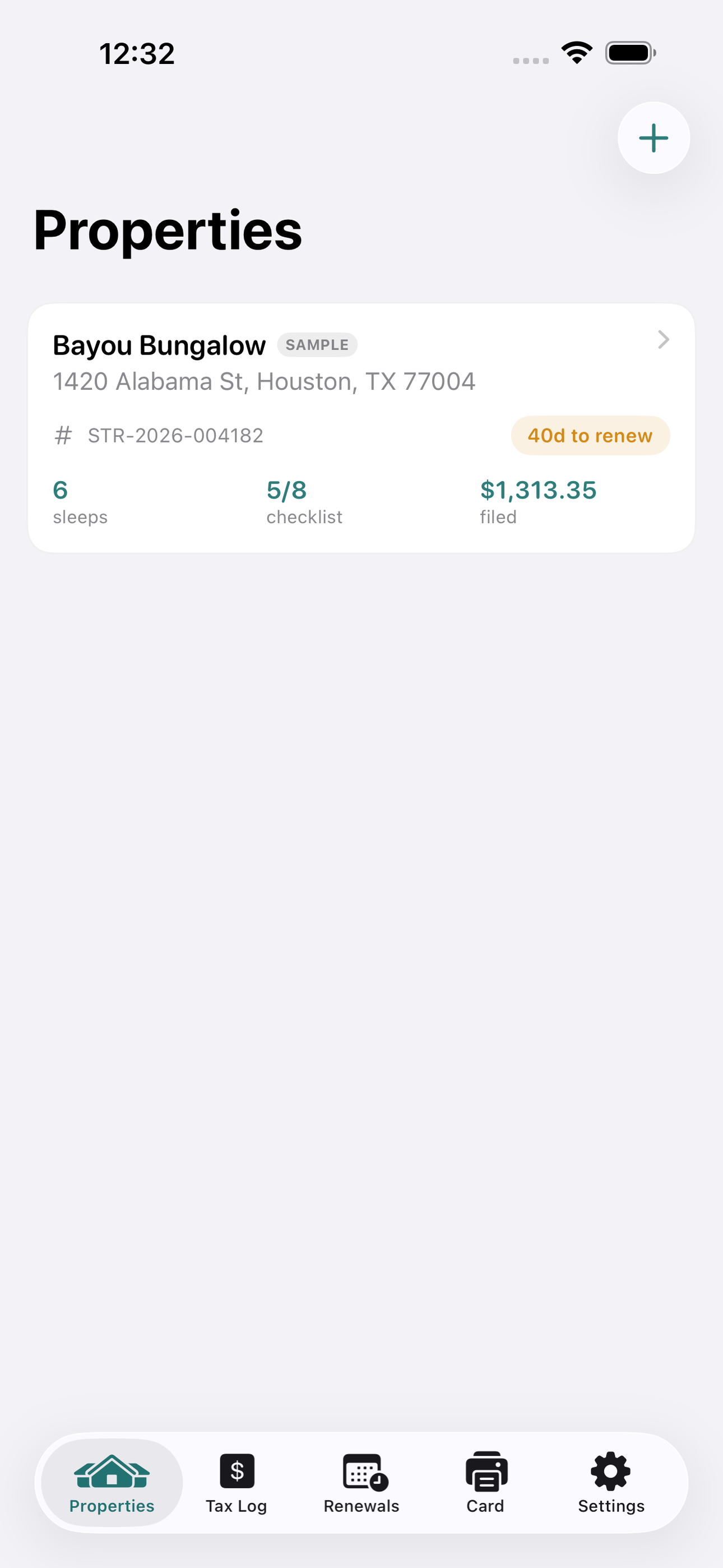
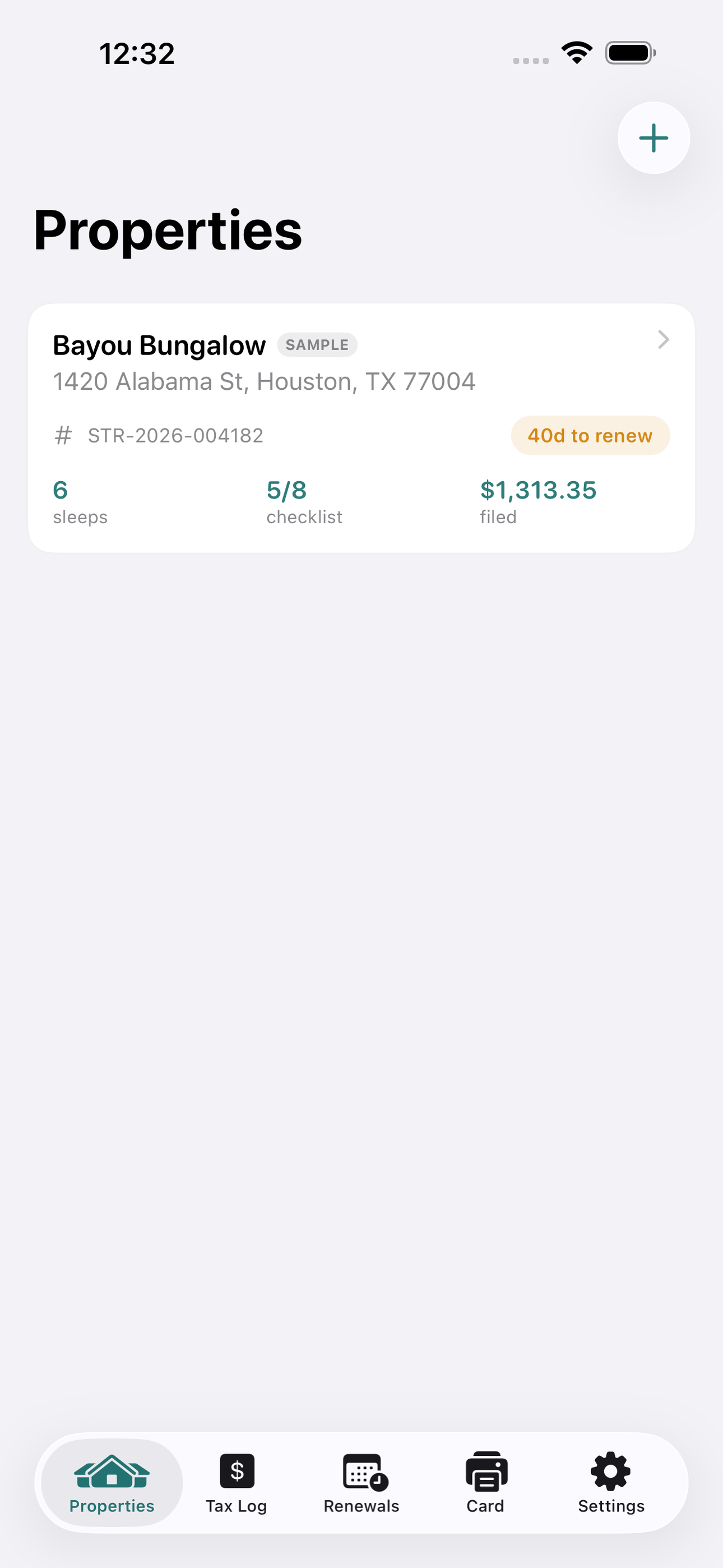
STR Compliance Binder is the offline binder that fits between them. Give each property a page: nickname, address, permit or registration number, issue and expiry dates, occupancy cap, and the 24-hour local contact. An editable compliance checklist ships with the items cities ask for most — certificate posted, smoke and CO detectors, tax account registered, occupancy sign posted, fire extinguisher, insurance — and you add whatever your jurisdiction wants.
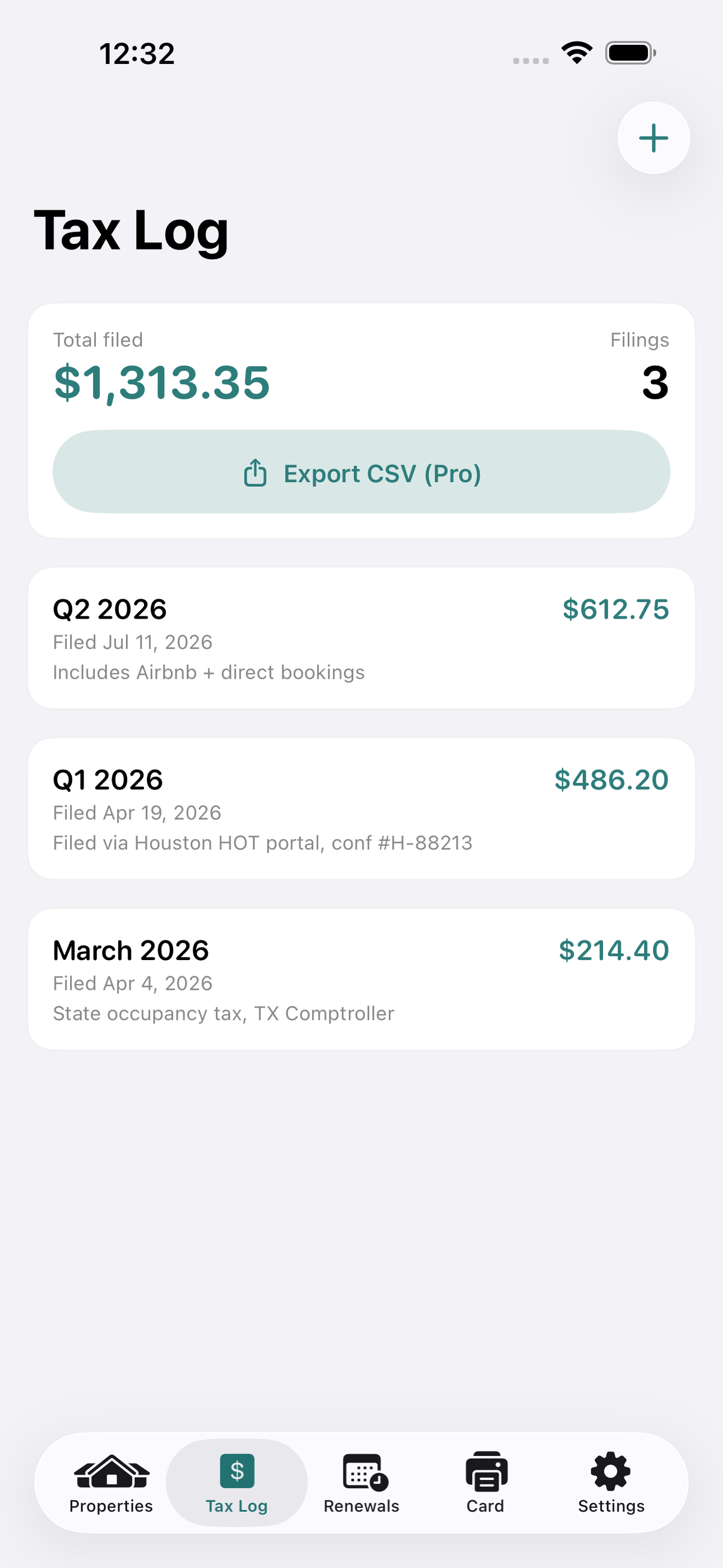
The renewal center stacks every permit expiry across all your properties, sorted by urgency, with countdown badges and optional local reminders at 60, 30, 7, and 1 day out. The lodging-tax log records each filing — period, amount, date, and receipt note — and keeps a running total per unit, exportable to CSV. And with one tap you generate a clean, printable 'post-in-unit' display card carrying the registration number, occupancy limit, and 24-hour contact, formatted exactly the way inspectors expect it posted by the door.
Everything stays on your device. No account, no server, no analytics — your permit numbers and tax figures never leave your phone. Because rules are a generic template you fill in, the app works in any city or country, not just the handful a legal database would cover.
STR Compliance Binder is an organizer, not legal advice. Rules vary by city and change often — always verify with your local authority.
• One binder page per property: permit #, dates, occupancy, 24-hour contact • Editable local-rule compliance checklist with progress • Renewal center: every permit expiry sorted, with countdowns and reminders • Lodging-tax log with running totals and CSV export • One-tap printable post-in-unit display card • 100% offline — nothing ever leaves your phone
A look inside
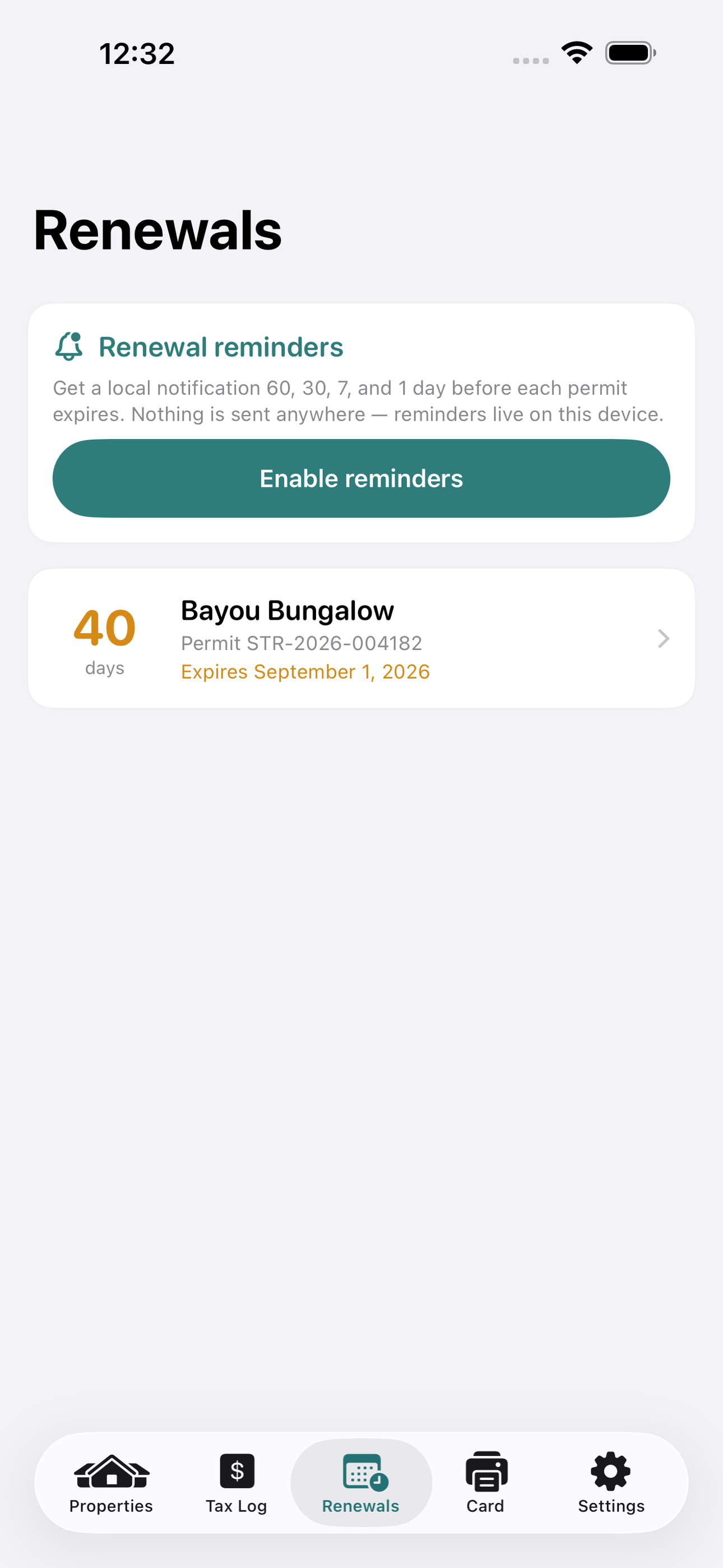
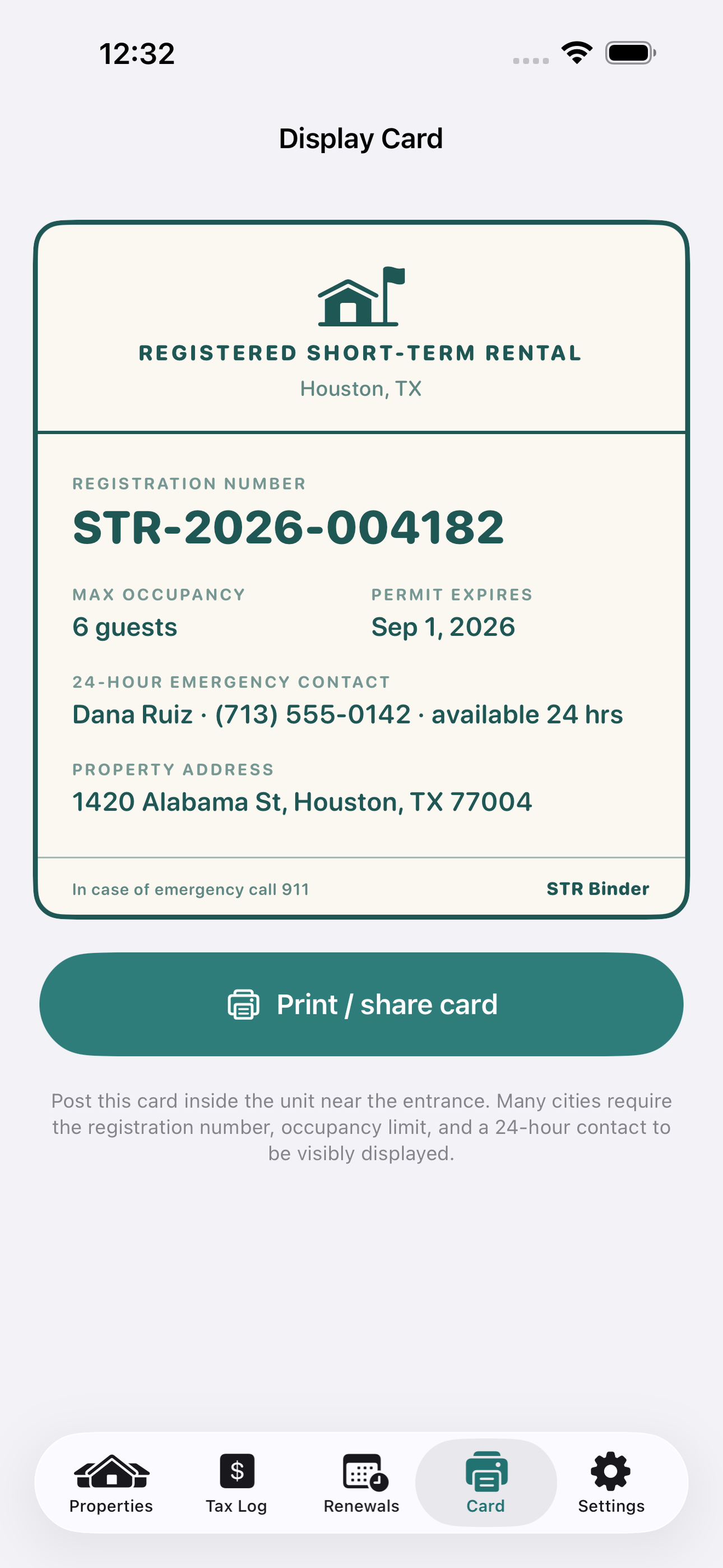
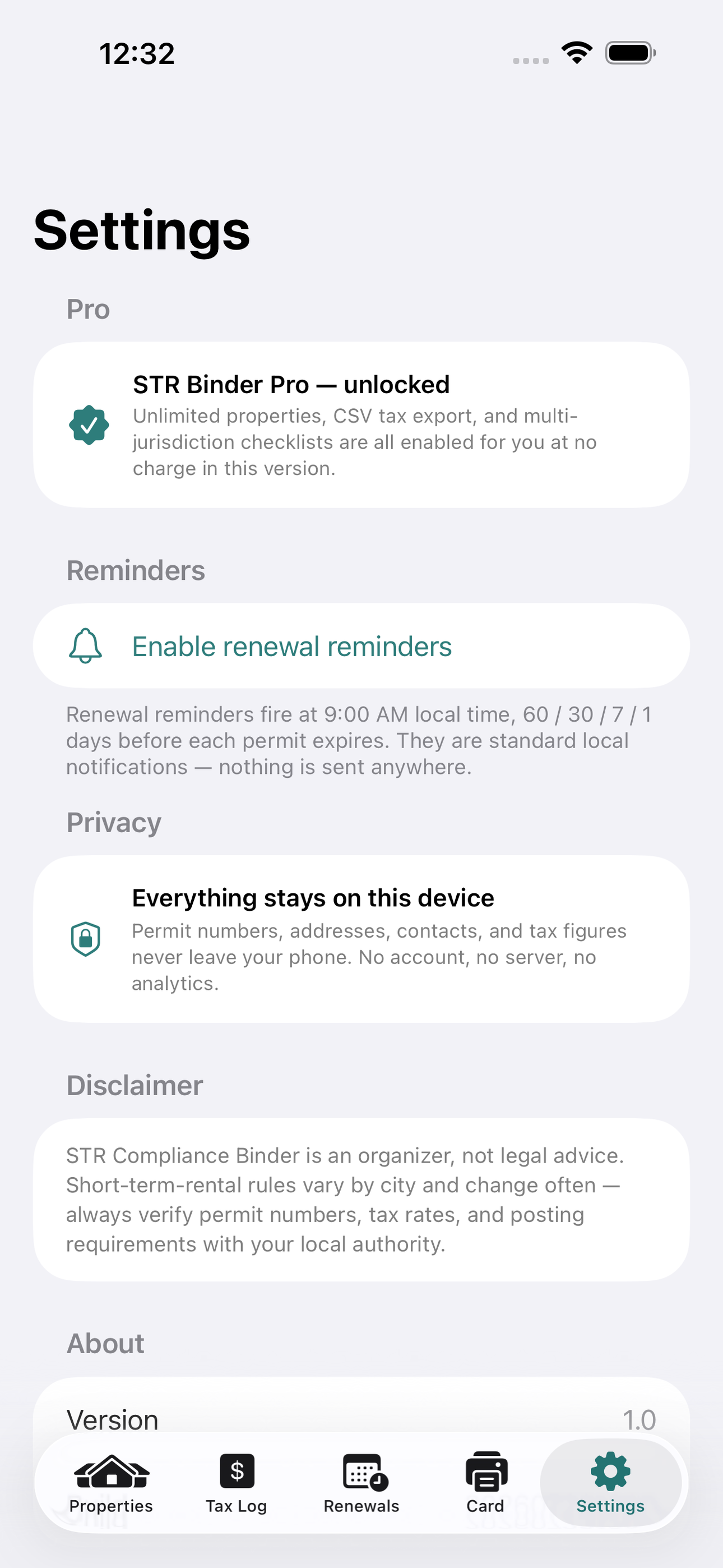
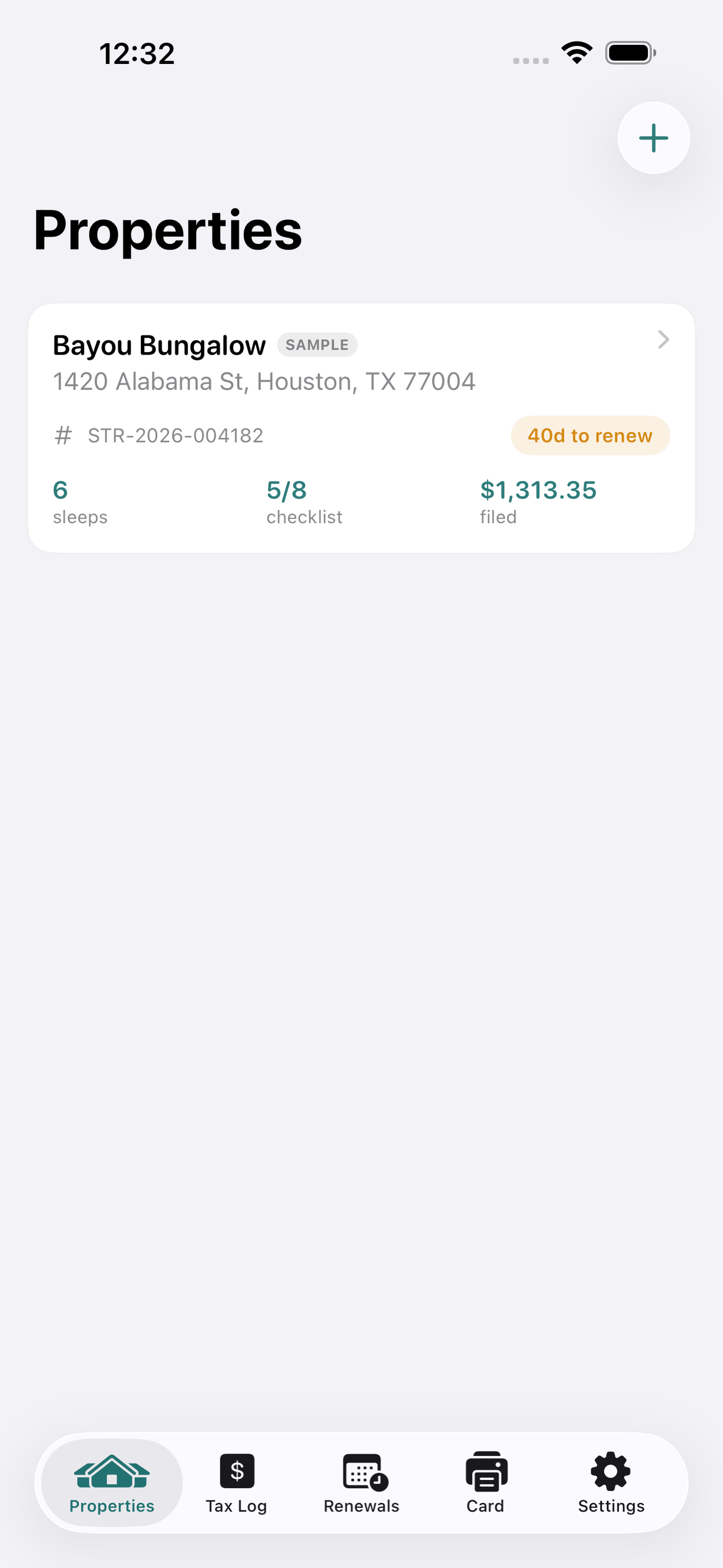
Tap any screenshot to open the full-resolution version.
What's inside
- Property binder — Permit numbers, expiry, occupancy and a compliance checklist.
- Lodging-tax log — Track filings and totals per property.
- Display card — Generate the post-in-unit registration placard.
Why we built it
Small short-term-rental hosts can't keep per-property permits, lodging-tax filings and renewal deadlines straight as 2026 enforcement turns automated.
What makes it different
A per-property, per-jurisdiction compliance binder with renewal countdowns and a printable post-in-unit registration + 24hr-contact card — where Notes and pricey PMS tools fall short.
Who it's for
Operations leaders and small teams who want a tool in their workflow without buying another platform.
In one line: Keep every short-term rental legal
Try it
See the Keep every short-term rental legal for the full feature list, the info table, and support links.
Use STR Compliance Binder, found a bug, or have a feature request? Comments are open below — anonymous is fine.
0 comments
No comments yet — be the first.
Leave a reply
Sign in with Google to join the conversation. We require a quick sign-in to keep comments spam-free.
Sign in with Google to comment