Meet OffClock — Log unpaid work, see it add up
Your shift does not start when you punch in.
Finance
OffClock
Log unpaid work, see it add up
Every feature, from the first launch.
No account, no login, no cloud. Everything runs on your device and works fully offline — nothing in this post is hidden behind a wall.
What OffClock does
Your shift does not start when you punch in. It starts when you show up early to set up the line, and it does not end until the closing checklist is done, the bag check is over, and you have answered your manager's 9:47pm text. Under federal law, that time is work — and work has to be paid, even when you volunteered, even when it is only fifteen minutes.
OffClock is a private, fully offline log for exactly those minutes. Every employment lawyer gives the same first advice: write down the dates, the times, and the tasks, and save the texts. OffClock turns that advice into a ten-second habit. Pick what happened — worked before punch-in, worked through a break, stayed after close, answered a manager message at home, sat through an unpaid meeting or training, waited in a security bag check — enter the minutes, and attach the screenshot that backs it up. Every entry is stamped the moment you create it, so your record reads the way wage-claim reviewers want it to read: contemporaneous, specific, and organized by incident.
Then OffClock does the math you have never seen. Set your hourly rate once and every logged minute becomes dollars — at your regular rate, and at time-and-a-half when the extra minutes push a week past forty hours. The year view adds it all up into one stark card: hours off the clock, wages unpaid, and what that figure looks like doubled, because federal wage claims can include liquidated damages equal to the unpaid amount, with a lookback of up to three years.
When you are ready to talk to HR, your state labor agency, or an attorney, export a chronological PDF of every incident, minute count, and attachment — the exact document intake teams ask new clients for and almost nobody has.
Everything stays on your phone. No account, no cloud, no employer system that could ever see it.
OffClock keeps records and does arithmetic. It is not legal advice and it does not calculate what any agency or court would award — talk to a licensed attorney or your state labor department about your own situation.
• Ten-second incident logger with the six classic off-the-clock categories • Screenshot attachments pinned to timestamped entries • Minutes-to-dollars math at your regular and overtime rates • Year card showing unpaid hours, dollars, and the doubled figure • Chronological PDF export formatted for agencies and attorneys • Fully offline, no account, nothing ever leaves your device
A look inside
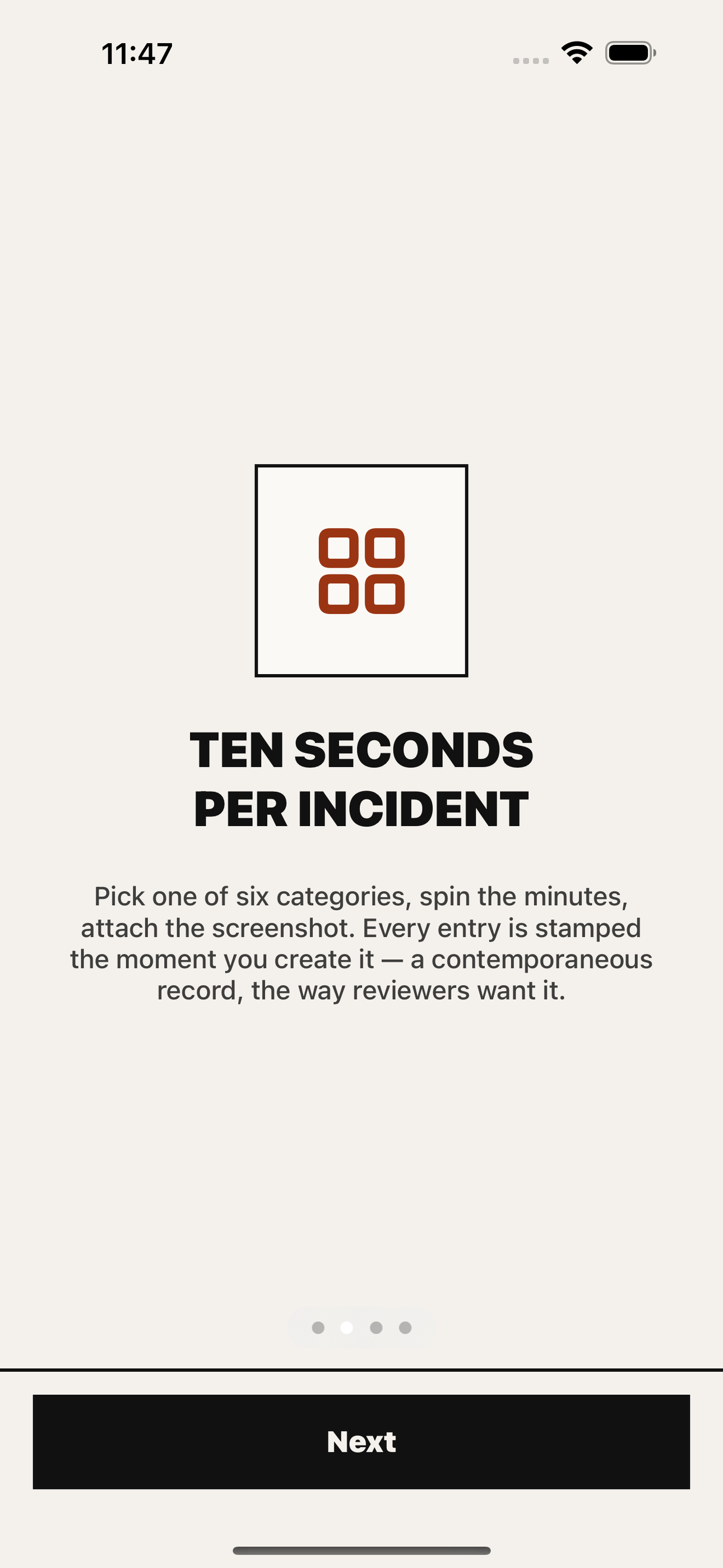
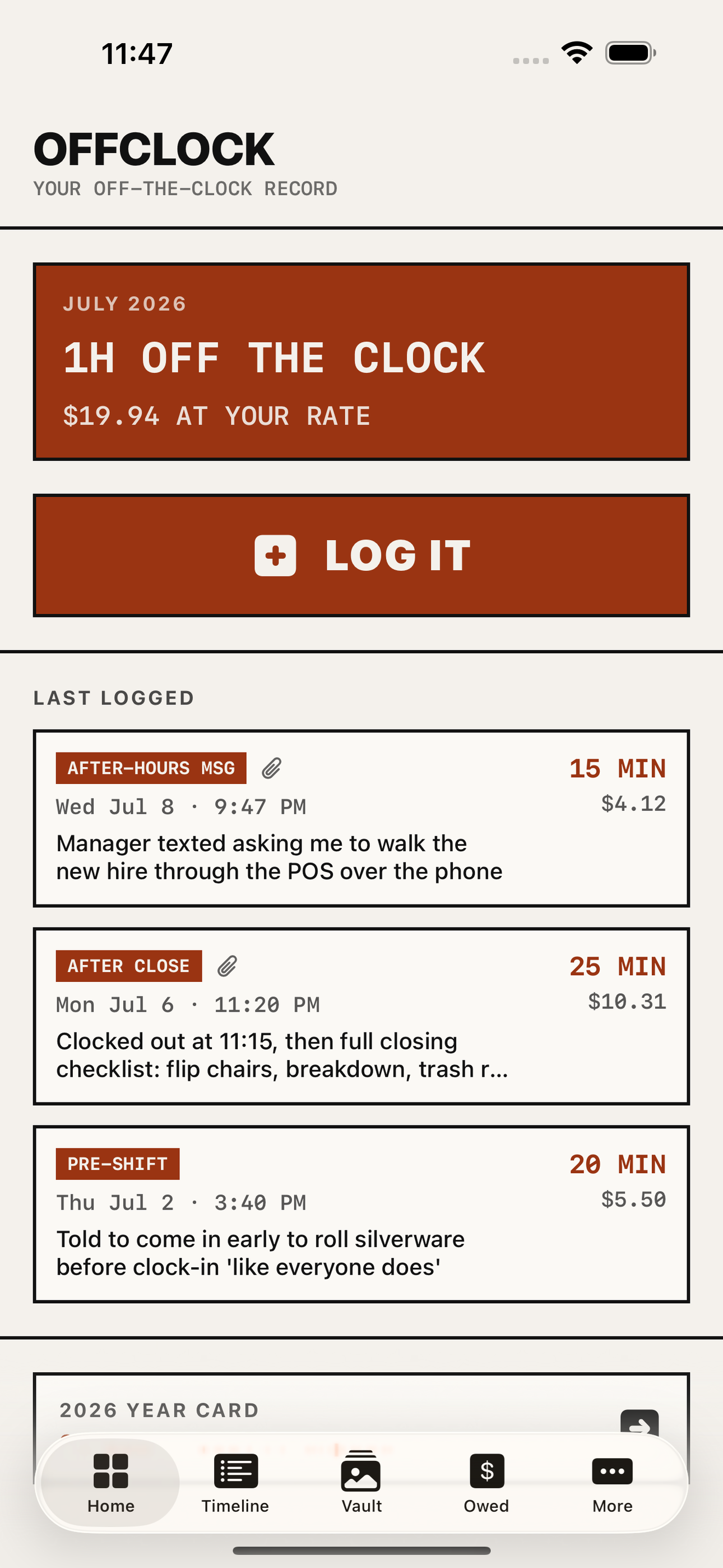
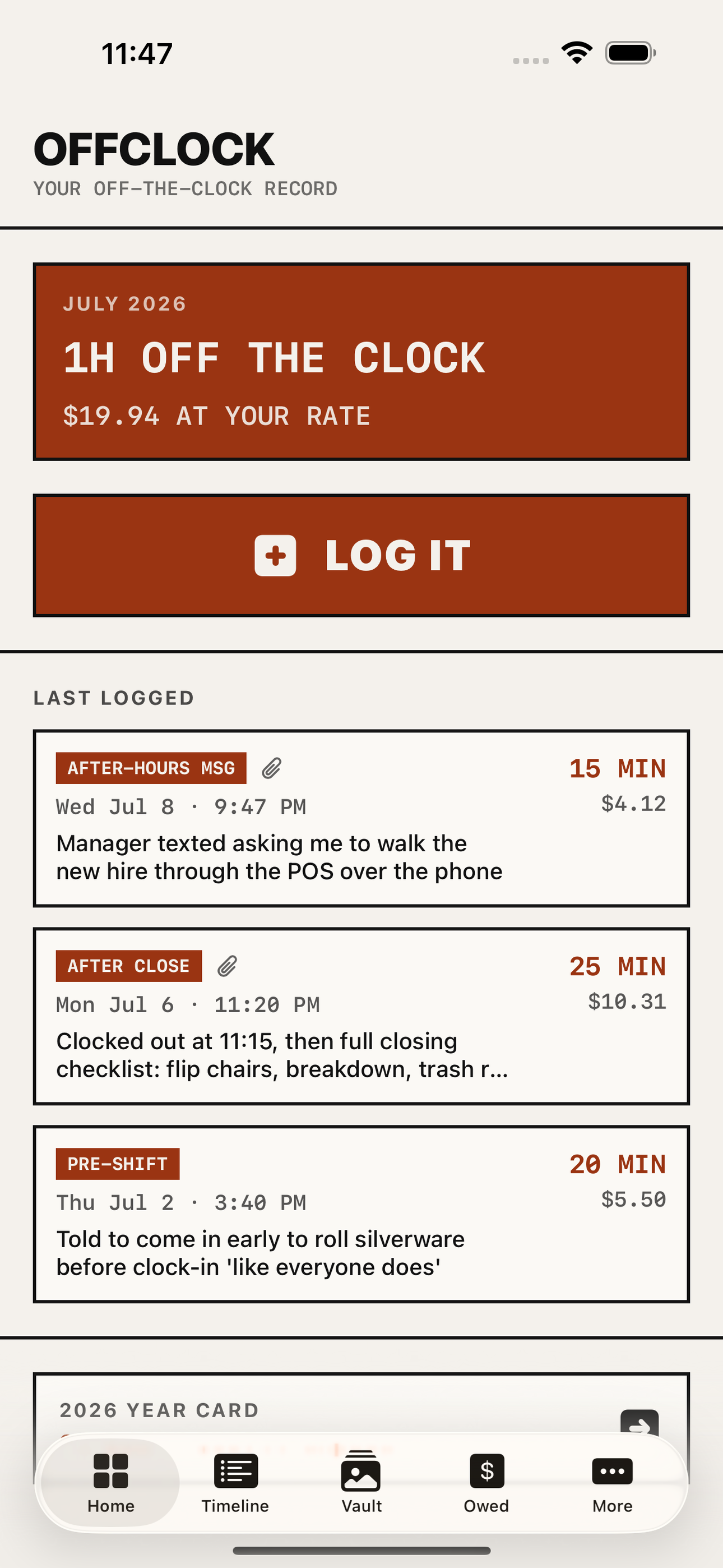
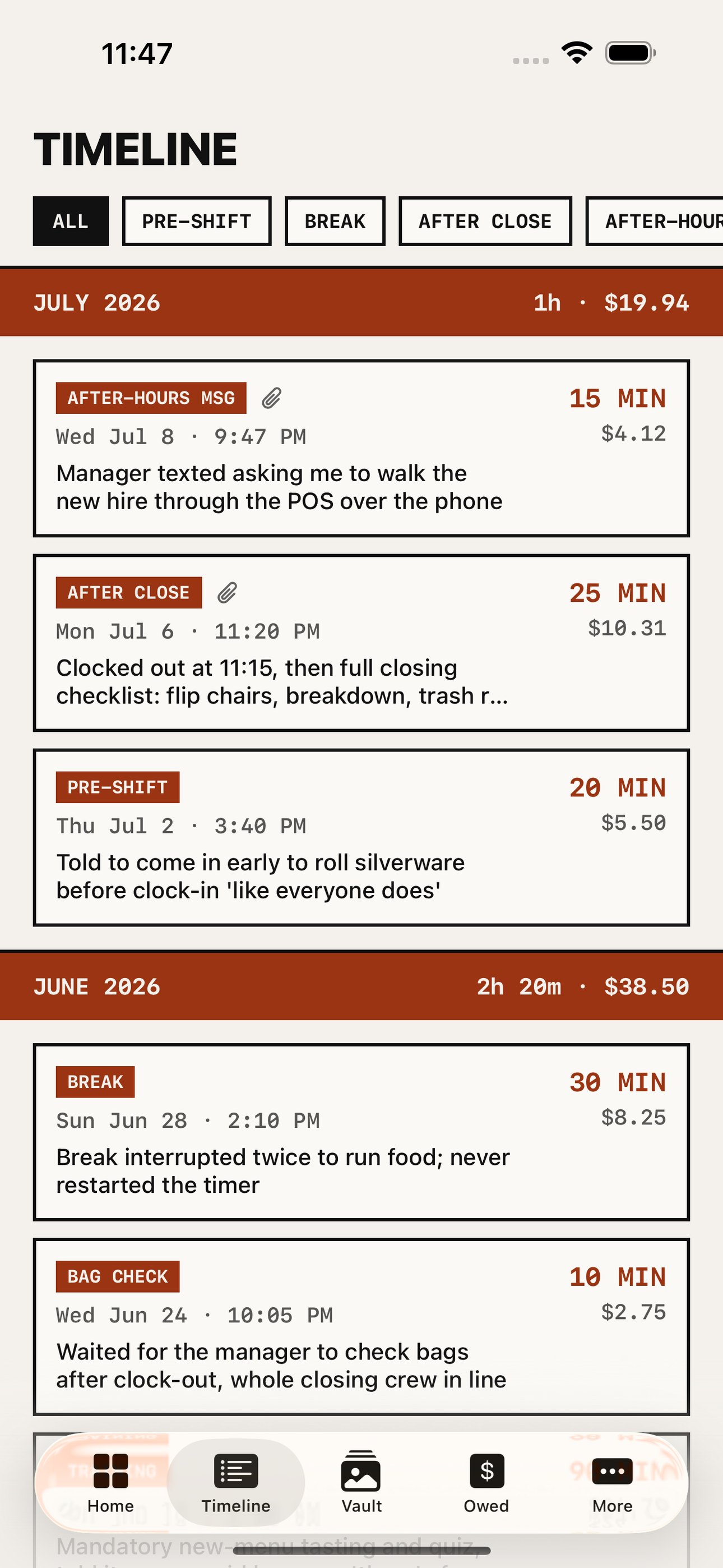
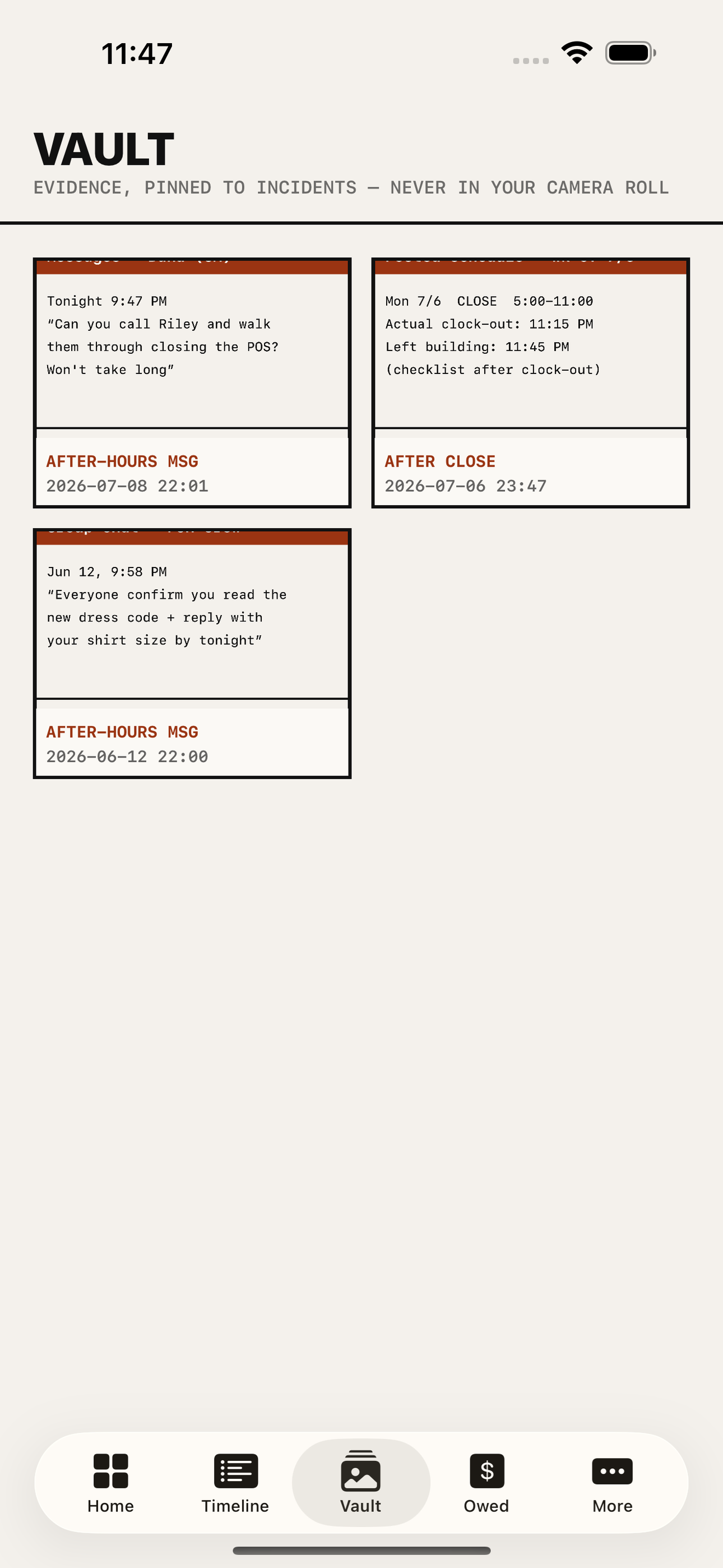
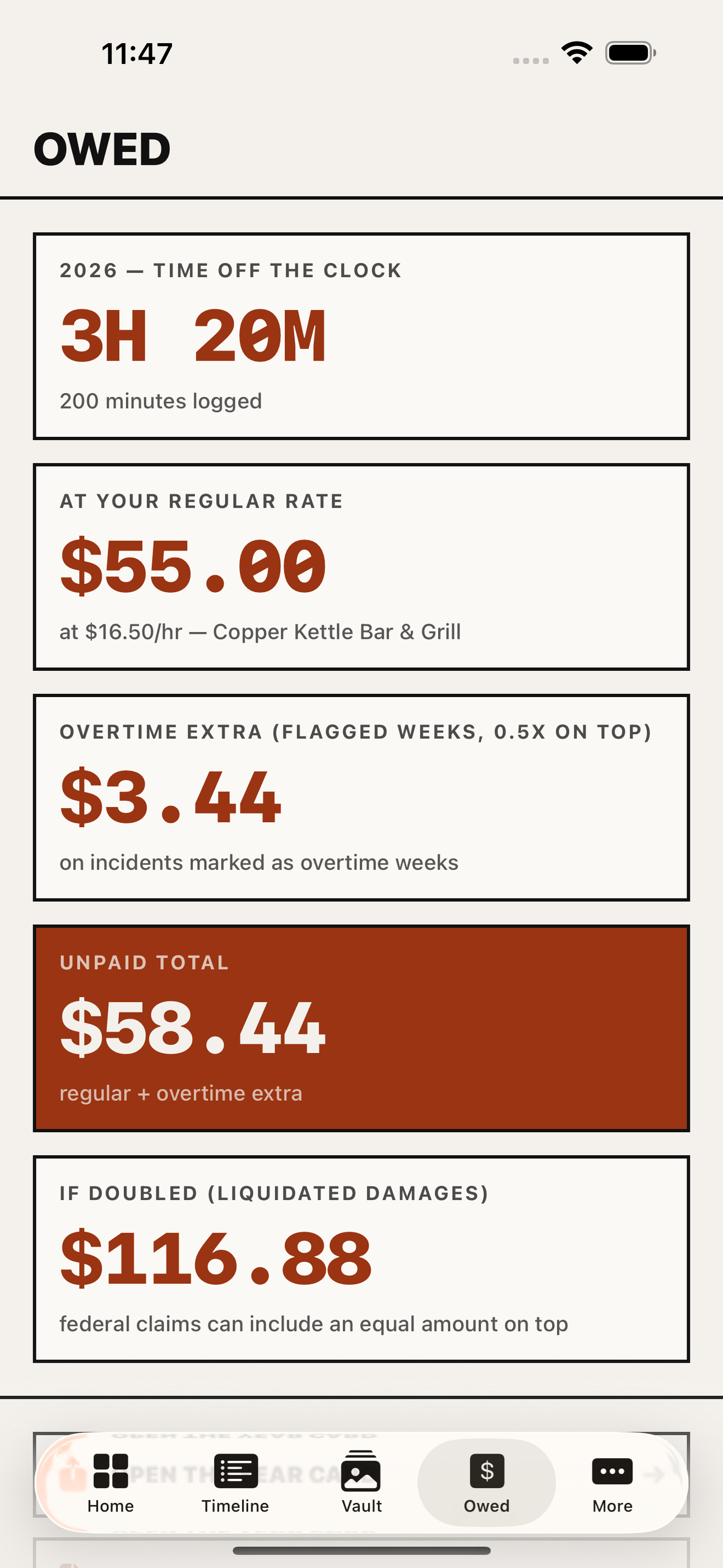
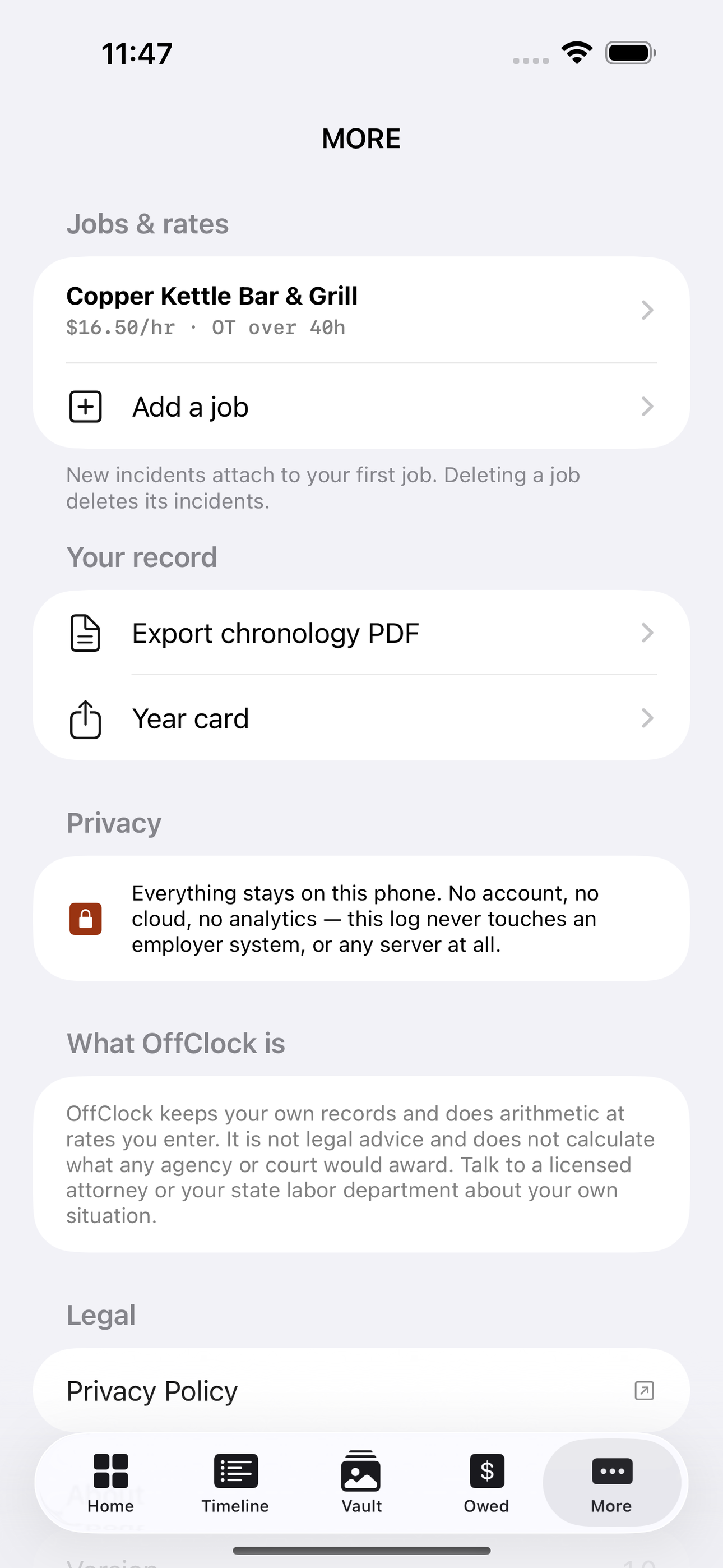
Tap any screenshot to open the full-resolution version.
What's inside
- Ten-Second Incident Logger — One tap from anywhere: pick the category (worked before punch-in, through break, after close, manager message at home, unpaid meeting or training, bag check), spin the minutes, save. Entries carry both the incident time and an immutable created-at stamp so the record reads as contemporaneous.
- Contemporaneous Timeline — A court-style reverse-chronological timeline of every incident, filterable by category, with per-month unpaid-minutes and dollars subtotals. Each entry shows category, minutes, who asked, and attached evidence.
- Evidence Vault — Attach the 9:47pm manager text, the posted schedule, the closing checklist photo. Screenshots import from the photo library and pin to the timestamped entry; the vault keeps them organized by incident and out of the camera roll.
- Dollars Owed Calculator — Set your hourly rate and weekly overtime threshold once. Every logged minute converts to dollars at your regular rate, at time-and-a-half in weeks the extra minutes cross 40 hours, and shows the liquidated-damages doubled figure — with a plain not-legal-advice note.
- Year Card — The shareable moment: a single bold exportable card — '38 hours off the clock in 2026 = 874 dollars in unpaid wages, up to 1,748 with liquidated damages.' Rendered as an image for the share sheet, screenshot-ready by design.
- Chronology Export — Generates the exhibit wage attorneys and state labor agencies ask new complainants for: a date-ordered PDF of every incident with times, minutes, category, notes, dollar figures, and embedded evidence images.
Why we built it
Off-the-clock work — pre-shift prep, post-close checklists, bag checks, unpaid training, after-hours manager texts — is illegal under the FLSA even when 'voluntary', and back pay can be doubled with a 3-year lookback. Claims die at the evidence stage because nobody keeps a contemporaneous record of the minutes; lawyer…
What makes it different
DOL-Timesheet (free, official) is a punch clock for scheduled shifts with documented-broken OT math — it has no concept of an off-the-clock incident, an after-hours text, or liquidated-damages exposure. WageWatch is lawyer lead-gen with no incident logging; WageCop is a CA-only beta. HoursTracker and generic time trac…
Who it's for
Freelancers, contractors, and small-business owners who want their numbers right at tax time without renting a SaaS to do it.
In one line: Log unpaid work, see it add up
Try it
See the Log unpaid work, see it add up for the full feature list, the info table, and support links.
Use OffClock, found a bug, or have a feature request? Comments are open below — anonymous is fine.
0 comments
No comments yet — be the first.
Leave a reply
Sign in with Google to join the conversation. We require a quick sign-in to keep comments spam-free.
Sign in with Google to comment