
Web app · Finance
Volsense
Implied vol for prediction markets — log the range, read the IV
Event contracts publish a price but never an implied vol. Log a market's mid plus the week's high and low, and Volsense returns a weekly IV, an expected move in cents, an IV rank and a richness read that says whether the premium is fat or crowded. Free, no install, no exchange connection.
Stored in your browser only. Nothing you do in the web version is sent to our servers. Clear your browser data and it's gone — so export a backup from the in-app menu if you want to keep it.
This app is a community proposal.
Try the full browser version now. We build the iPhone and Android app once 100 people upvote it.
We'll email you once, when it ships. Unsubscribe anytime.
In your browser
What you can do in Volsense on the web
Two real vol estimators
Parkinson's high–low estimator, ln(high ÷ low) ÷ (2·√ln2), or the desk rule of four, (high − low) ÷ (4 × mid). Switch in Settings; annualising multiplies by √52.
Richness, not just vol
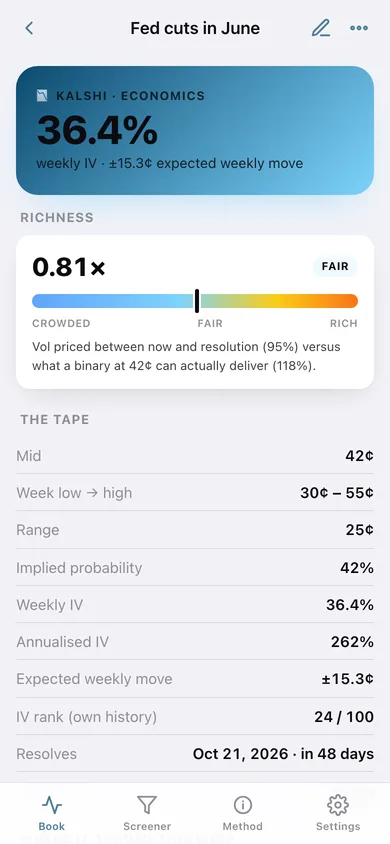
Volsense scales your weekly vol out to the resolution date and compares it with √(p(1−p)) ÷ p — the most a binary at that price can actually deliver. Above 0.95× screens rich to sell, below 0.55× screens crowded.
Vol map of the whole book
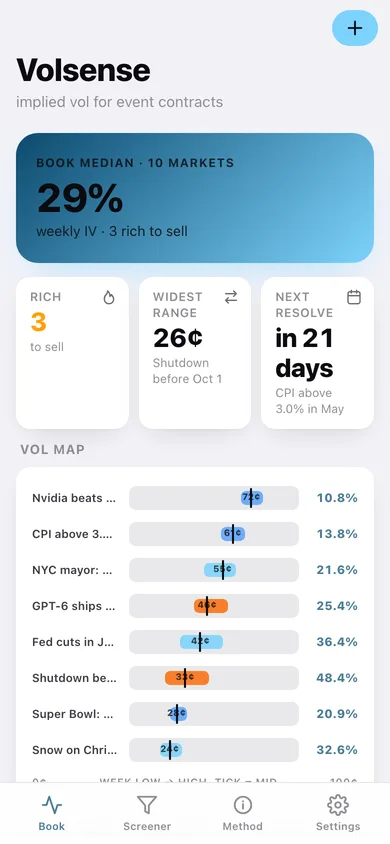
Every tracked contract drawn as its week's low-to-high band on a 0–100¢ scale with a mid tick, coloured by richness band.
Weekly quote log and IV rank
Log a mid/low/high snapshot each week; Volsense charts the IV history and tells you where today's vol sits inside that market's own range, 0–100.
Screener with CSV export
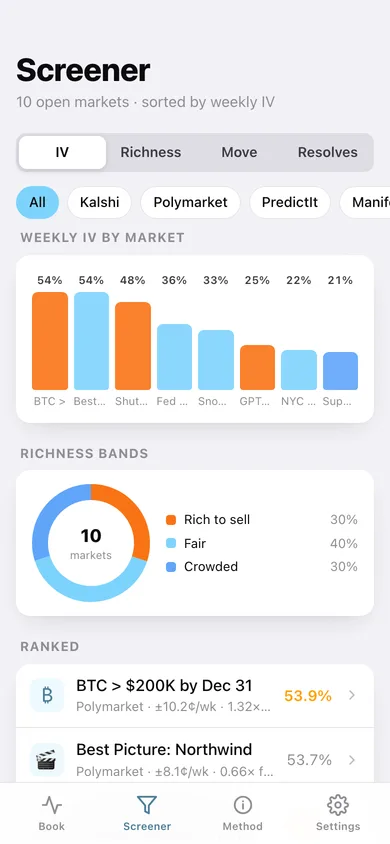
Filter by book (Kalshi, Polymarket, PredictIt, Manifold, Metaculus), sort by IV, richness, expected move or resolution date, and download the whole screen as CSV.
A journal, never a broker
No exchange connection, no live prices, no orders. Every number comes from what you typed and stays in this browser.
Screens
Every screen, rebuilt for the browser
-
1
Book
Median IV across your open markets, the vol map, and every contract ranked by implied vol.
-
2
Market detail
Weekly and annualised IV, expected move, richness gauge, the tape, the traded range and the full quote log.
-
3
Market editor
Label, book, category, mid, week low/high and resolution date, with the IV, move and richness previewed as you type.
-
4
Log a quote
Add this week's mid, low and high for a market and optionally make it the live quote.
-
5
Screener
Sort and filter the whole book by IV, richness, expected move or resolution date, with a richness-band donut and CSV export.
-
6
Method
The formulas behind every number, how to read the richness bands, and what Volsense deliberately is not.
-
7
Settings
Estimator, weekly vs annualised headline, richness thresholds, default book, backup and erase.
Try it with sample data: Loads ten event contracts across Kalshi, Polymarket, PredictIt and Manifold — each with five weeks of logged mid/high/low quotes — plus one settled CPI market. You can start fresh at any time.
Ready? It's free.
No account, no install, no subscription. Everything you do stays in this browser.
Your say
What should Volsense do? Tell us before we build it.
Tell us what to build next.
Comments need a free Google sign-in, so every one is from a real person.
Sign in with Google to commentNo comments yet — be the first to say what this app should do next.
Questions
Is the web version of Volsense free?+
Yes. Every screen is free to use: no subscription, no in-app purchases, no account.
Do I need an account?+
No. Open Volsense and start using it right away. Sign in with Google only if you want to upvote an app, save it to your list, or leave a comment.
Where is my data stored?+
Only in this browser's local storage. Nothing you enter is sent to our servers, so we can't see it, back it up, or restore it. Clearing site data, a private window, or another device starts empty. Export a backup from the in-app menu to keep it.
Is there a Volsense app for iPhone or Android?+
Not yet. Volsense is a community proposal: the browser version is complete, and we build the iPhone and Android app once 100 people upvote it. Upvoters get one email when it ships.