
Web app · Business
TradeHours
The apprentice hour logbook you own — categorized OJT hours, progress rings, a report the board will accept
Set up your trade and work-process categories exactly as your state defines them, log a day in four taps, watch a ring fill per category, keep classroom hours beside field hours, remap into a new scheme if you change states, and build a dated hour report with signature lines. Free, no install.
Stored in your browser only. Nothing you do in the web version is sent to our servers. Clear your browser data and it's gone — so export a backup from the in-app menu if you want to keep it.
This app is a community proposal.
Try the full browser version now. We build the iPhone and Android app once 100 people upvote it.
We'll email you once, when it ships. Unsubscribe anytime.
In your browser
What you can do in TradeHours on the web
Four-tap daily log
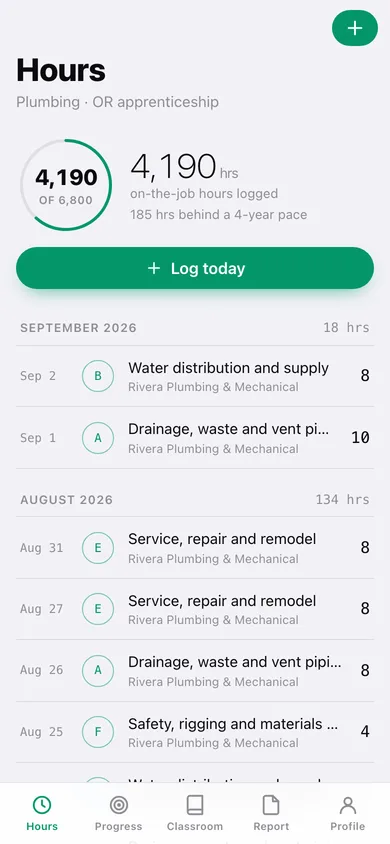
Date defaults to today, last category and employer are pre-selected, quick chips cover 4 / 8 / 10 / 12-hour shifts, and every entry keeps its employer so the record follows you between shops.
Progress rings per category
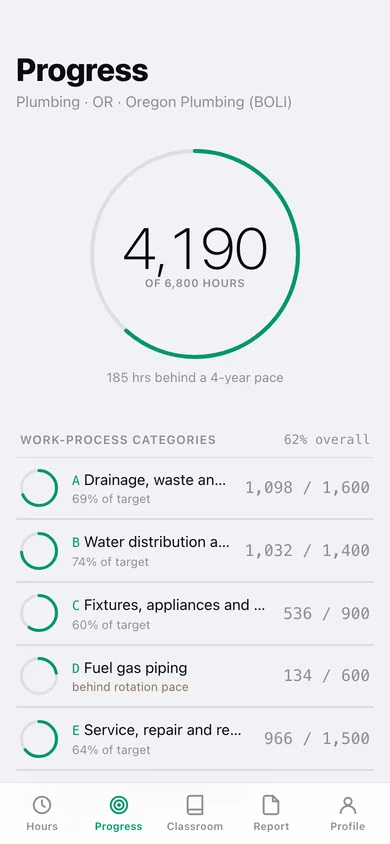
Logged hours against each state target, a cumulative exam-readiness ring for the whole apprenticeship, an on-pace line based on a 4-year completion and a 'behind rotation pace' flag.
Custom category schemes
Any trade, any state, any program — codes, names and target hours, with a running check that targets add up to your total.
State-switch remap
Map every category of the active scheme onto a second scheme, preview the moved totals, and re-point every logged day without retyping.
Classroom hours
Related supplemental instruction with course, provider and hours, grouped by school year against a yearly target.
Hour report
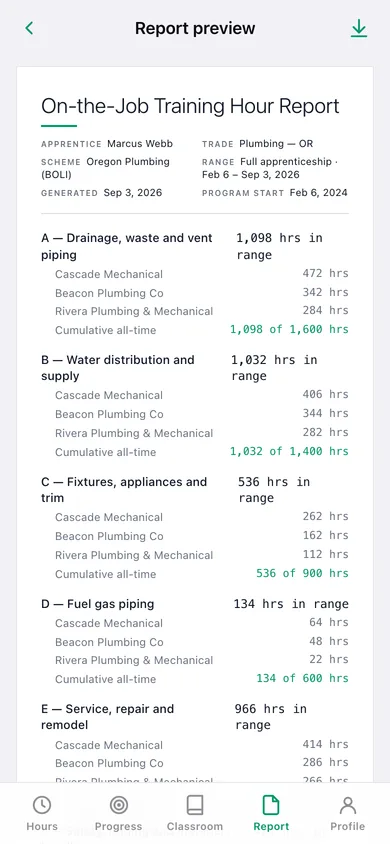
Any range — this month, this year, the full apprenticeship or custom — grouped by category and employer with subtotals, cumulative totals against targets and signature lines; print it or export CSV.
Screens
Every screen, rebuilt for the browser
-
1
Hours
Total logged with a pace line, Log today, and every day grouped by month.
-
2
Month
All the days logged in one earlier month.
-
3
Entry
One workday — category, employer, hours, notes and the ring it feeds.
-
4
Log hours
Date, category picker with rings, quick-hour chips, employer chips, notes.
-
5
Progress
The big ring, the 4-year pace line and a ring per work-process category.
-
6
Category
One category’s ring, hours remaining, last six months, by-employer totals and entries.
-
7
Classroom
Related instruction grouped by school year against the yearly target.
-
8
Course hours
Date, course, provider, hours, notes.
-
9
Report
Date range, classroom toggle and apprentice name for the hour report.
-
10
Report preview
The dated page with category and employer subtotals, cumulative totals and signature lines.
-
11
Profile
Trade, state, start date, targets, category schemes, remap and your data.
-
12
Scheme
Edit a scheme’s categories, codes and targets; make it active.
-
13
Remap hours
Map active-scheme categories onto another scheme and move logged hours.
Try it with sample data: Loads an Oregon plumbing apprentice about two and a half years in — six BOLI work-process categories, roughly 600 logged workdays across three employers, a second Washington scheme to remap into, and twelve classroom courses. You can start fresh at any time.
Ready? It's free.
No account, no install, no subscription. Everything you do stays in this browser.
Your say
What should TradeHours do? Tell us before we build it.
Tell us what to build next.
Comments need a free Google sign-in, so every one is from a real person.
Sign in with Google to commentNo comments yet — be the first to say what this app should do next.
Questions
Is the web version of TradeHours free?+
Yes. Every screen is free to use: no subscription, no in-app purchases, no account.
Do I need an account?+
No. Open TradeHours and start using it right away. Sign in with Google only if you want to upvote an app, save it to your list, or leave a comment.
Where is my data stored?+
Only in this browser's local storage. Nothing you enter is sent to our servers, so we can't see it, back it up, or restore it. Clearing site data, a private window, or another device starts empty. Export a backup from the in-app menu to keep it.
Is there a TradeHours app for iPhone or Android?+
Not yet. TradeHours is a community proposal: the browser version is complete, and we build the iPhone and Android app once 100 people upvote it. Upvoters get one email when it ships.