
Web app · Utilities
Toolshed
Catalogue every tool you own — and remember exactly who borrowed which one
A tool inventory with category, shelf, replacement value, serial and notes, paired with a lending tracker that flags overdue returns in amber and tells you who to nudge. Free, works offline, no account, CSV export included.
Stored in your browser only. Nothing you do in the web version is sent to our servers. Clear your browser data and it's gone — so export a backup from the in-app menu if you want to keep it.
This app is a community proposal.
Try the full browser version now. We build the iPhone and Android app once 100 people upvote it.
We'll email you once, when it ships. Unsubscribe anytime.
In your browser
What you can do in Toolshed on the web
Tool catalogue
Add every tool with its category, storage location, estimated replacement value, serial number and notes — then search by name, serial or note and filter by category or shelf.
Loan tracker
Lend a tool to a named borrower with a lent date and a due date, extend it by a week, or mark it returned in one tap — every return stays in that tool's history.
Overdue board
Open loans sorted by due date with anything past due pulled to the top in red, plus a copyable nudge message listing exactly what is still out and how late.
Borrower record
Everyone who has ever borrowed from the shed, worst offenders first, with how many times they borrowed, how often they returned late and how long they typically hold on.
Storage shelves
Garage, Red Toolbox, Workshop Shelf A — name the places tools actually live, see tools and value per shelf on a bar chart, and tap one to filter the inventory to it.
Insurance-ready export
Replacement value split by category on a donut, and the whole inventory downloadable as CSV — name, category, shelf, value, serial and loan status — for an insurer or an estate.
Screens
Every screen, rebuilt for the browser
-
1
Inventory
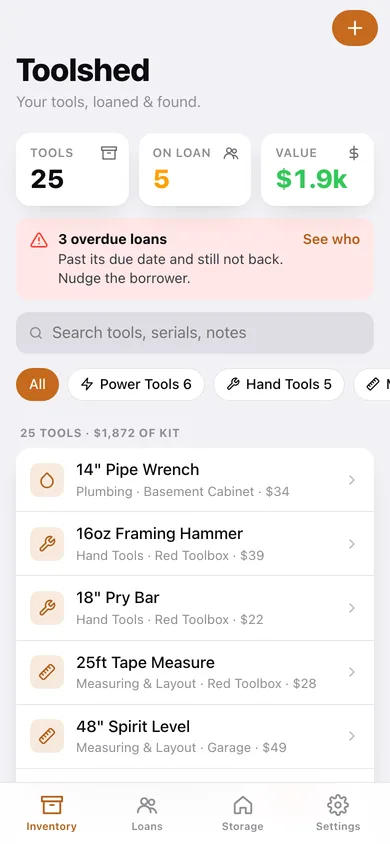
Tool count, tools out on loan and total kit value, an overdue banner, and the searchable, filterable catalogue.
-
2
Tool
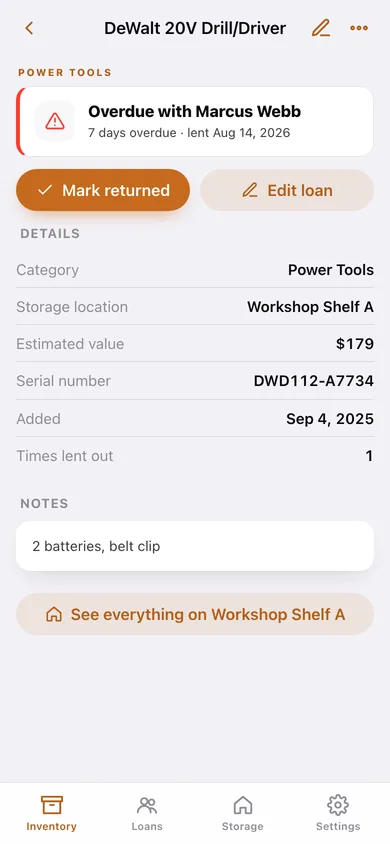
One tool: where it is or who has it, its details, its notes and every loan it has ever been on.
-
3
Add or edit a tool
Name, category, shelf, replacement value, serial and notes — plus the shelf list you can add to.
-
4
By category
Replacement value split across the nine tool categories on a donut, then every tool grouped the way you would walk the shop.
-
5
Loans
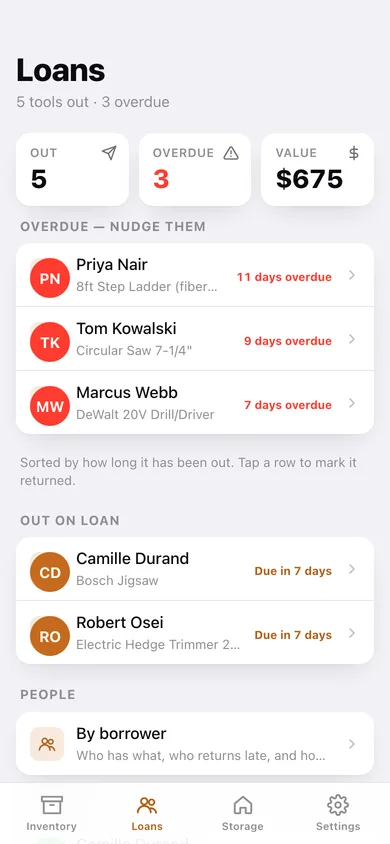
Overdue first, then everything else out, then the returned log — with the value currently out of the shed.
-
6
Loan
One loan: borrower, tool, the dates, how long it has been out, and mark returned or extend.
-
7
By borrower
Everyone who borrows from you, ranked by how much they still have out and how often they run late.
-
8
Storage
Tools per shelf as a bar chart, value on each shelf, unshelved tools, and rename or delete.
-
9
Settings
Default loan length, strict due dates, JSON backup, CSV inventory export, overdue nudge and erase.
Try it with sample data: Loads a stocked 25-tool shed across five shelves — power tools, hand tools, measuring, plumbing, electrical, gardening, safety and automotive — with five tools currently out (three of them overdue) and seven returned loans across five borrowers. You can start fresh at any time.
Ready? It's free.
No account, no install, no subscription. Everything you do stays in this browser.
Your say
What should Toolshed do? Tell us before we build it.
Tell us what to build next.
Comments need a free Google sign-in, so every one is from a real person.
Sign in with Google to commentNo comments yet — be the first to say what this app should do next.
Questions
Is the web version of Toolshed free?+
Yes. Every screen is free to use: no subscription, no in-app purchases, no account.
Do I need an account?+
No. Open Toolshed and start using it right away. Sign in with Google only if you want to upvote an app, save it to your list, or leave a comment.
Where is my data stored?+
Only in this browser's local storage. Nothing you enter is sent to our servers, so we can't see it, back it up, or restore it. Clearing site data, a private window, or another device starts empty. Export a backup from the in-app menu to keep it.
Is there a Toolshed app for iPhone or Android?+
Not yet. Toolshed is a community proposal: the browser version is complete, and we build the iPhone and Android app once 100 people upvote it. Upvoters get one email when it ships.