
Web app · Finance
TimeSpace
Protect the Time-Space Percentage that scales every deduction on Form 8829
Two one-tap timers — Kids Here and Working Alone — plus a room-by-room square-footage walkthrough give family child care providers a live Time-Space %, a two-month sampling plan, a shared-expense ledger and a year-end packet. Free, no install.
Stored in your browser only. Nothing you do in the web version is sent to our servers. Clear your browser data and it's gone — so export a backup from the in-app menu if you want to keep it.
This app is a community proposal.
Try the full browser version now. We build the iPhone and Android app once 100 people upvote it.
We'll email you once, when it ships. Unsubscribe anytime.
In your browser
What you can do in TimeSpace on the web
Kids Here / Working Alone timers
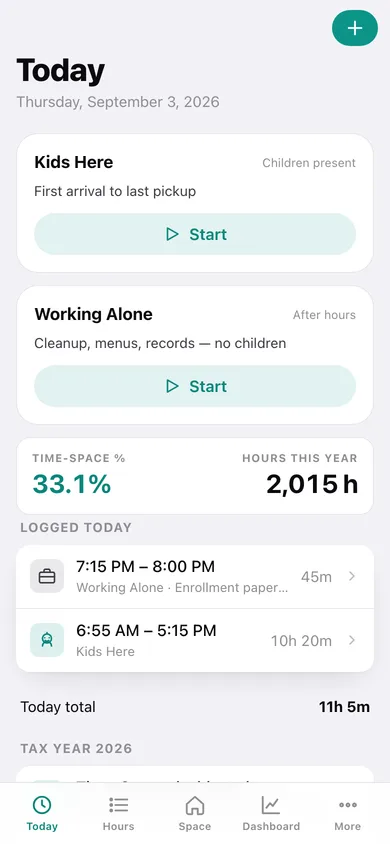
Tap when the first child arrives and when the last one leaves, tap again when the evening cleanup starts. Forgot to tap? Log the hours by hand in seconds — date, start, end, note.
The real IRS math
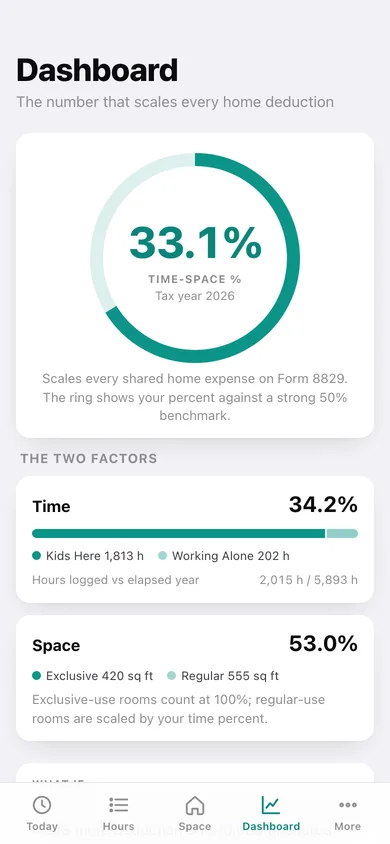
Time percent = logged business hours ÷ hours elapsed in the tax year. Space percent = regular-use square feet ÷ home. Exclusive-use rooms count at 100%, so T/S% = time% × regular share + exclusive share — the same two-step Copeland teaches.
Room-by-room space walkthrough
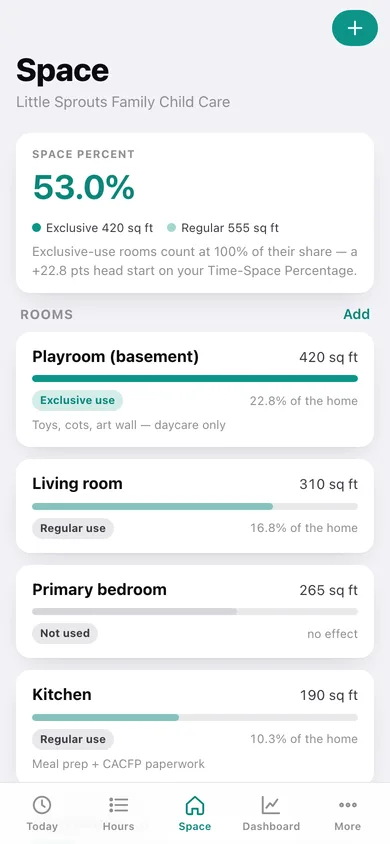
Enter each room's square footage and mark it regular use, exclusive use, or not used. Every room shows its share of the home and how it moves the percentage.
Two-month sampling plan
Pick a sampling window and a reminder hour; a progress ring counts the days with a Working Alone entry, shows your after-hours daily average, streak, and the annualized hours that average defends.
Shared-expense ledger
Log utilities, insurance, repairs and supplies. Shared home costs are scaled by your current Time-Space Percentage automatically; direct business expenses count in full.
Form 8829-ready year-end packet
Hours, square footage by room, time and space percents and scaled expense totals in one page you can download as text or copy for your tax preparer — plus a CSV of every logged hour.
Screens
Every screen, rebuilt for the browser
-
1
Today
Both hour timers, today's log, and your live Time-Space Percentage.
-
2
Hours
Month-by-month log grouped by week, with Kids Here and Working Alone totals.
-
3
Log hours
Add or edit a block of hours: kind, date, start, end and a note.
-
4
Space
Space percent, every room with its share of the home, and what is still unentered.
-
5
Room
Name, square feet, and whether the room is regular, exclusive, or not used for the business.
-
6
Dashboard
The Time-Space dial against a 50% benchmark, both factors broken out, the what-if strip and business hours per month.
-
7
Sampling plan
The two-month after-hours window: progress ring, daily average, streak and annualized hours.
-
8
Expense ledger
Deductible-to-date, expenses by category, and the shared-vs-direct split.
-
9
Expense
Date, category, amount and whether the cost is shared or direct.
-
10
Year-end packet
Form 8829-ready hours, rooms and scaled expenses, downloadable as text or CSV.
-
11
More
Home details, timer options, backup, sample data and erase.
Try it with sample data: Loads a busy provider's whole tax year: a 1,840 sq ft home with five rooms (including an exclusive-use basement playroom), a child-present block for every weekday since January plus five after-hours sessions a week, eight expenses, and a sampling window that started 40 days ago. You can start fresh at any time.
Ready? It's free.
No account, no install, no subscription. Everything you do stays in this browser.
Your say
What should TimeSpace do? Tell us before we build it.
Tell us what to build next.
Comments need a free Google sign-in, so every one is from a real person.
Sign in with Google to commentNo comments yet — be the first to say what this app should do next.
Questions
Is the web version of TimeSpace free?+
Yes. Every screen is free to use: no subscription, no in-app purchases, no account.
Do I need an account?+
No. Open TimeSpace and start using it right away. Sign in with Google only if you want to upvote an app, save it to your list, or leave a comment.
Where is my data stored?+
Only in this browser's local storage. Nothing you enter is sent to our servers, so we can't see it, back it up, or restore it. Clearing site data, a private window, or another device starts empty. Export a backup from the in-app menu to keep it.
Is there a TimeSpace app for iPhone or Android?+
Not yet. TimeSpace is a community proposal: the browser version is complete, and we build the iPhone and Android app once 100 people upvote it. Upvoters get one email when it ships.