
Web app · Business
STR Compliance Binder
One binder page per short-term rental — permit, renewal countdown, tax log, display card
Give each unit its page: permit number, issue and expiry dates, occupancy cap, 24-hour contact and an editable compliance checklist. The renewal center stacks every expiry by urgency, the lodging-tax log keeps per-unit totals with CSV export, and one tap makes the printable post-in-unit card. Free, no install.
Stored in your browser only. Nothing you do in the web version is sent to our servers. Clear your browser data and it's gone — so export a backup from the in-app menu if you want to keep it.
This app is a community proposal.
Try the full browser version now. We build the iPhone and Android app once 100 people upvote it.
We'll email you once, when it ships. Unsubscribe anytime.
In your browser
What you can do in STR Compliance Binder on the web
Property binder pages
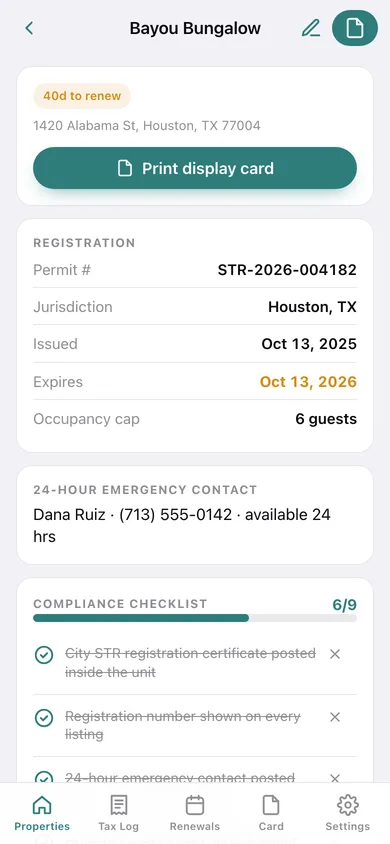
Nickname, address, jurisdiction, permit or registration number, issue and expiry dates, occupancy cap and the 24-hour local contact — for as many units as you run.
Compliance checklist with templates
Start from Standard local rules, Houston TX, New Orleans LA or EU host registration, then tick, add and remove items; progress shows on every card.
Renewal center
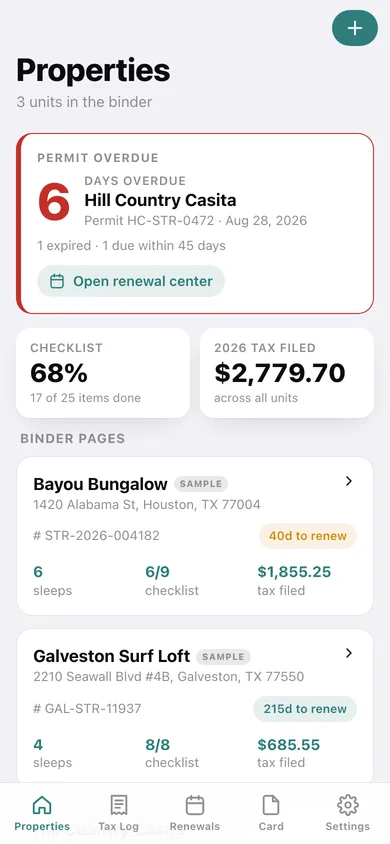
Every permit expiry sorted by urgency with a countdown that turns amber inside 45 days and red when overdue.
Calendar reminders
Download an .ics with reminders 60, 30, 7 and 1 day before each permit expires and add it to any calendar.
Lodging-tax log
Period, amount, filed date and receipt note per filing, with running totals, a filings chart and CSV export per unit or for everything.
Post-in-unit display card
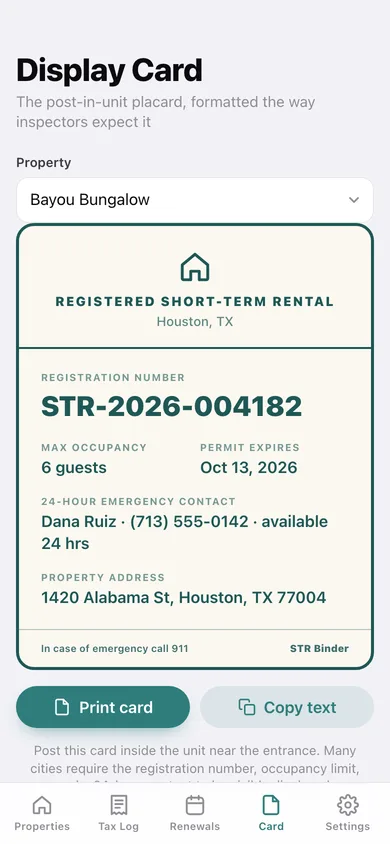
A teal-on-cream placard with registration number, max occupancy, permit expiry and 24-hour contact — print it straight from the browser.
Screens
Every screen, rebuilt for the browser
-
1
Properties
Next-renewal countdown, checklist and tax totals, and a card for every unit.
-
2
Binder page
Registration details, 24-hour contact, the compliance checklist and the unit’s tax summary.
-
3
Property editor
Identity, registration dates, occupancy cap, emergency contact and the checklist template.
-
4
Tax Log
Per-unit total filed, this year’s total, filings chart, CSV export and every filing.
-
5
Tax filing
Period, amount, filed date and receipt note.
-
6
Renewals
Every permit expiry sorted by urgency plus the calendar-reminder download.
-
7
Display Card
The printable post-in-unit placard for the chosen property.
-
8
Settings
Reminders, backups, CSV export, sample data, erase, disclaimer.
Try it with sample data: Loads three Texas rentals — one renewing in 40 days, one comfortably current, one expired — with partly completed checklists and eight lodging-tax filings across two years. You can start fresh at any time.
Ready? It's free.
No account, no install, no subscription. Everything you do stays in this browser.
Your say
What should STR Compliance Binder do? Tell us before we build it.
Tell us what to build next.
Comments need a free Google sign-in, so every one is from a real person.
Sign in with Google to commentNo comments yet — be the first to say what this app should do next.
Questions
Is the web version of STR Compliance Binder free?+
Yes. Every screen is free to use: no subscription, no in-app purchases, no account.
Do I need an account?+
No. Open STR Compliance Binder and start using it right away. Sign in with Google only if you want to upvote an app, save it to your list, or leave a comment.
Where is my data stored?+
Only in this browser's local storage. Nothing you enter is sent to our servers, so we can't see it, back it up, or restore it. Clearing site data, a private window, or another device starts empty. Export a backup from the in-app menu to keep it.
Is there a STR Compliance Binder app for iPhone or Android?+
Not yet. STR Compliance Binder is a community proposal: the browser version is complete, and we build the iPhone and Android app once 100 people upvote it. Upvoters get one email when it ships.