
Web app · Food And Drink
Sear
Grill it right, every time — doneness temps, cook timer and BBQ log
31 internal-temperature references for beef, pork, poultry, lamb and seafood, a live cook timer with a pull-at-temp target and a separate rest countdown, and a cook log that remembers every ribeye and 14-hour brisket. Free, offline, no account.
Stored in your browser only. Nothing you do in the web version is sent to our servers. Clear your browser data and it's gone — so export a backup from the in-app menu if you want to keep it.
This app is a community proposal.
Try the full browser version now. We build the iPhone and Android app once 100 people upvote it.
We'll email you once, when it ships. Unsubscribe anytime.
In your browser
What you can do in Sear on the web
The full doneness guide
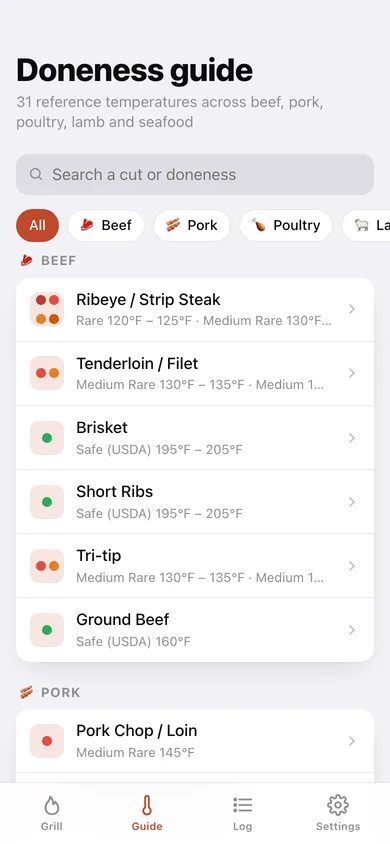
Every cut Sear ships on the phone — rare through well done plus USDA safe minimums — with °F and °C ranges, rest times and a tip per level.
Live cook timer
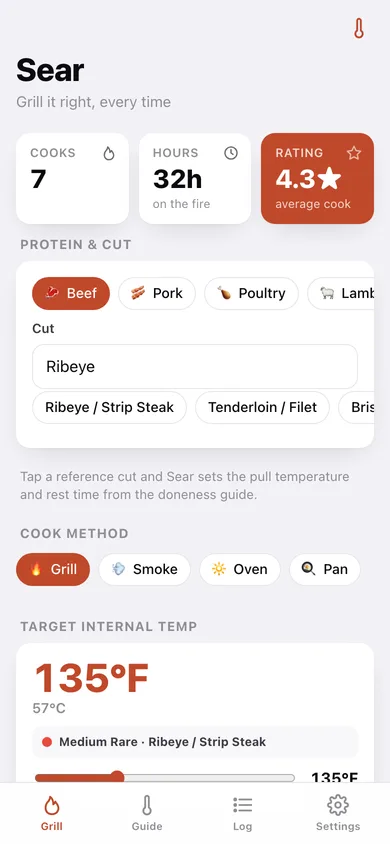
Pick the protein, cut and method, set the pull temperature on a 100–215°F slider and Sear counts the cook up while showing what doneness that target actually is.
Dedicated rest timer
Hit target and the rest countdown starts on its own ring — 3 minutes for salmon, an hour for brisket — with a chime when it is time to slice.
Cook log with ratings
Protein, cut, method, target and final temp, duration, rest, a 1–5 rating and free-form notes, searchable and filterable by protein.
Overshoot check
A cook that landed more than 5°F past target is flagged, so the next time you set the alert earlier and let carryover do the rest.
Cook it again
Any logged cook or guide entry loads straight back into the timer with its protein, cut, method, target temp and rest time.
Screens
Every screen, rebuilt for the browser
-
1
Grill
Set up a cook — protein, cut, method, target temp with its matching doneness, rest time — then the live elapsed clock, the rest ring and the log-it screen.
-
2
Doneness guide
All 31 reference temperatures grouped by protein, searchable, with the doneness colours for each cut.
-
3
Cut reference
Every doneness level for one cut on a 100–215°F scale bar, with °C, rest minutes, the tip, and a one-tap Cook to this.
-
4
Cook log
Cooks, hours on the fire and average rating, a cooks-by-protein chart, your best cook, and every session with search and protein filters.
-
5
Cook detail
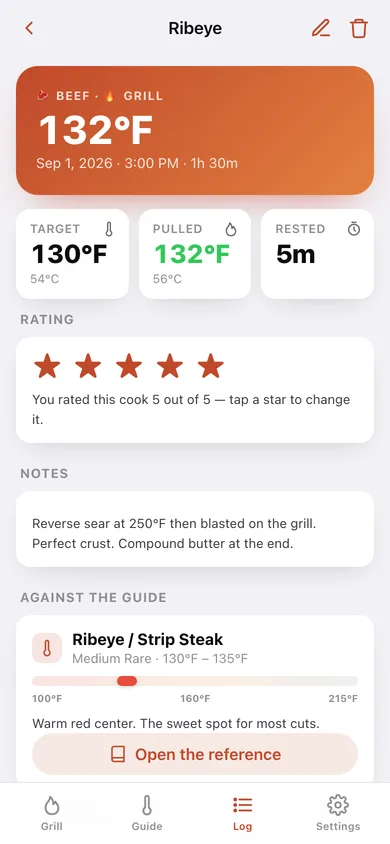
Target vs pulled-at temperature, duration, rest, star rating, notes, and how the cook lines up against the doneness guide.
-
6
Log a past cook
Add or edit a cook by hand — protein, cut, method, date, hours on the fire, temps, rest, rating and notes.
-
7
Settings
Cook chimes, default protein, method and rest time, CSV and JSON export, sample data and erase.
Try it with sample data: Loads seven cooks from the last ten weeks — a reverse-seared ribeye, a 14-hour brisket, a spatchcocked chicken, an overnight pork shoulder, a rack of lamb, a slightly overshot tri-tip and a cedar-plank salmon — with temps, ratings and notes. You can start fresh at any time.
Ready? It's free.
No account, no install, no subscription. Everything you do stays in this browser.
Your say
What should Sear do? Tell us before we build it.
Tell us what to build next.
Comments need a free Google sign-in, so every one is from a real person.
Sign in with Google to commentNo comments yet — be the first to say what this app should do next.
Questions
Is the web version of Sear free?+
Yes. Every screen is free to use: no subscription, no in-app purchases, no account.
Do I need an account?+
No. Open Sear and start using it right away. Sign in with Google only if you want to upvote an app, save it to your list, or leave a comment.
Where is my data stored?+
Only in this browser's local storage. Nothing you enter is sent to our servers, so we can't see it, back it up, or restore it. Clearing site data, a private window, or another device starts empty. Export a backup from the in-app menu to keep it.
Is there a Sear app for iPhone or Android?+
Not yet. Sear is a community proposal: the browser version is complete, and we build the iPhone and Android app once 100 people upvote it. Upvoters get one email when it ships.