
Web app · Business
Mehndi
Your henna business book — bookings, dues and portfolio, now in any browser
Replace the WhatsApp threads and paper chits: every booking with event type, venue, party size, quote, advance and balance due; a home screen that shows who is next and who still owes; a style-tagged design portfolio; and season earnings by month. Free, offline-first, no account.
Stored in your browser only. Nothing you do in the web version is sent to our servers. Clear your browser data and it's gone — so export a backup from the in-app menu if you want to keep it.
This app is a community proposal.
Try the full browser version now. We build the iPhone and Android app once 100 people upvote it.
We'll email you once, when it ships. Unsubscribe anytime.
In your browser
What you can do in Mehndi on the web
Booking sheet in rupees
Client, event type (Bridal Henna, Mehendi Ceremony, Bridesmaid, Eid, Festival, Birthday, Casual), date, venue, party size, quote and advance — balance due is worked out instantly.
Upcoming & pending dues
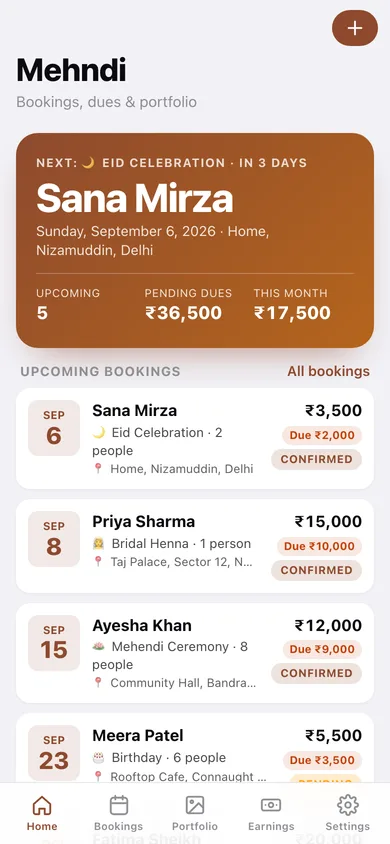
Home leads with your next event, then the upcoming bookings and a dues strip totalling every outstanding balance.
Payments ledger per booking
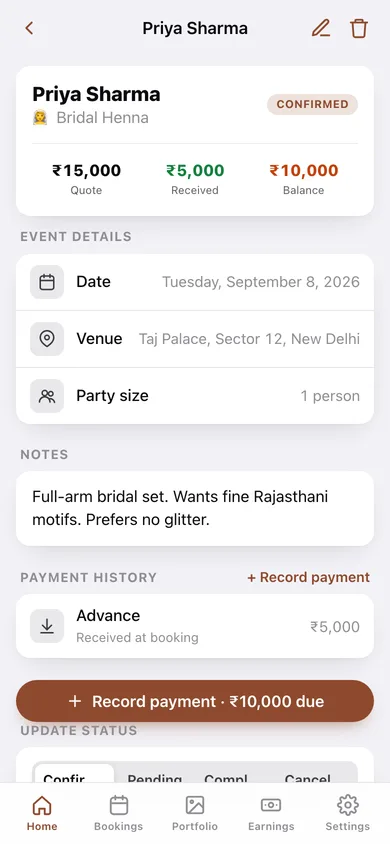
Record day-of cash or final settlements against a booking; received and balance update, and a booking shows Fully paid when it's settled.
Design portfolio by style
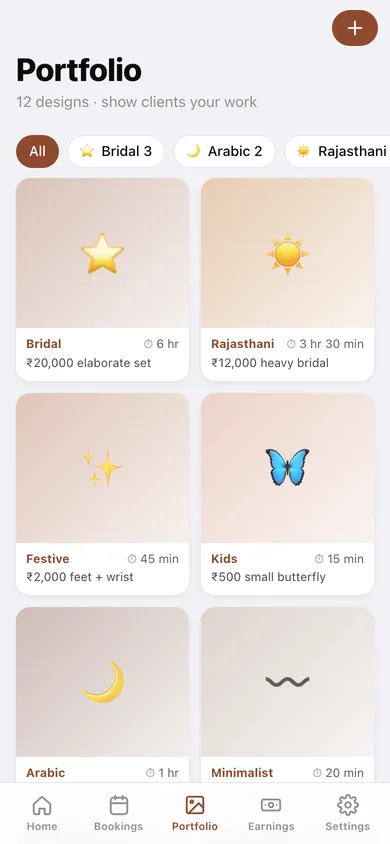
Bridal, Arabic, Rajasthani, Festive, Indo-Arabic, Minimalist and Kids cards with a photo, price note and time taken — filter by style when a client asks to see your work.
Season earnings
All-time quoted / received / due, received-per-month chart, expandable month cards and a quoted-by-event-type donut, plus CSV export of every booking.
Stays in your browser
Bookings, payments and portfolio photos are saved locally; export a JSON backup any time.
Screens
Every screen, rebuilt for the browser
-
1
Home
Next event hero with upcoming count, pending dues and this month's takings; upcoming booking cards and the dues strip.
-
2
Bookings
Every booking split into upcoming and past, with search and status filters.
-
3
Booking detail
Quote / received / balance tiles, event details, notes, payment history with Record payment, and a status control.
-
4
New / edit booking
Client, event type, date, venue, party size, quote, advance with live balance, status and notes.
-
5
Portfolio
Style-filtered grid of design cards with photo, style, price note and time taken.
-
6
Design detail
Full photo or style placeholder, price, time taken and share.
-
7
Add / edit design
Choose a photo, style, price note, time taken and date.
-
8
Earnings
All-time totals, received per month, expandable month cards, quoted-by-event-type and CSV export.
-
9
Settings
Default event type, booking lead time, backup, sample data and erase.
Try it with sample data: Loads a shaadi-season book: ten bookings from a Bangalore bridal set a month ago to a 12-person farmhouse mehendi next month (with advances, day-of payments, one pending and one cancelled) and twelve portfolio designs across every style. You can start fresh at any time.
Ready? It's free.
No account, no install, no subscription. Everything you do stays in this browser.
Your say
What should Mehndi do? Tell us before we build it.
Tell us what to build next.
Comments need a free Google sign-in, so every one is from a real person.
Sign in with Google to commentNo comments yet — be the first to say what this app should do next.
Questions
Is the web version of Mehndi free?+
Yes. Every screen is free to use: no subscription, no in-app purchases, no account.
Do I need an account?+
No. Open Mehndi and start using it right away. Sign in with Google only if you want to upvote an app, save it to your list, or leave a comment.
Where is my data stored?+
Only in this browser's local storage. Nothing you enter is sent to our servers, so we can't see it, back it up, or restore it. Clearing site data, a private window, or another device starts empty. Export a backup from the in-app menu to keep it.
Is there a Mehndi app for iPhone or Android?+
Not yet. Mehndi is a community proposal: the browser version is complete, and we build the iPhone and Android app once 100 people upvote it. Upvoters get one email when it ships.