
Web app · Utilities
Loadwise
Know exactly when the power goes — and what your generator really costs
Enter your area's load-shedding slots and Loadwise counts down to the next cut, paints a power-vs-no-power timeline for any day, and logs generator, inverter and UPS runtime with the fuel bill and cost per hour. Free, no install, no account.
Stored in your browser only. Nothing you do in the web version is sent to our servers. Clear your browser data and it's gone — so export a backup from the in-app menu if you want to keep it.
This app is a community proposal.
Try the full browser version now. We build the iPhone and Android app once 100 people upvote it.
We'll email you once, when it ships. Unsubscribe anytime.
In your browser
What you can do in Loadwise on the web
Live next-cut countdown
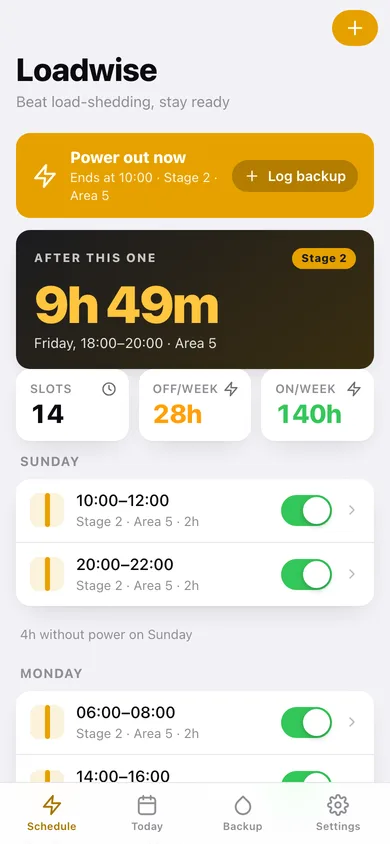
A ticking countdown to the next slot with its stage, area and window, and an amber pre-outage warning at the lead time you choose — charge the laptop, fill the kettle, save your work.
Your own recurring schedule
Add slots per weekday, start time, duration and Stage 1 to 8, tagged with your area or group. Switch a slot off for a week without deleting it, or duplicate it to the next day.
Hour-by-hour day timeline
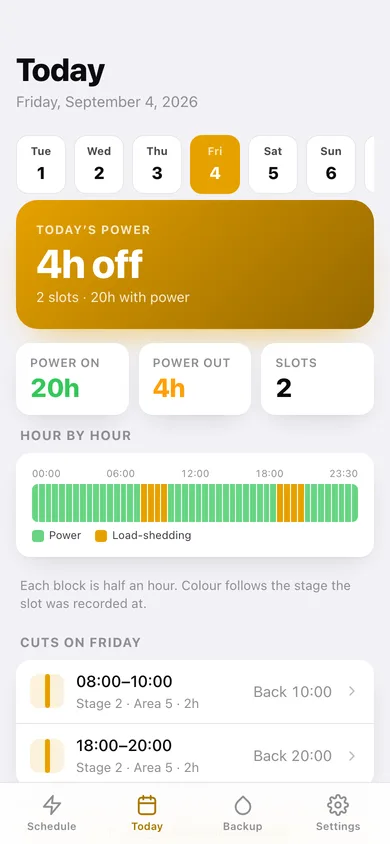
Forty-eight half-hour blocks coloured by stage across three days back and three days forward, with hours-on, hours-off and slot counts for the day.
Generator, inverter and UPS log
Record each run's device, start time and runtime; for a generator add litres, fuel type and price and Loadwise works out the total, the cost per hour and litres per hour.
What backup actually costs
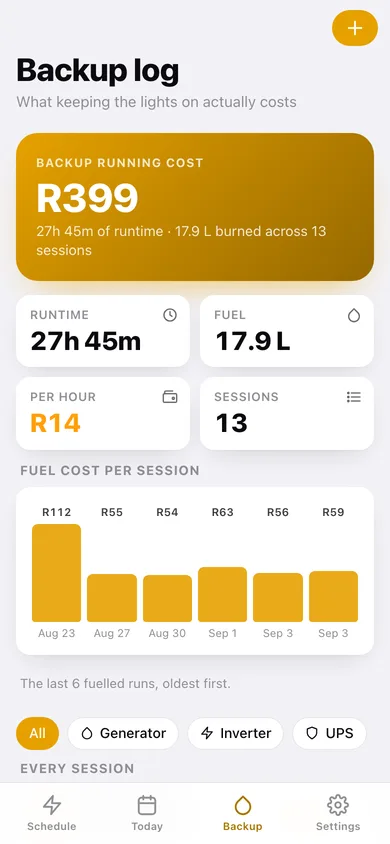
Running totals of fuel burned, money spent and hours run, a bar chart of cost per fuelled session, and filters by device type — plus a CSV export of the whole log.
Works in the dark
Every countdown and total is computed in your browser with no connection, which is exactly the point when the router is off too. No account, no subscription — everything unlocked.
Screens
Every screen, rebuilt for the browser
-
1
Schedule
The next-cut countdown, a power-out-now banner, weekly hours off, and every slot grouped by day with a switch.
-
2
Outage slot
One window in full: day, start, end, duration, stage and area, with next-occurrence countdown, duplicate and delete.
-
3
Add or edit a slot
Day, area or group, start hour and minute, duration from 1 to 4 hours, and the stage — with a live window preview.
-
4
Day timeline
Day chips for the week around today, hours on and off, and the 48-block half-hour strip coloured by stage.
-
5
Backup log
Total fuel cost, runtime, litres and cost per hour, a cost-per-session chart, device filters, and every logged run.
-
6
Backup session
One run in detail: device, start and end, runtime, fuel type, litres, price per litre, total and litres per hour.
-
7
Log a session
Generator, inverter or UPS; device name, date and start time, hours and minutes, and the fuel maths as you type.
-
8
Settings
Default area, currency symbol, fuel price, pre-outage warning lead, schedule tools, CSV and JSON export, sample data and erase.
Try it with sample data: Loads a typical Stage 2 week — fourteen two-hour slots for Area 5, two a day — plus a fortnight of backup runs across a Honda EU22i generator, a Sunsynk 5kW inverter and a router UPS, with litres and fuel prices so the cost totals and the chart fill in. You can start fresh at any time.
Ready? It's free.
No account, no install, no subscription. Everything you do stays in this browser.
Your say
What should Loadwise do? Tell us before we build it.
Tell us what to build next.
Comments need a free Google sign-in, so every one is from a real person.
Sign in with Google to commentNo comments yet — be the first to say what this app should do next.
Questions
Is the web version of Loadwise free?+
Yes. Every screen is free to use: no subscription, no in-app purchases, no account.
Do I need an account?+
No. Open Loadwise and start using it right away. Sign in with Google only if you want to upvote an app, save it to your list, or leave a comment.
Where is my data stored?+
Only in this browser's local storage. Nothing you enter is sent to our servers, so we can't see it, back it up, or restore it. Clearing site data, a private window, or another device starts empty. Export a backup from the in-app menu to keep it.
Is there a Loadwise app for iPhone or Android?+
Not yet. Loadwise is a community proposal: the browser version is complete, and we build the iPhone and Android app once 100 people upvote it. Upvoters get one email when it ships.