
Web app · Health And Fitness
Limber
Guided stretching with a full-screen countdown — in any browser
Pick neck, back, hips, full body or a two-minute desk break and follow the timed sequence: a big countdown ring, the coaching cue for the stretch you are in, and a next-up preview so you can relax. Build your own routine from all 32 stretches, and watch the streak grow. Free, offline, no account.
Stored in your browser only. Nothing you do in the web version is sent to our servers. Clear your browser data and it's gone — so export a backup from the in-app menu if you want to keep it.
This app is a community proposal.
Try the full browser version now. We build the iPhone and Android app once 100 people upvote it.
We'll email you once, when it ships. Unsubscribe anytime.
In your browser
What you can do in Limber on the web
Five focus routines, all unlocked
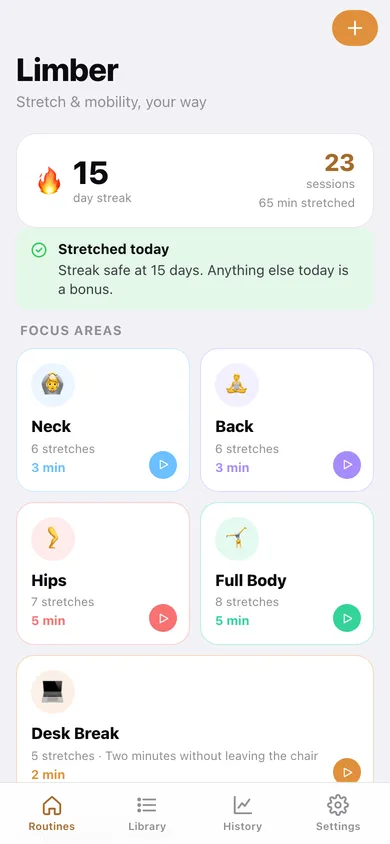
Neck (2:20), Back (3:00), Hips (4:20), Full Body (4:05) and Desk Break (1:50) — the areas people actually neglect, each with its own colour and sequence.
A player you can follow eyes-closed
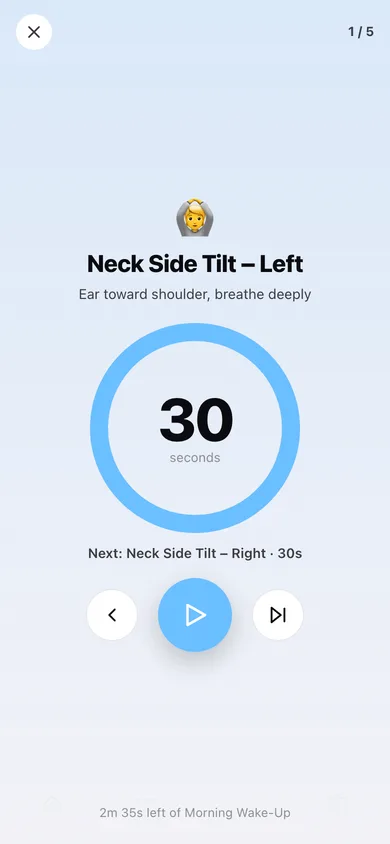
Full-screen countdown ring, the stretch name and its coaching cue, a next-up card, pause, skip and back — with a chime between stretches, a 3-2-1 countdown and spoken cues from your browser's voice.
The whole stretch library
All 32 stretches with the cue and the default hold, searchable by name or cue and grouped by body part — nothing behind a paywall.
Build your own routine
Add stretches from the library, set the hold on each one, reorder them, and save the sequence under any name. Copy a built-in routine and make it yours.
Streak, heatmap and history
Current streak and best run, minutes per week, a twelve-week heatmap, a donut of where the time went, and every session grouped by day.
Hold length to suit you
Scale every hold to Short, Normal or Long in one tap — 30 seconds becomes 23 or 45 without touching a routine.
Screens
Every screen, rebuilt for the browser
-
1
Routines
Streak banner, the five focus-area cards and your own saved routines.
-
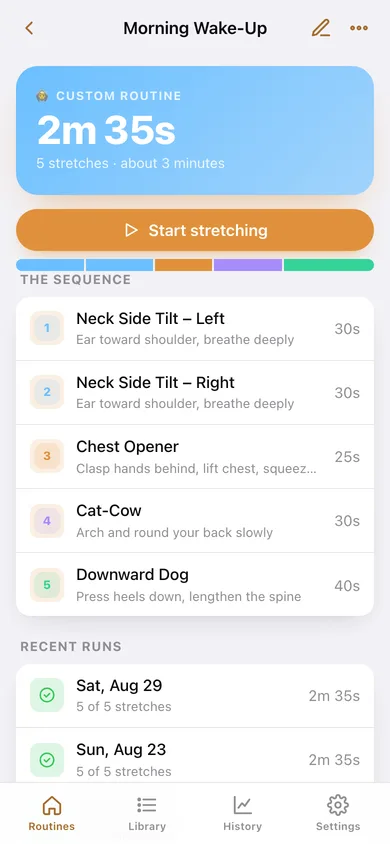
2
Routine detail
The full sequence with hold times, a colour strip of the session and the safety note before you start.
-
3
Player
Full-screen countdown ring with the cue, the next-up preview and pause / skip controls.
-
4
Routine builder
Name it, add stretches from the library, set each hold and reorder the sequence.
-
5
Stretch library
All 32 stretches grouped by body part with the cue and the default hold.
-
6
History
Streak, best run, minutes per week, a twelve-week heatmap and every session.
-
7
Settings
Chime, voice cues, hold length, CSV export, backup, sample data and erase.
Try it with sample data: Loads four weeks of sessions across all five focus areas plus two custom routines — Morning Wake-Up and Evening Wind-Down. You can start fresh at any time.
Ready? It's free.
No account, no install, no subscription. Everything you do stays in this browser.
Your say
What should Limber do? Tell us before we build it.
Tell us what to build next.
Comments need a free Google sign-in, so every one is from a real person.
Sign in with Google to commentNo comments yet — be the first to say what this app should do next.
Questions
Is the web version of Limber free?+
Yes. Every screen is free to use: no subscription, no in-app purchases, no account.
Do I need an account?+
No. Open Limber and start using it right away. Sign in with Google only if you want to upvote an app, save it to your list, or leave a comment.
Where is my data stored?+
Only in this browser's local storage. Nothing you enter is sent to our servers, so we can't see it, back it up, or restore it. Clearing site data, a private window, or another device starts empty. Export a backup from the in-app menu to keep it.
Is there a Limber app for iPhone or Android?+
Not yet. Limber is a community proposal: the browser version is complete, and we build the iPhone and Android app once 100 people upvote it. Upvoters get one email when it ships.