
Web app · Lifestyle
Lifefile
Write down — once — what your family will need to find
Seven sections and 51 plain-language prompts: where the will is, who the executor is, which institutions hold accounts, what you want played. Names and locations only, never passwords. Assembles into a printable family letter. Free, no account, stays in your browser.
Stored in your browser only. Nothing you do in the web version is sent to our servers. Clear your browser data and it's gone — so export a backup from the in-app menu if you want to keep it.
This app is a community proposal.
Try the full browser version now. We build the iPhone and Android app once 100 people upvote it.
We'll email you once, when it ships. Unsubscribe anytime.
In your browser
What you can do in Lifefile on the web
The seven sections
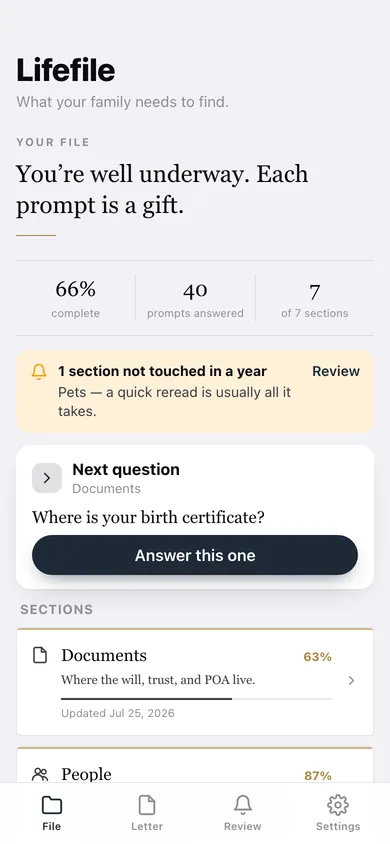
Documents, People, Accounts, Insurance, Wishes, Digital and Pets — each with its own completion percent and last-updated date.
51 guided prompts
The full prompt catalogue from the iPhone app, written as questions you answer like a conversation, with a helper line under each.
Structured people and accounts
Add the executor, attorney, doctor and broker with one way to reach them; add institutions and policies by name, purpose and at most a last-4.
Family-letter export
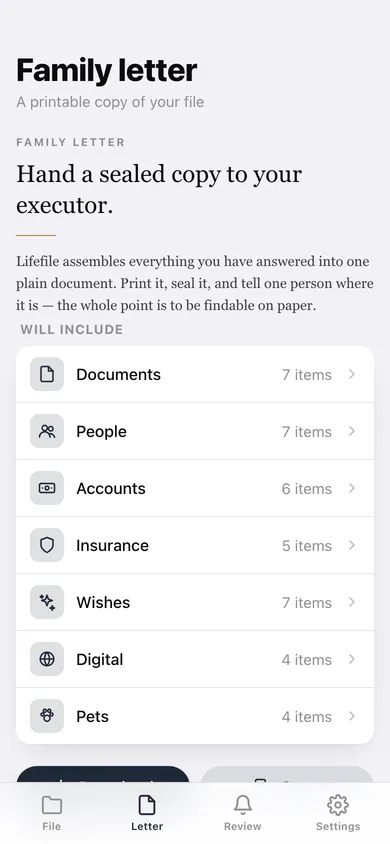
Everything you have answered assembled into one printable document you can download or copy — the point is to be findable on paper.
Annual review nudge
Any section untouched for a year is flagged on the home screen and in the review list, so the file stays true.
Privacy screen
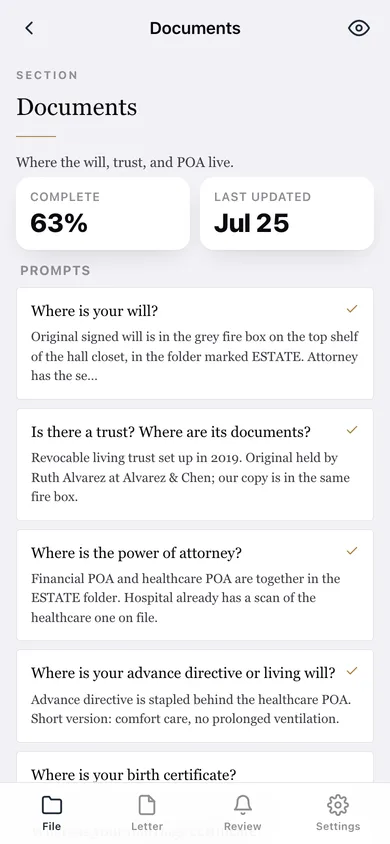
Answers open blurred until you tap the eye, and nothing you write ever leaves this browser.
Screens
Every screen, rebuilt for the browser
-
1
Your file
Overall completion, prompts answered, the next question and all seven sections with their progress.
-
2
Section
One life domain: its structured rows, every prompt and the answers you have written.
-
3
Prompt
One question at a time with its helper line, a roomy answer box and Save & next.
-
4
Family letter
What the letter will include, a live preview, and download or copy.
-
5
Annual review
Every section's last-updated status plus the yearly review setting.
-
6
Settings
Privacy screen, what is never written here, backup, sample data and erase.
Try it with sample data: Loads an example household's file — 29 answered prompts across all seven sections, five key people, three institutions and three policies, with Pets deliberately left a year stale so the review flag has something to say. You can start fresh at any time.
Ready? It's free.
No account, no install, no subscription. Everything you do stays in this browser.
Your say
What should Lifefile do? Tell us before we build it.
Tell us what to build next.
Comments need a free Google sign-in, so every one is from a real person.
Sign in with Google to commentNo comments yet — be the first to say what this app should do next.
Questions
Is the web version of Lifefile free?+
Yes. Every screen is free to use: no subscription, no in-app purchases, no account.
Do I need an account?+
No. Open Lifefile and start using it right away. Sign in with Google only if you want to upvote an app, save it to your list, or leave a comment.
Where is my data stored?+
Only in this browser's local storage. Nothing you enter is sent to our servers, so we can't see it, back it up, or restore it. Clearing site data, a private window, or another device starts empty. Export a backup from the in-app menu to keep it.
Is there a Lifefile app for iPhone or Android?+
Not yet. Lifefile is a community proposal: the browser version is complete, and we build the iPhone and Android app once 100 people upvote it. Upvoters get one email when it ships.