
Web app · Health And Fitness
PaceGrid
One goal finish time, split across all 16 segments and the roxzone
Set the time you are chasing and PaceGrid distributes it across eight 1 km runs, eight functional stations and the transitions, with the exact cumulative clock at every point. Edit any split and the rest rebalance. Then race it with a live ahead/behind delta. Free, offline, no account.
Stored in your browser only. Nothing you do in the web version is sent to our servers. Clear your browser data and it's gone — so export a backup from the in-app menu if you want to keep it.
This app is a community proposal.
Try the full browser version now. We build the iPhone and Android app once 100 people upvote it.
We'll email you once, when it ships. Unsubscribe anytime.
In your browser
What you can do in PaceGrid on the web
Goal time → 16 real splits
The same reference-weighted distribution as the iPhone app: SkiErg, sled push, sled pull, burpee broad jumps, row, farmers carry, sandbag lunges and wall balls, interleaved with Runs 1–8.
Four divisions
Open, Pro, Doubles and Relay each shift the run/station balance — Pro loads the stations, Doubles eases them — while the goal stays fixed.
Edit a split, hold the goal
Nudge your wall-ball target and the other fifteen segments absorb the change in proportion, so the finish time never moves.
The cumulative clock
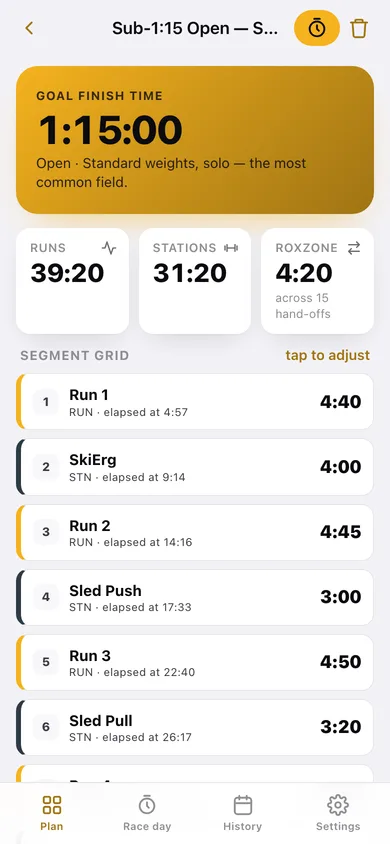
Every row shows the elapsed time you should see as you leave it — the number you actually check on course.
Race-day mode
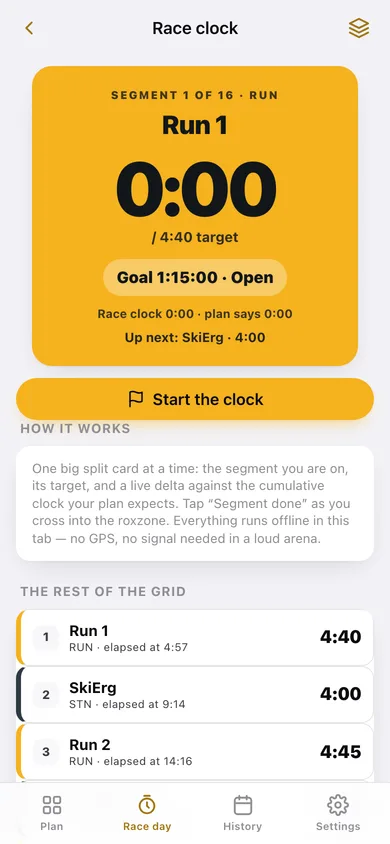
One big split card at a time with a live stopwatch, the segment target, and a running ahead-or-behind delta against the plan. Tap Segment done to advance.
Race review
Segment-by-segment gains and losses on a centre-line chart, biggest losses and gains, and run-vs-station totals so the next plan is sharper.
Screens
Every screen, rebuilt for the browser
-
1
PaceGrid
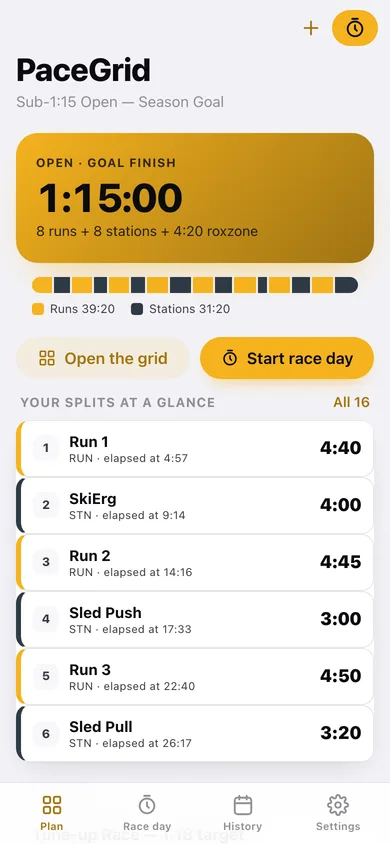
Goal hero, the whole race as a proportional strip, your first splits and the last race's delta.
-
2
Pace grid
All 16 segments with targets and the cumulative clock, tap-to-edit with rebalance, and the goal/division controls.
-
3
New plan
Goal-time slider with presets, division picker and a live preview of the splits it produces.
-
4
Race day
The big split card, live stopwatch, ahead/behind delta, banked splits and the rest of the grid.
-
5
Log a race
Enter your actual time on each of the 16 segments to log a race you already ran.
-
6
Race review
Finish vs goal, where the time went segment by segment, biggest losses and gains.
-
7
History
Finish times over time, every saved plan and every finished race.
-
8
Settings
Race-day beeps, default division, the plan race day runs, export, sample data and erase.
Try it with sample data: Adds a Sub-1:15 Open season plan and a 1:05 Doubles plan, plus four finished races over the last ten weeks with realistic sled and wall-ball blow-ups. You can start fresh at any time.
Ready? It's free.
No account, no install, no subscription. Everything you do stays in this browser.
Your say
What should PaceGrid do? Tell us before we build it.
Tell us what to build next.
Comments need a free Google sign-in, so every one is from a real person.
Sign in with Google to commentNo comments yet — be the first to say what this app should do next.
Questions
Is the web version of PaceGrid free?+
Yes. Every screen is free to use: no subscription, no in-app purchases, no account.
Do I need an account?+
No. Open PaceGrid and start using it right away. Sign in with Google only if you want to upvote an app, save it to your list, or leave a comment.
Where is my data stored?+
Only in this browser's local storage. Nothing you enter is sent to our servers, so we can't see it, back it up, or restore it. Clearing site data, a private window, or another device starts empty. Export a backup from the in-app menu to keep it.
Is there a PaceGrid app for iPhone or Android?+
Not yet. PaceGrid is a community proposal: the browser version is complete, and we build the iPhone and Android app once 100 people upvote it. Upvoters get one email when it ships.