
Web app · Food And Drink
Decant
Know what to open tonight and what to leave alone another year
A private cellar inventory with producer, varietal, region, vintage, quantity, price and bin, a drink-from to drink-by window that tells you Hold, Peaking, Drink Soon or Past Peak, and a 100-point tasting journal. Free, no account, nothing leaves this browser.
Stored in your browser only. Nothing you do in the web version is sent to our servers. Clear your browser data and it's gone — so export a backup from the in-app menu if you want to keep it.
This app is a community proposal.
Try the full browser version now. We build the iPhone and Android app once 100 people upvote it.
We'll email you once, when it ships. Unsubscribe anytime.
In your browser
What you can do in Decant on the web
A real inventory, not a wish list
Every wine carries producer, varietal, region, vintage, bottles in the bin, price per bottle and a bin or rack location — open one and the count and the cellar value both drop.
Drink windows that compute themselves
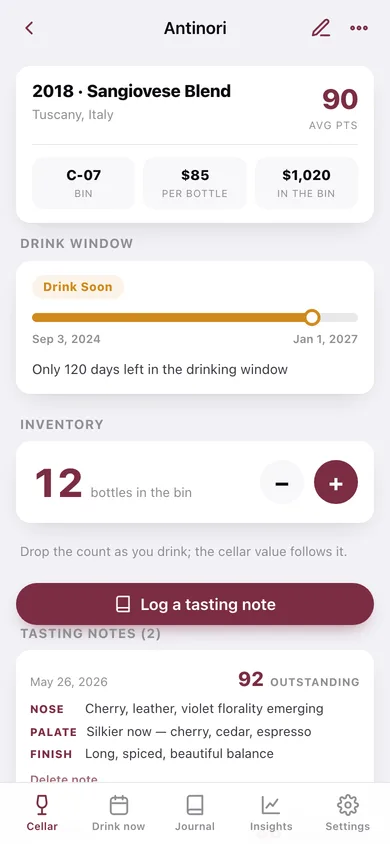
Before the start date a bottle reads Hold; through the first 85% of the window it is Peaking; the last 15% flips it to Drink Soon; after the end date it is Past Peak — with a timeline bar showing exactly where today sits.
100-point tasting journal
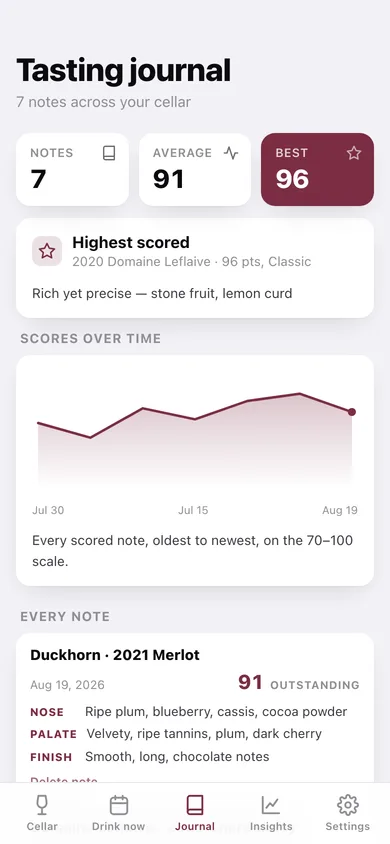
Log nose, palate and finish with a score on the 70–100 slider, graded Classic / Outstanding / Very Good / Good / Fair, tied to the bottle so every note for a producer sits together.
Cellar insights
Bottles by region and by varietal, a drink-window donut, where the value sits by region, average bottle price and total portfolio value.
Search the whole cellar
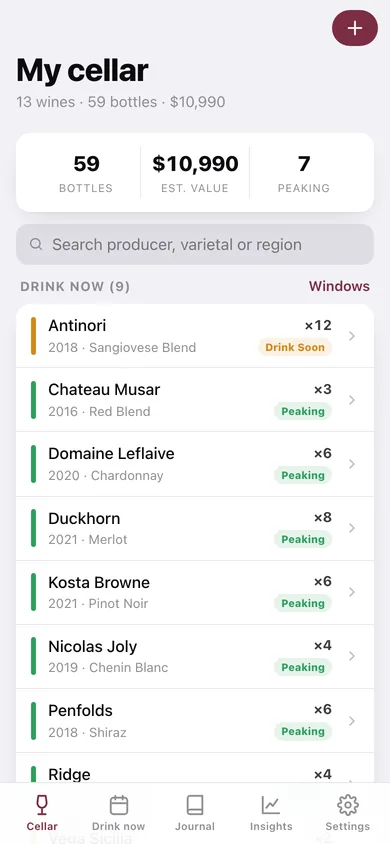
Filter by producer, varietal, region or vintage from the cellar screen, with the drink-now bottles surfaced above the full list.
Yours to take with you
Everything lives in this browser only; download a JSON backup or a CSV of the cellar for insurance.
Screens
Every screen, rebuilt for the browser
-
1
My cellar
Bottles, estimated value and how many are peaking, a search box, then the drink-now shortlist above the whole cellar.
-
2
Bottle
Average score, bin, price and bin value, the drink-window timeline with today marked, a quantity control and every tasting note.
-
3
Add / edit bottle
Producer, varietal, region, vintage, quantity, price, bin location and the drink-from to drink-by window.
-
4
Tasting note
A big 70–100 score slider with its grade, plus nose, palate and finish fields and the date tasted.
-
5
Drink windows
Every bottle grouped into Drink Soon, Peaking, Hold and Past Peak with days left and the drink-by date.
-
6
Tasting journal
Note count, average and best score, the highest-scored wine, a score-over-time line and every note in full.
-
7
Cellar insights
Bottles by region and varietal, drink-window and value donuts, and the portfolio summary.
-
8
Settings
Window rules, the scoring scale, CSV and JSON export, sample data and erase.
Try it with sample data: Loads a thirteen-wine cellar — Opus One, Château Margaux, Screaming Eagle, Kosta Browne, Vega Sicilia and more, 59 bottles worth about $12,000 — with seven tasting notes from 88 to 96 points and one bottle already past its window. You can start fresh at any time.
Ready? It's free.
No account, no install, no subscription. Everything you do stays in this browser.
Your say
What should Decant do? Tell us before we build it.
Tell us what to build next.
Comments need a free Google sign-in, so every one is from a real person.
Sign in with Google to commentNo comments yet — be the first to say what this app should do next.
Questions
Is the web version of Decant free?+
Yes. Every screen is free to use: no subscription, no in-app purchases, no account.
Do I need an account?+
No. Open Decant and start using it right away. Sign in with Google only if you want to upvote an app, save it to your list, or leave a comment.
Where is my data stored?+
Only in this browser's local storage. Nothing you enter is sent to our servers, so we can't see it, back it up, or restore it. Clearing site data, a private window, or another device starts empty. Export a backup from the in-app menu to keep it.
Is there a Decant app for iPhone or Android?+
Not yet. Decant is a community proposal: the browser version is complete, and we build the iPhone and Android app once 100 people upvote it. Upvoters get one email when it ships.