
Web app · Lifestyle
Dayleaf
One line a day, and a year of leaves you can read at a glance
Answer today's prompt in a single sentence, pick how the day felt, and watch the Year Grid fill with mood-tinted leaves. On This Day resurfaces the same date from earlier years, and your streak and weekly rhythm are always one tap away. Free, no account.
Stored in your browser only. Nothing you do in the web version is sent to our servers. Clear your browser data and it's gone — so export a backup from the in-app menu if you want to keep it.
This app is a community proposal.
Try the full browser version now. We build the iPhone and Android app once 100 people upvote it.
We'll email you once, when it ships. Unsubscribe anytime.
In your browser
What you can do in Dayleaf on the web
Today's leaf in one sentence
A rotating prompt from a bundled set of 25 — one for each day of the cycle — a single-line field with a character count, and a five-point mood from Hard to Great.
The Year Grid
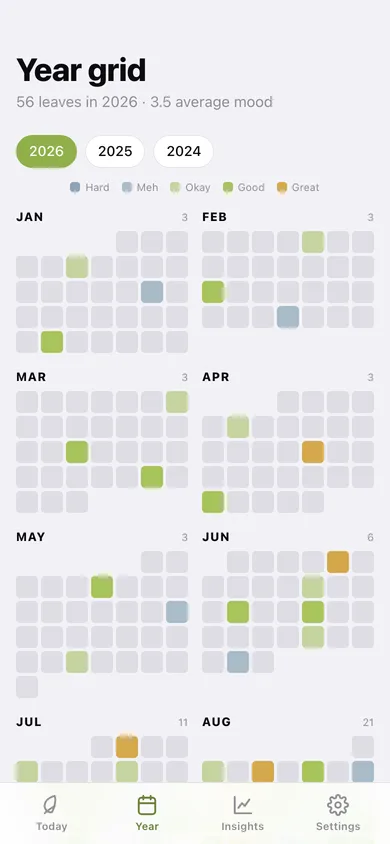
All twelve months as grids of rounded leaves, tinted warm amber for the best days and cool slate for the hardest, empty for days you skipped. Tap any leaf to read its line.
On This Day
Every entry written on this calendar date in earlier years, as layered cards with the year up front — plus the anniversaries coming up in the next fortnight.
Streaks that are honest
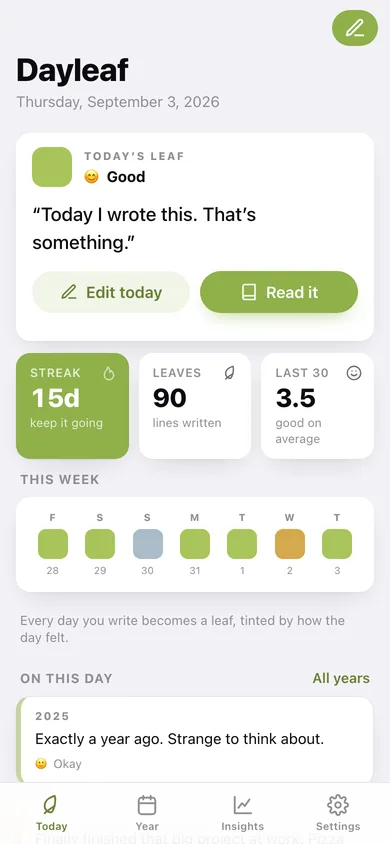
A current run that survives an unwritten today but not an unwritten yesterday, your longest run ever, and the total number of leaves.
Mood insights
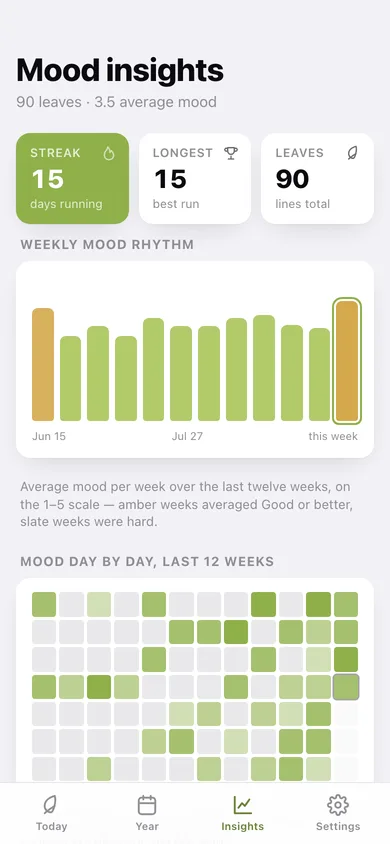
Average mood per week over twelve weeks, a day-by-day heatmap, how your days split across the five moods, a month-by-month table, and your best and hardest days.
Backfill and export
Write yesterday's line today, edit any leaf, and export the whole journal as CSV or a JSON backup.
Screens
Every screen, rebuilt for the browser
-
1
Today
Today's prompt or today's leaf, your streak, this week's leaves, and what you wrote on this date in earlier years.
-
2
Year grid
Twelve months of mood-tinted leaves for any year you have written in.
-
3
Mood insights
Streak, longest run, weekly mood rhythm, a 12-week heatmap, the mood split and your standout days.
-
4
Write a leaf
The date, its prompt, one line with a character count, and the five-point mood picker.
-
5
On this day
The same calendar date across every year you have written, plus upcoming anniversaries.
-
6
Leaf
One day: the line, its mood, the prompt that day asked, and the same date in other years.
-
7
Settings
Prompt and one-line options, the leaf palette with your day counts, CSV export, backup and erase.
Try it with sample data: Loads roughly ninety leaves spanning two years — sparse in the older years so On This Day has something to surface, dense across the last three months so the grid, streak and mood charts are alive. You can start fresh at any time.
Ready? It's free.
No account, no install, no subscription. Everything you do stays in this browser.
Your say
What should Dayleaf do? Tell us before we build it.
Tell us what to build next.
Comments need a free Google sign-in, so every one is from a real person.
Sign in with Google to commentNo comments yet — be the first to say what this app should do next.
Questions
Is the web version of Dayleaf free?+
Yes. Every screen is free to use: no subscription, no in-app purchases, no account.
Do I need an account?+
No. Open Dayleaf and start using it right away. Sign in with Google only if you want to upvote an app, save it to your list, or leave a comment.
Where is my data stored?+
Only in this browser's local storage. Nothing you enter is sent to our servers, so we can't see it, back it up, or restore it. Clearing site data, a private window, or another device starts empty. Export a backup from the in-app menu to keep it.
Is there a Dayleaf app for iPhone or Android?+
Not yet. Dayleaf is a community proposal: the browser version is complete, and we build the iPhone and Android app once 100 people upvote it. Upvoters get one email when it ships.