
Web app · Developer Tools
Color Truth
See your design the way 1 in 12 users actually see it — right in the browser
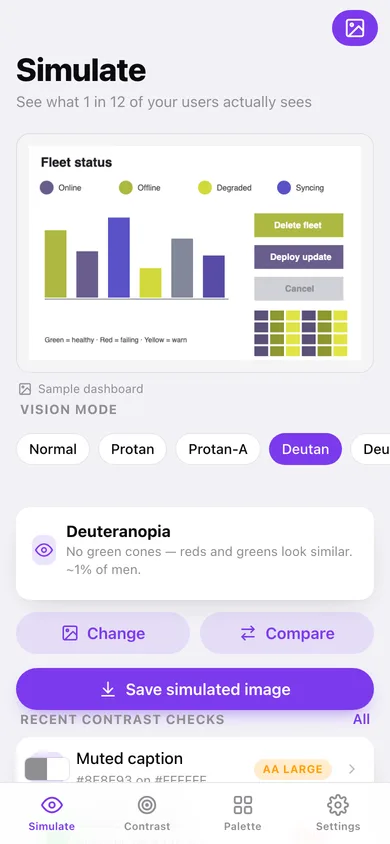
Load a screenshot and flip through eight color-vision modes with a side-by-side compare slider, check any two colors against WCAG 2.1 AA / AAA with a one-tap suggested fix, and pull the eight dominant colors out of any image with k-means. Every pixel is processed in your tab. Free, no install.
Stored in your browser only. Nothing you do in the web version is sent to our servers. Clear your browser data and it's gone — so export a backup from the in-app menu if you want to keep it.
This app is a community proposal.
Try the full browser version now. We build the iPhone and Android app once 100 people upvote it.
We'll email you once, when it ships. Unsubscribe anytime.
In your browser
What you can do in Color Truth on the web
Eight-mode vision simulator
Normal, protanopia, protanomaly, deuteranopia, deuteranomaly, tritanopia, tritanomaly and achromatopsia, using the published Brettel/Vienot/Mollon and Machado matrices applied per pixel on a canvas.
Side-by-side compare and save
Drag the divider between the original and the simulated image, then download the simulated PNG to share with a teammate.
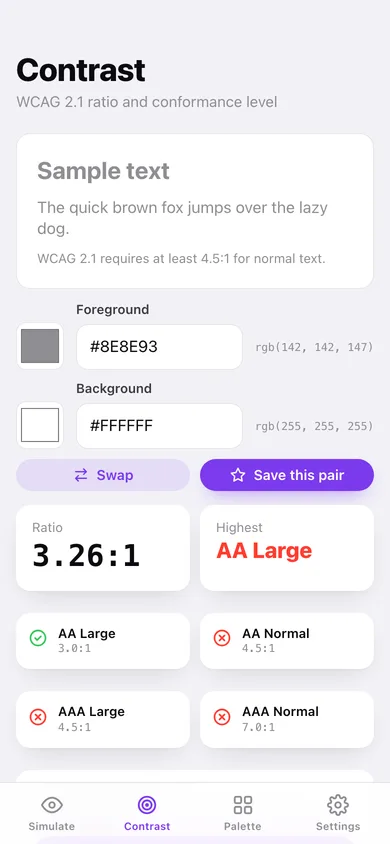
WCAG 2.1 contrast checker
Native color pickers plus hex entry, the exact relative-luminance ratio, pass / fail for AA Large, AA, AAA Large and AAA, a live text preview, and the same pair shown through every vision mode.
Suggested fix
When a pair fails AA, Color Truth pushes both colors apart in HSB brightness — same hues — until they reach 4.5:1, and applies it with one tap.
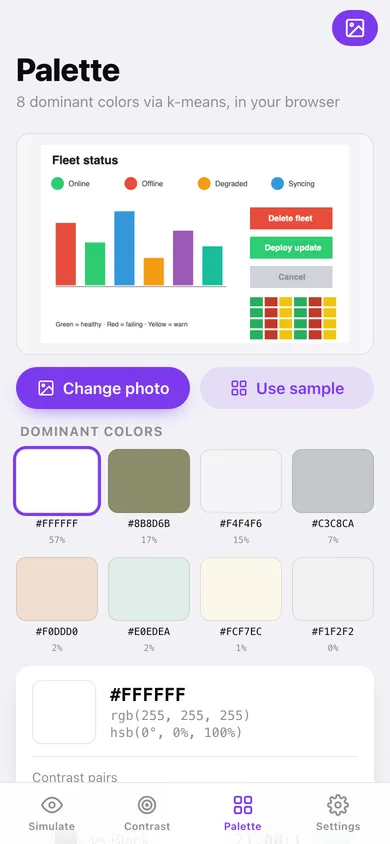
k-means palette extractor
Any image → its 8 dominant colors with weights, hex / RGB / HSB, contrast against white and black, and a saved palette you can copy as CSS variables.
Saved checks and palettes
Keep your brand pairs with their conformance level and your extracted palettes, and see each saved palette through the current vision mode.
Screens
Every screen, rebuilt for the browser
-
1
Simulate
Bundled sample dashboard or your own image, eight mode chips, compare slider, save.
-
2
Contrast
Foreground / background pickers, ratio, conformance cells, suggested fix, the pair through every vision mode, saved checks.
-
3
Saved check
One saved pair with its ratio, four conformance rows, color values and copy-as-CSS.
-
4
Palette
Pick an image (or use the sample), 8 swatches with weights, tap for hex / RGB / HSB and contrast pairs.
-
5
Saved palette
Weighted color band, every swatch with white / black contrast, and the same band through the current vision mode.
-
6
Vision modes
All eight modes with a sample band and the exact 3×3 matrix.
-
7
Color science
How simulation, contrast and palette extraction are computed.
-
8
Design tips
Five rules that keep color-dependent UI readable.
-
9
Settings
Default vision mode, compare default, reference pages, backup, sample data and erase.
Try it with sample data: Loads nine saved brand contrast checks (from body copy at 17:1 down to placeholder text that fails) and three saved palettes — a marketing site, an autumn moodboard and a dashboard's status colors. You can start fresh at any time.
Ready? It's free.
No account, no install, no subscription. Everything you do stays in this browser.
Your say
What should Color Truth do? Tell us before we build it.
Tell us what to build next.
Comments need a free Google sign-in, so every one is from a real person.
Sign in with Google to commentNo comments yet — be the first to say what this app should do next.
Questions
Is the web version of Color Truth free?+
Yes. Every screen is free to use: no subscription, no in-app purchases, no account.
Do I need an account?+
No. Open Color Truth and start using it right away. Sign in with Google only if you want to upvote an app, save it to your list, or leave a comment.
Where is my data stored?+
Only in this browser's local storage. Nothing you enter is sent to our servers, so we can't see it, back it up, or restore it. Clearing site data, a private window, or another device starts empty. Export a backup from the in-app menu to keep it.
Is there a Color Truth app for iPhone or Android?+
Not yet. Color Truth is a community proposal: the browser version is complete, and we build the iPhone and Android app once 100 people upvote it. Upvoters get one email when it ships.