
Web app · Entertainment
Bricklog
Catalog every brick set you own — sealed, built or parted out
The collector's logbook for plastic-brick fans: set number, theme, piece count, release year and estimated value per set, a minifig roster linked back to its box, a wishlist, and a stats dashboard that adds it all up. Free, no install, no account.
Stored in your browser only. Nothing you do in the web version is sent to our servers. Clear your browser data and it's gone — so export a backup from the in-app menu if you want to keep it.
This app is a community proposal.
Try the full browser version now. We build the iPhone and Android app once 100 people upvote it.
We'll email you once, when it ships. Unsubscribe anytime.
In your browser
What you can do in Bricklog on the web
Collection grid with theme colours
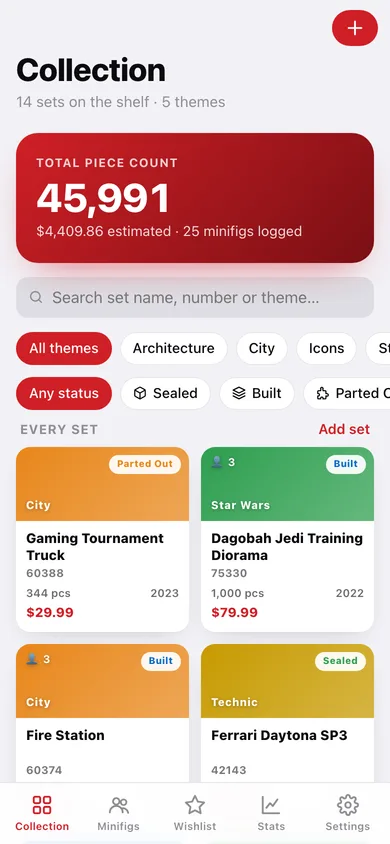
Every owned set as a card with its theme banner, status badge, piece count, year and value — searchable by name, number or theme and filterable by theme chip or status.
Sealed / Built / Parted Out
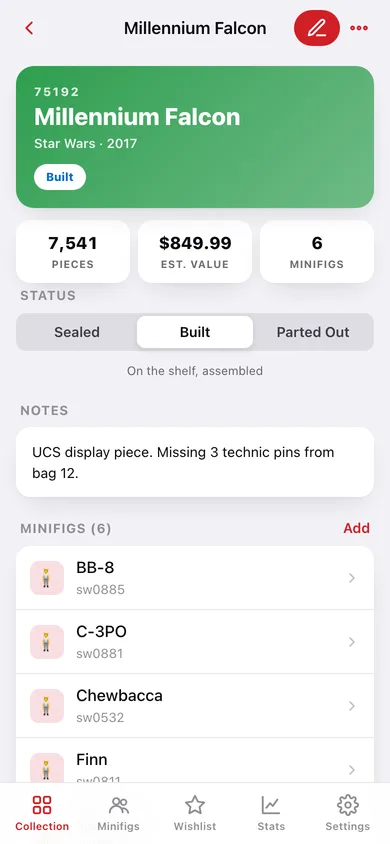
Flip a set's status straight from its detail page; the stats dashboard shows how many sets are still in shrink-wrap, on the shelf, or broken down for custom builds.
Full set record
Set number, name, theme, piece count, release year, estimated value, notes — plus a computed cost-per-piece and the date you logged it.
Minifig roster linked to its set
Log who came in the box; the roster searches by fig name, fig number or set, jumps to the parent set, and charts figs per theme.
Wishlist that never inflates your totals
Park sets you plan to buy with their price, see what the whole list would cost, and move one into the collection as sealed the day it lands.
Stats dashboard
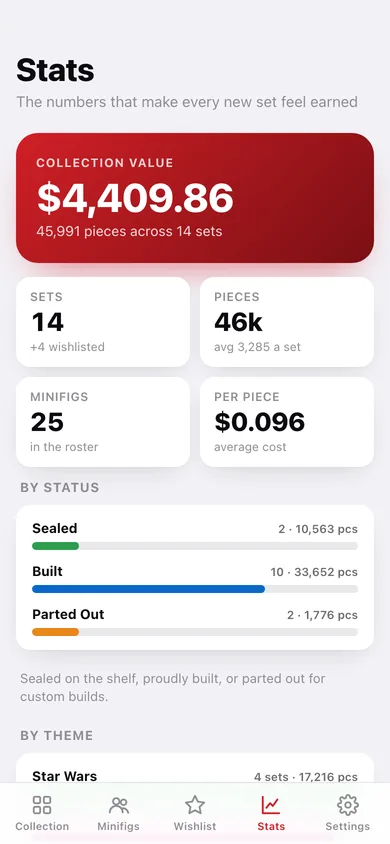
Collection value, total pieces, average cost per piece, breakdown by status and by theme, a pieces-per-theme donut, and records for the biggest, priciest and oldest set.
Screens
Every screen, rebuilt for the browser
-
1
Collection
Total piece count and value up top, then a searchable, theme- and status-filtered grid of every set you own.
-
2
Set detail
Theme-coloured header, piece/value/minifig tiles, a status switcher, notes, the set's minifigs and the full record.
-
3
Add or edit a set
Set number, name, theme (with chips for themes you already collect), pieces, year, value, status, notes and a wishlist toggle.
-
4
Minifig roster
Every fig you own, searchable by name, fig number or set, with a figs-per-theme chart.
-
5
Wishlist
Sets you plan to buy, what they would cost together, and one tap to move a set into the collection.
-
6
Stats
Collection value, pieces, cost per piece, status and theme breakdowns, a pieces-per-theme donut and collection records.
-
7
Settings
Logbook counts, JSON backup, CSV export of the whole collection, sample data, filter reset and erase.
Try it with sample data: Loads a 14-set collection across Star Wars, Technic, Icons, Architecture and City with 25 minifigs, plus a four-set wishlist. You can start fresh at any time.
Ready? It's free.
No account, no install, no subscription. Everything you do stays in this browser.
Your say
What should Bricklog do? Tell us before we build it.
Tell us what to build next.
Comments need a free Google sign-in, so every one is from a real person.
Sign in with Google to commentNo comments yet — be the first to say what this app should do next.
Questions
Is the web version of Bricklog free?+
Yes. Every screen is free to use: no subscription, no in-app purchases, no account.
Do I need an account?+
No. Open Bricklog and start using it right away. Sign in with Google only if you want to upvote an app, save it to your list, or leave a comment.
Where is my data stored?+
Only in this browser's local storage. Nothing you enter is sent to our servers, so we can't see it, back it up, or restore it. Clearing site data, a private window, or another device starts empty. Export a backup from the in-app menu to keep it.
Is there a Bricklog app for iPhone or Android?+
Not yet. Bricklog is a community proposal: the browser version is complete, and we build the iPhone and Android app once 100 people upvote it. Upvoters get one email when it ships.