
Web app · Business
Bhav
Your mandi sale logbook — which crop, which mandi and which week paid the best bhav
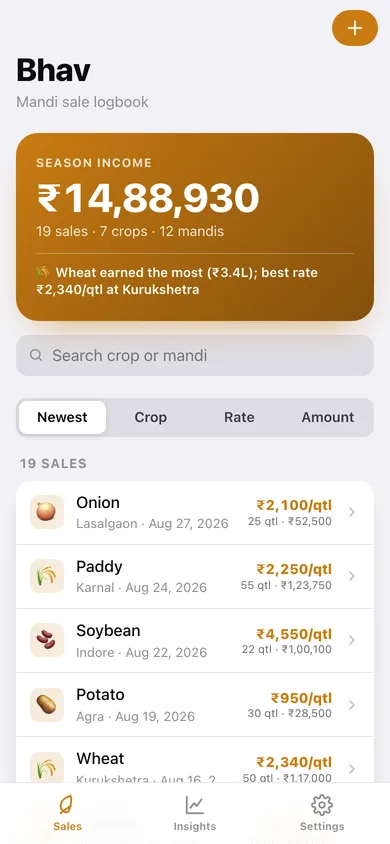
Log each sale with crop, quantity, mandi, rate and notes, and Bhav turns your own transactions into best and average rate per crop and per mandi, season income by crop, mandi and month, and a rate-over-time chart. No account, no signal needed, free in any browser.
Stored in your browser only. Nothing you do in the web version is sent to our servers. Clear your browser data and it's gone — so export a backup from the in-app menu if you want to keep it.
This app is a community proposal.
Try the full browser version now. We build the iPhone and Android app once 100 people upvote it.
We'll email you once, when it ships. Unsubscribe anytime.
In your browser
What you can do in Bhav on the web
Log a sale in seconds
Crop and mandi with one-tap chips from your history, quantity in quintal, kg, tonne, bag or maund, the rate you got, date and a note for buyer, transport or commission.
Best and average rate per crop
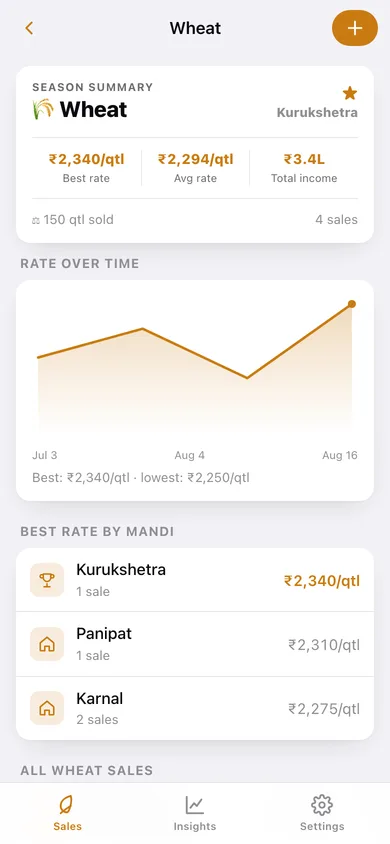
Every crop shows its best rate, average rate, income and the mandi that paid the most, plus a rate-over-time chart with best and lowest marked.
Which mandi pays
Per-mandi best rate, average rate, income and top crop, so you know where to take the next load.
Season totals
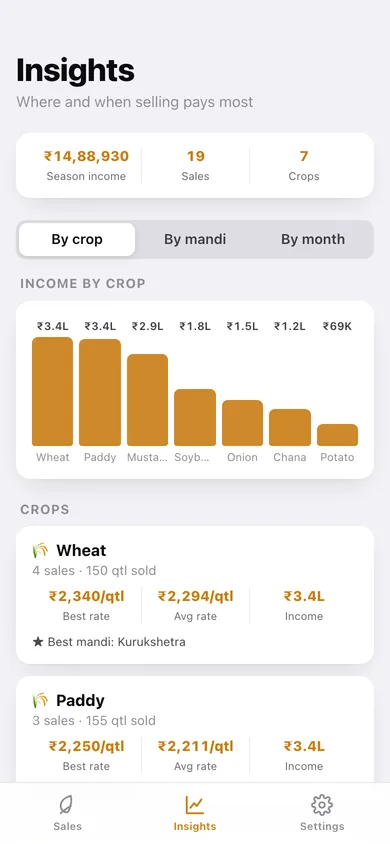
Income by crop, by mandi and by month with bar charts, and a season banner with total income, sales and crops.
Every sale rated against your season
Open a sale and see whether that rate beat your average for the crop — or set a new best.
CSV for the accountant
Export every sale with quantity, rate and total to a spreadsheet, or a JSON backup.
Screens
Every screen, rebuilt for the browser
-
1
Sales
Season income, the crop that earned most, search and sort, and every sale with rate, quantity and total.
-
2
Sale
Total, rate and quantity, how it compares to your season average, details and notes.
-
3
Sale details
Log or edit a sale with recent crop and mandi chips and a live total.
-
4
Crop
Season summary, rate over time, best rate by mandi and every sale of one crop.
-
5
Insights
Income by crop, by mandi and by month with best and average rates.
-
6
Settings
Default unit, season summary, CSV and JSON export, sample season, erase.
Try it with sample data: Adds a three-month season of 19 sales — wheat, mustard, paddy, onion, potato, chana and soybean across 12 mandis. You can start fresh at any time.
Ready? It's free.
No account, no install, no subscription. Everything you do stays in this browser.
Your say
What should Bhav do? Tell us before we build it.
Tell us what to build next.
Comments need a free Google sign-in, so every one is from a real person.
Sign in with Google to commentNo comments yet — be the first to say what this app should do next.
Questions
Is the web version of Bhav free?+
Yes. Every screen is free to use: no subscription, no in-app purchases, no account.
Do I need an account?+
No. Open Bhav and start using it right away. Sign in with Google only if you want to upvote an app, save it to your list, or leave a comment.
Where is my data stored?+
Only in this browser's local storage. Nothing you enter is sent to our servers, so we can't see it, back it up, or restore it. Clearing site data, a private window, or another device starts empty. Export a backup from the in-app menu to keep it.
Is there a Bhav app for iPhone or Android?+
Not yet. Bhav is a community proposal: the browser version is complete, and we build the iPhone and Android app once 100 people upvote it. Upvoters get one email when it ships.