Meet RefLedger — Referee pay, mileage & taxes
Referee pay, mileage & taxes

Sports
RefLedger
Referee pay, mileage & taxes
Every feature, from the first launch.
No account, no login, no cloud. Everything runs on your device and works fully offline — nothing in this post is hidden behind a wall.
What RefLedger does
Three assignors, a weekend tournament that pays cash at the plate, and a group text that doubles as your schedule — being a sports official today means being your own bookkeeper, and none of the platforms you work through will do it for you.
Assignor systems only show the games booked through that one organization. If you work for multiple assignors — and most officials do — no single screen anywhere shows your whole season: every game you worked, what each payer owes you, the miles you drove, and what it all adds up to at tax time. So officials rebuild an entire year from calendars, text threads, and bank deposits every April.
RefLedger is the ledger that belongs to you, not to an assignor. Log a game in about ten seconds when you get back to the car: sport, role, level, payer, venue, fee. The app fills in your usual fee for that assignor and level automatically, and it remembers the round-trip miles to every field, gym, and diamond you work, so mileage records itself as you log.
Every payer gets its own running tab. Open the ledger and see exactly who has paid, who has not, and how long they have owed you — assignors, leagues, and cash tournaments side by side. Mark a check received or a cash payout at the plate, and the tab clears.
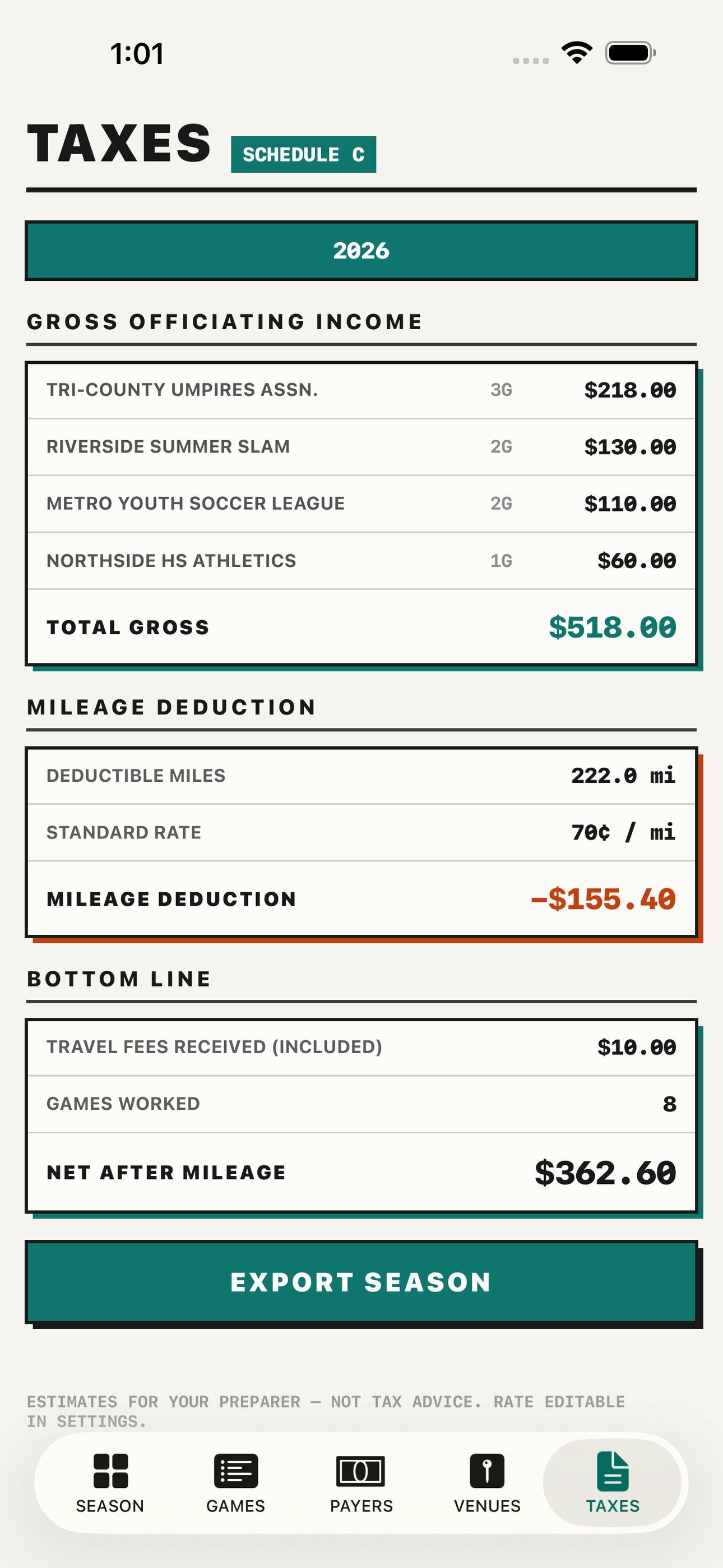
When the season ends, the tax summary is already done: total officiating income by payer, deductible miles at the standard rate, and a season report you can export for Schedule C or hand straight to your preparer.
RefLedger is fully offline and private. No account, no organization setup, no assignor approval — your income records live on your device and nowhere else. It works for every sport and every role: baseball and softball umpires, soccer, basketball, football, and volleyball officials, plate or base, center or line.
The shortage means you are working more games than ever. Make sure you get paid for every one of them.
• Ten-second post-game log with per-assignor fee presets • Owed and paid status tracked per payer — assignors, leagues, cash tournaments • Venue library that remembers round-trip mileage for automatic totals • Season tax summary with income by payer and deductible miles • Schedule C ready CSV and PDF export for your preparer • Multi-sport, multi-role, multi-season — one ledger for your whole officiating life • 100 percent offline, no account, no subscription
A look inside


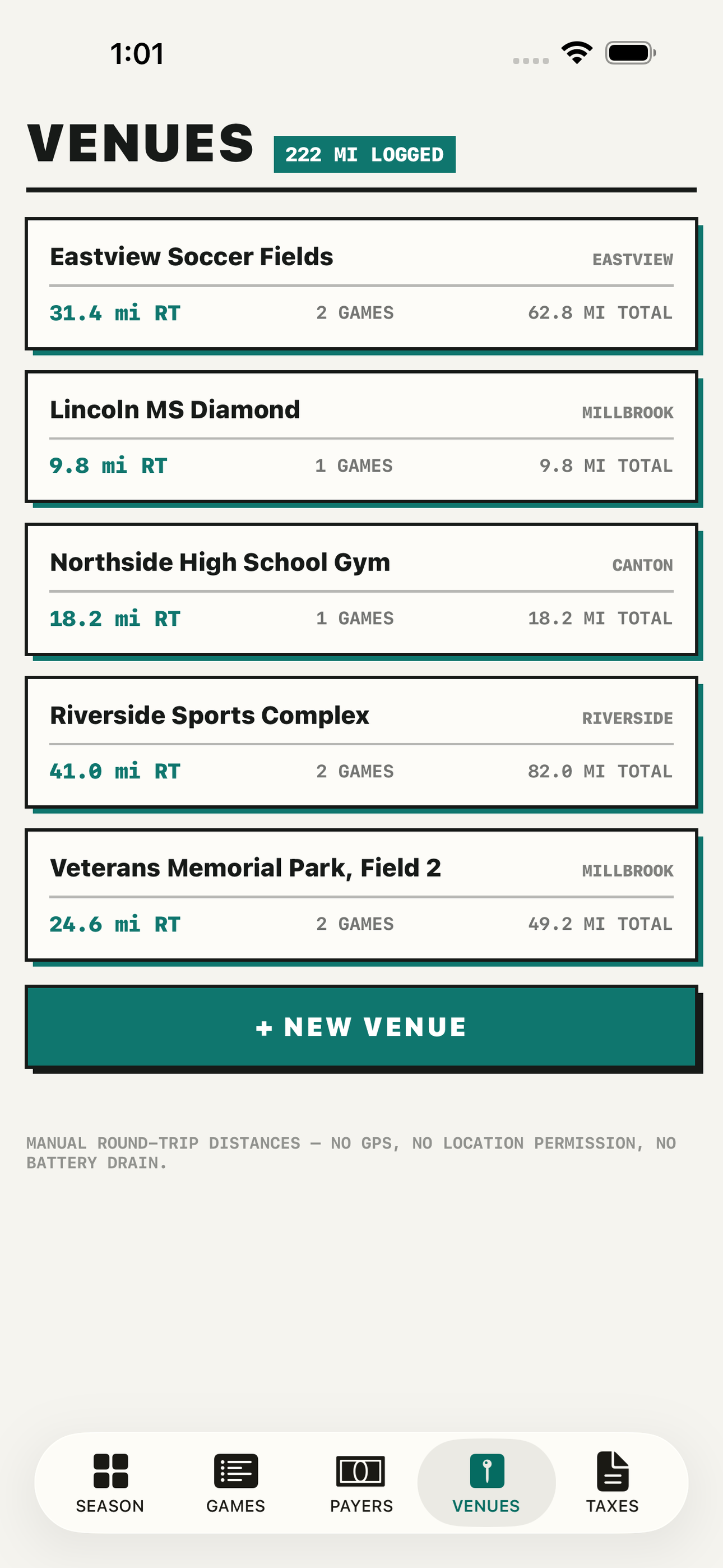
Tap any screenshot to open the full-resolution version.
What's inside
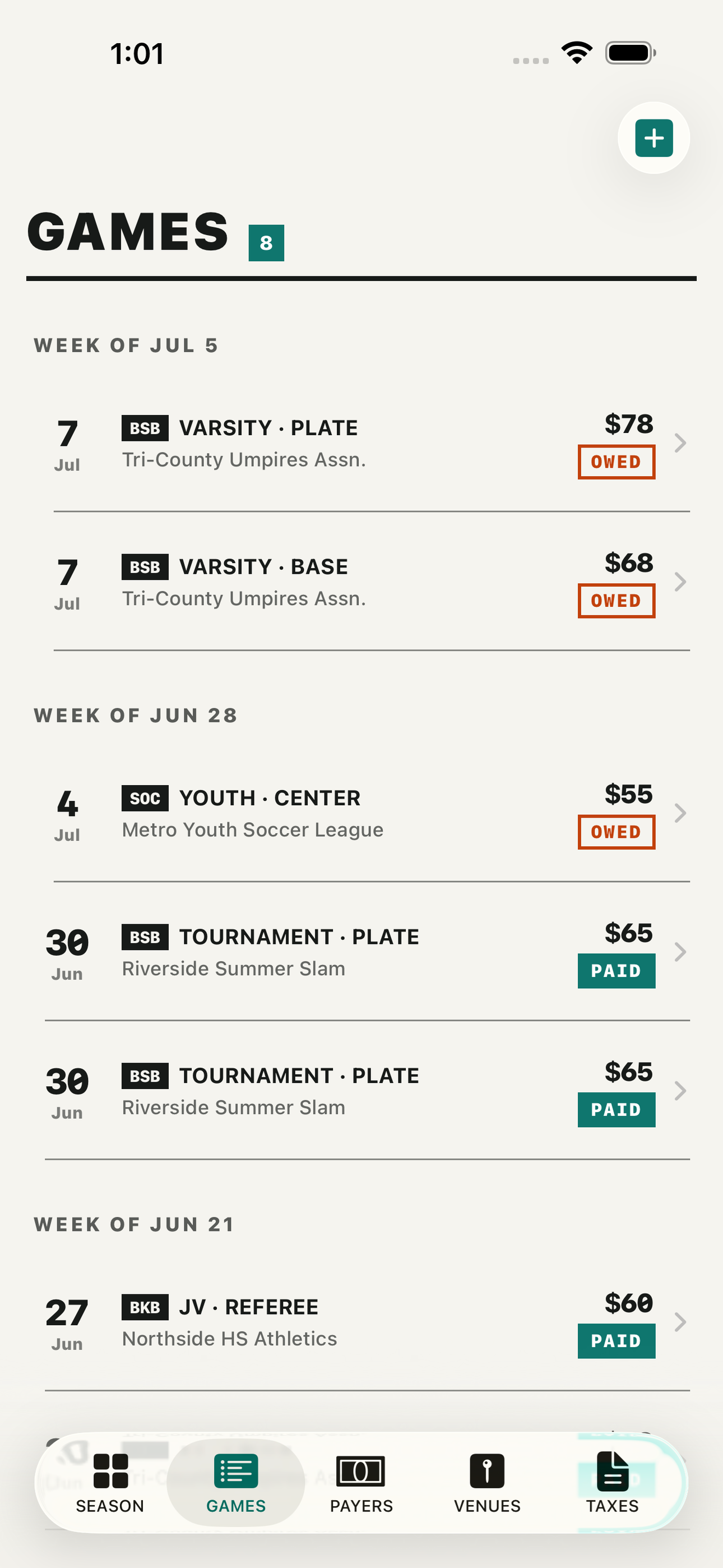
- Ten-Second Game Log — Post-game quick entry built for the parking lot: pick sport, role, level, payer, and venue from your recents and the fee fills in from that assignor's preset. Cash games and tournament flat rates log just as fast.
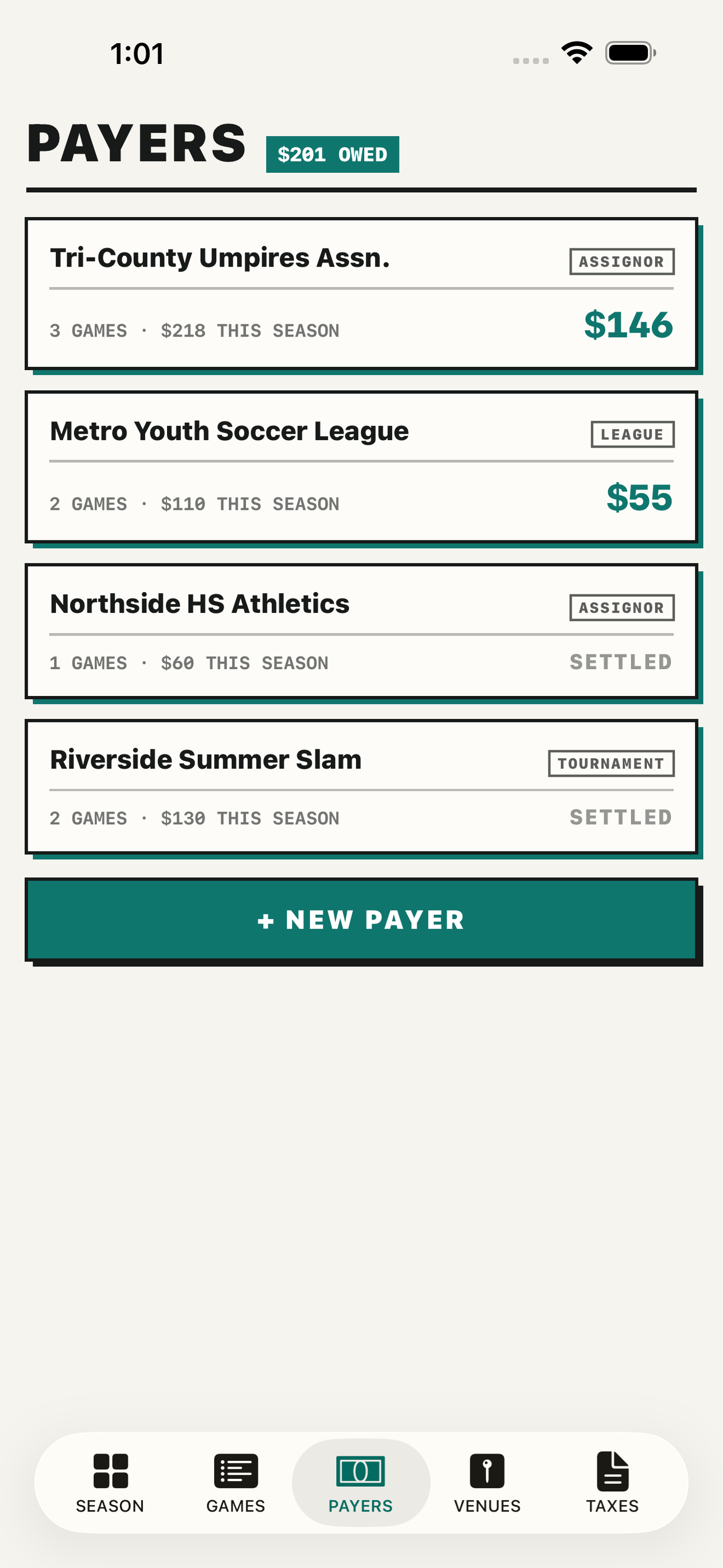
- Payer Ledger — A running tab per payer — assignors, leagues, and cash tournaments side by side — showing what each owes, what has been paid, and how long balances have been outstanding. Mark checks and cash payouts received to clear the tab.
- Venue Mileage — Save each field, gym, and diamond once with its round-trip miles; every game logged at that venue adds deductible mileage automatically. Manual per-venue distances — no GPS, no battery drain, no location permission.
- Fee Schedules — Store what each assignor pays by sport, role, and level (JV plate, varsity center, tournament flat rate) so logging a game never means remembering a number.
- Season Tax Summary — One tap turns the season into Schedule C numbers: total officiating income by payer, total deductible miles at the standard rate, and a CSV or PDF export for your preparer.
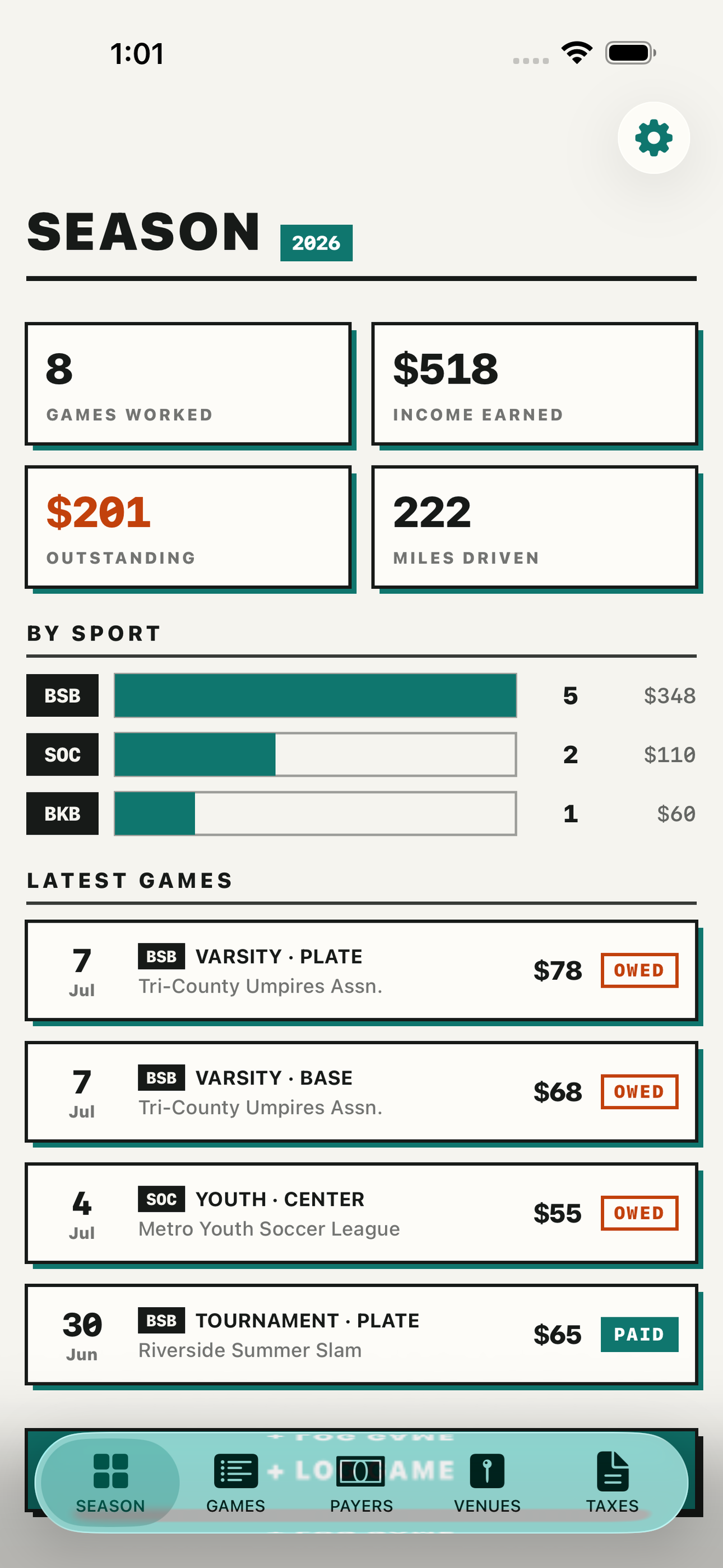
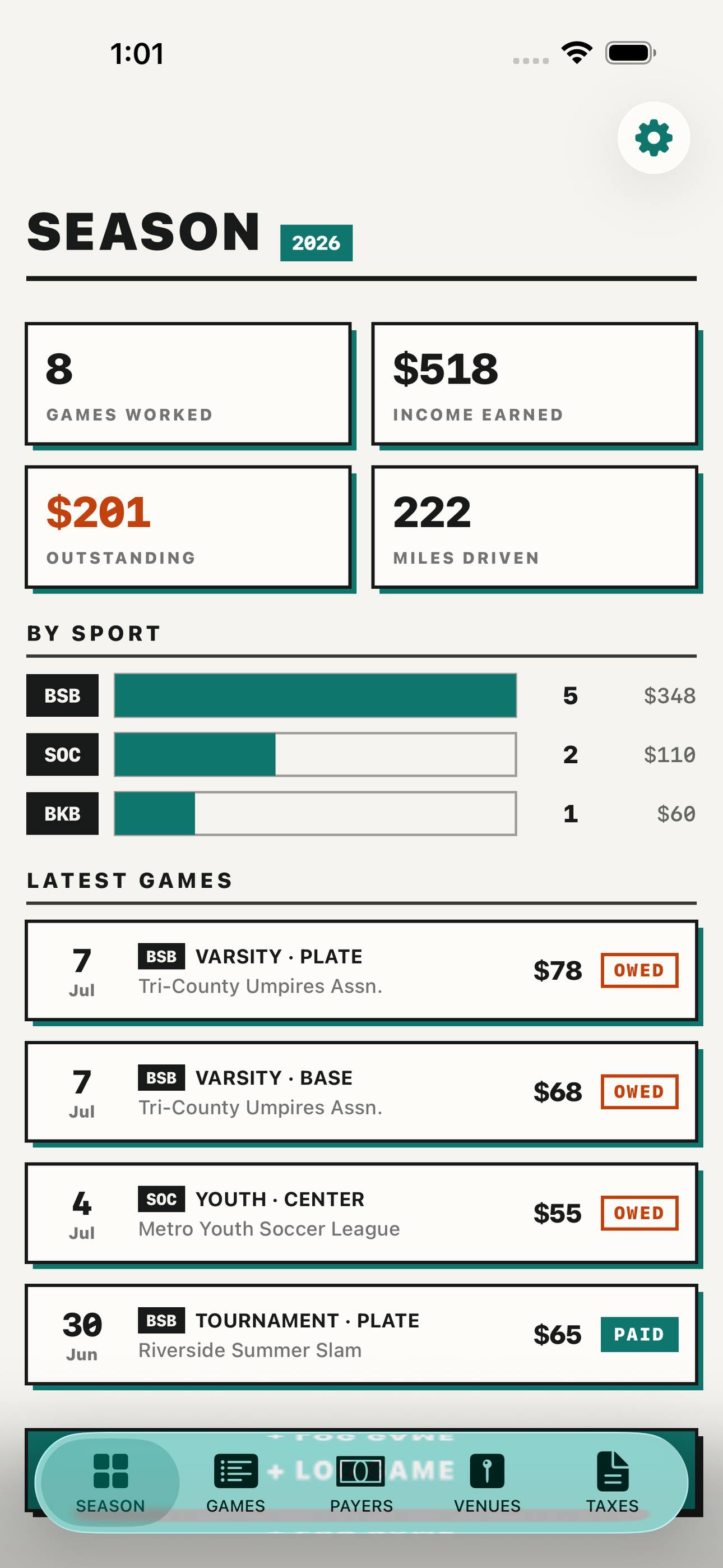
- Season Dashboard — The season at a glance: games worked, income earned, outstanding balances, and miles driven, with a per-sport breakdown and week-by-week pace.
Why we built it
Officials are independent contractors, but every tool in the space (ArbiterSports, Assignr, RefTown, refbook) is assignor-side and only shows games booked through that one org. Cross-assignor income, cash tournament games, owed-vs-paid status, and mileage never consolidate anywhere, so officials reconstruct a whole se…
What makes it different
Assignr, ArbiterSports, and RefTown are assignor-side platforms — an official sees only that org's games, never a unified season, and none track mileage, cash games, or owed-vs-paid across payers. REFSIX is soccer-only, Apple-Watch match-stats centric, and subscription-gated — useless to umpires and basketball or voll…
Who it's for
Players who want to play, not configure — minimal setup, maximum time on the thing you love.
In one line: Referee pay, mileage & taxes
Try it
See the Referee pay, mileage & taxes for the full feature list, the info table, and support links.
Use RefLedger, found a bug, or have a feature request? Comments are open below — anonymous is fine.
0 comments
No comments yet — be the first.
Leave a reply
Sign in with Google to join the conversation. We require a quick sign-in to keep comments spam-free.
Sign in with Google to comment