Meet Overtime Tax Tracker — Your No-Tax-Overtime deduction, adding up
The One Big Beautiful Bill created something hourly workers have never had: a federal tax deduction for overtime.

Finance
Overtime Tax Tracker
Your No-Tax-Overtime deduction, adding up
Every feature, from the first launch.
No account, no login, no cloud. Everything runs on your device and works fully offline — nothing in this post is hidden behind a wall.
What Overtime Tax Tracker does
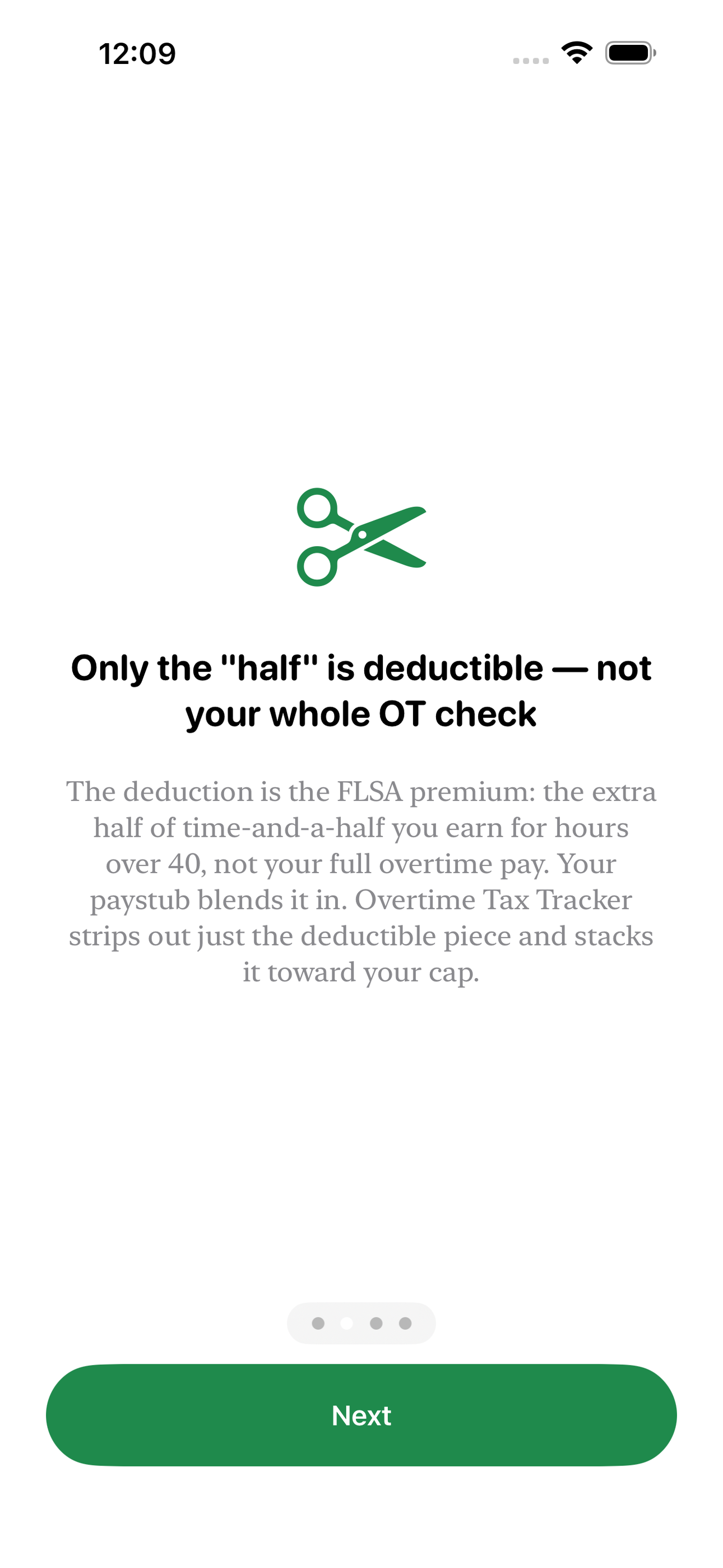
The One Big Beautiful Bill created something hourly workers have never had: a federal tax deduction for overtime. But it is not your overtime pay that is deductible — it is only the FLSA premium, the extra "half" of time-and-a-half you earn for hours over 40. Your time clock shows gross overtime dollars. Your paystub blends it into one number. Nobody isolates the piece the IRS actually lets you deduct on Schedule 1-A, up to $12,500 single or $25,000 married filing jointly. Overtime Tax Tracker does, one shift at a time.
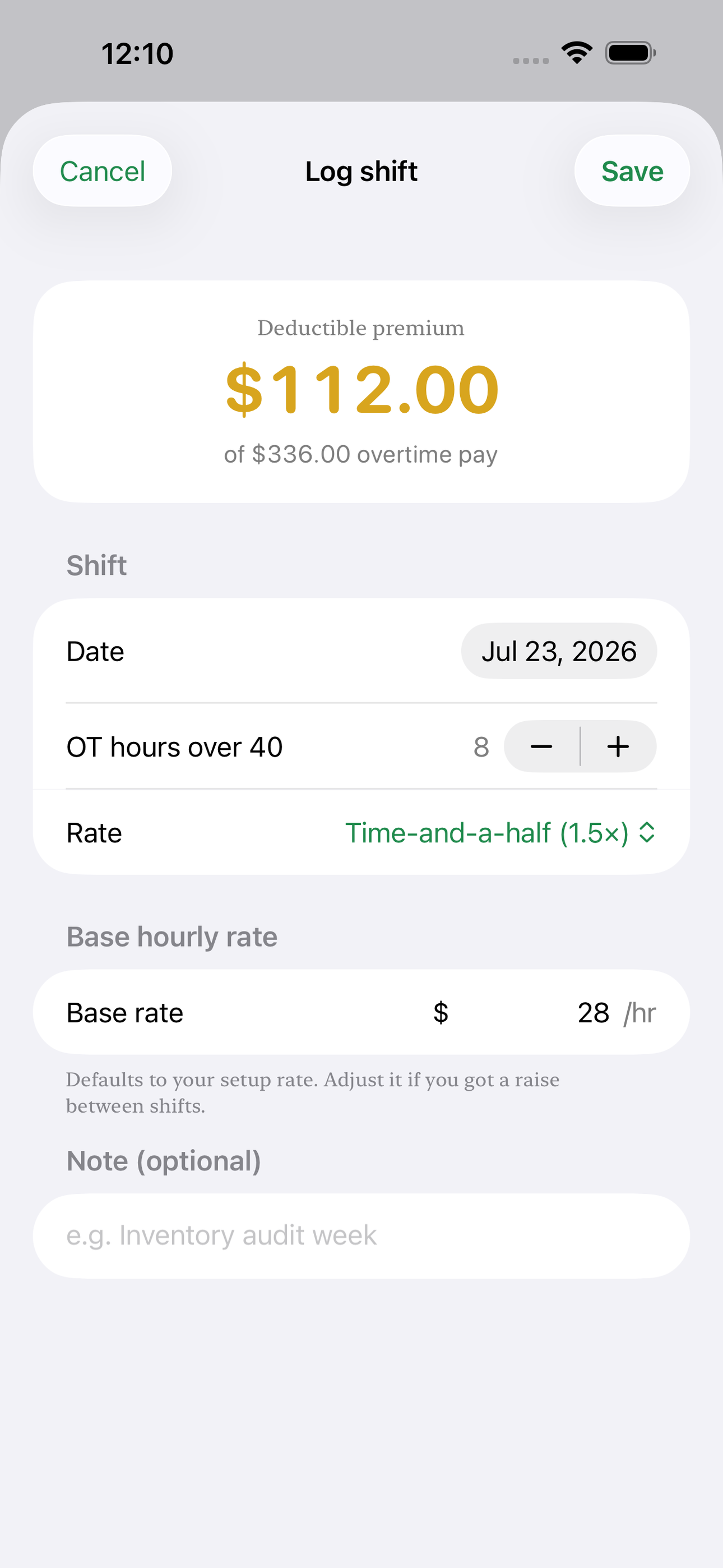
Set your base hourly rate, your standard workweek, and your filing status once. Then log overtime the way you actually work it: the hours you went over 40 this week, at time-and-a-half or double-time. The app instantly strips out the deductible premium — base rate times the half — and stacks it toward your cap on a single running dial. You watch your No-Tax-on-Overtime deduction grow in real time instead of guessing in April.
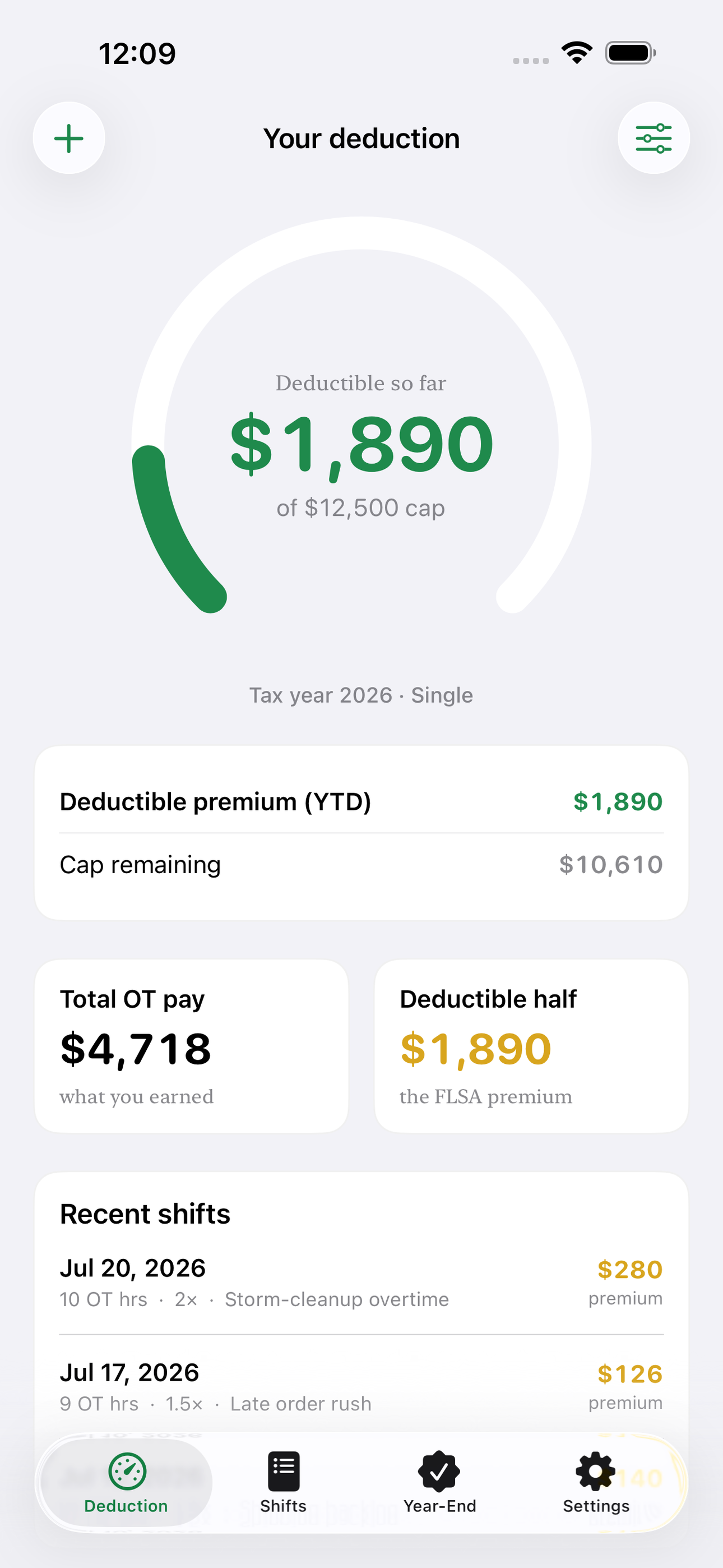
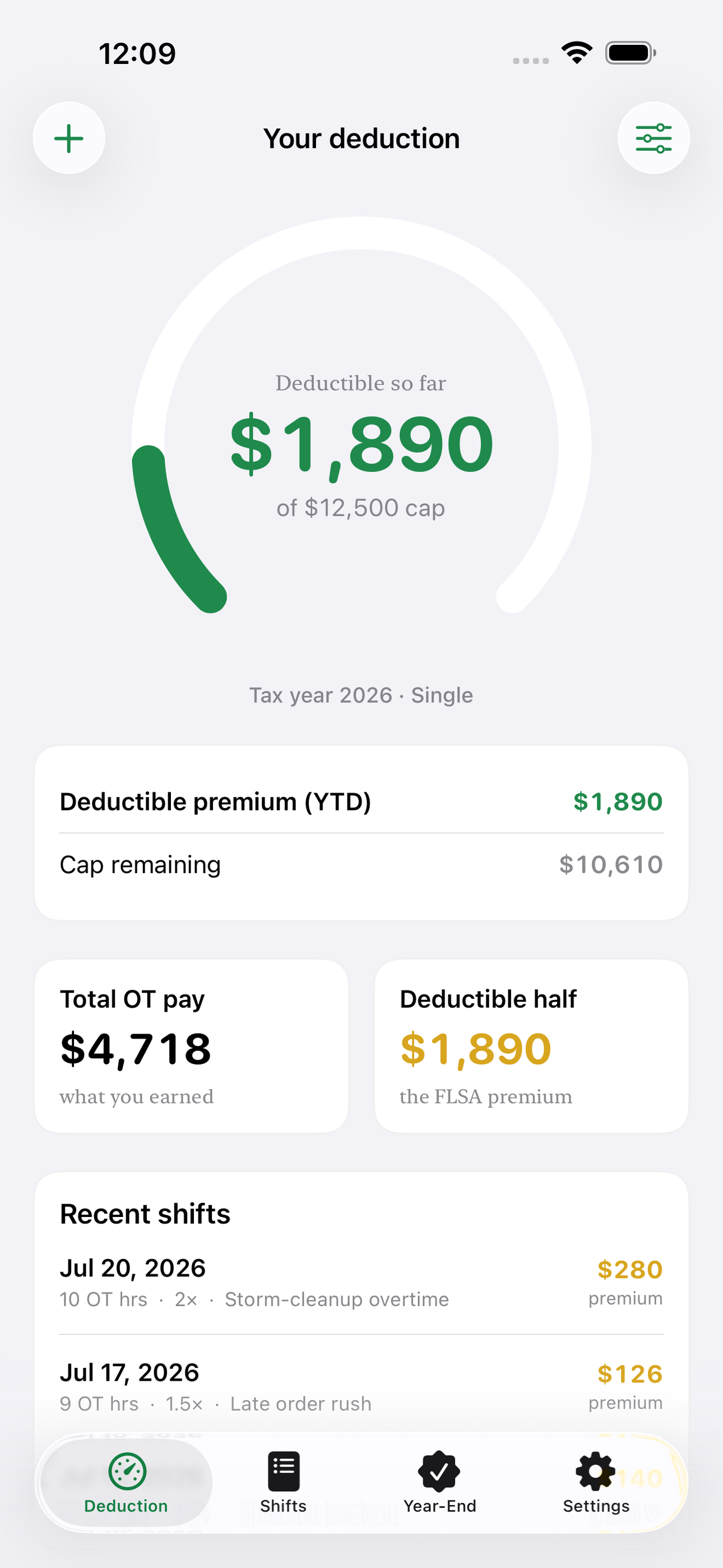
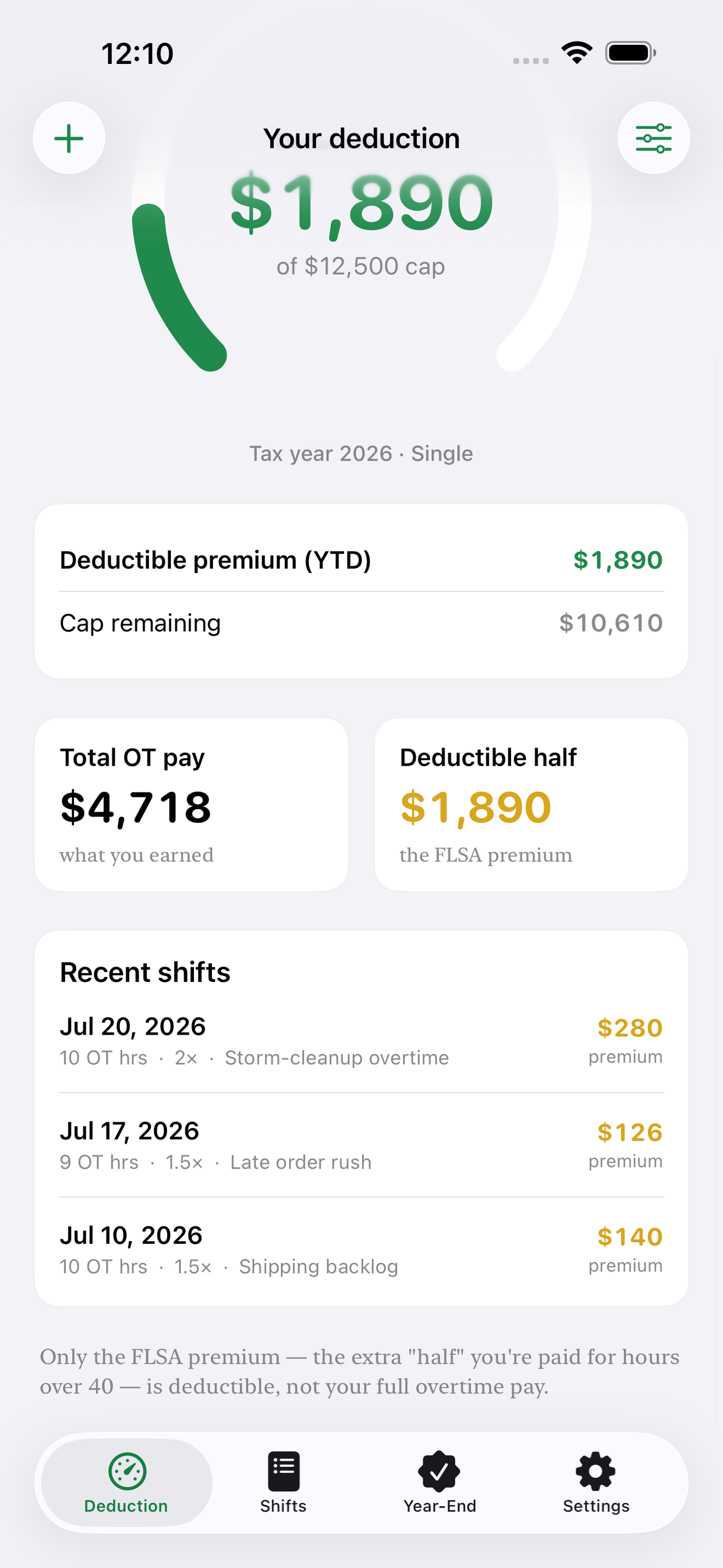
The home gauge shows your year-to-date deductible premium against the $12,500 or $25,000 ceiling, with a phase-out indicator that dims the cap as your estimated income climbs past $150,000. Total overtime pay sits right beside the deductible premium so you can see, at a glance, how much of your extra hours the deduction actually covers.
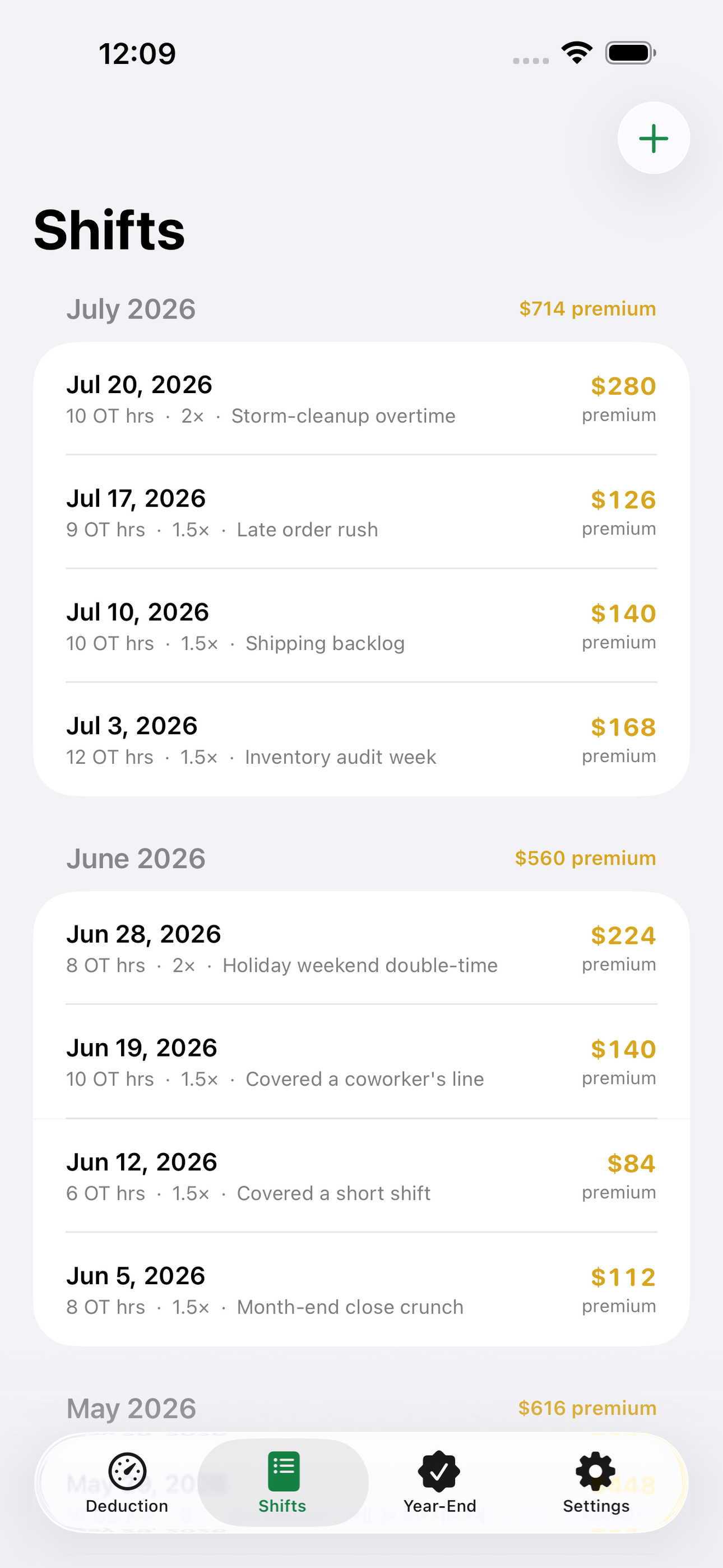
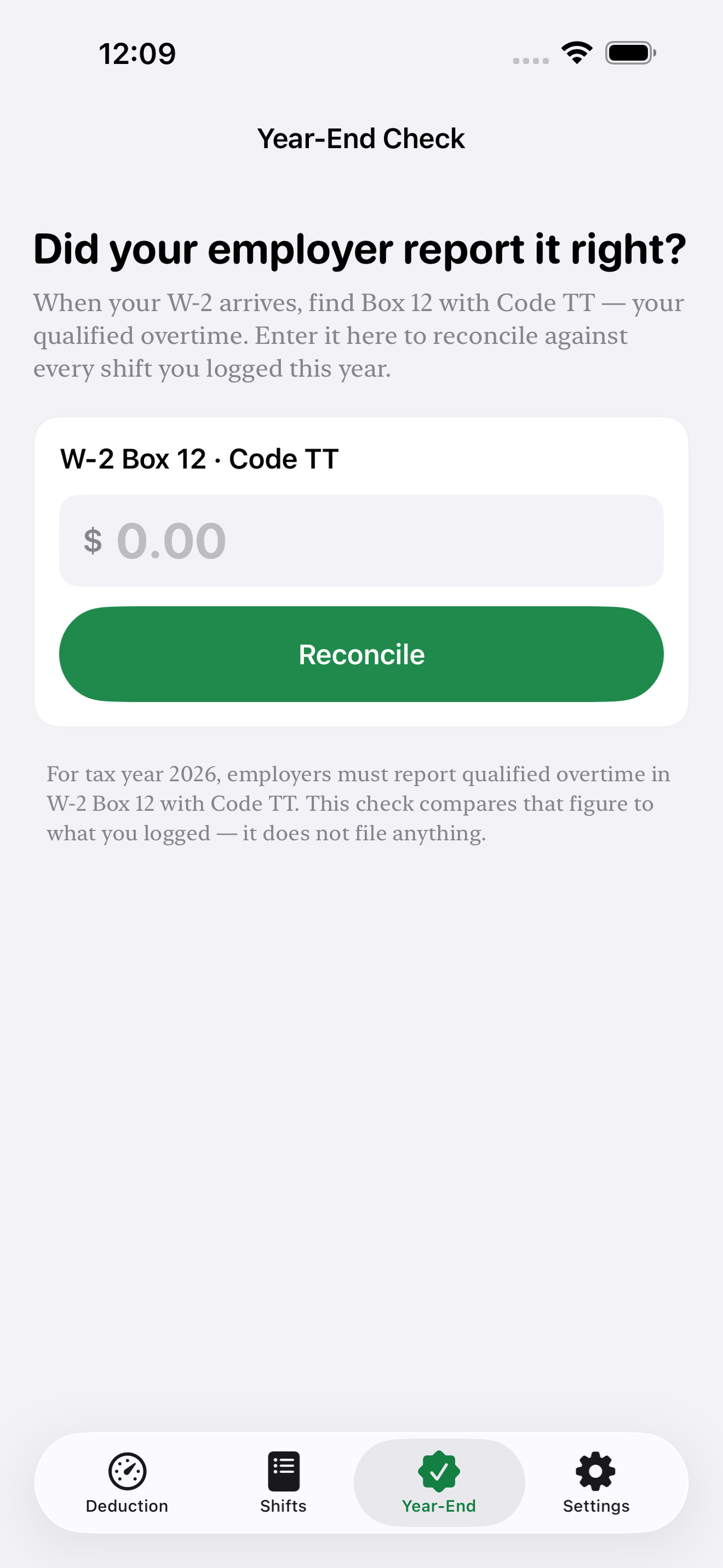
At year end, your employer must report qualified overtime in W-2 Box 12 under Code TT. Punch that number into the Year-End Check and Overtime Tax Tracker reconciles it against everything you logged — so a payroll error that shorts your deduction does not quietly cost you money. Every shift stays in a clean history by pay period and month, ready to hand your preparer.
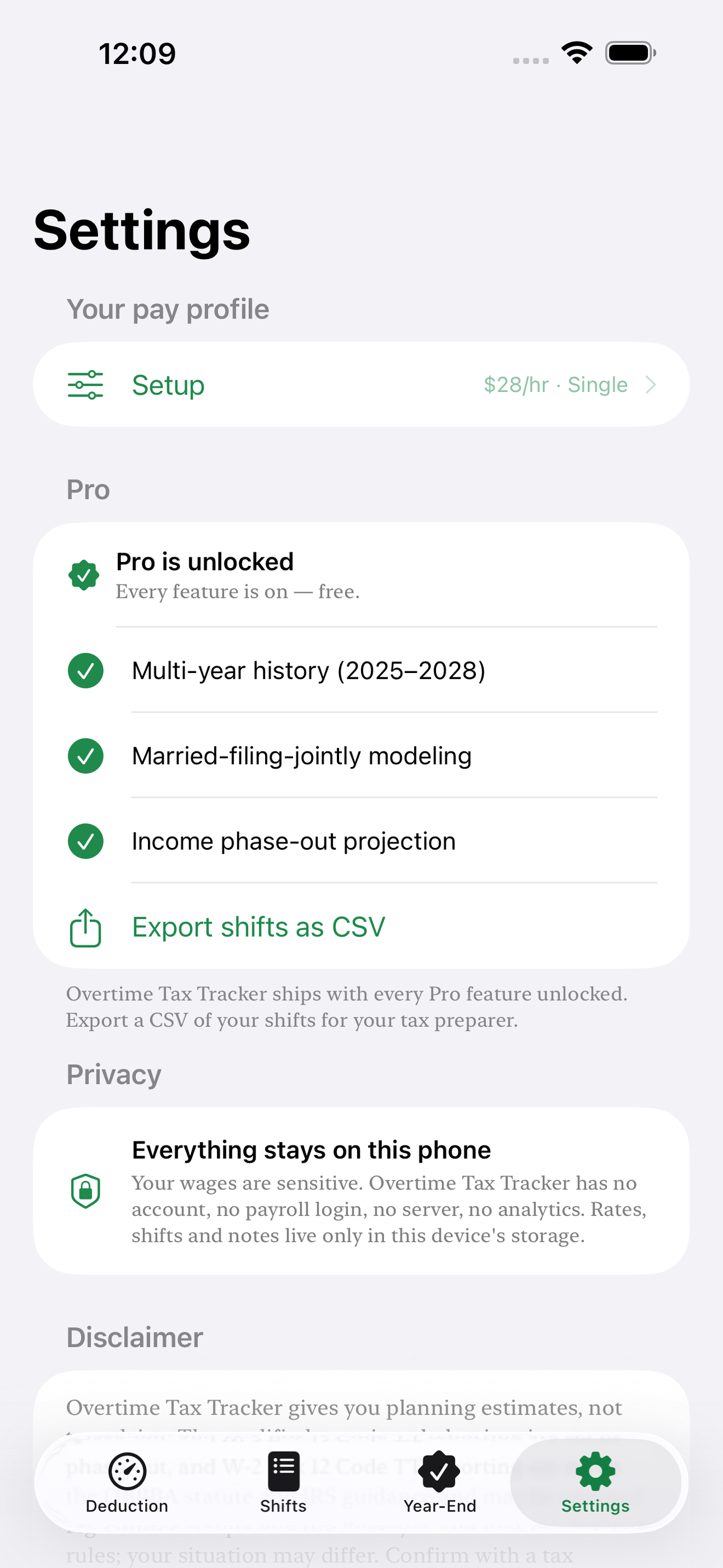
Everything lives on your phone. No account, no payroll login, no server reading your wages. Log unlimited shifts for the current tax year for free; unlock multi-year history, married-filing-jointly modeling, phase-out projections, and CSV export for your tax pro.
Estimates for planning only — not tax advice. Confirm your figures with a tax professional.
• Isolates the deductible FLSA overtime premium, not gross OT pay • Live year-to-date deduction dial vs the $12,500 / $25,000 cap • MAGI phase-out indicator above $150,000 • Time-and-a-half and double-time support • W-2 Box 12 Code TT year-end reconciliation • Shift history by pay period and month • 100 percent offline — your wages never leave your phone
A look inside
Tap any screenshot to open the full-resolution version.
What's inside
- Deduction gauge — Live YTD deductible premium vs the cap, with MAGI phase-out.
- Shift log — Log OT hours per week; premium-only dollars computed automatically.
- Year-end Code TT check — Reconcile your logged total against the W-2 Box 12 figure.
Why we built it
Hourly workers can't see how much of their overtime is actually deductible under the 2026 No-Tax-on-Overtime rule, or verify their employer's W-2 Code TT figure.
What makes it different
Isolates the deductible FLSA premium (the 'half' of time-and-a-half) — not gross OT pay — and tracks it against the $12,500/$25,000 cap with a year-end Code TT reconciliation.
Who it's for
Freelancers, contractors, and small-business owners who want their numbers right at tax time without renting a SaaS to do it.
In one line: Your No-Tax-Overtime deduction, adding up
Try it
See the Your No-Tax-Overtime deduction, adding up for the full feature list, the info table, and support links.
Use Overtime Tax Tracker, found a bug, or have a feature request? Comments are open below — anonymous is fine.
0 comments
No comments yet — be the first.
Leave a reply
Sign in with Google to join the conversation. We require a quick sign-in to keep comments spam-free.
Sign in with Google to comment