Meet DrainTally — JP drain output, 24h totals
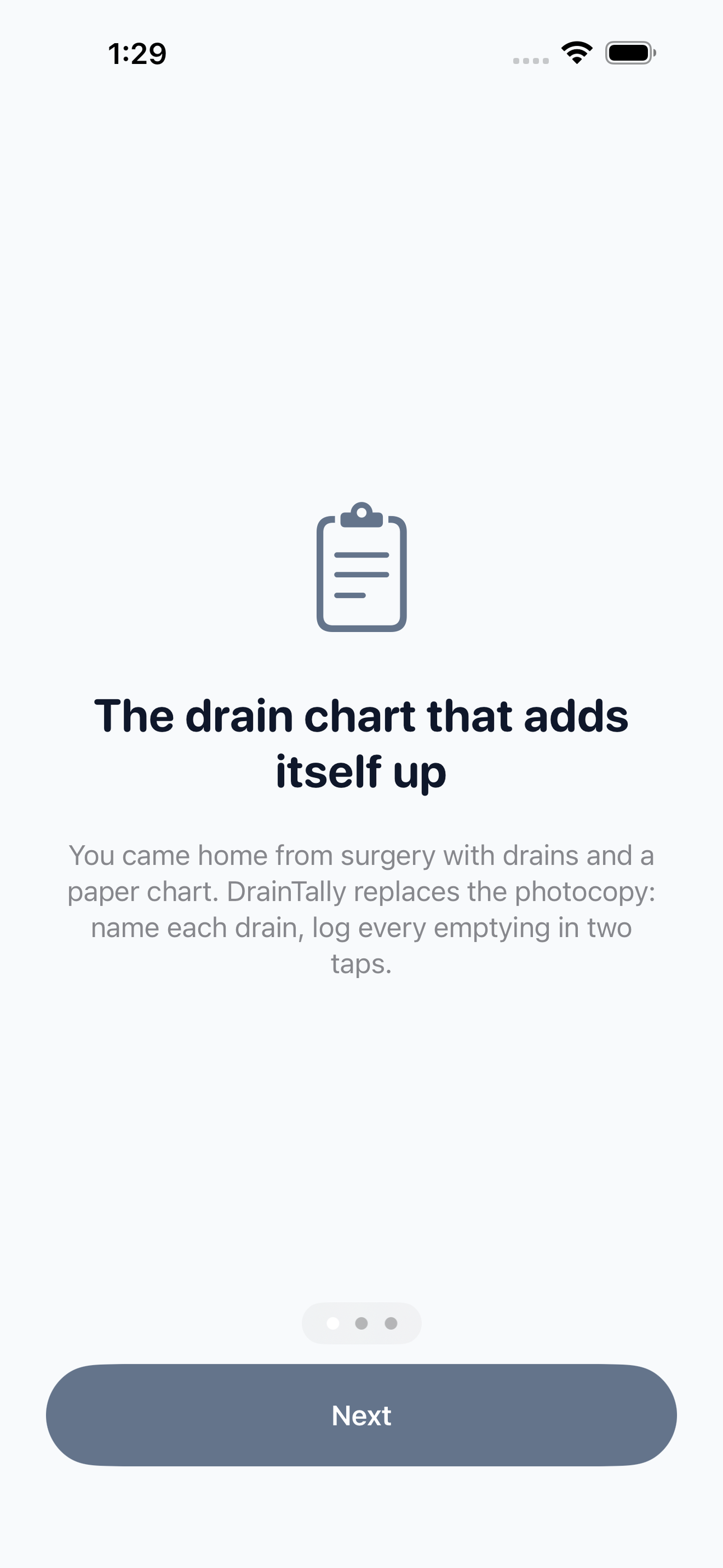
You came home from surgery with a drain — maybe two, maybe four — and a photocopied paper chart your surgeon's office asked you to fill in two or three times a day and bring to every visit.
Health And Fitness
DrainTally
JP drain output, 24h totals
Every feature, from the first launch.
No account, no login, no cloud. Everything runs on your device and works fully offline — nothing in this post is hidden behind a wall.
What DrainTally does
You came home from surgery with a drain — maybe two, maybe four — and a photocopied paper chart your surgeon's office asked you to fill in two or three times a day and bring to every visit. It's 3am, you're half asleep holding a measuring cup, and you can't remember whether this bulb is left drain one or left drain two. By day three the paper is lost or coffee-stained, and you're adding up totals in the parking lot before your appointment.
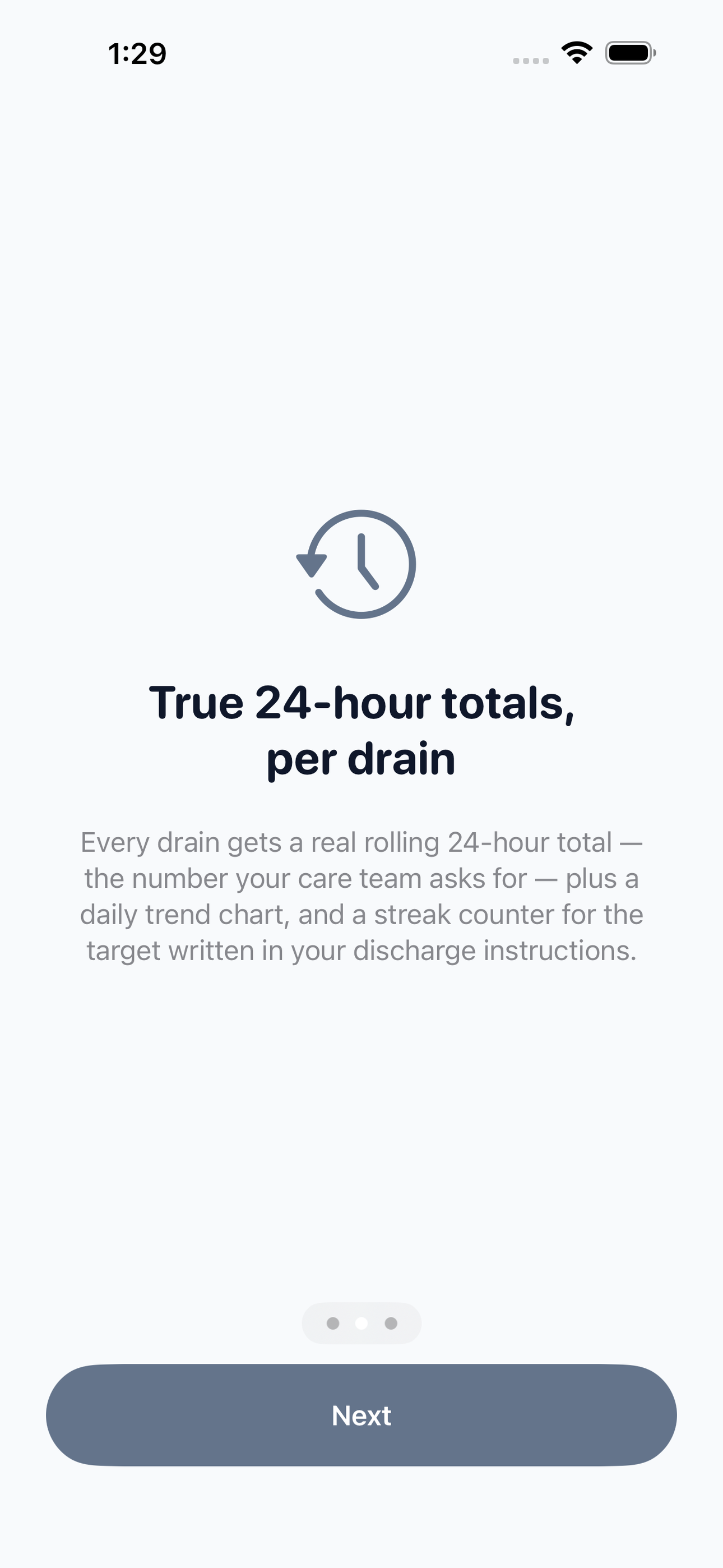
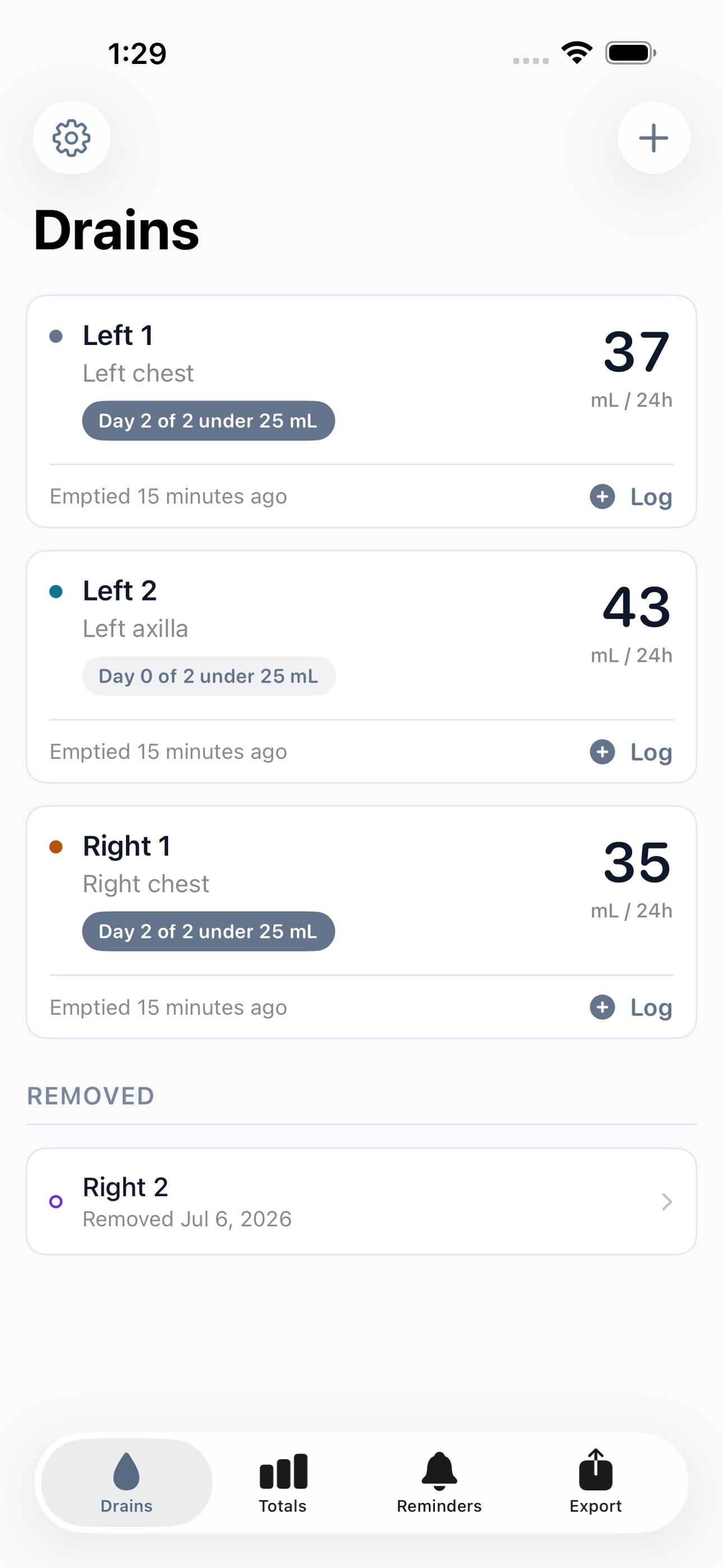
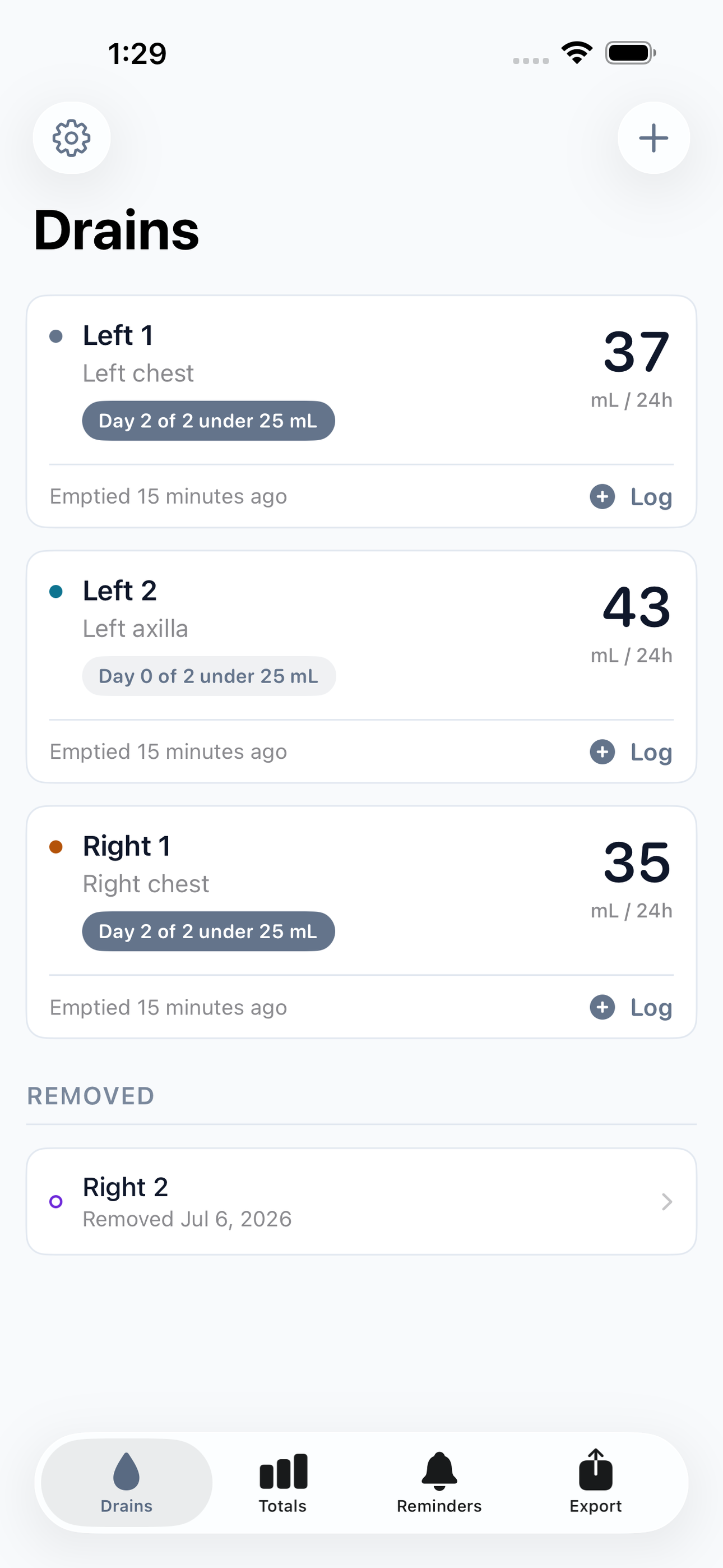
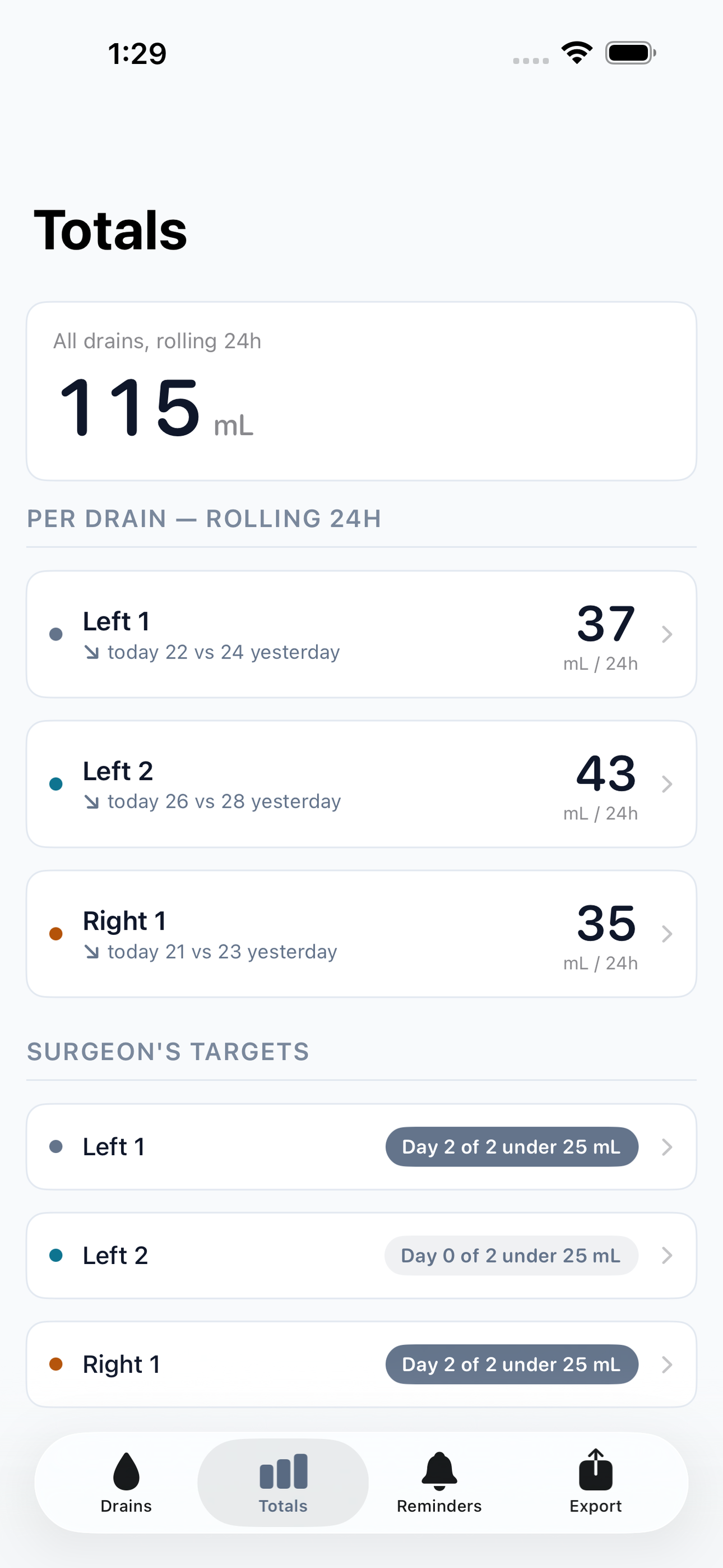
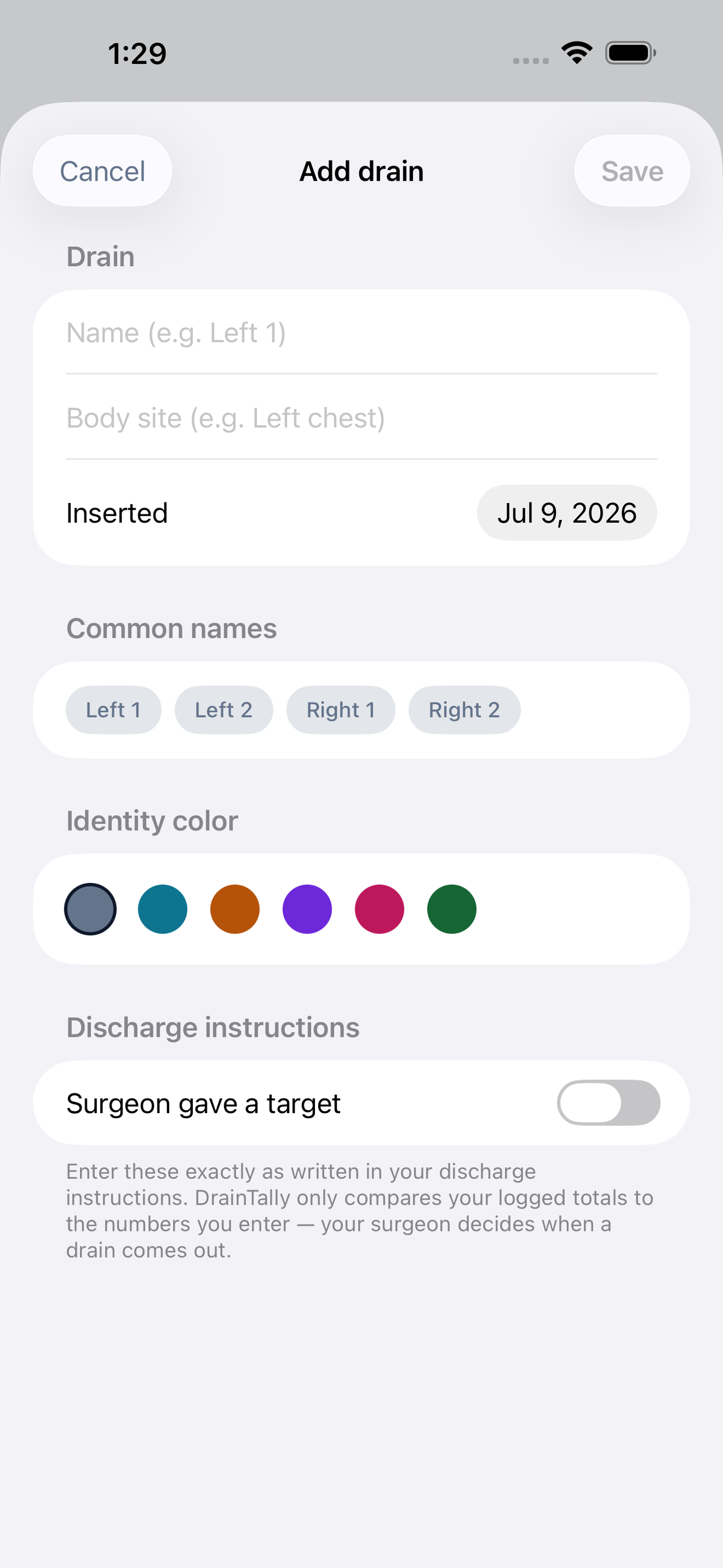
DrainTally replaces that photocopy. Give each drain a name and a color, and every time you empty a bulb you log the amount in two taps. The app keeps a true rolling 24-hour total for every drain separately — the exact number your care team asks for — plus a day-by-day trend chart so you can see output falling as you heal. Tag each entry with the fluid's color and consistency, so when the nurse asks what it looked like yesterday, you have an answer instead of a shrug.
Most surgeons give you a target: a daily output number that, once you stay under it for a set stretch of days, means it's time to call the office. Enter the number and the number of days exactly as your surgeon wrote them, and DrainTally shows you, per drain, how today compares and how many consecutive days you've been under. The app never decides anything about your care — it simply does the arithmetic on the instructions your own surgeon gave you.
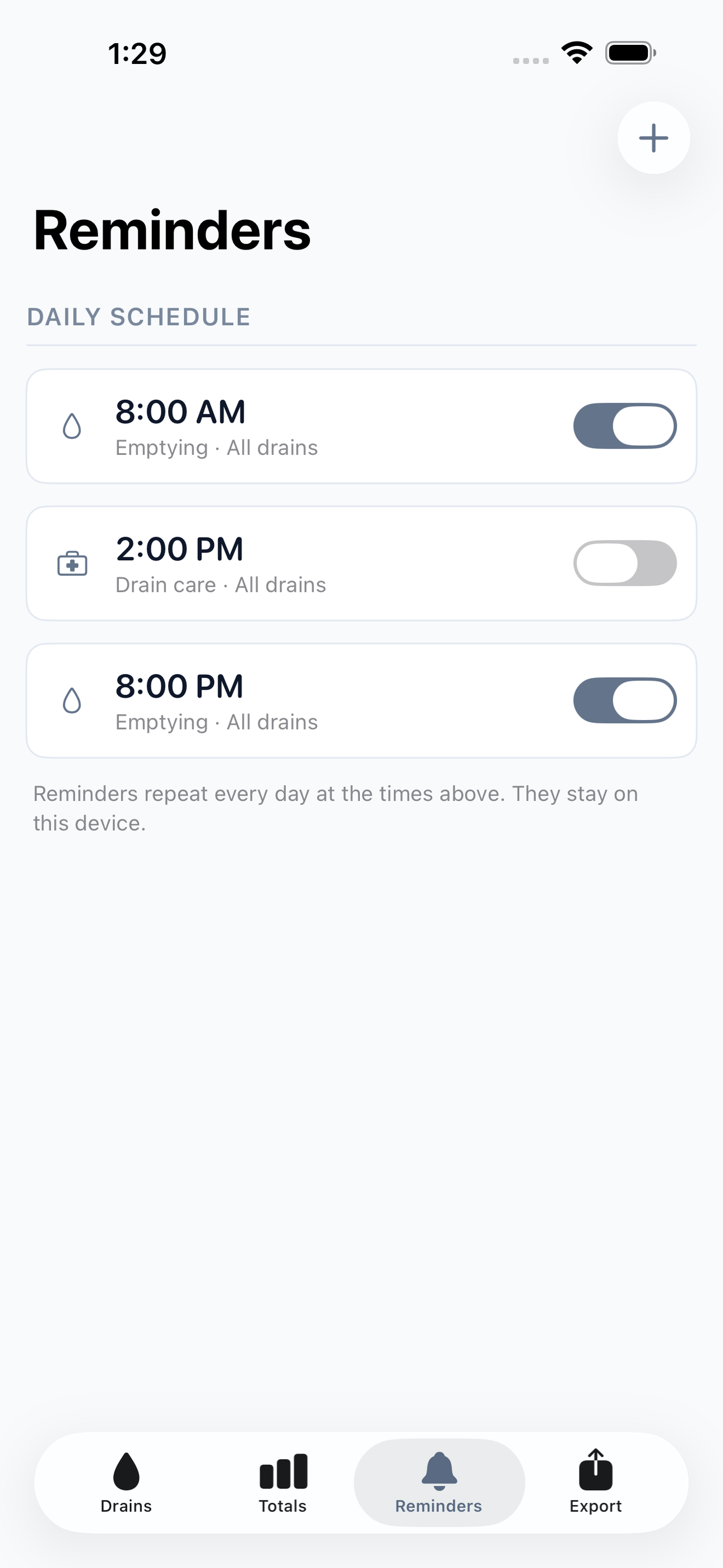
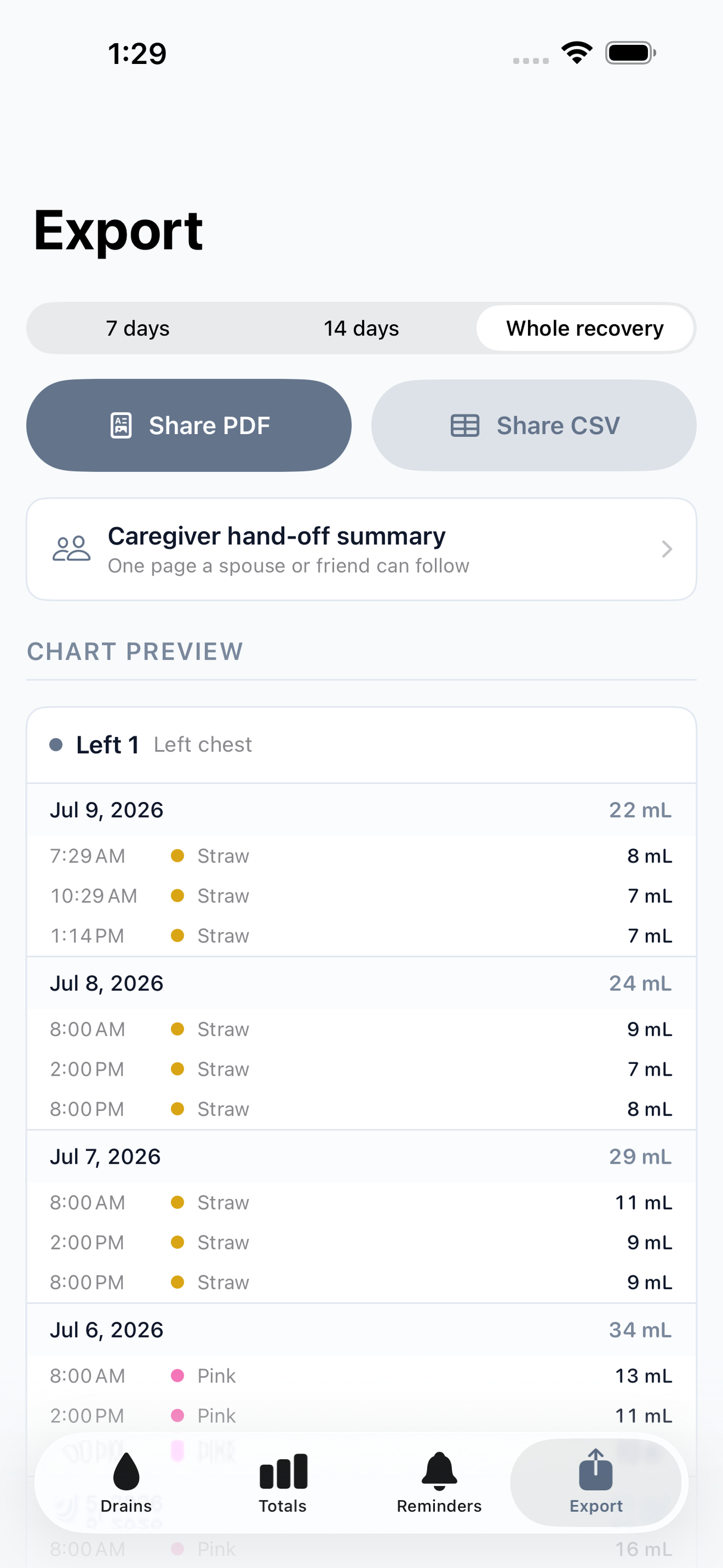
Gentle reminders keep the routine on track: emptying times you choose, morning and night, per drain or for all of them. And when it's time for your follow-up, one tap produces a clean PDF chart laid out like the office form — per-drain daily totals, colors, and notes — ready to hand to the nurse or send ahead to the practice. A caregiver summary shows a spouse or friend exactly what to do at the next emptying.
Everything stays on your phone. No account, no server, nothing shared unless you choose to export it. Built for mastectomy, breast reconstruction, tummy tuck, and lymph node surgery recoveries — and for the people helping them through it.
• Log every drain separately with names, colors, and two-tap amounts • True rolling 24-hour totals per drain, not fixed clock windows • Fluid color and consistency tags on every entry • Your surgeon's target number and day streak, tracked per drain • Emptying and care reminders on your schedule • One-tap PDF chart formatted like the office form, plus CSV • Caregiver hand-off summary • Fully offline and private, no account required
A look inside
Tap any screenshot to open the full-resolution version.
What's inside
- Multi-Drain Log — Name and color-code each drain (Left 1, Left 2, Right 1...), then record every emptying in two taps: amount in mL, fluid color, consistency, optional note. Designed for 3am one-handed use with large tap targets.
- 24-Hour Totals & Trend — A dashboard showing each drain's true rolling 24-hour total — the number the care team asks for — plus a per-drain daily bar chart so falling output over the recovery is visible at a glance.
- Surgeon Threshold Tracker — Enter the daily-output target and consecutive-day count exactly as written in your discharge instructions. DrainTally shows, per drain, today's total versus the target and the current streak of qualifying days — pure arithmetic on your surgeon's numbers, with a clear prompt to call the office rather than any care advice.
- Care Reminders — Scheduled local notifications for emptying and routine drain care at the times you choose, per drain or for all drains, so no 8pm emptying gets forgotten in the fog of recovery.
- Office Chart Export — One tap renders a clean PDF laid out like the surgeon's paper form — per-drain daily totals, colors, and notes over the whole recovery — plus CSV, and a caregiver summary page explaining each drain's routine for hand-off.
Why we built it
Drain patients must measure and record every bulb's output multiple times a day and bring accurate per-drain 24-hour totals to their surgeon, who uses a daily-output threshold over consecutive days to decide removal — but the incumbent tool is a photocopied paper chart that gets lost, mis-summed, and can't answer 'how…
What makes it different
The entire competitive set is abandonware or provider-side SaaS: Drain IQ is free and does multi-drain daily totals, but it's 2016-era with 22 ratings, a fixed 7am-to-7am totaling quirk, no threshold/streak indicator, no reminders, no office-form PDF, and no color/photo logging — so DrainTally's paid tier is built pre…
Who it's for
Anyone who wants honest tracking without a coach, a subscription, or a streak guilting them at 11pm.
In one line: JP drain output, 24h totals
Try it
See the JP drain output, 24h totals for the full feature list, the info table, and support links.
Use DrainTally, found a bug, or have a feature request? Comments are open below — anonymous is fine.
0 comments
No comments yet — be the first.
Leave a reply
Sign in with Google to join the conversation. We require a quick sign-in to keep comments spam-free.
Sign in with Google to comment