Meet ChalkSpend — Your classroom money, tracked
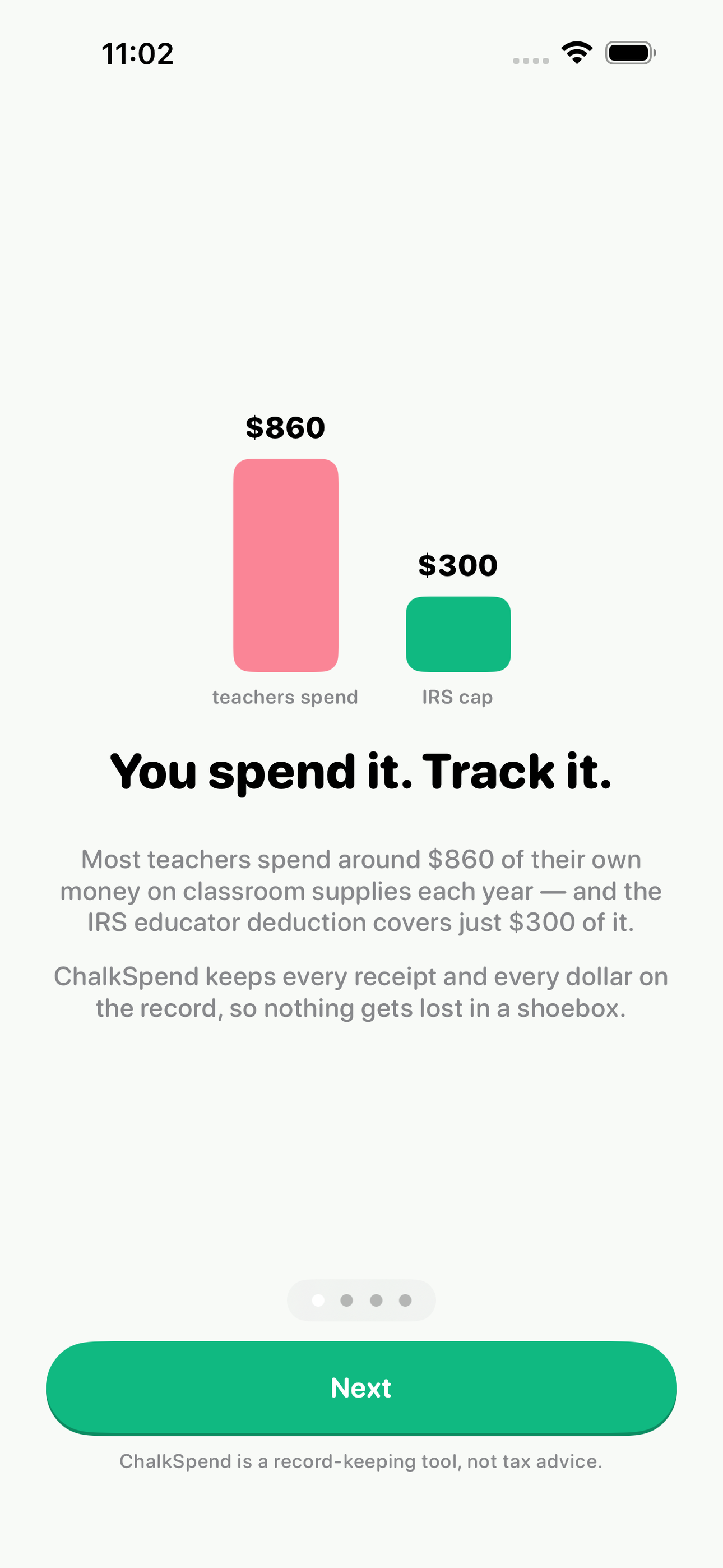
Ninety-seven percent of American teachers reach into their own pockets for classroom supplies — around $860 a year on average — and the IRS lets an eligible educator deduct just $300 of it.

Finance
ChalkSpend
Your classroom money, tracked
Every feature, from the first launch.
No account, no login, no cloud. Everything runs on your device and works fully offline — nothing in this post is hidden behind a wall.
What ChalkSpend does
Ninety-seven percent of American teachers reach into their own pockets for classroom supplies — around $860 a year on average — and the IRS lets an eligible educator deduct just $300 of it. Getting through tax season, an audit, or a reimbursement request means keeping receipts and records of what you bought, where, and when. Today that system is a shoebox, a camera roll, and a guess.
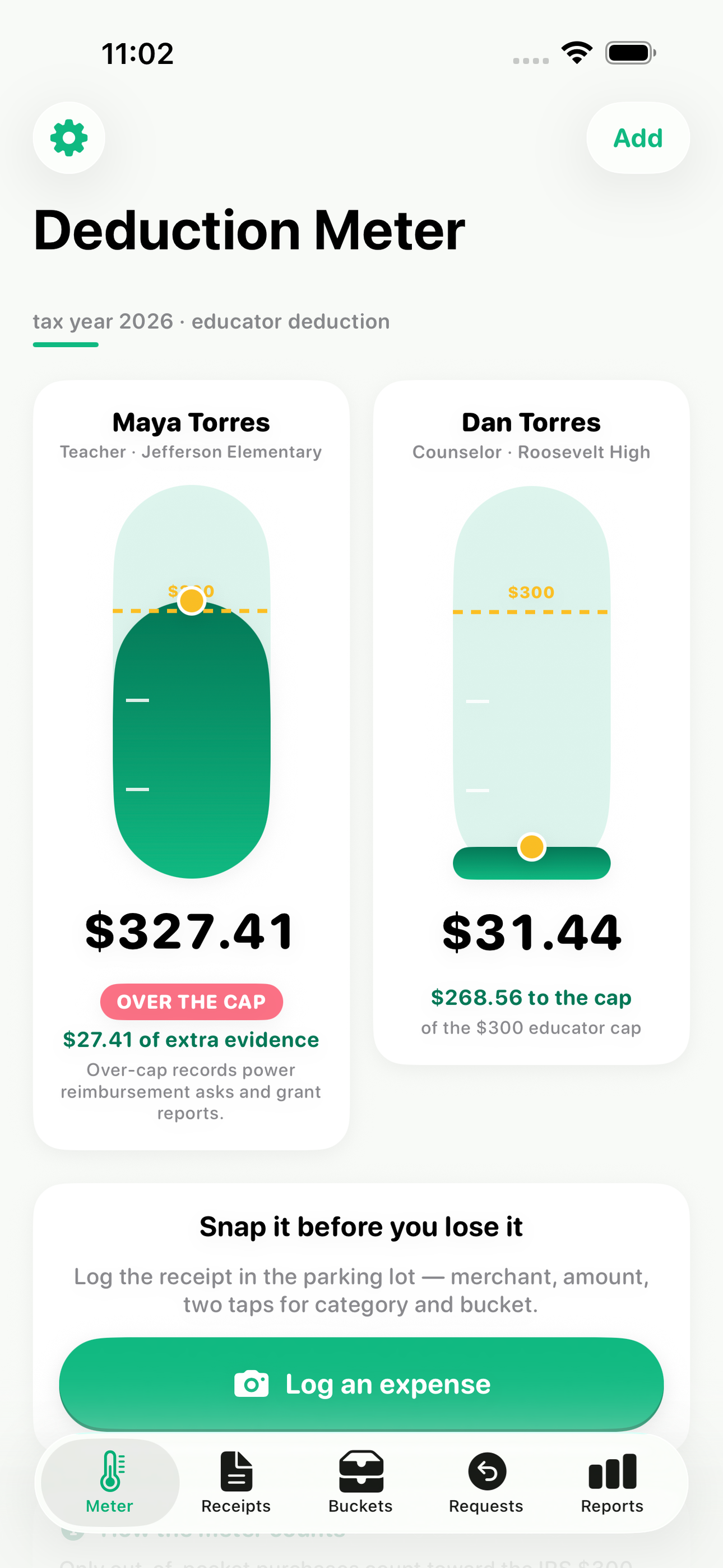
ChalkSpend is the receipt tracker built only for educators. Snap a receipt the moment you leave the store, tag it in two taps, and watch your deduction meter fill toward the $300 cap. When you pass the cap — most teachers do by September — the meter keeps counting, because everything above the line is exactly the evidence you need for a district reimbursement request, a PTA ask, a DonorsChoose project, or the bigger deduction Congress keeps debating.
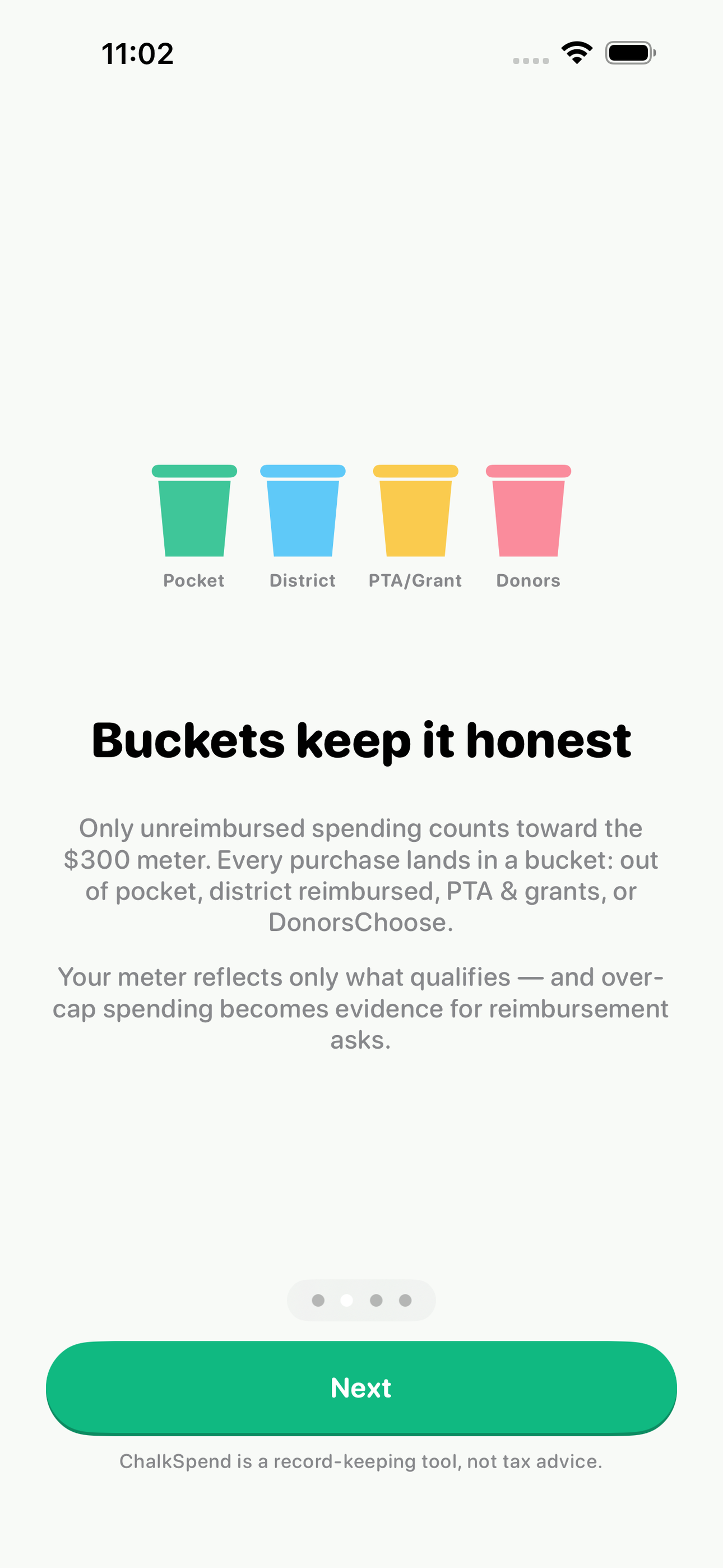
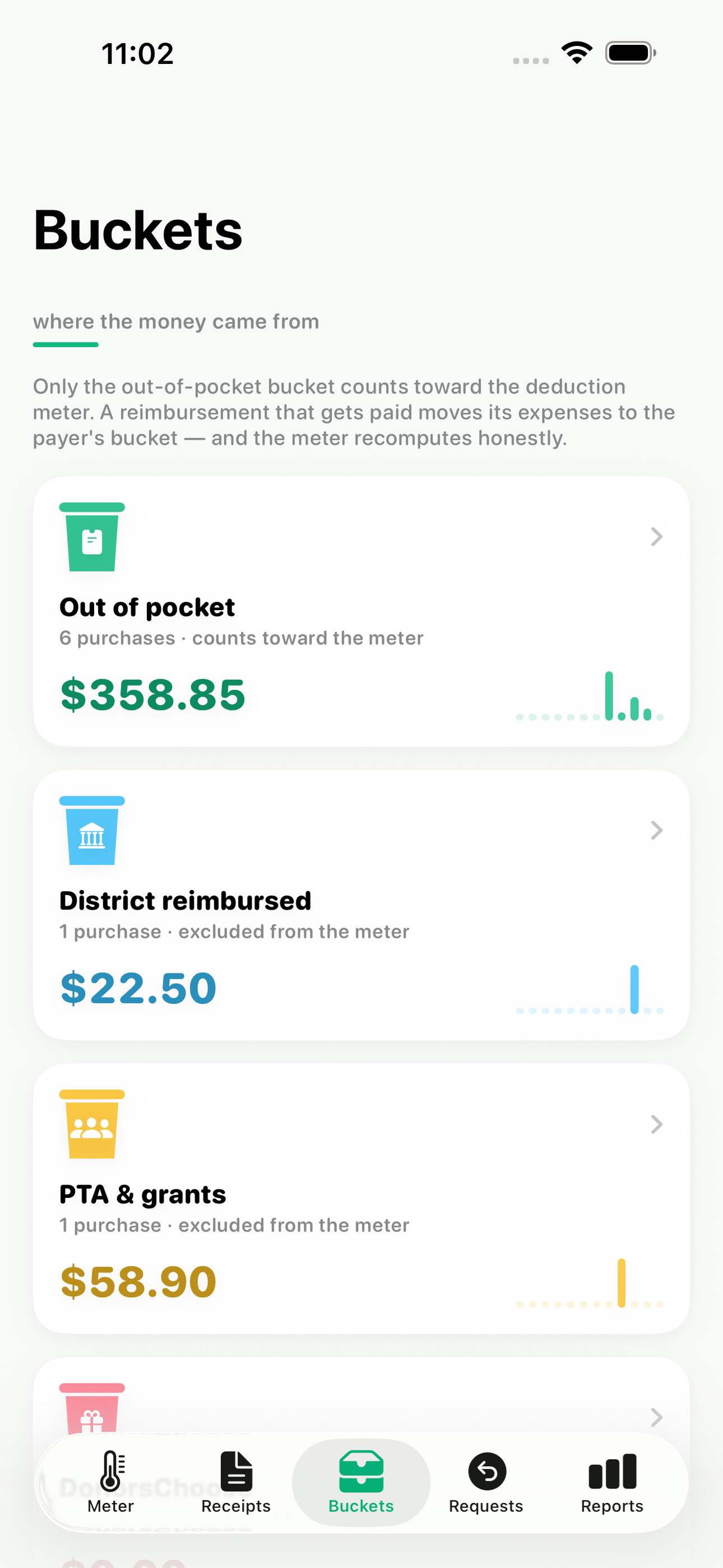
The bucket system is the part nothing else does. Only unreimbursed spending counts toward the educator deduction, so ChalkSpend separates every purchase into clear buckets: out of pocket, district reimbursed, PTA or grant funded, and DonorsChoose. Your meter reflects only what actually qualifies, and the reimbursement tracker follows every request from submitted to paid.
Married to another educator? Track two $300 meters side by side — the caps cannot be pooled, and ChalkSpend keeps them honest.
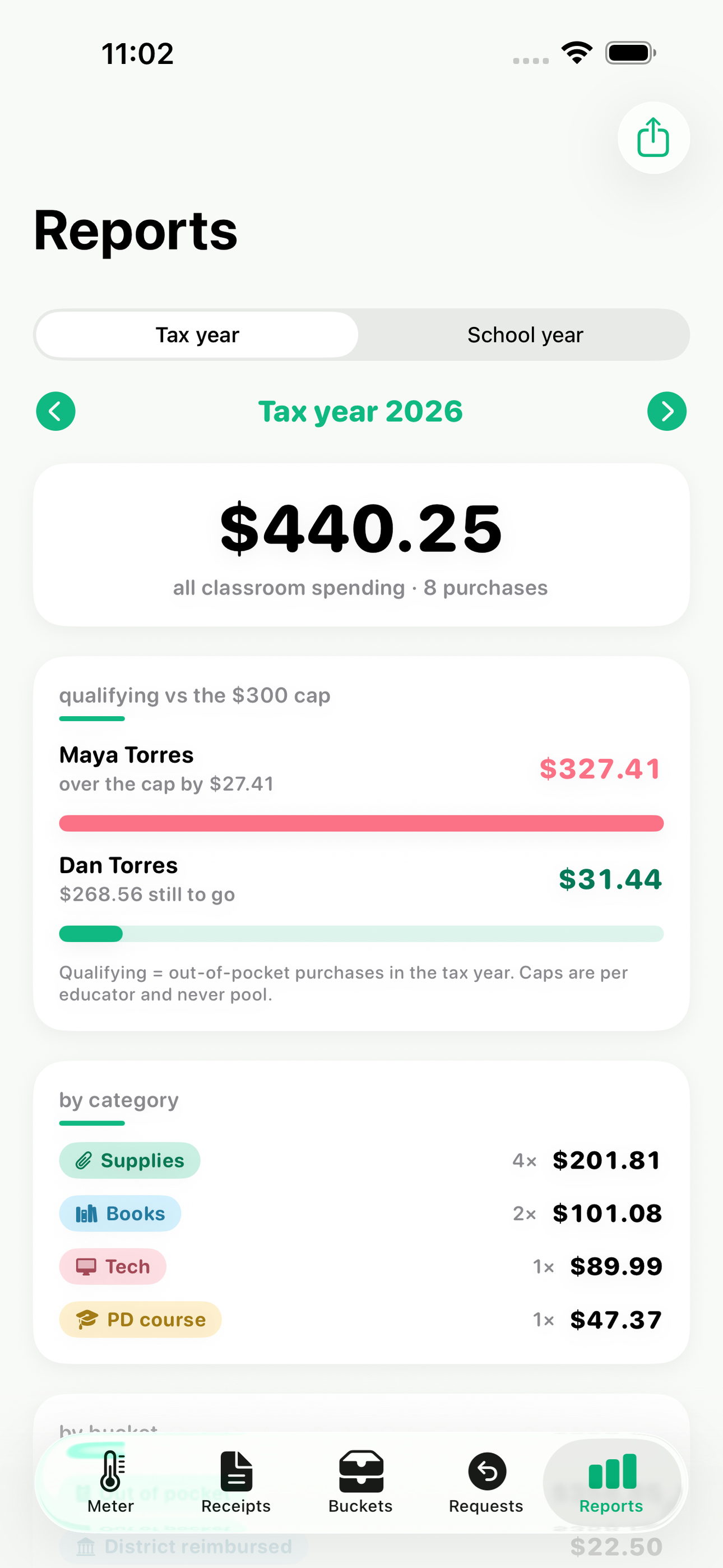
Educators live on two calendars. The school-year view totals August-to-June spending for principal conversations and supply budgets; the tax-year view totals January-to-December for filing. Flip between them with one tap.
At year end, generate a dated PDF binder of every purchase — receipt image, merchant, amount, category, bucket — the exact record keeping the IRS and every tax preparer recommends. Everything stays on your device: no account, no cloud, no bank connection. ChalkSpend keeps records; it does not give tax advice.
• Receipt snap with two-tap category and bucket tagging • $300 educator deduction meter that keeps counting past the cap • Unreimbursed vs reimbursed vs grant-funded buckets • Dual meters for two-educator households • School-year and tax-year views of the same spending • Reimbursement requests tracked from submitted to paid • Audit-ready PDF binder and CSV export, fully offline
A look inside
Tap any screenshot to open the full-resolution version.
What's inside
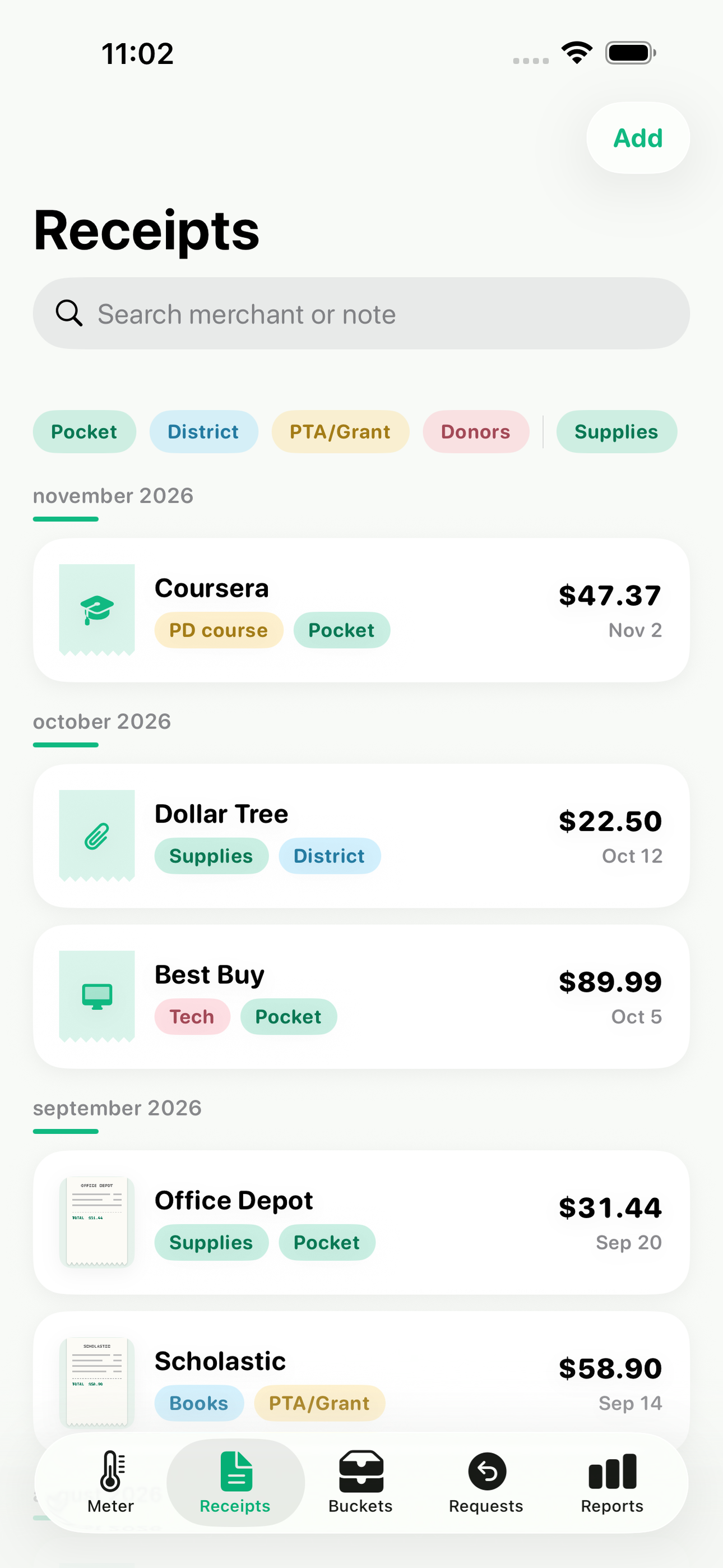
- Receipt Snap & Expense Log — Photograph a receipt, enter merchant and amount, and tag category and bucket in two taps; receipts are stored in-app, out of the camera roll, and searchable by merchant, month, or category.
- Deduction Meter — A playful fill-up meter tracks qualifying unreimbursed spending against the $300 IRS educator cap, then keeps counting past it as over-cap evidence; households with two educators get side-by-side $300 meters that never pool.
- Money Buckets — Every expense lands in a bucket — out of pocket, district reimbursed, PTA/grant funded, or DonorsChoose — so the deduction meter only counts what qualifies and grant money is accounted for separately.
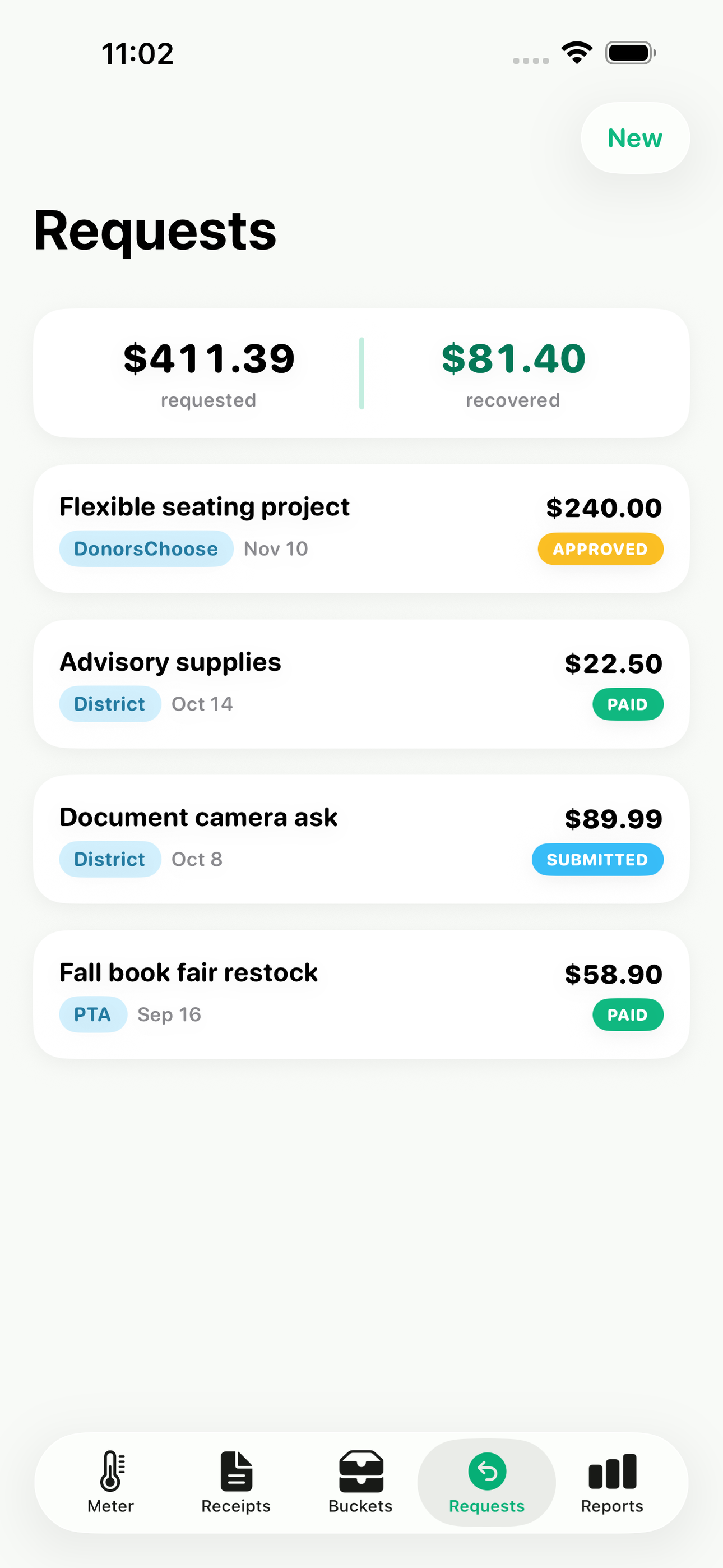
- Reimbursement Tracker — Group expenses into a reimbursement request to the district, PTA, or a grant, then track its status from submitted through approved to paid, with the paid amount flowing back into the bucket math.
- Two-Calendar Reports — One tap flips every total between the tax year (January to December, for filing) and the school year (August to June, for principal and budget conversations), with per-category breakdowns for each.
- Audit Binder Export — Generates a dated PDF of every purchase in a date range — receipt image, merchant, amount, category, bucket — plus a CSV for a tax preparer, entirely on-device.
Why we built it
97% of US teachers spend their own money on classroom supplies (~$860/yr average) but can deduct only $300, and only for unreimbursed purchases — which requires receipts and what/where/when records to survive an audit, plus a clean split between out-of-pocket, district-reimbursed, and PTA/DonorsChoose-funded spending.…
What makes it different
Generic receipt scanners (Expensify, SimplyWise, Smart Receipts) are cloud-account business tools with no $300-per-educator cap meter, no unreimbursed-vs-reimbursed-vs-grant bucket logic, and no school-year vs tax-year reporting; Keeper is a paid subscription tax service, not a private tracker; TpT budget printables a…
Who it's for
Freelancers, contractors, and small-business owners who want their numbers right at tax time without renting a SaaS to do it.
In one line: Your classroom money, tracked
Try it
See the Your classroom money, tracked for the full feature list, the info table, and support links.
Use ChalkSpend, found a bug, or have a feature request? Comments are open below — anonymous is fine.
0 comments
No comments yet — be the first.
Leave a reply
Sign in with Google to join the conversation. We require a quick sign-in to keep comments spam-free.
Sign in with Google to comment