
Web app · Utilities
WrenchLog
Your garage's service history and next-due board, in any browser
Log every job with the odometer, the parts you used and the part numbers, set intervals by miles or months, and WrenchLog counts forward to show exactly what's due next — plus parts spend, cost per mile and what wrenching at home saved. Free, no account.
Stored in your browser only. Nothing you do in the web version is sent to our servers. Clear your browser data and it's gone — so export a backup from the in-app menu if you want to keep it.
This app is a community proposal.
Try the full browser version now. We build the iPhone and Android app once 100 people upvote it.
We'll email you once, when it ships. Unsubscribe anytime.
In your browser
What you can do in WrenchLog on the web
A real garage
Every vehicle in the driveway with year, make, model, nickname and a live odometer you bump whenever you check it — the reading the whole engine counts against.
Dual miles/months interval engine
Define a service by miles, by months or both; WrenchLog counts forward from your last matching job and the current odometer, and whichever rule lands first wins — Overdue inside the line, Due soon within 500 miles or 30 days.
Jobs with real parts lines
Date, odometer, category, notes for the torque specs you always look up, and itemised parts with brand, part number, quantity and price — so next time the shopping list is already written.
Next-due board across the whole garage
One list sorted by urgency, mixing every vehicle, plus a per-vehicle board and the intervals still waiting on their first matching job.
Costs, cost per mile and DIY savings
Parts spend by category, spend per month over a year, per-vehicle totals, cost per mile from your earliest logged job to today, and the tally of what you saved against the shop quotes you entered.
Export-ready history
Download the whole garage — or one vehicle — as a CSV with a row per parts line: documented owner maintenance that is worth real money at sale time.
Screens
Every screen, rebuilt for the browser
-
1
Garage
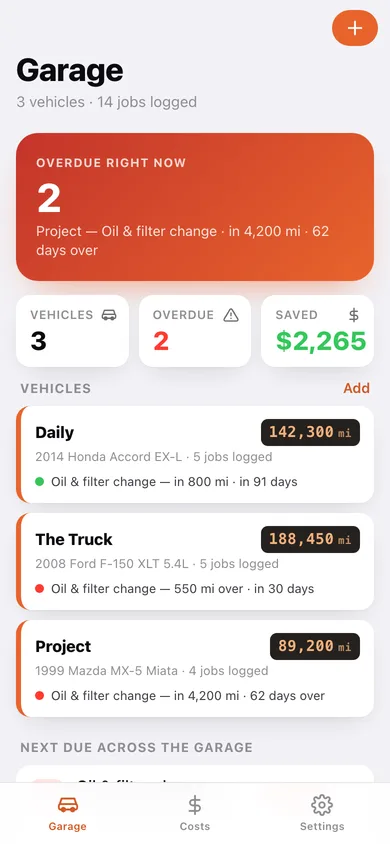
Overdue hero, vehicle cards with odometers and soonest-due service, and the next-due board across every vehicle.
-
2
Vehicle
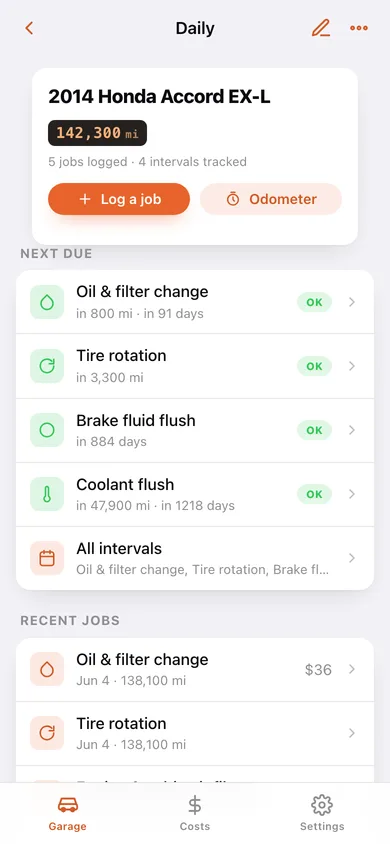
Odometer plate, next due, recent jobs and the money roll-up — parts spent, DIY savings and cost per mile.
-
3
Intervals
Every interval on one vehicle with its rule, the last matching job and how far off the next one is.
-
4
Job history
The full service history for a vehicle, grouped by year, with the CSV export.
-
5
Job
One job as a shop invoice you wrote yourself: parts lines with brands and part numbers, totals, shop quote and savings, plus your notes.
-
6
Log a job
Title, category, date, odometer, any number of parts lines, the shop quote and the notes.
-
7
Add or edit a vehicle
Nickname, year, make, model and odometer — new vehicles arrive fitted with the four usual intervals.
-
8
Costs & Savings
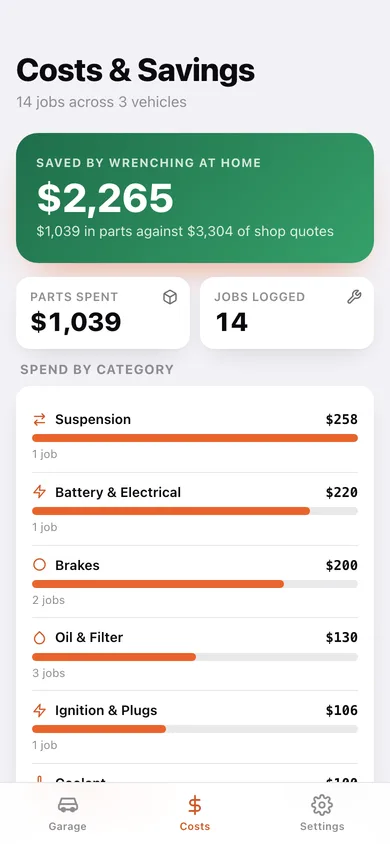
DIY savings hero, spend by category, parts spend per month and a per-vehicle roll-up with cost per mile.
-
9
Settings
Quick odometer updates per vehicle, JSON and CSV export, sample garage, erase, and the ten service categories.
Try it with sample data: Loads a three-vehicle garage — a 2014 Accord daily, a 2008 F-150 and a 1999 Miata project — with 14 logged jobs, real brands and part numbers, shop quotes and twelve intervals already counting down. You can start fresh at any time.
Ready? It's free.
No account, no install, no subscription. Everything you do stays in this browser.
Your say
What should WrenchLog do? Tell us before we build it.
Tell us what to build next.
Comments need a free Google sign-in, so every one is from a real person.
Sign in with Google to commentNo comments yet — be the first to say what this app should do next.
Questions
Is the web version of WrenchLog free?+
Yes. Every screen is free to use: no subscription, no in-app purchases, no account.
Do I need an account?+
No. Open WrenchLog and start using it right away. Sign in with Google only if you want to upvote an app, save it to your list, or leave a comment.
Where is my data stored?+
Only in this browser's local storage. Nothing you enter is sent to our servers, so we can't see it, back it up, or restore it. Clearing site data, a private window, or another device starts empty. Export a backup from the in-app menu to keep it.
Is there a WrenchLog app for iPhone or Android?+
Not yet. WrenchLog is a community proposal: the browser version is complete, and we build the iPhone and Android app once 100 people upvote it. Upvoters get one email when it ships.