
Web app · Lifestyle
Weekdots: Life in Weeks
Your whole life as a grid of week-dots — right in the browser
Enter your birthdate once and Weekdots draws every week of a 90-year life: the ones you have lived, the one you are in, and the ones still ahead. Add milestone countdowns and export a weeks poster. Free, no install, nothing leaves this browser.
Stored in your browser only. Nothing you do in the web version is sent to our servers. Clear your browser data and it's gone — so export a backup from the in-app menu if you want to keep it.
In App Review — coming to the App Store
Weekdots: Life in Weeks is with Apple now. You can use the full browser version today, and we'll email you the day the app is live.
0 waiting for launch
We'll email you once, when it ships. Unsubscribe anytime.
In your browser
What you can do in Weekdots: Life in Weeks on the web
4,680 dots, one per week
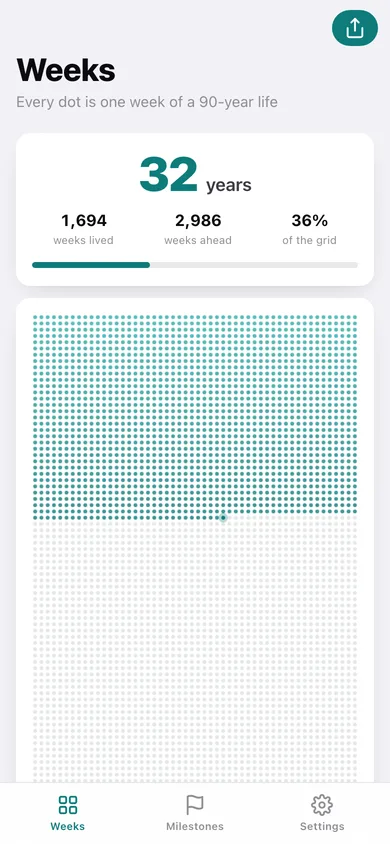
52 columns by 90 rows, drawn on a canvas the way the iPhone app draws it — lived weeks fade light to deep, this week glows, the weeks ahead stay faint.
Age, weeks lived, weeks ahead
The headline numbers over the grid, plus the percentage of the grid you have filled.
Milestone countdowns
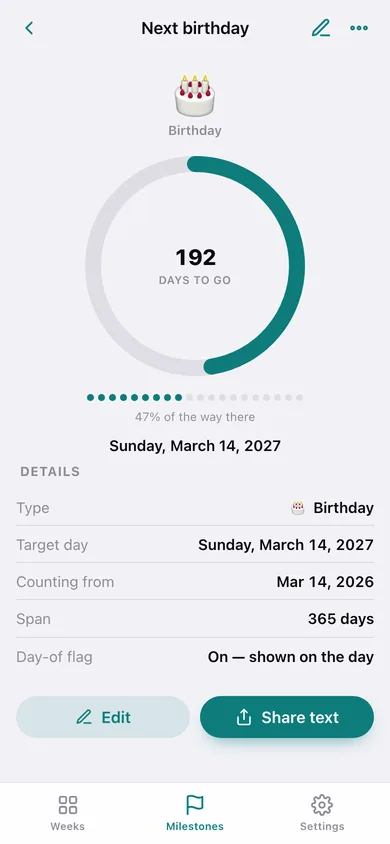
Birthday, trip, exam, sober date, due date or goal — each with days left, a progress ring, and a dot-progress strip filling from the day you started counting.
A weeks poster you can keep
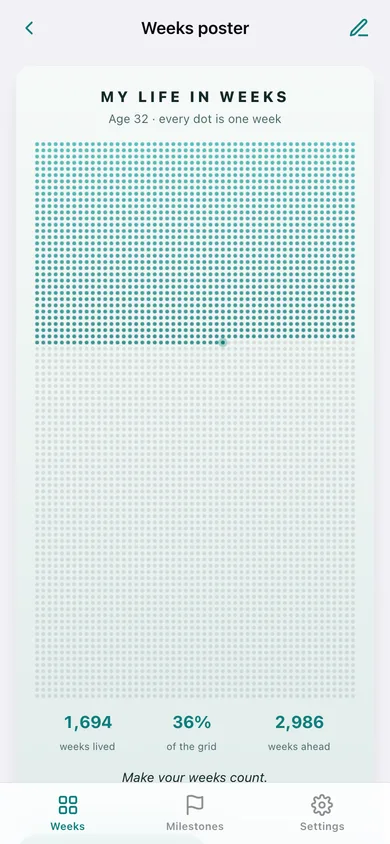
The share poster is drawn in the page and downloads as a real SVG that prints crisply at any size, with your own caption.
Day-of banner
Flag a milestone and the Weeks screen shows a banner on the day it lands.
80, 90 or 100 years
Choose the life span the grid draws — 4,160, 4,680 or 5,200 dots — and every number follows.
Screens
Every screen, rebuilt for the browser
-
1
Weeks
Your age, weeks lived and weeks ahead over the full dot grid, with the next milestone underneath.
-
2
Milestones
Everything counting down, and everything that has passed, each with its progress ring.
-
3
Milestone countdown
The big days-to-go ring, dot progress, target day and share text for one milestone.
-
4
Weeks poster
The shareable life-in-weeks poster with your caption, downloadable as an SVG.
-
5
New / edit milestone
Title, type, the day, the day you start counting from, and the day-of flag.
-
6
Settings
Birthdate, the life span the grid draws, the day-of banner, backup, sample data and erase.
Try it with sample data: Sets a sample birthdate of 14 March 1994 and adds nine milestones — next birthday, a Lisbon trip, 100 days without a drink, a half marathon, a board exam, a due date, a lease end, and two that have already passed. You can start fresh at any time.
Ready? It's free.
No account, no install, no subscription. Everything you do stays in this browser.
Your say
What should Weekdots: Life in Weeks do? Tell us before we build it.
Tell us what to build next.
Comments need a free Google sign-in, so every one is from a real person.
Sign in with Google to commentNo comments yet — be the first to say what this app should do next.
Questions
Is the web version of Weekdots: Life in Weeks free?+
Yes. Every screen is free to use: no subscription, no in-app purchases, no account.
Do I need an account?+
No. Open Weekdots: Life in Weeks and start using it right away. Sign in with Google only if you want to upvote an app, save it to your list, or leave a comment.
Where is my data stored?+
Only in this browser's local storage. Nothing you enter is sent to our servers, so we can't see it, back it up, or restore it. Clearing site data, a private window, or another device starts empty. Export a backup from the in-app menu to keep it.
When is the Weekdots: Life in Weeks iPhone app out?+
Weekdots: Life in Weeks is in App Review with Apple now. Tap “Notify me at launch” and we'll email you once, the day it's live.