
Web app · Productivity
Voicekit
The consent register for everyone allowed to clone your voice
Log who may generate your voice, under which scope, on what terms and for how long — then score how strong the paper actually is, revoke with a dated notice, and keep the record you will need when the question finally comes. Free, offline, no account.
Stored in your browser only. Nothing you do in the web version is sent to our servers. Clear your browser data and it's gone — so export a backup from the in-app menu if you want to keep it.
This app is a community proposal.
Try the full browser version now. We build the iPhone and Android app once 100 people upvote it.
We'll email you once, when it ships. Unsubscribe anytime.
In your browser
What you can do in Voicekit on the web
Permission register
Grantee, contact, scope, specific terms, the sample you handed over, and the start and end dates — with active, expiring, scheduled, expired and revoked worked out for you.
Ten-clause checklist
The conditions a voice permission should carry — revocable, model deleted on revocation, no resale, no training on your voice, and six more — each with plain-English reasoning and suggested wording.
Protection score
Every grant scores the share of the checklist it actually carries, with the four critical clauses counting double, so you can see which permission is thinnest.
Exposure ranking
Scope weight times the paper you are missing: a broadcast grant with no clauses sits at the top of the list, a fully papered personal grant at zero.
Grant and revocation notices
Voicekit drafts the dated written grant or the revocation notice — including the deletion demand and usage-log request — to download, copy and send.
Dated register
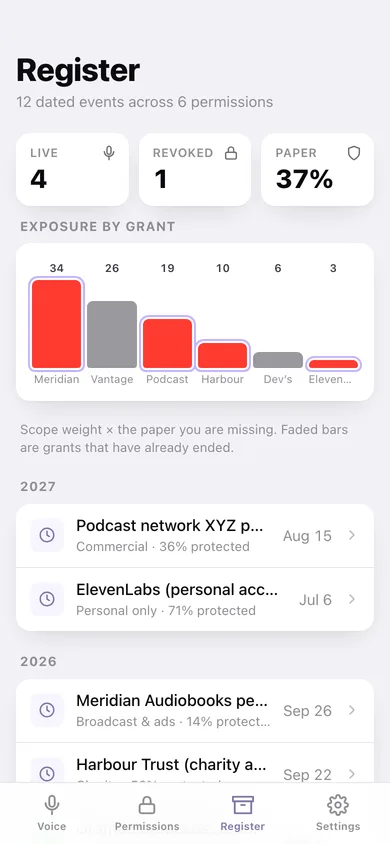
Every grant, expiry and revocation in date order, grouped by year, with an exposure chart across the whole record.
Screens
Every screen, rebuilt for the browser
-
1
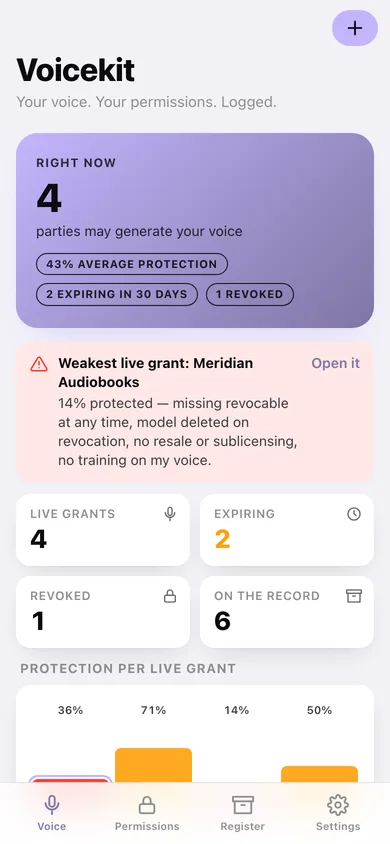
Voice
How many parties may generate your voice right now, the weakest live grant, protection per grant and who holds what.
-
2
Permissions
The whole register filtered to live, expiring or ended, grouped by status.
-
3
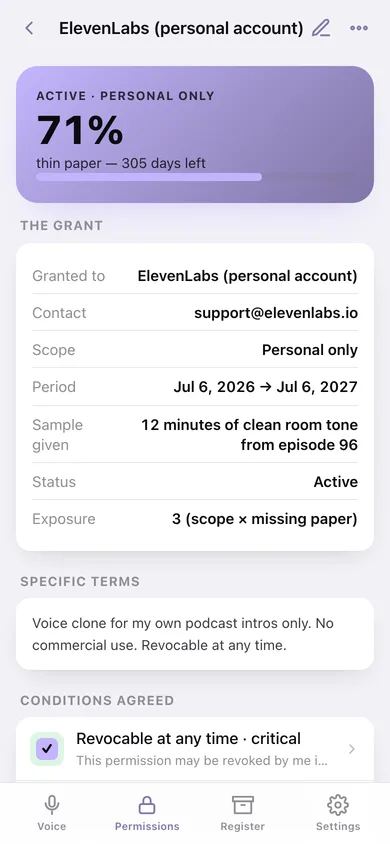
Permission detail
One grant: protection score, terms, the clause checklist you can tick straight on the record, and revoke or restore.
-
4
Log a permission
Who, contact, scope, terms, sample handed over, dates and the conditions actually agreed.
-
5
Write a notice
Draft the written grant or the revocation notice for any permission, then download or copy it.
-
6
Scopes
What personal, family, charity, commercial and broadcast permissions each hand over, and how the weights work.
-
7
Clause checklist
The critical four and six more worth having, with coverage across your live grants and copyable wording.
-
8
Register
Every dated event — granted, expired, revoked — grouped by year, with exposure by grant.
-
9
Settings
Your name for the notices, the expiring window, CSV and JSON export, sample data and erase.
Try it with sample data: Loads six permissions: a well-papered personal ElevenLabs grant, a commercial podcast-network deal, a charity appeal expiring in 18 days, a thinly-worded audiobook broadcast grant, an old wedding reel that has run out, and a demo-reel grant already revoked after the voice turned up in a product launch. You can start fresh at any time.
Ready? It's free.
No account, no install, no subscription. Everything you do stays in this browser.
Your say
What should Voicekit do? Tell us before we build it.
Tell us what to build next.
Comments need a free Google sign-in, so every one is from a real person.
Sign in with Google to commentNo comments yet — be the first to say what this app should do next.
Questions
Is the web version of Voicekit free?+
Yes. Every screen is free to use: no subscription, no in-app purchases, no account.
Do I need an account?+
No. Open Voicekit and start using it right away. Sign in with Google only if you want to upvote an app, save it to your list, or leave a comment.
Where is my data stored?+
Only in this browser's local storage. Nothing you enter is sent to our servers, so we can't see it, back it up, or restore it. Clearing site data, a private window, or another device starts empty. Export a backup from the in-app menu to keep it.
Is there a Voicekit app for iPhone or Android?+
Not yet. Voicekit is a community proposal: the browser version is complete, and we build the iPhone and Android app once 100 people upvote it. Upvoters get one email when it ships.