
Web app · Health And Fitness
Trailhead
Log every peak, ridge and forest loop — no GPS, no account
The offline hiking logbook: trail name, area, distance, elevation gain, duration, difficulty, stars and notes in one pass, with year totals, monthly miles and elevation charts, and a trail wishlist. Free, nothing to install.
Stored in your browser only. Nothing you do in the web version is sent to our servers. Clear your browser data and it's gone — so export a backup from the in-app menu if you want to keep it.
This app is a community proposal.
Try the full browser version now. We build the iPhone and Android app once 100 people upvote it.
We'll email you once, when it ships. Unsubscribe anytime.
In your browser
What you can do in Trailhead on the web
Log a hike in under a minute
One form captures trail, area, date, distance, elevation gain, hours out, difficulty, a star rating and your trail notes — then your totals climb straight away.
Year totals that keep climbing
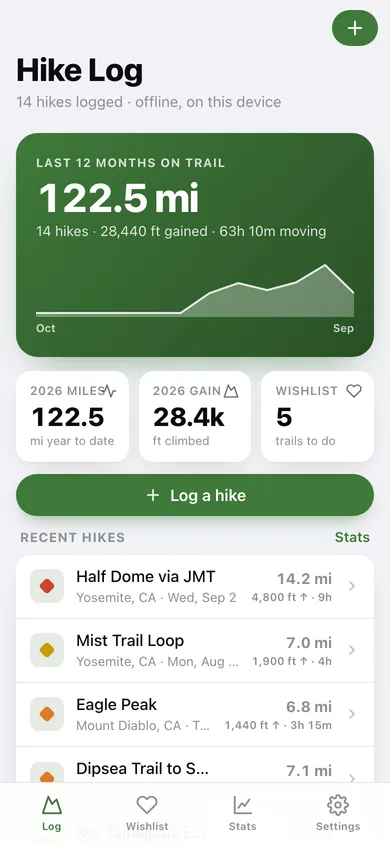
The home screen shows your last twelve months of distance as a ridgeline, plus year-to-date miles, elevation gained and how many wishlist trails are still waiting.
Trail wishlist, unlimited
Save dream trails with permit notes and the season you are aiming for, tick them off, and turn a finished one into a full hike log with the name and area already filled in.
Monthly miles and elevation charts
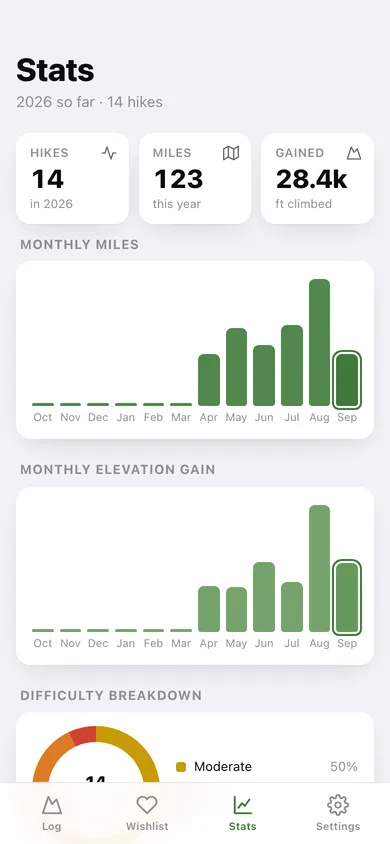
Twelve months of bars for distance and for elevation gain, a difficulty donut, your top hiking areas and highlights: longest hike, most elevation and steepest grind.
Miles or kilometres, your call
Switch units in Settings and every screen and form converts on the fly — your stored hikes never change.
Yours alone, exportable
Everything is saved in this browser only. Export the whole logbook as CSV or a JSON backup whenever you want it elsewhere.
Screens
Every screen, rebuilt for the browser
-
1
Hike Log
Twelve-month ridgeline of distance, year-to-date miles and elevation, and your most recent hikes.
-
2
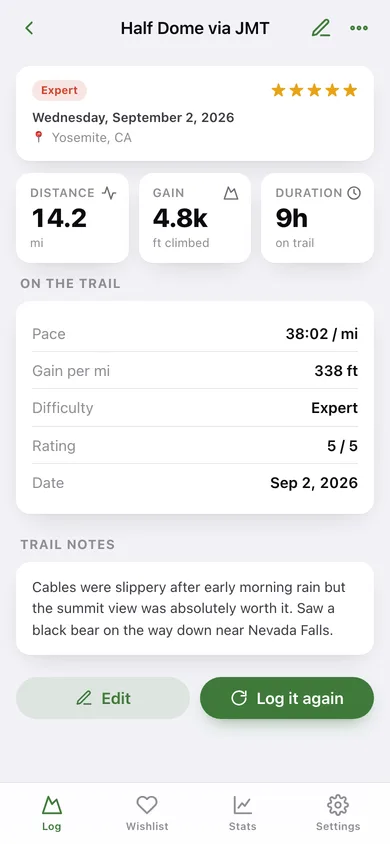
Hike detail
Distance, gain, duration, pace, gain per mile, difficulty, stars and the trail notes for one outing.
-
3
Log a hike
The quick-add form — trail, area, date, distance, gain, hours out, difficulty, stars and notes.
-
4
Trail wishlist
Trails still to do and the ones you have ticked off, with one tap to mark either.
-
5
Wishlist trail
Why you saved it, whether it is done, and a shortcut to log it as a completed hike.
-
6
Add to wishlist
Name, area and the permit or season notes for a trail you want to do.
-
7
Stats
Monthly miles and elevation bars, difficulty breakdown, top areas and your all-time totals.
-
8
Settings
Units, default difficulty, CSV export, JSON backup, sample data and erase.
Try it with sample data: Loads fourteen hikes across the last five months — Half Dome, the Mist Trail, Mission Peak, Pinnacles and more — plus a six-trail wishlist including the Wonderland Trail and the Enchantments. You can start fresh at any time.
Ready? It's free.
No account, no install, no subscription. Everything you do stays in this browser.
Your say
What should Trailhead do? Tell us before we build it.
Tell us what to build next.
Comments need a free Google sign-in, so every one is from a real person.
Sign in with Google to commentNo comments yet — be the first to say what this app should do next.
Questions
Is the web version of Trailhead free?+
Yes. Every screen is free to use: no subscription, no in-app purchases, no account.
Do I need an account?+
No. Open Trailhead and start using it right away. Sign in with Google only if you want to upvote an app, save it to your list, or leave a comment.
Where is my data stored?+
Only in this browser's local storage. Nothing you enter is sent to our servers, so we can't see it, back it up, or restore it. Clearing site data, a private window, or another device starts empty. Export a backup from the in-app menu to keep it.
Is there a Trailhead app for iPhone or Android?+
Not yet. Trailhead is a community proposal: the browser version is complete, and we build the iPhone and Android app once 100 people upvote it. Upvoters get one email when it ships.