
Web app · Lifestyle
Tinytasks
A plain-text recipe book for the small jobs you teach a humanoid robot
Six hand-written recipes ship with it — fold towels, empty the dishwasher, walk the dog — and you add your own as numbered steps. Copy any recipe as plain text to post on a forum, or paste one a stranger shared. Free, nothing to install.
Stored in your browser only. Nothing you do in the web version is sent to our servers. Clear your browser data and it's gone — so export a backup from the in-app menu if you want to keep it.
This app is a community proposal.
Try the full browser version now. We build the iPhone and Android app once 100 people upvote it.
We'll email you once, when it ships. Unsubscribe anytime.
In your browser
What you can do in Tinytasks on the web
Six built-in recipes
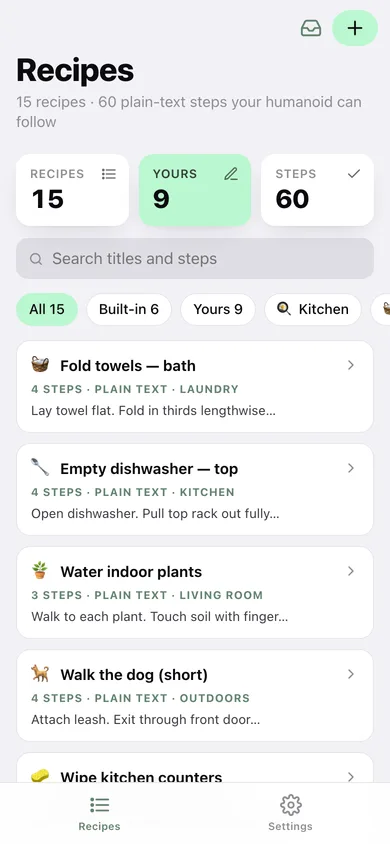
Fold towels (bath), empty dishwasher (top rack), water indoor plants, walk the dog, wipe kitchen counters and restock toilet paper — the exact steps that ship in the iPhone app.
Write your own
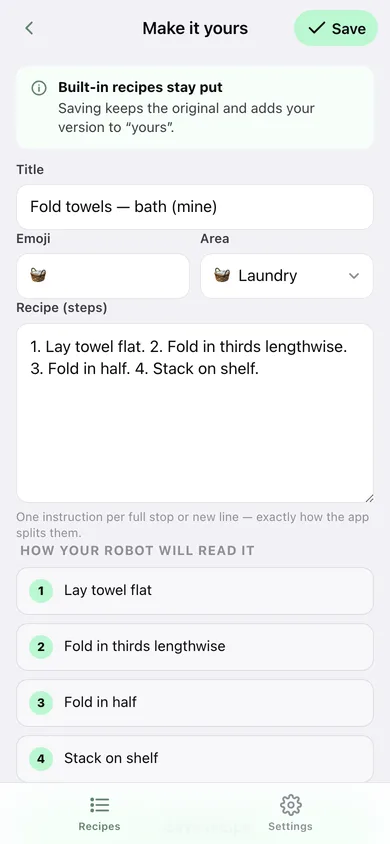
A title, an emoji, a room and a block of steps. Tinytasks splits on every full stop or new line, and shows you the numbered result as you type.
Plain text in, plain text out
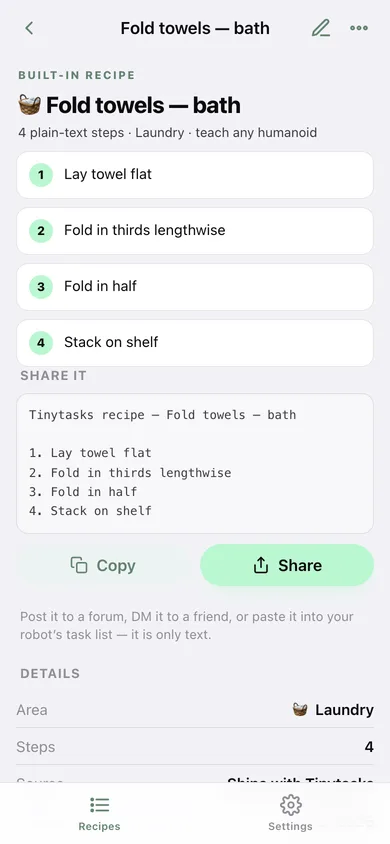
Copy or download any recipe as “Tinytasks recipe — Title” with numbered steps, and paste a recipe a friend sent you straight back into your library.
Search and filter the library
Search titles and steps, or filter to built-in, yours, or one room — kitchen, laundry, bathroom, bedroom, living room, outdoors, errands.
Duplicate and adapt
Built-in recipes stay intact: duplicating one drops a copy into “yours” so your version of wiping the counters can name your drawer.
Everything in this browser
No account, no vendor lock-in, no marketplace — a library you can export as JSON or copy out as one plain-text block.
Screens
Every screen, rebuilt for the browser
-
1
Recipes
The whole library with step counts, room filters and search, plus what you have written yourself.
-
2
Recipe
One recipe as numbered steps, with the exact plain-text block to copy or share.
-
3
Write a recipe
Title, emoji, room and steps, with a live preview of how a humanoid will read them.
-
4
Paste a recipe
Drop in text someone shared and Tinytasks reads out the title and steps before you save it.
-
5
Settings
Step previews, restore the six built-ins, copy the whole library, export and erase.
Try it with sample data: Adds nine recipes a real household asked for — bringing in the mail, loading plates, bins to the curb, making the bed, the dog's water bowl, recycling, hand towels, charging the vacuum and folding socks — written over the last five weeks. You can start fresh at any time.
Ready? It's free.
No account, no install, no subscription. Everything you do stays in this browser.
Your say
What should Tinytasks do? Tell us before we build it.
Tell us what to build next.
Comments need a free Google sign-in, so every one is from a real person.
Sign in with Google to commentNo comments yet — be the first to say what this app should do next.
Questions
Is the web version of Tinytasks free?+
Yes. Every screen is free to use: no subscription, no in-app purchases, no account.
Do I need an account?+
No. Open Tinytasks and start using it right away. Sign in with Google only if you want to upvote an app, save it to your list, or leave a comment.
Where is my data stored?+
Only in this browser's local storage. Nothing you enter is sent to our servers, so we can't see it, back it up, or restore it. Clearing site data, a private window, or another device starts empty. Export a backup from the in-app menu to keep it.
Is there a Tinytasks app for iPhone or Android?+
Not yet. Tinytasks is a community proposal: the browser version is complete, and we build the iPhone and Android app once 100 people upvote it. Upvoters get one email when it ships.