
Web app · Reference
Tenantcase
If you're being evicted, here's the next thing to do
Eight questions turn into a one-page summary a legal-aid intake worker can read in a minute, plus your state's notice windows and deposit rules, deadlines counted from the date on your notice, a document vault, twelve letter templates and the legal-aid number to call. Free, nothing transmits.
Stored in your browser only. Nothing you do in the web version is sent to our servers. Clear your browser data and it's gone — so export a backup from the in-app menu if you want to keep it.
This app is a community proposal.
Try the full browser version now. We build the iPhone and Android app once 100 people upvote it.
We'll email you once, when it ships. Unsubscribe anytime.
In your browser
What you can do in Tenantcase on the web
Eight-question case intake
State, landlord, lease in writing, rent current, notice type and date, court date and rent — out comes a printable one-page summary with your state's quick facts already attached.
Deadlines counted from your notice
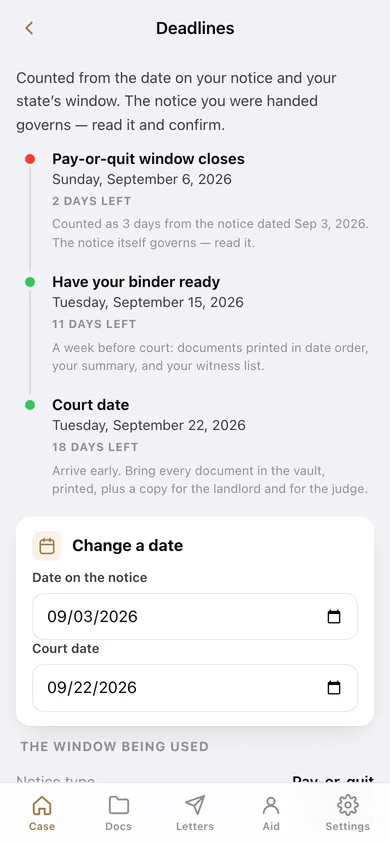
The pay-or-quit or no-cause window for your state, a have-your-binder-ready date a week before court, and the court date itself, on a colour-coded timeline.
State primers
Pay-or-quit window, no-cause notice period, deposit cap, deposit-return deadline and a habitability note for California, New York, Texas, Florida, Illinois, Massachusetts, Washington and Oregon.
Document vault
One entry per piece of paper — notice, lease page, money-order stub, repair thread — with the date printed on it, what kind it is and why it matters, exportable as an index you can print in date order.
Twelve letter templates, filled from your case
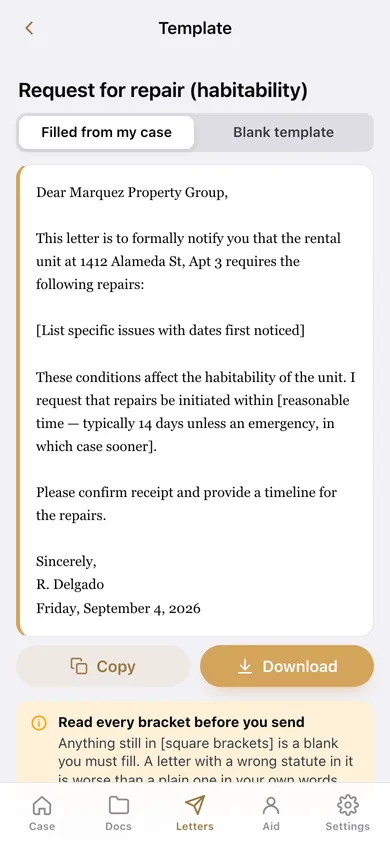
Repair request, deposit demand, pay-or-quit response, repair-and-deduct, retaliation, ledger request and more — switch between the blank template and one already filled with your landlord, address, state and name.
Legal-aid directory
The main legal-aid organisation for each state in the primer with its phone number and intake page, bundled so it works with no signal.
Screens
Every screen, rebuilt for the browser
-
1
Your case
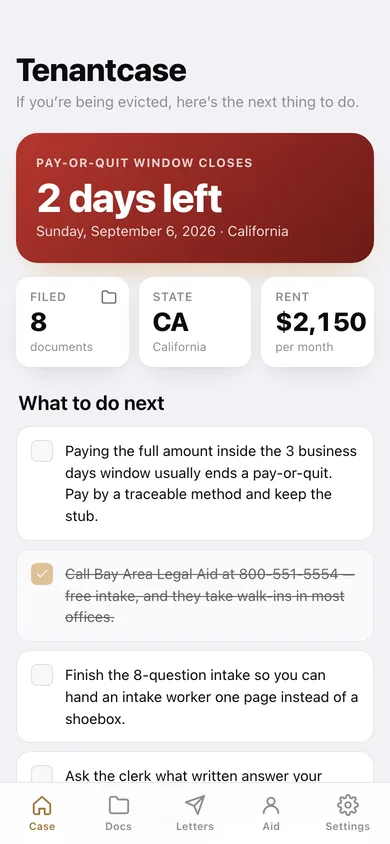
The nearest deadline, what to do next as a checklist, and a way into every part of the binder.
-
2
Case intake
The eight questions, and the one-page summary you hand to an intake worker.
-
3
State primer
Notice windows, deposit rules and the habitability note for your state, plus every other state in the primer.
-
4
Deadlines
Your notice window, the prepare-by date and your court date on one timeline.
-
5
Document vault
Everything you filed, newest first, with a printable index.
-
6
One document
The date printed on it, what kind it is, and your note on why it matters.
-
7
File a document
Label, kind, the date printed on it, and why it matters.
-
8
Letter templates
All twelve templates, searchable.
-
9
One template
The letter, blank or filled from your case file, ready to copy or download.
-
10
Legal aid
Your state's legal-aid organisation, the full directory, and what to do if you cannot reach anyone.
-
11
Settings
Your case, the checklist reset, backup export, sample data, erase, and the promises.
Try it with sample data: Loads a California pay-or-quit case — Marquez Property Group, $2,150 rent, notice served yesterday, court in 18 days — with eight documents in the vault from the notice envelope to a certified-mail receipt. You can start fresh at any time.
Ready? It's free.
No account, no install, no subscription. Everything you do stays in this browser.
Your say
What should Tenantcase do? Tell us before we build it.
Tell us what to build next.
Comments need a free Google sign-in, so every one is from a real person.
Sign in with Google to commentNo comments yet — be the first to say what this app should do next.
Questions
Is the web version of Tenantcase free?+
Yes. Every screen is free to use: no subscription, no in-app purchases, no account.
Do I need an account?+
No. Open Tenantcase and start using it right away. Sign in with Google only if you want to upvote an app, save it to your list, or leave a comment.
Where is my data stored?+
Only in this browser's local storage. Nothing you enter is sent to our servers, so we can't see it, back it up, or restore it. Clearing site data, a private window, or another device starts empty. Export a backup from the in-app menu to keep it.
Is there a Tenantcase app for iPhone or Android?+
Not yet. Tenantcase is a community proposal: the browser version is complete, and we build the iPhone and Android app once 100 people upvote it. Upvoters get one email when it ships.