
Web app · Lifestyle
Strand
One second a day, kept in your browser — a year plays back in three minutes
Tap once, the ring fills for exactly one second, and you write down the second you just lived. Every kept day fills a square on the month grid, and Compile my reel plays the whole range back one second at a time. Free forever, no account, no upload.
Stored in your browser only. Nothing you do in the web version is sent to our servers. Clear your browser data and it's gone — so export a backup from the in-app menu if you want to keep it.
This app is a community proposal.
Try the full browser version now. We build the iPhone and Android app once 100 people upvote it.
We'll email you once, when it ships. Unsubscribe anytime.
In your browser
What you can do in Strand on the web
The one-second ritual
One tap starts a real 1.000-second ring — no long press, no fiddling. When it closes you name the second, pick an icon and a tint.
The month grid
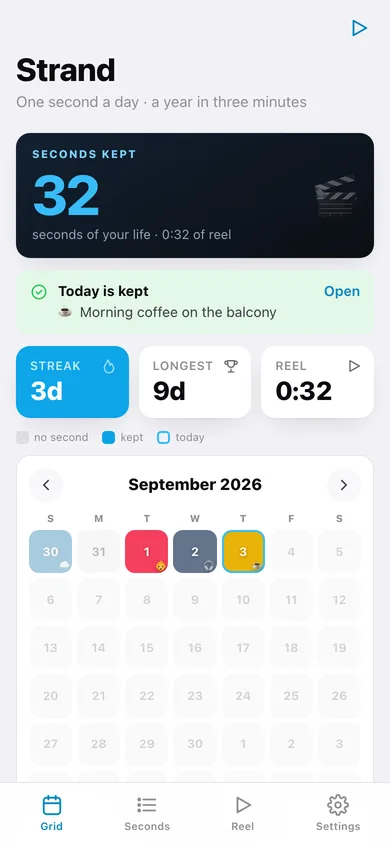
Every day is a square; kept days fill with that second's tint and icon. Tap a filled square to open it, a blank one to keep it now, and page back through the months.
Compile my reel
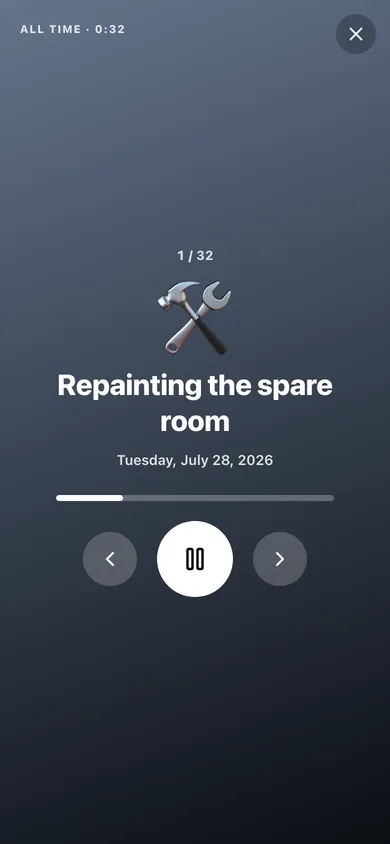
Last 7 days, last 30 days, this year or all time — Strand shows the runtime, then plays every second back in order, full screen, one per second.
Reel speed
One second each is the classic. Slide it to half a second and a whole year fits in ninety seconds.
Streaks without shame
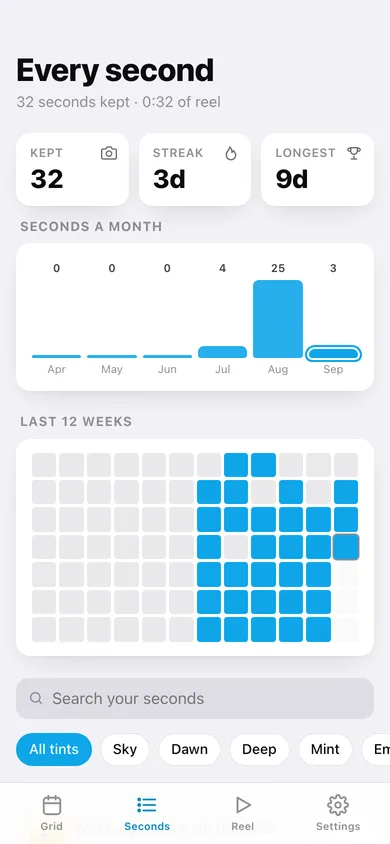
Current streak, longest streak, seconds a month and a twelve-week heatmap — and no nagging if you miss a day.
Local only, free forever
No account, no email, no upload, no paywall on length or on compiling. Export every second as CSV or a full JSON backup whenever you like.
Screens
Every screen, rebuilt for the browser
-
1
Grid
Seconds kept, today's card, streaks, and the month grid where every kept day is a filled square.
-
2
Keep a second
The viewfinder and the one-second shutter ring, then the caption, icon and tint for the second you just lived.
-
3
One day
The full-bleed card for that day's second, with the seconds either side of it and a re-roll.
-
4
Every second
All your seconds newest first, grouped by month, searchable and filterable by tint, with a per-month chart and a twelve-week heatmap.
-
5
Compile my reel
Range picker with the runtime of each, the reel speed slider, a filmstrip preview and a text export.
-
6
Reel
The full-screen player: one second per card, in order, with a progress bar and skip controls.
-
7
Settings
Shutter sound, seconds per clip, your streak numbers, CSV export, backup, sample strand and erase.
Try it with sample data: Loads five weeks of kept seconds — morning coffee, a subway platform at 8:14, Maya's first three steps, fireworks from the roof — with a few days deliberately missed so the grid shows both. You can start fresh at any time.
Ready? It's free.
No account, no install, no subscription. Everything you do stays in this browser.
Your say
What should Strand do? Tell us before we build it.
Tell us what to build next.
Comments need a free Google sign-in, so every one is from a real person.
Sign in with Google to commentNo comments yet — be the first to say what this app should do next.
Questions
Is the web version of Strand free?+
Yes. Every screen is free to use: no subscription, no in-app purchases, no account.
Do I need an account?+
No. Open Strand and start using it right away. Sign in with Google only if you want to upvote an app, save it to your list, or leave a comment.
Where is my data stored?+
Only in this browser's local storage. Nothing you enter is sent to our servers, so we can't see it, back it up, or restore it. Clearing site data, a private window, or another device starts empty. Export a backup from the in-app menu to keep it.
Is there a Strand app for iPhone or Android?+
Not yet. Strand is a community proposal: the browser version is complete, and we build the iPhone and Android app once 100 people upvote it. Upvoters get one email when it ships.