
Web app · Lifestyle
StitchLog
The knit and crochet row counter that never asks for a subscription
A giant row dial with edge, repeat and decrease counters beside it, a pattern reader that finds every “Row 12 / Rnd 4 / R7” marker so you can jump straight there, and a journal for gauge swatches and yarn lot numbers. Free, no account, no Ravelry login.
Stored in your browser only. Nothing you do in the web version is sent to our servers. Clear your browser data and it's gone — so export a backup from the in-app menu if you want to keep it.
This app is a community proposal.
Try the full browser version now. We build the iPhone and Android app once 100 people upvote it.
We'll email you once, when it ships. Unsubscribe anytime.
In your browser
What you can do in StitchLog on the web
A row dial you can read across the room
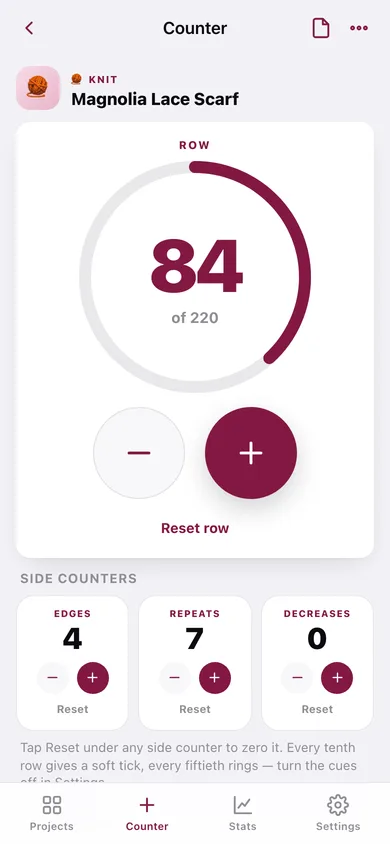
Huge tap targets, a progress ring against your target row count, and a soft tick every tenth row with a bell every fiftieth.
Three side counters per project
Edge stitches, repeats and decreases tracked at the same time as the row — each with its own reset.
Pattern reader with row markers
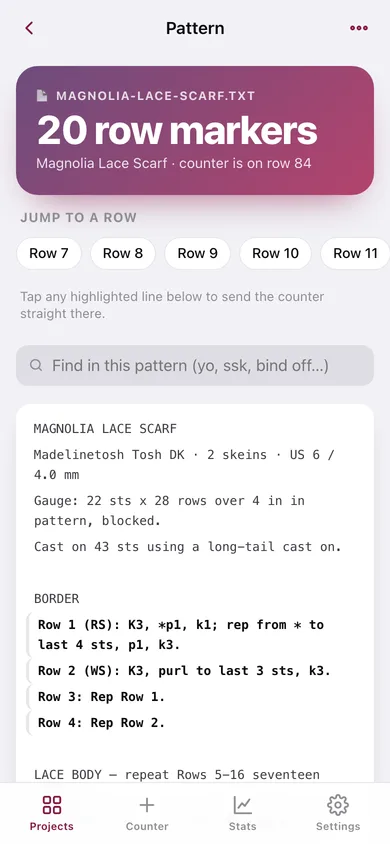
Paste a written pattern or import a .txt file. Every “Row 12:”, “Rnd 4 —” or “R7 K2P2” becomes a tap target that sends the counter straight to that row.
Unlimited projects, active and finished
Scarves on the needles, sleeping sweaters, half-finished blankets. Archive a project when it is done and reopen it any time.
Journal stamped with your row
Gauge swatch numbers, yarn lots, the needle you actually used — each note remembers the row you were on so you can pick a project back up.
Stash stats
Rows counted per week, a twelve-week heatmap of time at the needles, knit-versus-crochet split and a progress bar per project.
Screens
Every screen, rebuilt for the browser
-
1
Projects
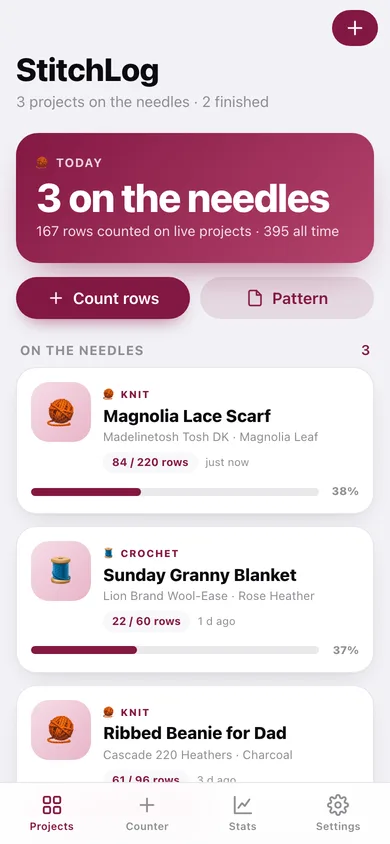
How many projects are on the needles and how many rows you have counted, then every active and finished project as a card with its progress bar.
-
2
Counter
The row dial with plus and minus, a progress ring, the three side counters and a jump-to-row control.
-
3
Pattern reader
Your pattern text with every row marker highlighted and tappable, plus a search box and jump-to-row chips.
-
4
Project
Rows done against target, quick links to counter, pattern and journal, yarn and needle details, archive and delete.
-
5
Journal
Write a note stamped with your current row, then browse the project’s timeline.
-
6
New or edit project
Name, knit or crochet, yarn, needle or hook from the real size tables, target rows and the row you are starting from.
-
7
Stash stats
Rows per week, a twelve-week heatmap, knit versus crochet, and progress on every project.
-
8
Settings
Milestone cues, library counts, CSV export, full backup, sample projects and erase.
Try it with sample data: Loads five projects — a Magnolia lace scarf with its full written pattern, a granny blanket, a ribbed beanie, finished cabled sleeves and a market bag — with five weeks of counting sessions and five journal notes. You can start fresh at any time.
Ready? It's free.
No account, no install, no subscription. Everything you do stays in this browser.
Your say
What should StitchLog do? Tell us before we build it.
Tell us what to build next.
Comments need a free Google sign-in, so every one is from a real person.
Sign in with Google to commentNo comments yet — be the first to say what this app should do next.
Questions
Is the web version of StitchLog free?+
Yes. Every screen is free to use: no subscription, no in-app purchases, no account.
Do I need an account?+
No. Open StitchLog and start using it right away. Sign in with Google only if you want to upvote an app, save it to your list, or leave a comment.
Where is my data stored?+
Only in this browser's local storage. Nothing you enter is sent to our servers, so we can't see it, back it up, or restore it. Clearing site data, a private window, or another device starts empty. Export a backup from the in-app menu to keep it.
Is there a StitchLog app for iPhone or Android?+
Not yet. StitchLog is a community proposal: the browser version is complete, and we build the iPhone and Android app once 100 people upvote it. Upvoters get one email when it ships.