
Web app · Health And Fitness
Stackup
A supplement stack that makes sense for you. Or doesn't.
Answer the intake — goals, diet, training, medications — and Stackup proposes a small, defensible stack with dose, timing and an honest evidence rating, then checks it against a bundled drug–supplement interaction table. It sells nothing. Free, no install.
Stored in your browser only. Nothing you do in the web version is sent to our servers. Clear your browser data and it's gone — so export a backup from the in-app menu if you want to keep it.
This app is a community proposal.
Try the full browser version now. We build the iPhone and Android app once 100 people upvote it.
We'll email you once, when it ships. Unsubscribe anytime.
In your browser
What you can do in Stackup on the web
The intake
Six goals, your basics, diet, training hours, medications, allergies and optional labs — saved every time you take it so you can see how your answers drifted.
A stack it can defend
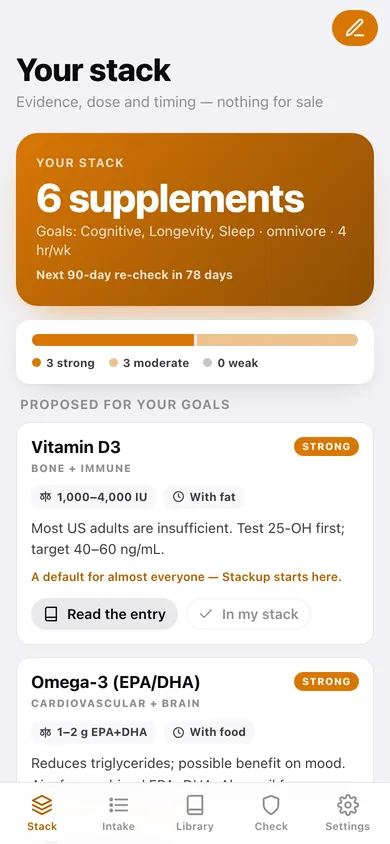
Four to six picks, each with the typical dose, the timing, an evidence rating of Strong, Moderate or Weak, and a line saying exactly which of your answers pulled it in.
Bundled interaction checker
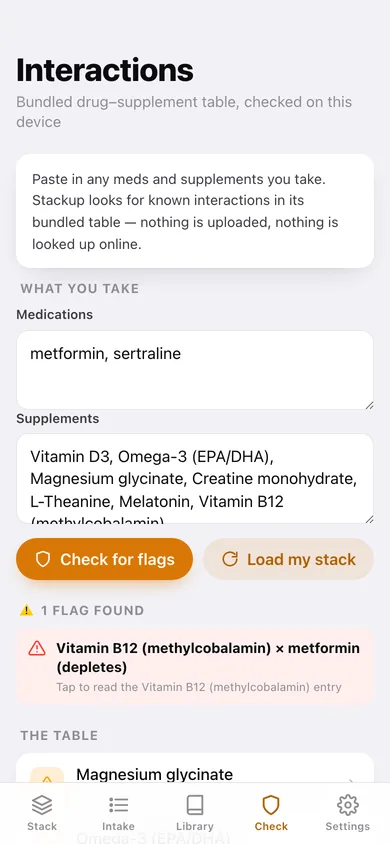
Paste your meds and supplements and Stackup matches them against the NIH/MedlinePlus table it ships with — brand names and drug classes both resolve, so sertraline finds SSRIs and Cipro finds quinolones.
17-supplement library
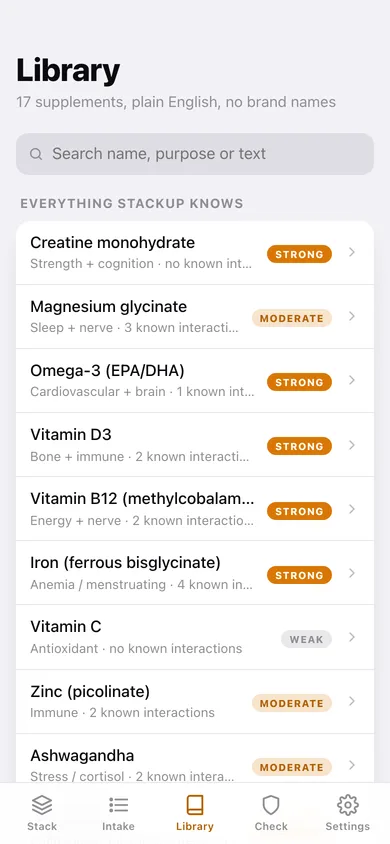
Searchable plain-English entries: what it is, what it does, the dose, the timing, the evidence and every known interaction. Ingredient names only — no brands, no retailers.
The stack you actually take
Save picks with your own dose, timing and notes, see which ones are off-plan, and export the lot as a CSV to hand to a pharmacist.
90-day re-check
Stackup counts down to the next re-check and flags the intake as stale once it passes 90 days, because goals, meds and training move.
Screens
Every screen, rebuilt for the browser
-
1
Your stack
The proposal: how many picks, the evidence mix, a card per supplement with dose, timing, rationale and any interaction flags.
-
2
Intake
Goal chips plus basics, diet, training, medications, allergies and optional labs — save it and the stack recomputes.
-
3
Intake history
Every intake you have taken, what it proposed, and the option to reinstate an older one.
-
4
Library
All 17 supplements with purpose, evidence rating and interaction count, searchable by name, purpose or text.
-
5
Supplement entry
One ingredient in full: dose, timing, evidence, the plain-English write-up and every known interaction, marked against your own medication list.
-
6
Interaction checker
Meds in one box, supplements in the other, flags out the bottom — plus the whole bundled table underneath.
-
7
Settings
The promises, intake history, JSON backup, CSV export of your stack, sample data and erase.
Try it with sample data: Loads three intakes across six months for a 42-year-old on metformin and sertraline, plus the six-supplement stack she actually takes with her own doses and timings. You can start fresh at any time.
Ready? It's free.
No account, no install, no subscription. Everything you do stays in this browser.
Your say
What should Stackup do? Tell us before we build it.
Tell us what to build next.
Comments need a free Google sign-in, so every one is from a real person.
Sign in with Google to commentNo comments yet — be the first to say what this app should do next.
Questions
Is the web version of Stackup free?+
Yes. Every screen is free to use: no subscription, no in-app purchases, no account.
Do I need an account?+
No. Open Stackup and start using it right away. Sign in with Google only if you want to upvote an app, save it to your list, or leave a comment.
Where is my data stored?+
Only in this browser's local storage. Nothing you enter is sent to our servers, so we can't see it, back it up, or restore it. Clearing site data, a private window, or another device starts empty. Export a backup from the in-app menu to keep it.
Is there a Stackup app for iPhone or Android?+
Not yet. Stackup is a community proposal: the browser version is complete, and we build the iPhone and Android app once 100 people upvote it. Upvoters get one email when it ships.