
Web app · Productivity
RightsClock
Every brand deal's usage window, on a clock you can actually see
Log a deal in under a minute — fee, platforms, usage term, whitelisting and exclusivity — and watch each licence count down: green with runway, amber closing, red when a brand is running your content past the date they paid for. Free, no account.
Stored in your browser only. Nothing you do in the web version is sent to our servers. Clear your browser data and it's gone — so export a backup from the in-app menu if you want to keep it.
This app is a community proposal.
Try the full browser version now. We build the iPhone and Android app once 100 people upvote it.
We'll email you once, when it ships. Unsubscribe anytime.
In your browser
What you can do in RightsClock on the web
Countdown dashboard
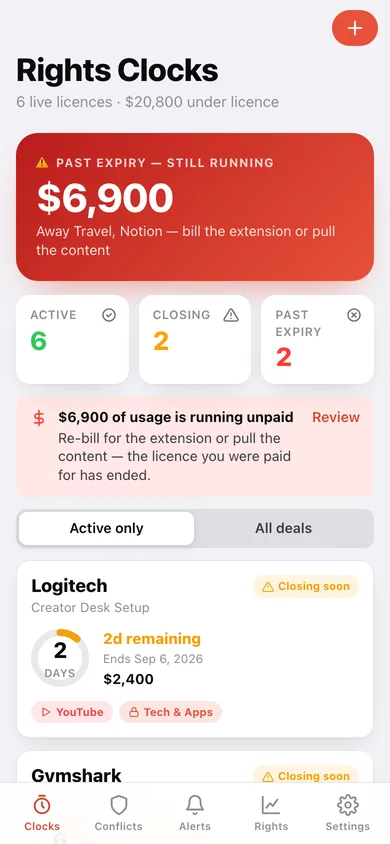
Every licence as a ring: days left, term consumed, fee, platform chips and the exclusivity lock-out, sorted by which window shuts first.
Exclusivity conflict checker
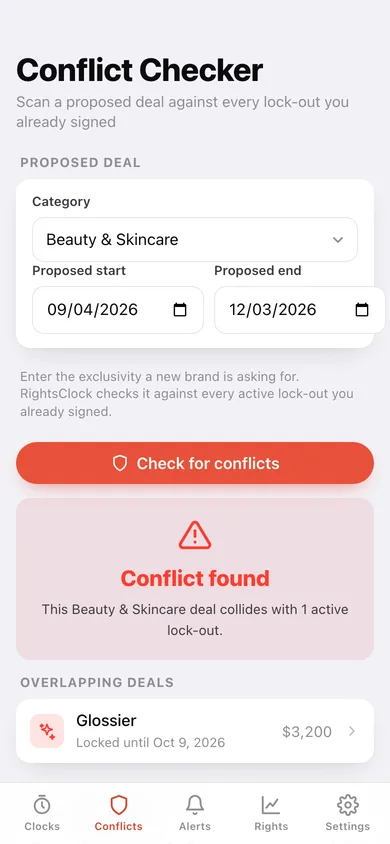
Before you sign, scan a proposed category and date range against every active lock-out you already agreed to — it names the colliding brand and the date you are free.
Three windows on one timeline
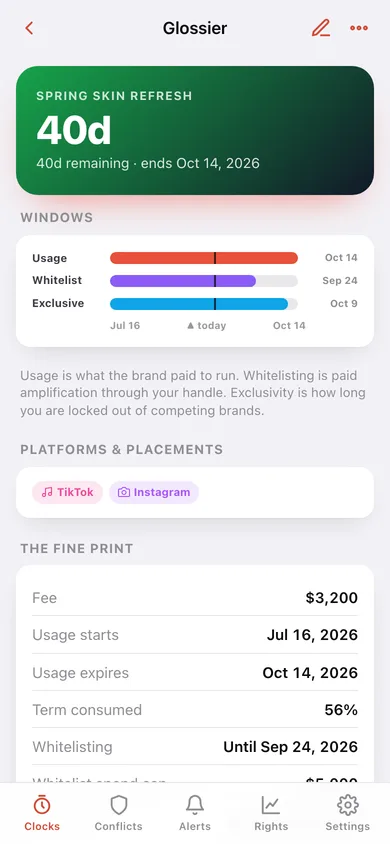
Usage, whitelisting and exclusivity drawn on a shared band per deal, so you can see which one closes first and what you are still owed for.
Expiry alerts
Past expiry, closing soon and on track — with the dollar value of usage that has already lapsed and needs re-billing or pulling.
Rights summary
Active value, lifetime fees, live licences per platform, earnings by exclusivity category and your average deal fee — the floor for your next negotiation.
Six platforms, ten lock-out categories
TikTok, Instagram, YouTube, Paid Ads, Website and Out-of-Home; beauty, fashion, fitness, food, tech, finance, gaming, travel, auto and home — the same lists as the iPhone app.
Screens
Every screen, rebuilt for the browser
-
1
Rights Clocks
The next window to close, active/closing/past-expiry counts and every licence as a countdown card.
-
2
Deal detail
Usage, whitelisting and exclusivity windows on one timeline, the full fine print, platforms and notes.
-
3
Log a deal
Brand, campaign, fee, platforms, usage term, alert lead, whitelisting and exclusivity — with a live conflict warning.
-
4
Conflict Checker
Check a proposed category and dates against every active lock-out before you sign.
-
5
Expiry Alerts
Past expiry, closing soon and on track, with the value of usage already running unpaid.
-
6
Rights Summary
Active value, lifetime fees, licences by platform, earnings by category and your average fee.
-
7
Settings
Default alert lead and usage term, portfolio counts, JSON backup, CSV export and erase.
Try it with sample data: Loads eight creator deals — Glossier, Gymshark, Notion, Chamberlain Coffee, Aritzia, Monarch Money, Away and Logitech — spanning live, closing-soon, lapsed and archived licences with real whitelisting and exclusivity windows. You can start fresh at any time.
Ready? It's free.
No account, no install, no subscription. Everything you do stays in this browser.
Your say
What should RightsClock do? Tell us before we build it.
Tell us what to build next.
Comments need a free Google sign-in, so every one is from a real person.
Sign in with Google to commentNo comments yet — be the first to say what this app should do next.
Questions
Is the web version of RightsClock free?+
Yes. Every screen is free to use: no subscription, no in-app purchases, no account.
Do I need an account?+
No. Open RightsClock and start using it right away. Sign in with Google only if you want to upvote an app, save it to your list, or leave a comment.
Where is my data stored?+
Only in this browser's local storage. Nothing you enter is sent to our servers, so we can't see it, back it up, or restore it. Clearing site data, a private window, or another device starts empty. Export a backup from the in-app menu to keep it.
Is there a RightsClock app for iPhone or Android?+
Not yet. RightsClock is a community proposal: the browser version is complete, and we build the iPhone and Android app once 100 people upvote it. Upvoters get one email when it ships.