
Web app · Lifestyle
ReadyKit
Know what's in every emergency kit — and what expires next
Inventory your go-bag, home shelf and car kit, give food, water, meds and batteries a replace-by date, and see every dated item on one Expiry Radar. Each kit is scored against the 72-hour target. Free, in your browser, no install.
Stored in your browser only. Nothing you do in the web version is sent to our servers. Clear your browser data and it's gone — so export a backup from the in-app menu if you want to keep it.
This app is a community proposal.
Try the full browser version now. We build the iPhone and Android app once 100 people upvote it.
We'll email you once, when it ships. Unsubscribe anytime.
In your browser
What you can do in ReadyKit on the web
A kit for every bag and bin
Go-bag, home supply shelf, car, office or pet kit — each with where it lives and how many people it covers.
12 supply categories with real units
Water in gallons, food in servings, meds in bottles, batteries in cells — plus first aid, light and power, tools and radio, documents, clothing, hygiene and pet supplies.
Expiry Radar across every kit
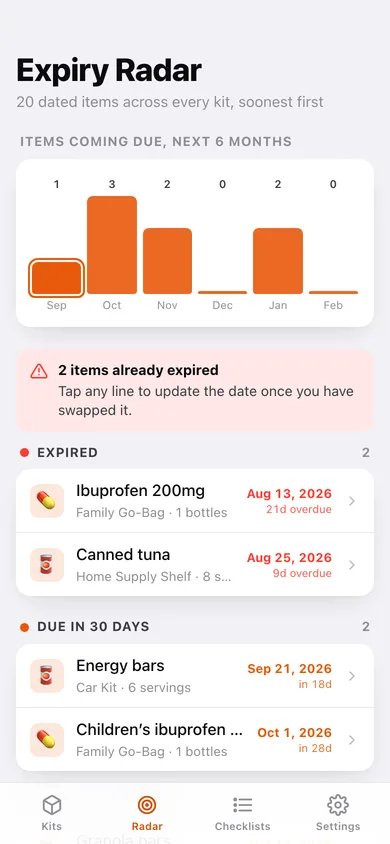
One timeline of every dated item, bucketed into expired, due soon, due in 31–90 days and fresh, with a six-month bar chart of what comes due next.
Four seasonal hazard checklists
Hurricane, wildfire, winter storm and earthquake, with the full pre-season task list, check-off state, completion percentage and a last-reviewed date.
Readiness score with a fix list
35% water coverage + 35% food coverage + 20% freshness + 10% checklist completion, then plain-language gaps: how many more gallons, how many more servings, what to replace.
Your own targets
Change the days of supply and the due-soon window and every score and bucket recomputes.
Screens
Every screen, rebuilt for the browser
-
1
Kits
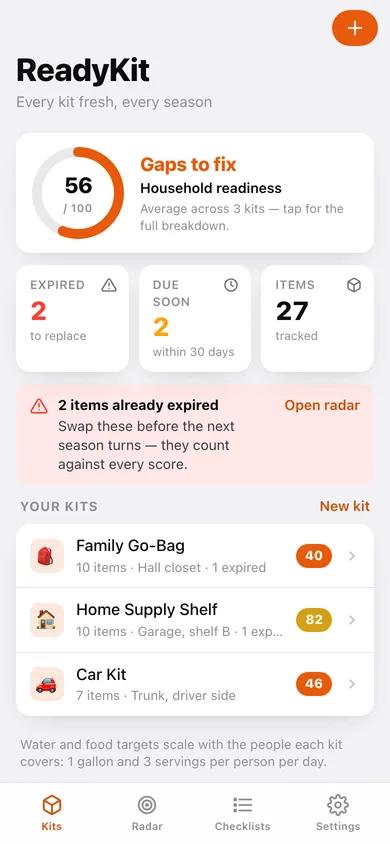
Household readiness gauge, expired and due-soon counts, and every kit with its score.
-
2
Kit detail
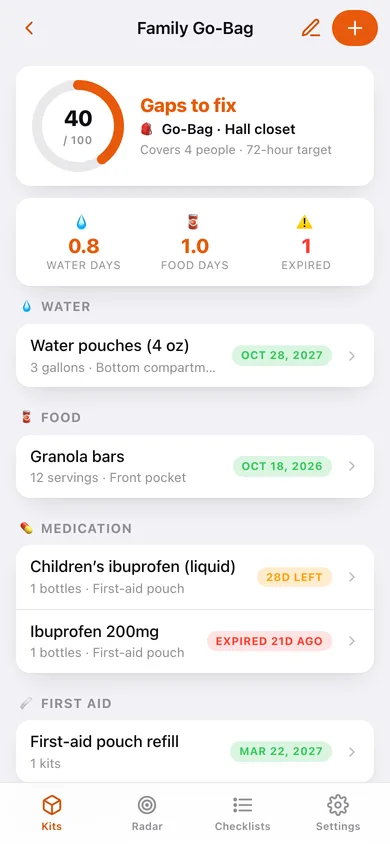
One kit's score, water and food days, expired count, and everything packed grouped by category.
-
3
Expiry Radar
Every dated item across every kit on one timeline, with a six-month chart of what comes due.
-
4
Add or edit an item
Name, category, quantity, unit, expiry or replace-by date, storage spot and notes, with category-specific shelf-life guidance.
-
5
Add or edit a kit
Name, type, where it lives and how many people it covers.
-
6
Seasonal checklists
Hurricane, wildfire, winter storm and earthquake progress at a glance.
-
7
Checklist detail
Work through one hazard's tasks, mark it reviewed today, or reset it for a new season.
-
8
Readiness breakdown
Score by kit, the four components behind each score, and the fix list for every kit.
-
9
Settings
Days of supply, due-soon window, checklist restore and reset, export, sample data and erase.
Try it with sample data: Loads three kits — a family go-bag, a home supply shelf and a car kit — with 27 packed items including two already-expired ones, plus the hurricane and earthquake checklists partly worked through. You can start fresh at any time.
Ready? It's free.
No account, no install, no subscription. Everything you do stays in this browser.
Your say
What should ReadyKit do? Tell us before we build it.
Tell us what to build next.
Comments need a free Google sign-in, so every one is from a real person.
Sign in with Google to commentNo comments yet — be the first to say what this app should do next.
Questions
Is the web version of ReadyKit free?+
Yes. Every screen is free to use: no subscription, no in-app purchases, no account.
Do I need an account?+
No. Open ReadyKit and start using it right away. Sign in with Google only if you want to upvote an app, save it to your list, or leave a comment.
Where is my data stored?+
Only in this browser's local storage. Nothing you enter is sent to our servers, so we can't see it, back it up, or restore it. Clearing site data, a private window, or another device starts empty. Export a backup from the in-app menu to keep it.
Is there a ReadyKit app for iPhone or Android?+
Not yet. ReadyKit is a community proposal: the browser version is complete, and we build the iPhone and Android app once 100 people upvote it. Upvoters get one email when it ships.