
Web app · Health And Fitness
Pumpwise
Log every pump and run your freezer stash first-in, first-out
Time a session in the tab, record left and right, then stash the bag with an automatic six-month use-by so you always thaw the oldest first. Today's total, ounces on hand and supply trends — free, offline, no account.
Stored in your browser only. Nothing you do in the web version is sent to our servers. Clear your browser data and it's gone — so export a backup from the in-app menu if you want to keep it.
This app is a community proposal.
Try the full browser version now. We build the iPhone and Android app once 100 people upvote it.
We'll email you once, when it ships. Unsubscribe anytime.
In your browser
What you can do in Pumpwise on the web
Session timer with per-side amounts
Start the timer when you hook up, stop when you are done, then dial in left and right in tenths of an ounce. The length is filled in for you.
Freezer stash with real use-by dates
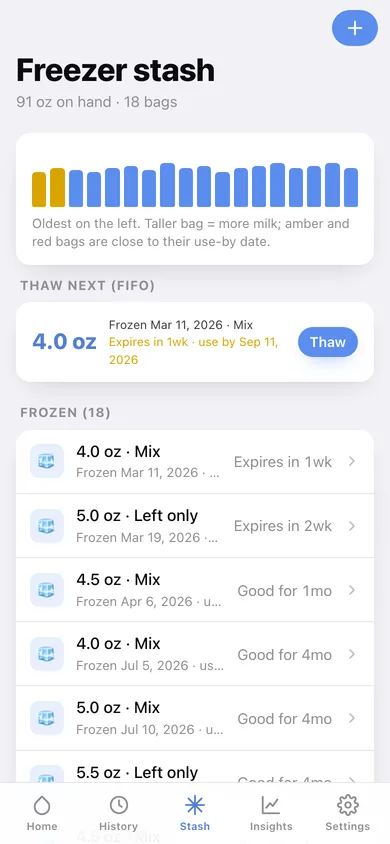
Every bag is stamped six months from the day it was frozen and shown as Good for 4mo, Expires in 3wk or Expires in 5d as the clock runs down.
First-in, first-out thaw guidance
One card always names the oldest bag in the freezer — thaw it, tap Thaw, and it comes straight off your on-hand total.
The numbers that reassure you at 3 a.m.
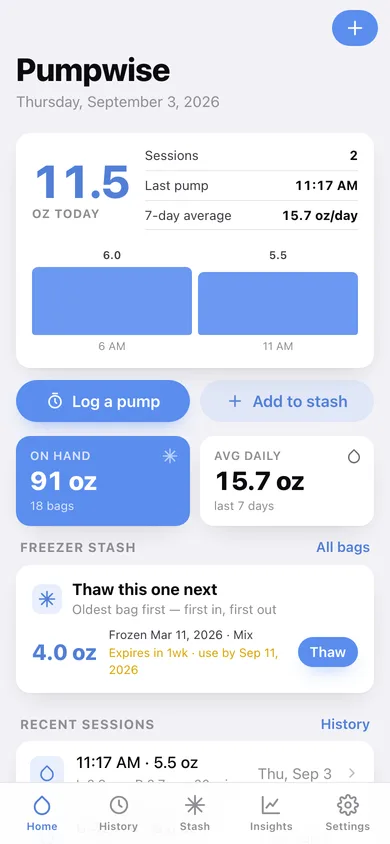
Today's total, sessions so far, last pump time, your seven-day daily average, ounces on hand and how many days of freezer cover that buys.
Supply insights
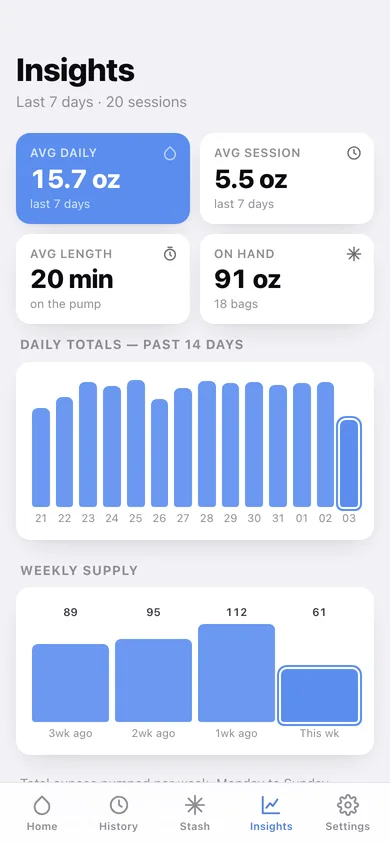
Fourteen days of daily totals, four weeks of weekly supply, average session size and length, and your left-versus-right balance.
Ounces or millilitres, and a CSV
Switch units for the whole app in one tap, and export every session as CSV or the lot as a JSON backup.
Screens
Every screen, rebuilt for the browser
-
1
Today
Today's ounces, sessions, thaw-next bag and your recent pumps.
-
2
Log a pump
In-tab timer, left and right steppers, the time and a note.
-
3
Session
One pump's totals, its share of the day, and inline amount edits.
-
4
History
Every session grouped by day with day totals and a 14-day chart.
-
5
Freezer stash
The freezer shelf, the FIFO thaw card and every bag with its use-by.
-
6
Bag detail
One bag's dates, queue position, amount edits and storage guidance.
-
7
Add to stash
Amount, contents and freeze date with a live use-by preview.
-
8
Insights
Daily and weekly supply, average session, left/right split and freezer cover.
-
9
Settings
Units, freezer warnings, CSV, backup, sample data and erase.
Try it with sample data: Adds four weeks of pumping — 83 sessions at roughly three a day — plus eighteen frozen bags (a few near their use-by) and two already thawed. You can start fresh at any time.
Ready? It's free.
No account, no install, no subscription. Everything you do stays in this browser.
Your say
What should Pumpwise do? Tell us before we build it.
Tell us what to build next.
Comments need a free Google sign-in, so every one is from a real person.
Sign in with Google to commentNo comments yet — be the first to say what this app should do next.
Questions
Is the web version of Pumpwise free?+
Yes. Every screen is free to use: no subscription, no in-app purchases, no account.
Do I need an account?+
No. Open Pumpwise and start using it right away. Sign in with Google only if you want to upvote an app, save it to your list, or leave a comment.
Where is my data stored?+
Only in this browser's local storage. Nothing you enter is sent to our servers, so we can't see it, back it up, or restore it. Clearing site data, a private window, or another device starts empty. Export a backup from the in-app menu to keep it.
Is there a Pumpwise app for iPhone or Android?+
Not yet. Pumpwise is a community proposal: the browser version is complete, and we build the iPhone and Android app once 100 people upvote it. Upvoters get one email when it ships.