
Web app · Productivity
Promptbank
The prompts that actually work for you, saved, tagged and versioned
Stop hunting through Notion, Apple Notes and old chats. Keep every prompt you have crafted in one bank — filter by tag, fill in the {{blanks}}, tap to copy into ChatGPT, Claude, Gemini or Cursor, and keep every earlier wording when you iterate. Free, no account, nothing leaves your browser.
Stored in your browser only. Nothing you do in the web version is sent to our servers. Clear your browser data and it's gone — so export a backup from the in-app menu if you want to keep it.
This app is a community proposal.
Try the full browser version now. We build the iPhone and Android app once 100 people upvote it.
We'll email you once, when it ships. Unsubscribe anytime.
In your browser
What you can do in Promptbank on the web
One bank, searchable
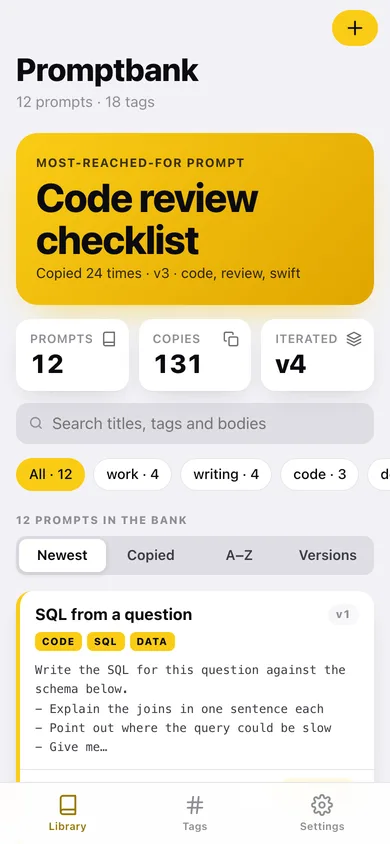
Search titles, tags and bodies at once, filter by tag, and sort by newest, most copied, A–Z or most iterated.
Real version history
Bump the version when you change the wording and the old body is filed, not lost — read any earlier version, copy it, or restore it as the new current one.
Fill-in placeholders
Write {{topic}} anywhere in a prompt and it becomes a blank you fill on the prompt page before copying, so one prompt serves every project.
Tags that stay tidy
Tags are lower-cased and de-duplicated on save, counted across the bank, and browsable as shelves.
Tap to copy, counted
Every copy is one tap and is counted, so the library can tell you which prompt you actually reach for.
Export as Markdown, CSV or JSON
Take the whole bank with you — one Markdown document, a spreadsheet, or a full backup including every saved version.
Screens
Every screen, rebuilt for the browser
-
1
Library
Your most-reached-for prompt, search, tag chips, sort, and every prompt as a card with a copy button.
-
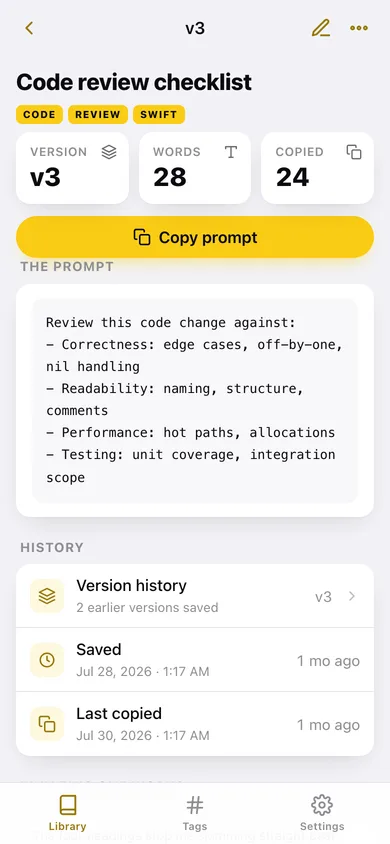
2
Prompt
The full body in mono, the blanks to fill, copy, and the version and copy counts.
-
3
Add or edit a prompt
Title, tags, body and why it works, with a toggle for whether the edit bumps the version.
-
4
Version history
Every earlier body for one prompt, with copy and restore-as-a-new-version.
-
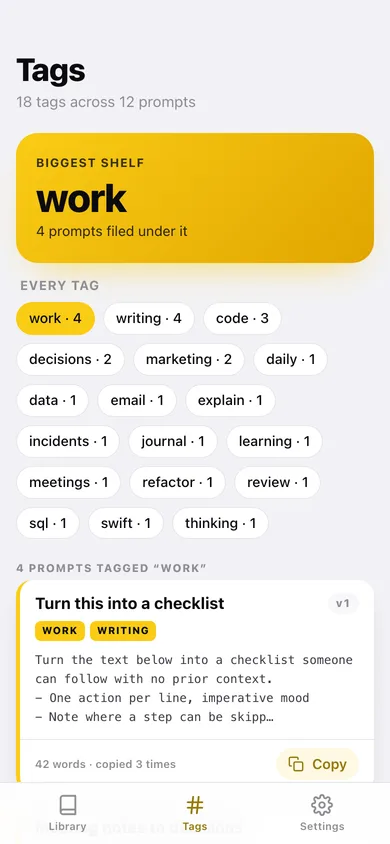
5
Tags
Every tag with its count, and the prompts filed under the one you pick.
-
6
Settings
Default sort, Markdown / CSV / JSON export, sample data and erase.
Try it with sample data: Loads twelve working prompts — the five the iPhone app ships with plus seven more, including three with fill-in blanks — and six earlier versions so the history reads like a real iteration trail. You can start fresh at any time.
Ready? It's free.
No account, no install, no subscription. Everything you do stays in this browser.
Your say
What should Promptbank do? Tell us before we build it.
Tell us what to build next.
Comments need a free Google sign-in, so every one is from a real person.
Sign in with Google to commentNo comments yet — be the first to say what this app should do next.
Questions
Is the web version of Promptbank free?+
Yes. Every screen is free to use: no subscription, no in-app purchases, no account.
Do I need an account?+
No. Open Promptbank and start using it right away. Sign in with Google only if you want to upvote an app, save it to your list, or leave a comment.
Where is my data stored?+
Only in this browser's local storage. Nothing you enter is sent to our servers, so we can't see it, back it up, or restore it. Clearing site data, a private window, or another device starts empty. Export a backup from the in-app menu to keep it.
Is there a Promptbank app for iPhone or Android?+
Not yet. Promptbank is a community proposal: the browser version is complete, and we build the iPhone and Android app once 100 people upvote it. Upvoters get one email when it ships.