
Web app · Lifestyle
Manasik
Umrah and Hajj, step by step — with a counter that never loses your place
The rites in order with concise guidance, a large tap counter for the seven circuits of tawaf and the seven laps of saʼi, duʼa cards in Arabic with transliteration, and a pre-trip checklist of 25 items. Works offline in the browser, free, no account.
Stored in your browser only. Nothing you do in the web version is sent to our servers. Clear your browser data and it's gone — so export a backup from the in-app menu if you want to keep it.
This app is a community proposal.
Try the full browser version now. We build the iPhone and Android app once 100 people upvote it.
We'll email you once, when it ships. Unsubscribe anytime.
In your browser
What you can do in Manasik on the web
The rites in order
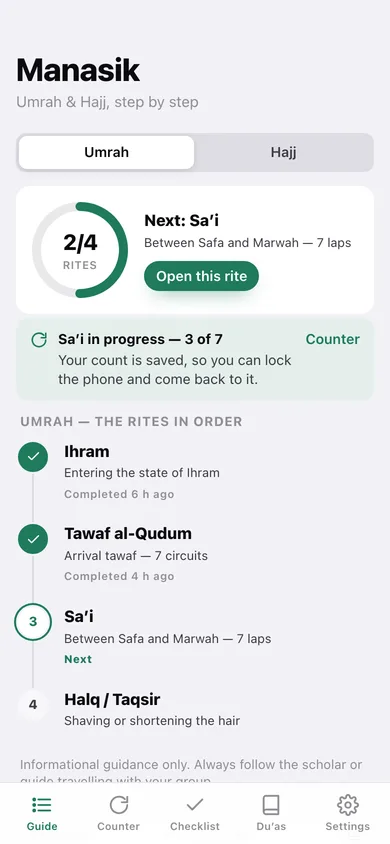
Four Umrah rites and seven Hajj rites on a timeline — ihram, tawaf, saʼi, halq, Mina, Arafah, Muzdalifah, Rami al-Jamarat, Ifadah and the farewell tawaf — each with the guidance from the iPhone app.
Tawaf and saʼi counter
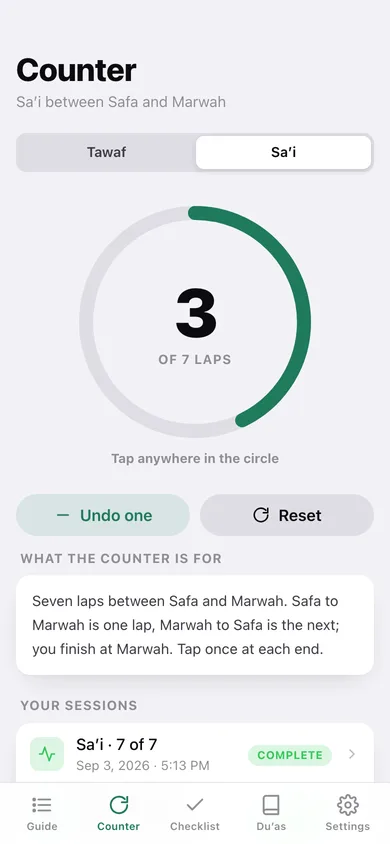
A large tap target with a ring to seven, a soft tick on each tap and a chime at the end; the count is saved as you go, so locking the phone cannot cost you your place.
Duʼa reference cards
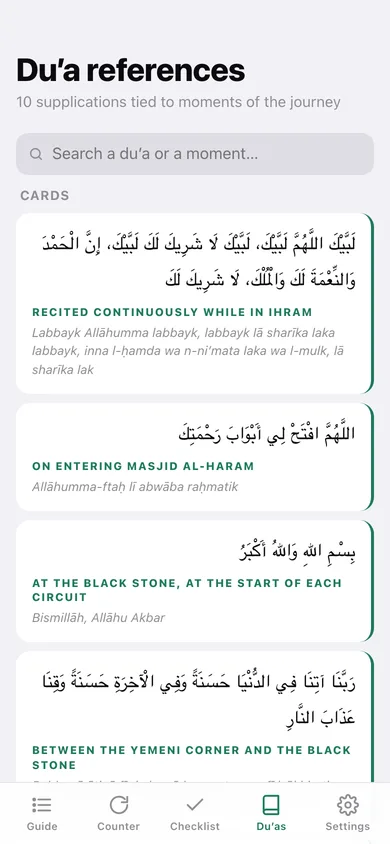
Ten supplications tied to the moment they belong to — the Talbiyah, at the Black Stone, on Safa and Marwah, the best duʼa of Arafah — in Arabic with transliteration and a plain English meaning.
Pre-trip checklist
Twenty-five items across ihram garments, documents, health, sunnah supplies and travel essentials, with a packed percentage and room for your own items.
Progress you can keep
Mark each rite complete as you go, keep a record of every counted tawaf and saʼi session, and reset it all for the next journey.
Offline and private
Everything is stored in this browser — no account, no network needed, nothing sent anywhere. Vibration is used on tap where your device allows it.
Screens
Every screen, rebuilt for the browser
-
1
Ritual guide
Switch between Umrah and Hajj, see how far through the rites you are and what comes next.
-
2
Rite detail
One rite with its guidance, its duʼa, a jump to the counter and a complete / undo button.
-
3
Counter
The seven-circuit tawaf and seven-lap saʼi counter with your saved sessions.
-
4
Checklist
Packing and documents by category with a packed percentage and your own added items.
-
5
Duʼa references
Every supplication as a card, searchable by the moment it belongs to.
-
6
Duʼa
One supplication in full — Arabic, transliteration, meaning and when it is said.
-
7
Settings
Sound and vibration, resetting rites or the checklist, backup and erase.
Try it with sample data: Sets you mid-Umrah: ihram and the arrival tawaf marked complete, a saʼi at three laps in progress, four counter sessions on record, fourteen checklist items packed and two of your own items added. You can start fresh at any time.
Ready? It's free.
No account, no install, no subscription. Everything you do stays in this browser.
Your say
What should Manasik do? Tell us before we build it.
Tell us what to build next.
Comments need a free Google sign-in, so every one is from a real person.
Sign in with Google to commentNo comments yet — be the first to say what this app should do next.
Questions
Is the web version of Manasik free?+
Yes. Every screen is free to use: no subscription, no in-app purchases, no account.
Do I need an account?+
No. Open Manasik and start using it right away. Sign in with Google only if you want to upvote an app, save it to your list, or leave a comment.
Where is my data stored?+
Only in this browser's local storage. Nothing you enter is sent to our servers, so we can't see it, back it up, or restore it. Clearing site data, a private window, or another device starts empty. Export a backup from the in-app menu to keep it.
Is there a Manasik app for iPhone or Android?+
Not yet. Manasik is a community proposal: the browser version is complete, and we build the iPhone and Android app once 100 people upvote it. Upvoters get one email when it ships.