
Web app · Lifestyle
Lifelist
Your birding life list — the counter, the lifers, the yard list
Log a sighting in seconds: pick the bird, the place, the date, how many and a field note. Lifelist works out whether it is a lifer, ticks your life-list counter up, keeps every species' full history and turns saved places into yard and trip lists. Free, no account, no eBird.
Stored in your browser only. Nothing you do in the web version is sent to our servers. Clear your browser data and it's gone — so export a backup from the in-app menu if you want to keep it.
This app is a community proposal.
Try the full browser version now. We build the iPhone and Android app once 100 people upvote it.
We'll email you once, when it ships. Unsubscribe anytime.
In your browser
What you can do in Lifelist on the web
The life-list counter
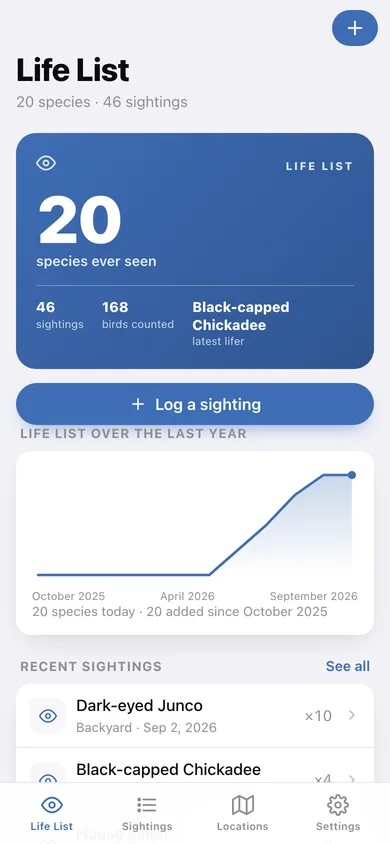
A running count of unique species you have ever seen, with your latest lifer and total birds counted right beside it.
Automatic lifer detection
Log a bird and Lifelist checks your history — if nothing earlier exists for that species, it is flagged as a lifer before you save.
Per-species history
Every encounter with one bird: dates, places, counts and field notes, plus first-seen and how many places you have found it.
Yard and trip lists
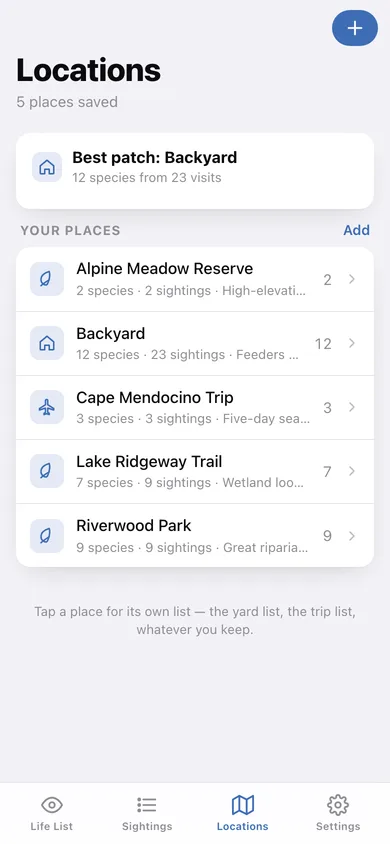
Save places as yard, park, trip or other; each one becomes its own species list with a best-patch card on the Locations tab.
Life list over the year
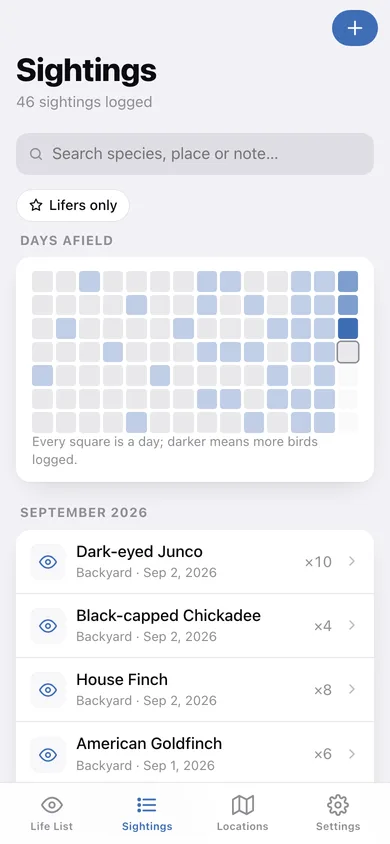
A cumulative line chart of your list growing month by month, plus a 14-week heatmap of days afield.
Search, filter and export
Search species, places and notes, filter to lifers only, and export every sighting as CSV or the whole list as JSON.
Screens
Every screen, rebuilt for the browser
-
1
Life list
The counter card, your list's growth over the year, recent sightings and every species you have seen.
-
2
Sightings
Every sighting grouped by month with search, a lifers-only filter and a days-afield heatmap.
-
3
Species
One bird's page: scientific name, family, first-seen, totals and every encounter.
-
4
Sighting
One logged sighting with its place, count, lifer flag and field note — editable or deletable.
-
5
Locations
Your saved places with species and sighting counts, and which patch is producing.
-
6
Location list
The species list for one place — your yard list or a trip list.
-
7
Log a sighting
Pick a bird already on your list or name a new one, add the place, date, count and note.
-
8
Settings
Add species or places, CSV and JSON export, sample data and erase.
Try it with sample data: Loads twenty species — robin to pileated woodpecker — with 45 sightings across four months and five places: a backyard, two parks, a wetland trail and a coastal pelagic trip. You can start fresh at any time.
Ready? It's free.
No account, no install, no subscription. Everything you do stays in this browser.
Your say
What should Lifelist do? Tell us before we build it.
Tell us what to build next.
Comments need a free Google sign-in, so every one is from a real person.
Sign in with Google to commentNo comments yet — be the first to say what this app should do next.
Questions
Is the web version of Lifelist free?+
Yes. Every screen is free to use: no subscription, no in-app purchases, no account.
Do I need an account?+
No. Open Lifelist and start using it right away. Sign in with Google only if you want to upvote an app, save it to your list, or leave a comment.
Where is my data stored?+
Only in this browser's local storage. Nothing you enter is sent to our servers, so we can't see it, back it up, or restore it. Clearing site data, a private window, or another device starts empty. Export a backup from the in-app menu to keep it.
Is there a Lifelist app for iPhone or Android?+
Not yet. Lifelist is a community proposal: the browser version is complete, and we build the iPhone and Android app once 100 people upvote it. Upvoters get one email when it ships.