
Web app · Sports
KipBook
The gymnast's own skill book — every skill, level by level
230 bundled skills across USA Gymnastics DP levels 1–10 and every Xcel division, four honest stages per skill with the date stamped, a level ladder that turns almost-Level-4 into a real list, practice notes and a progress sheet for coach conferences. Free, everything unlocked.
Stored in your browser only. Nothing you do in the web version is sent to our servers. Clear your browser data and it's gone — so export a backup from the in-app menu if you want to keep it.
This app is a community proposal.
Try the full browser version now. We build the iPhone and Android app once 100 people upvote it.
We'll email you once, when it ships. Unsubscribe anytime.
In your browser
What you can do in KipBook on the web
230 skills, every level, per apparatus
Vault, bars, beam and floor checklists for Development Program levels 1 through 10 and Xcel Bronze through Diamond, each skill with a plain-language description of what it actually is.
Four honest stages with dated milestones
Not started, with a spotter, consistent, competition-ready. Advance a skill and KipBook stamps the date — the day the kip clicked is in the book forever.
Level ladder and readiness
Every rung of the ladder with the percentage competition-ready, and a what's-left list for any level so almost-Level-4 becomes a real list instead of a feeling.
Practice notes on the skill
Keep what the coach said with the skill it was about — “keep the bar close on the glide”, “spotting belt until the block is stronger”.
Progress sheet for coach conferences
One clean page: stage per skill by apparatus and the latest milestones, ready to copy or download before you sit down with the coach.
Yours, not the gym's
Profiles for every kid in the family, saved in this browser with no account and no club portal — switch gyms and every milestone comes with you.
Screens
Every screen, rebuilt for the browser
-
1
Home
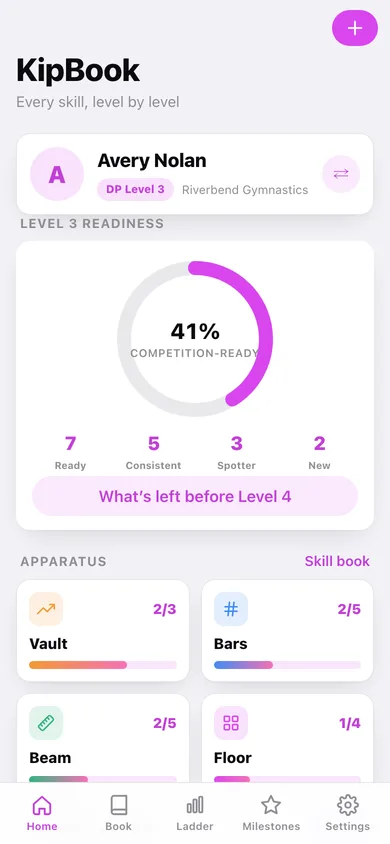
The gymnast, her readiness ring for the current level, the four apparatus and what she has recently landed.
-
2
Apparatus checklist
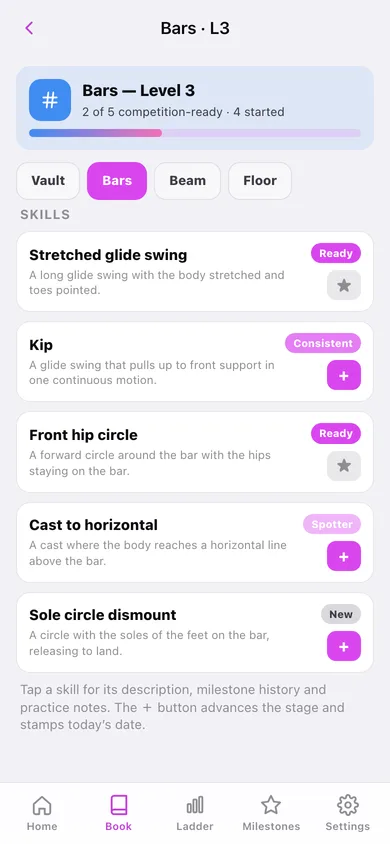
Every skill on one apparatus at one level, with its stage and a one-tap advance.
-
3
Level readiness
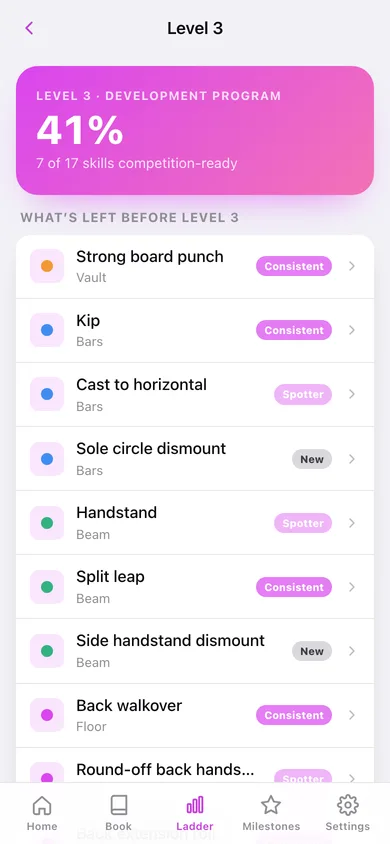
What's left before a level with a readiness hero, and a per-apparatus breakdown of ready, consistent, spotter and untouched.
-
4
Level ladder
Every rung of the DP or Xcel ladder with the percentage competition-ready.
-
5
Skill Book
Browse any level and see all four apparatus with their ready counts and progress bars.
-
6
Skill
What the skill is, the four-stage picker, the dated milestone history and practice notes.
-
7
Milestones
Every dated status change by month, with a milestones-per-month chart.
-
8
Progress sheet
The one-page summary for a coach conference, copyable or downloadable.
-
9
Gymnasts
Every profile in the family with its level, gym and readiness — add, edit or delete.
-
10
Settings
Profiles, checklist options, catalog size, export, sample data and erase.
Try it with sample data: Loads two sisters at Riverbend Gymnastics — Avery on DP Level 3 mid-season with fifteen graded skills, and Maya on Xcel Bronze — plus two months of dated milestones and five practice notes. You can start fresh at any time.
Ready? It's free.
No account, no install, no subscription. Everything you do stays in this browser.
Your say
What should KipBook do? Tell us before we build it.
Tell us what to build next.
Comments need a free Google sign-in, so every one is from a real person.
Sign in with Google to commentNo comments yet — be the first to say what this app should do next.
Questions
Is the web version of KipBook free?+
Yes. Every screen is free to use: no subscription, no in-app purchases, no account.
Do I need an account?+
No. Open KipBook and start using it right away. Sign in with Google only if you want to upvote an app, save it to your list, or leave a comment.
Where is my data stored?+
Only in this browser's local storage. Nothing you enter is sent to our servers, so we can't see it, back it up, or restore it. Clearing site data, a private window, or another device starts empty. Export a backup from the in-app menu to keep it.
Is there a KipBook app for iPhone or Android?+
Not yet. KipBook is a community proposal: the browser version is complete, and we build the iPhone and Android app once 100 people upvote it. Upvoters get one email when it ships.