
Web app · Productivity
Hourbook
Every machine in the barn, serviced by the hour meter — not by guesswork
Log the meter when you climb off, and Hourbook learns each machine's hours-per-week rate to turn “due at 400 hrs” into a real calendar date. Due Board, parts counter card and dated service history. Free, offline, no install.
Stored in your browser only. Nothing you do in the web version is sent to our servers. Clear your browser data and it's gone — so export a backup from the in-app menu if you want to keep it.
This app is a community proposal.
Try the full browser version now. We build the iPhone and Android app once 100 people upvote it.
We'll email you once, when it ships. Unsubscribe anytime.
In your browser
What you can do in Hourbook on the web
The Barn
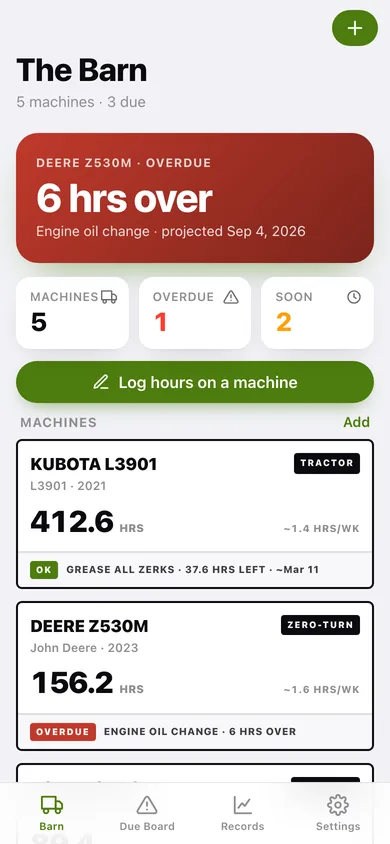
Every hour-metered machine on one screen — tractor, zero-turn, ATV/UTV, skid steer, generator — each card showing current hours, its usage rate, and what's due next.
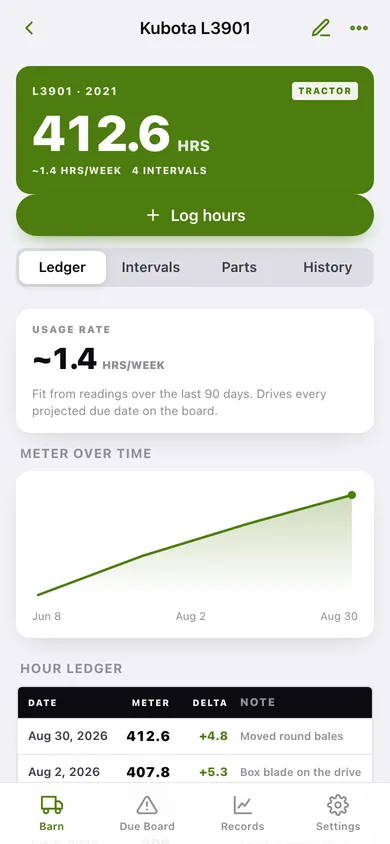
Hour ledger with usage rate
Log the meter reading and a note; Hourbook fits a hours-per-week rate from the last 90 days of readings and charts the meter over time.
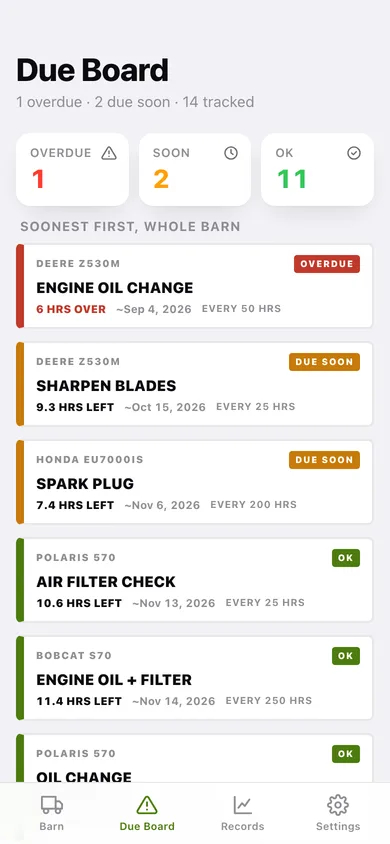
Due Board across the whole barn
Every service interval sorted soonest-first with hours remaining, the projected calendar date, and OVERDUE / DUE SOON / OK status.
Intervals the way manuals write them
Every N hours, every N months, or whichever comes first — plus one-tap template packs for compact tractors, zero-turns, ATV/UTVs and generators.
Parts counter card
Filters, fluids, belts, blades and plugs with part number, cross-reference, capacity and price note — tap any part to copy its number at the dealership counter.
Service history that resets the interval
Log a finished job with hours, parts and cost; the interval you pick restarts from that reading, and the record exports as a plain-text service file.
Screens
Every screen, rebuilt for the browser
-
1
The Barn
The most urgent job in the barn, machine/overdue/due-soon counts, and a card per machine with its meter, rate and next service.
-
2
Machine detail
Hour meter hero, then Ledger, Intervals, Parts and History for one machine.
-
3
Add / edit machine
Name, type, brand, model, year, serial, notes and the meter reading right now.
-
4
Due Board
Every interval in the barn soonest-first with hours left, projected date and the manual's rule.
-
5
Records
Hours put on the barn per month, lifetime spend by machine, and every job logged.
-
6
Settings
Due-soon threshold, barn counts, export backup, load the sample barn and erase.
Try it with sample data: Loads a five-machine barn — Kubota L3901, Deere Z530M, Polaris 570, Honda EU7000is and Bobcat S70 — each with 90 days of meter readings, service intervals, a parts card of real part numbers and dated service history. You can start fresh at any time.
Ready? It's free.
No account, no install, no subscription. Everything you do stays in this browser.
Your say
What should Hourbook do? Tell us before we build it.
Tell us what to build next.
Comments need a free Google sign-in, so every one is from a real person.
Sign in with Google to commentNo comments yet — be the first to say what this app should do next.
Questions
Is the web version of Hourbook free?+
Yes. Every screen is free to use: no subscription, no in-app purchases, no account.
Do I need an account?+
No. Open Hourbook and start using it right away. Sign in with Google only if you want to upvote an app, save it to your list, or leave a comment.
Where is my data stored?+
Only in this browser's local storage. Nothing you enter is sent to our servers, so we can't see it, back it up, or restore it. Clearing site data, a private window, or another device starts empty. Export a backup from the in-app menu to keep it.
Is there a Hourbook app for iPhone or Android?+
Not yet. Hourbook is a community proposal: the browser version is complete, and we build the iPhone and Android app once 100 people upvote it. Upvoters get one email when it ships.