
Web app · Lifestyle
Heirloom
Capture the stories before they're gone — a family vault in your browser
Sit down with them, start the clock, and keep the story: a library of what they said, a family book of who they were, the handwritten recipes, the things they always said, 84 prompts that get an elder talking, and a printable book at the end. Free, private, no account.
Stored in your browser only. Nothing you do in the web version is sent to our servers. Clear your browser data and it's gone — so export a backup from the in-app menu if you want to keep it.
This app is a community proposal.
Try the full browser version now. We build the iPhone and Android app once 100 people upvote it.
We'll email you once, when it ships. Unsubscribe anytime.
In your browser
What you can do in Heirloom on the web
A story library in their own words
Every story keeps its title, the date you recorded it, the decade it happened in, the people it is about, tags you can search by, and a word count so you know how much you have.
84 prompts across eleven chapters
Childhood, Family, Coming of age, Love, Work, Parenting, Hard times, Beliefs, History, Hopes — plus quick ones. Tick them off, pull one at random, or tap a prompt and record the answer straight away.
The family book
A register of everyone: relation, the years, where they were born, what they were known for, notes — and every story, recipe and saying tied to them.
Recipe vault
Type the handwritten card out before it fades, then add the trick to it that is not written anywhere. Ingredients, steps, and who it came from.
Wisdom cards
The short things they always said, kept one to a card, with a different one surfaced each day.
The Heirloom Bundle
Pick the stories, name the book, and Heirloom lays out a cover, contents and every transcript — copy it into a word processor or save it to take to a print shop.
Screens
Every screen, rebuilt for the browser
-
1
Stories
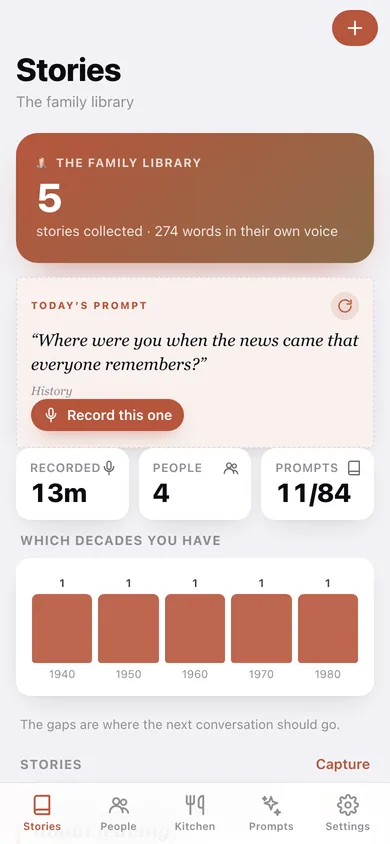
How many stories you have collected, today's prompt, which decades you have covered, and the whole library.
-
2
Story
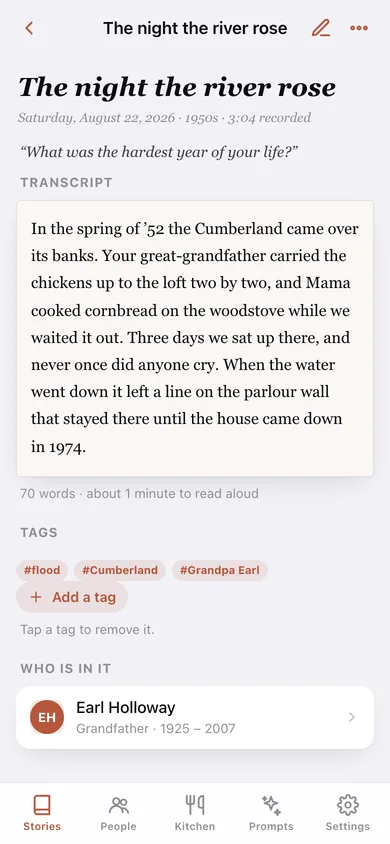
The transcript in storybook type, how long it takes to read aloud, tags and who is in it.
-
3
New story
A clock for while they talk, the transcript you type, the date, the decade and who it is about.
-
4
People
The family book — portrait cards with relation, years and how many stories each person is in.
-
5
Person
One person's facts, their stories, the recipes from their kitchen and what they always said.
-
6
Kitchen
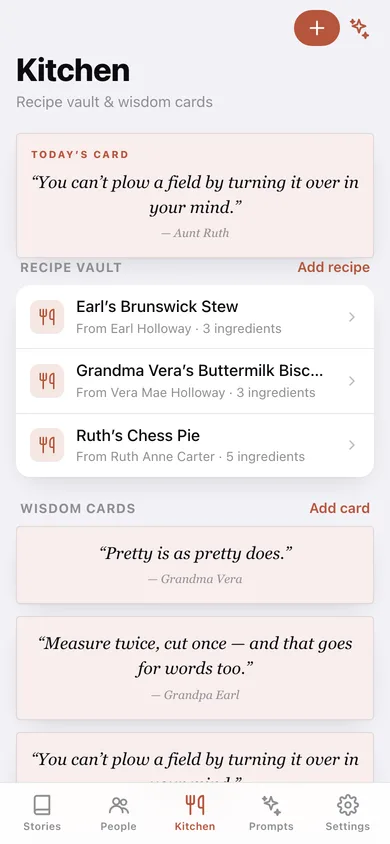
Today's wisdom card, the recipe vault and every saying you have kept.
-
7
Recipe
Ingredients, steps, the trick to it, and the handwritten card typed out.
-
8
Prompts
All 84 prompts by chapter with a progress ring, search, and record-this-now on any question.
-
9
Heirloom Bundle
Cover, contents, page estimate, and the finished book to copy or save.
-
10
Settings
What is in the vault, serif type, CSV and JSON export, sample data and erase.
Try it with sample data: Loads the Holloways of Maryville, Tennessee — four people across three generations, five stories from the 1940s to the 1980s with transcripts and tags, three handwritten recipes, and six wisdom cards. You can start fresh at any time.
Ready? It's free.
No account, no install, no subscription. Everything you do stays in this browser.
Your say
What should Heirloom do? Tell us before we build it.
Tell us what to build next.
Comments need a free Google sign-in, so every one is from a real person.
Sign in with Google to commentNo comments yet — be the first to say what this app should do next.
Questions
Is the web version of Heirloom free?+
Yes. Every screen is free to use: no subscription, no in-app purchases, no account.
Do I need an account?+
No. Open Heirloom and start using it right away. Sign in with Google only if you want to upvote an app, save it to your list, or leave a comment.
Where is my data stored?+
Only in this browser's local storage. Nothing you enter is sent to our servers, so we can't see it, back it up, or restore it. Clearing site data, a private window, or another device starts empty. Export a backup from the in-app menu to keep it.
Is there a Heirloom app for iPhone or Android?+
Not yet. Heirloom is a community proposal: the browser version is complete, and we build the iPhone and Android app once 100 people upvote it. Upvoters get one email when it ships.