
Web app · Utilities
Binventory
Search one box instead of opening five: which bin is it in?
Name your storage locations, give every bin a number and a colour, list what is inside with quantities and tags — then type “sleeping bag” and Binventory tells you the bin, the number and the room. Free, offline, no stickers.
Stored in your browser only. Nothing you do in the web version is sent to our servers. Clear your browser data and it's gone — so export a backup from the in-app menu if you want to keep it.
This app is a community proposal.
Try the full browser version now. We build the iPhone and Android app once 100 people upvote it.
We'll email you once, when it ships. Unsubscribe anytime.
In your browser
What you can do in Binventory on the web
Locations, bins, items
Attic, garage, storage unit, spare room — each holding numbered, colour-labelled bins, each holding items with a quantity and free-form tags.
One search across everything
Matches item names, tags and notes, and a bin name surfaces everything inside it — exactly the search the iPhone app runs.
Every result says where to look
Each hit shows the item, the quantity, the bin name, the bin number and the room it lives in, so you walk straight to it.
Tag cloud you actually built
Every tag you have ever typed, with its count — tap one to see everything tagged christmas, fragile or camping.
Colour labels and bin numbers
Twelve colour labels to match the lid or a strip of tape, and auto-incrementing bin numbers so no two bins collide.
Export the catalogue
Download every item with its bin, number and location as CSV, or take a full JSON backup.
Screens
Every screen, rebuilt for the browser
-
1
Bins
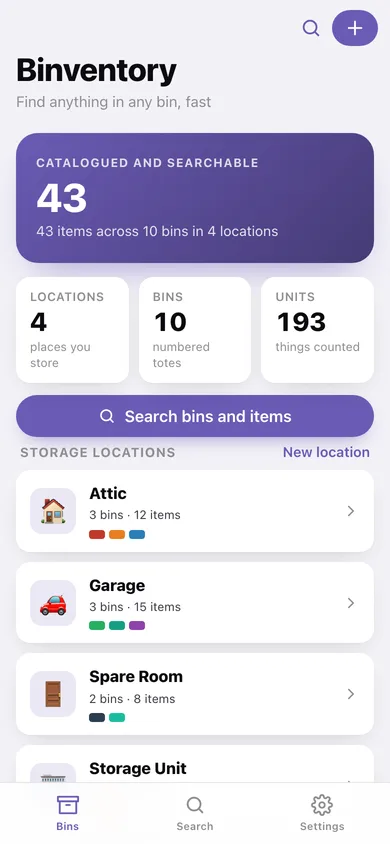
Total items catalogued, a card per storage location with its bin count and colour strip, and what you catalogued most recently.
-
2
Bin
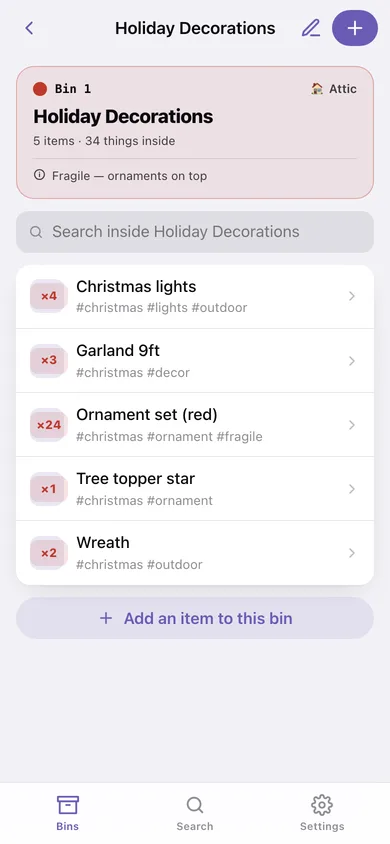
One bin's coloured header with its number, room and lid notes, a search inside the bin, and every item with quantity and tags.
-
3
Search
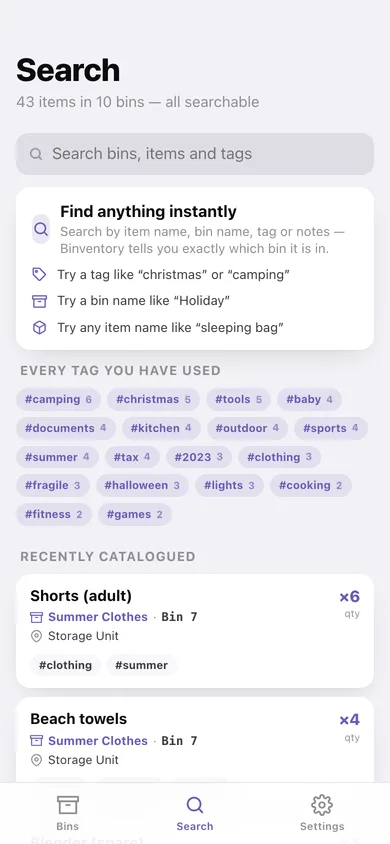
Full-text search across bins, items, tags and notes with results that name the bin, its number and its room — plus your whole tag cloud.
-
4
Location
A grid of colour-coded bin cards for one room, with its bin and item totals.
-
5
Item
Name, quantity, bin, notes and comma-separated tags, with one-tap chips for tags you already use.
-
6
New bin
Bin name, auto-numbered bin number, one of twelve colour labels, the room it lives in and the note written on the lid.
-
7
New location
Name a storage location and pick an icon — attic, garage, storage unit, spare room, workshop, basement.
-
8
Settings
Browsing options, your locations, CSV and JSON export, sample household and erase.
Try it with sample data: Loads a real household catalogue: four locations (attic, garage, storage unit, spare room), ten numbered colour-coded bins and forty-three items from Christmas lights to a cast iron skillet, all tagged. You can start fresh at any time.
Ready? It's free.
No account, no install, no subscription. Everything you do stays in this browser.
Your say
What should Binventory do? Tell us before we build it.
Tell us what to build next.
Comments need a free Google sign-in, so every one is from a real person.
Sign in with Google to commentNo comments yet — be the first to say what this app should do next.
Questions
Is the web version of Binventory free?+
Yes. Every screen is free to use: no subscription, no in-app purchases, no account.
Do I need an account?+
No. Open Binventory and start using it right away. Sign in with Google only if you want to upvote an app, save it to your list, or leave a comment.
Where is my data stored?+
Only in this browser's local storage. Nothing you enter is sent to our servers, so we can't see it, back it up, or restore it. Clearing site data, a private window, or another device starts empty. Export a backup from the in-app menu to keep it.
Is there a Binventory app for iPhone or Android?+
Not yet. Binventory is a community proposal: the browser version is complete, and we build the iPhone and Android app once 100 people upvote it. Upvoters get one email when it ships.