Meet PSA Watch — PSA velocity & doubling time
You're on active surveillance for prostate cancer, which means one thing over and over for years: another blood draw, another PSA number, another wait.

Medical
PSA Watch
PSA velocity & doubling time
Every feature, from the first launch.
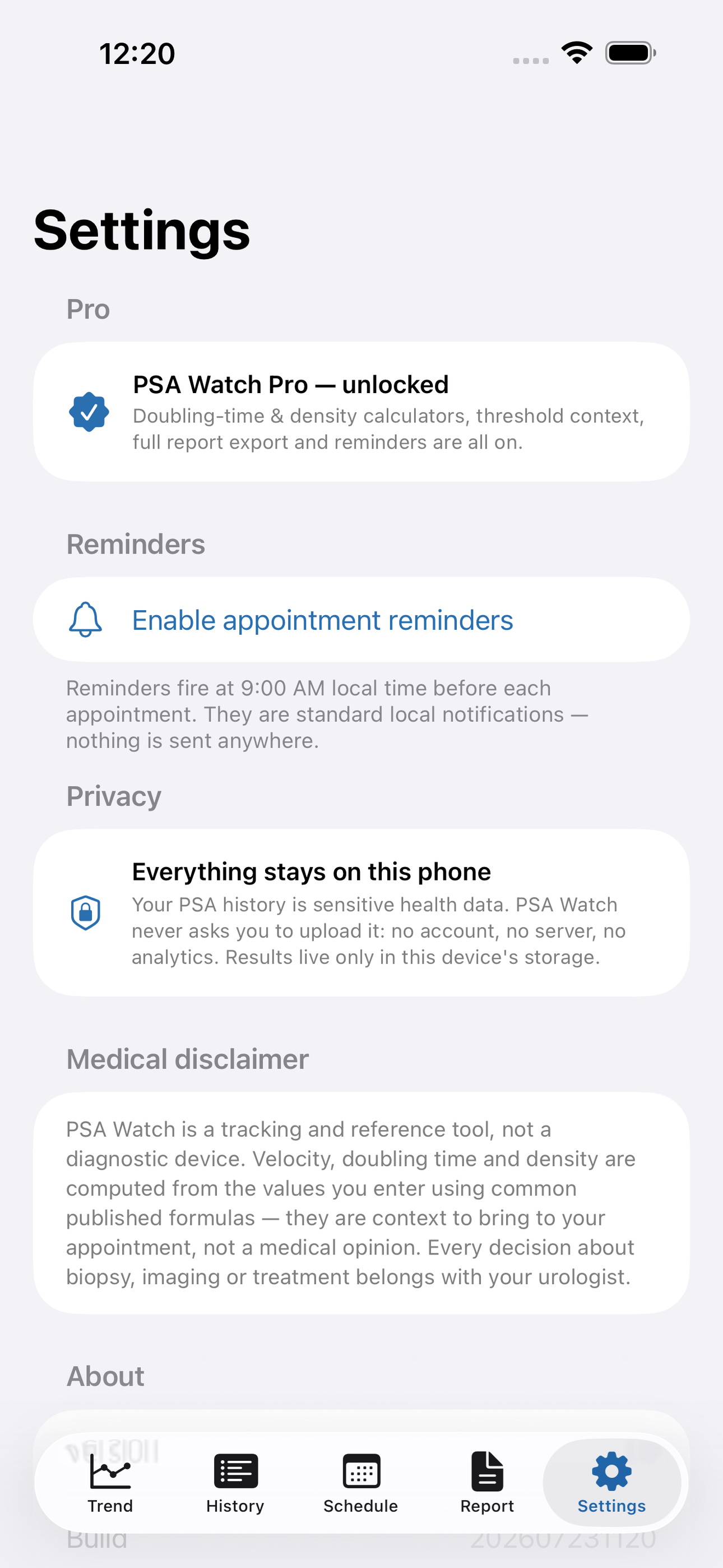
No account, no login, no cloud. Everything runs on your device and works fully offline — nothing in this post is hidden behind a wall.
What PSA Watch does
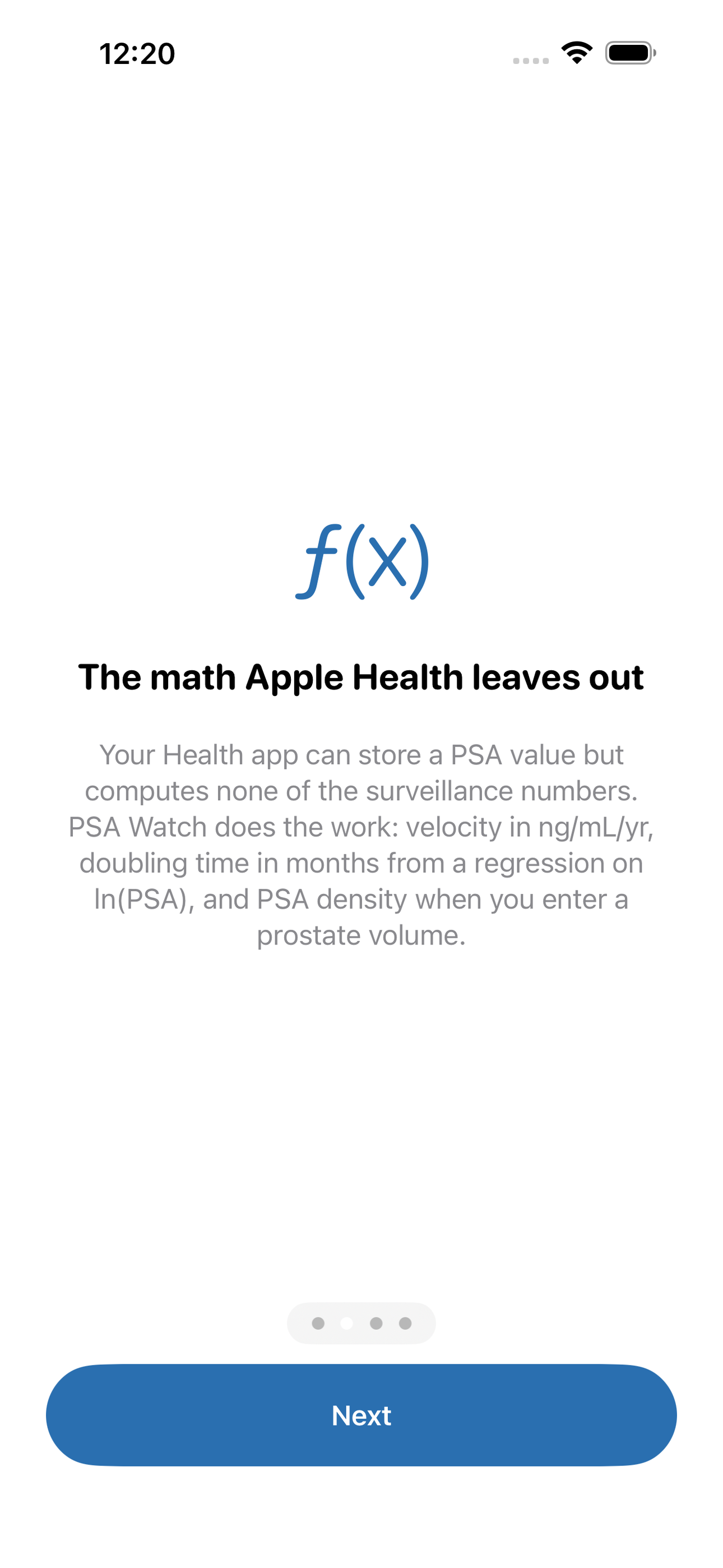
You're on active surveillance for prostate cancer, which means one thing over and over for years: another blood draw, another PSA number, another wait. And every time it ticks up a tenth, the same question hits — is this real progression, or just noise? Apple Health can store the number, but it computes none of the math that actually informs that question. PSA Watch does.
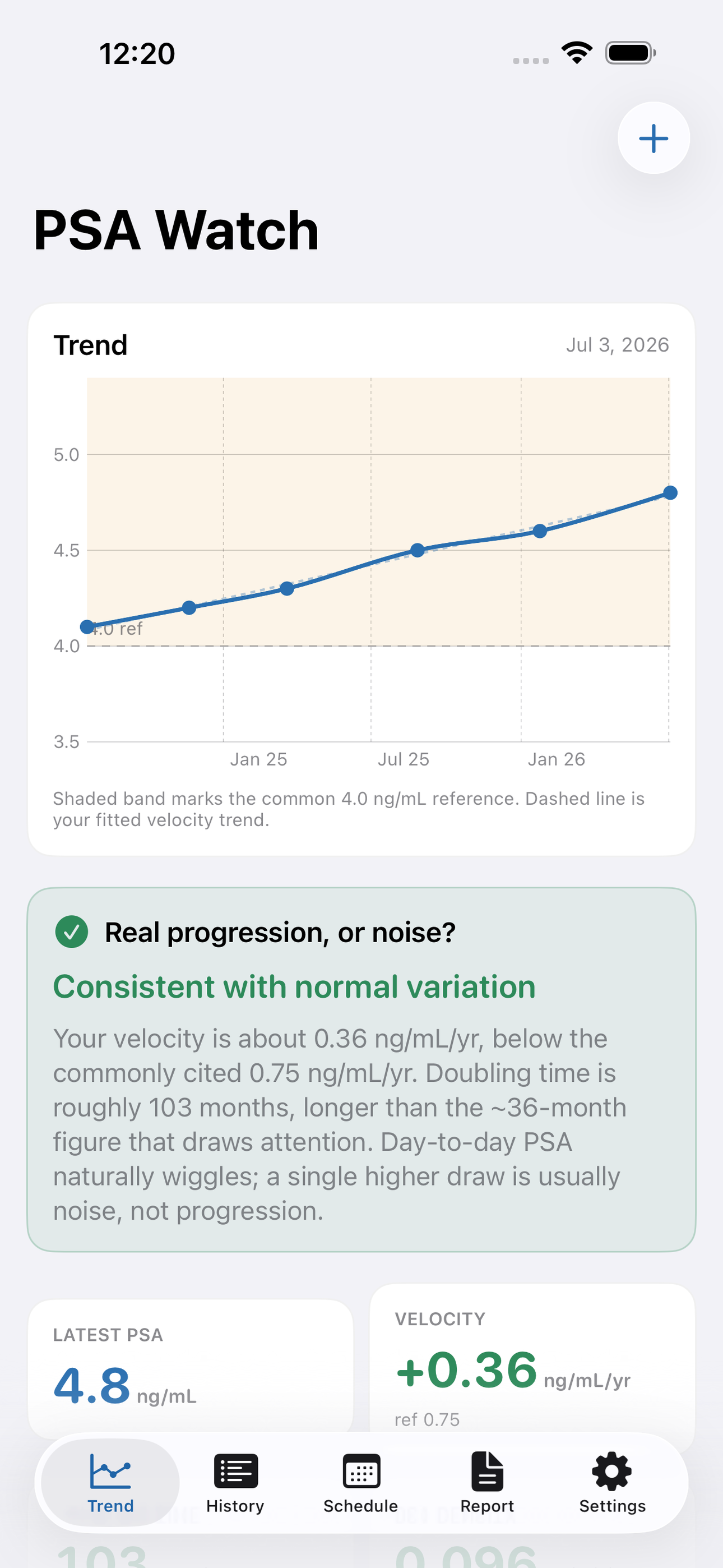
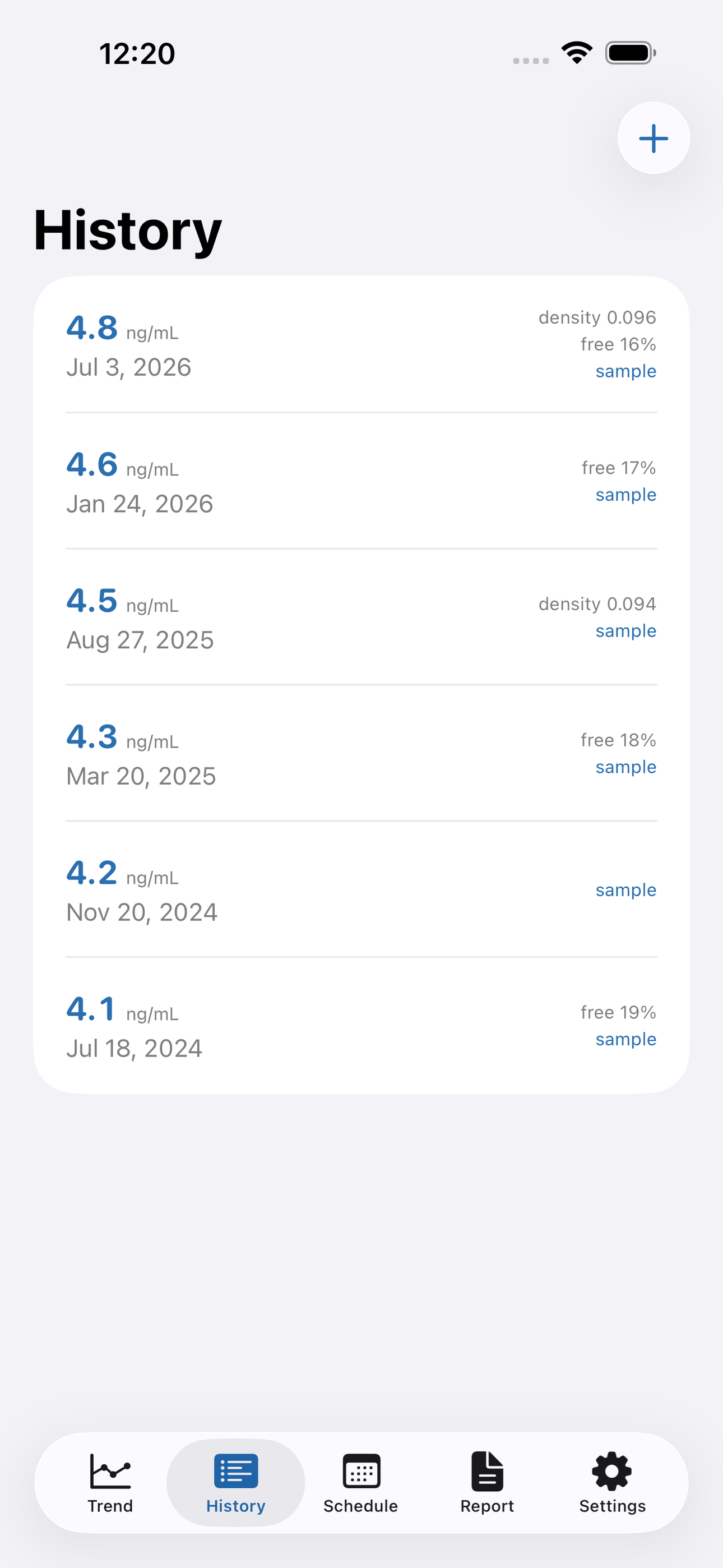
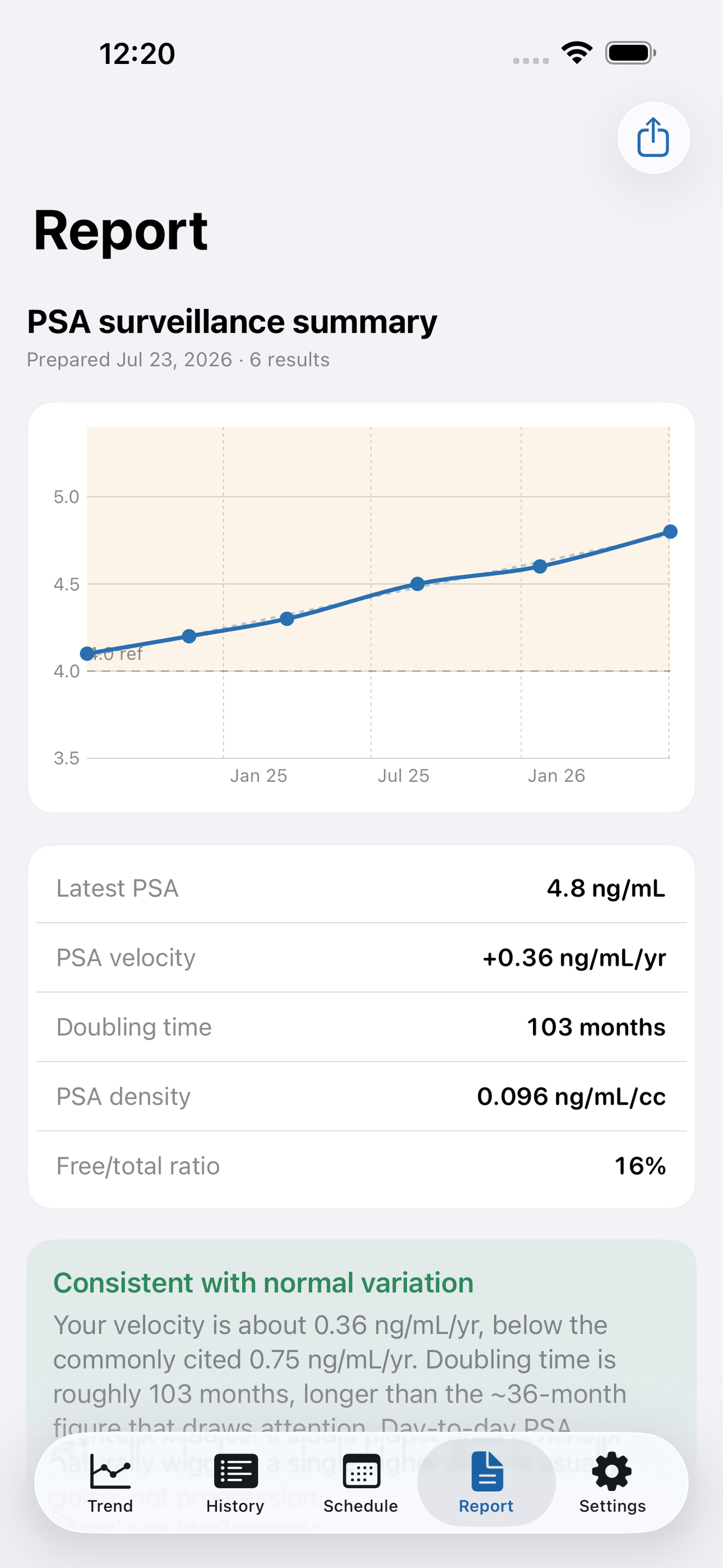
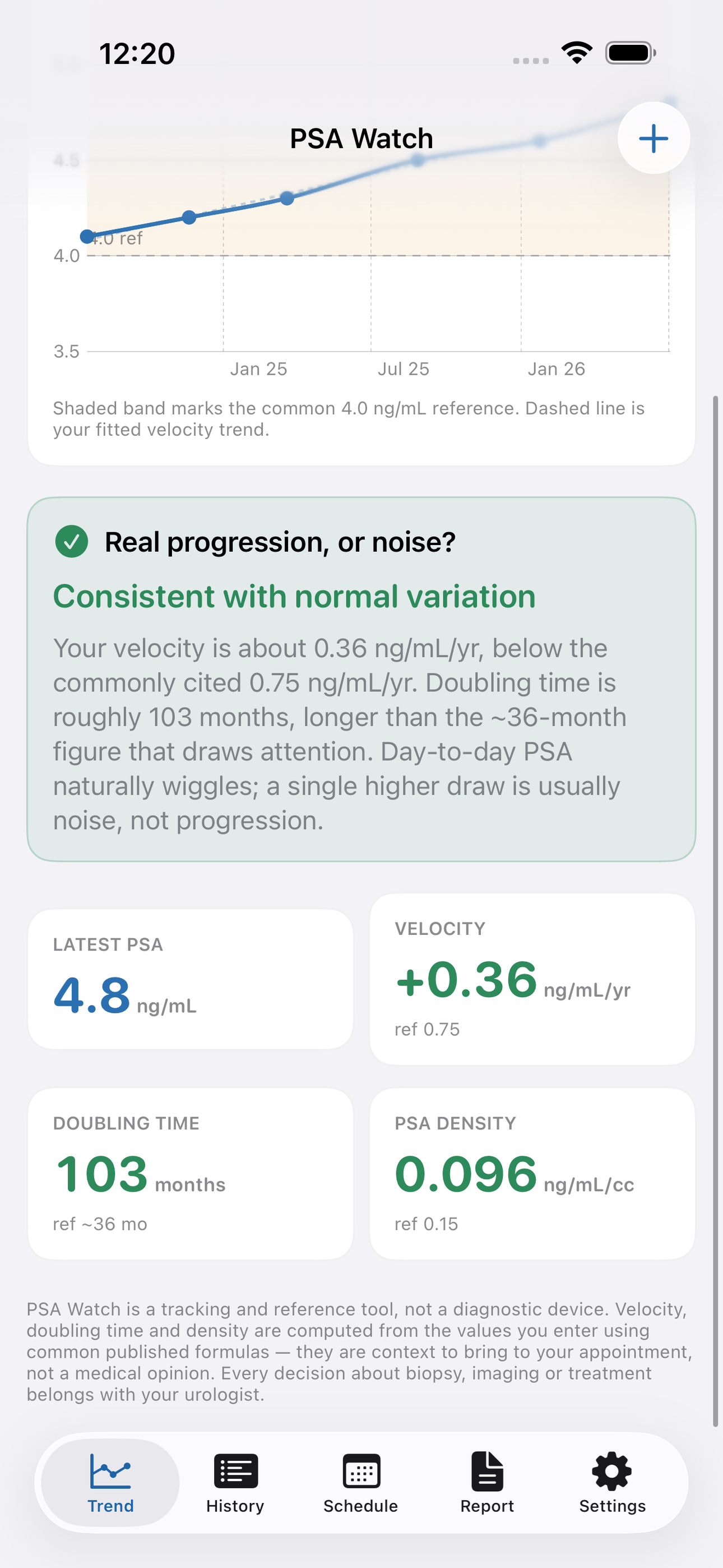
Log each result — date, PSA in ng/mL, and optionally your free/total ratio and prostate volume — and PSA Watch plots the whole history on one clean trend chart with the common reference band drawn in. Then it runs the surveillance math that a decision to re-biopsy actually leans on: PSA velocity in ng/mL/yr from a linear fit of your results, doubling time in months from a regression on the natural log of your PSA, and PSA density (PSA divided by prostate volume) whenever you've entered a volume from an MRI or ultrasound report.
The centerpiece is the plain-language readout: “Real progression, or noise?” PSA Watch checks your velocity against the commonly cited 0.75 ng/mL/yr and your doubling time against the roughly 36-month figure that tends to draw a closer look, and tells you in a sentence whether your trend looks consistent with normal variation or is a pattern worth raising with your urologist. It is written as context for a conversation — never as a diagnosis.
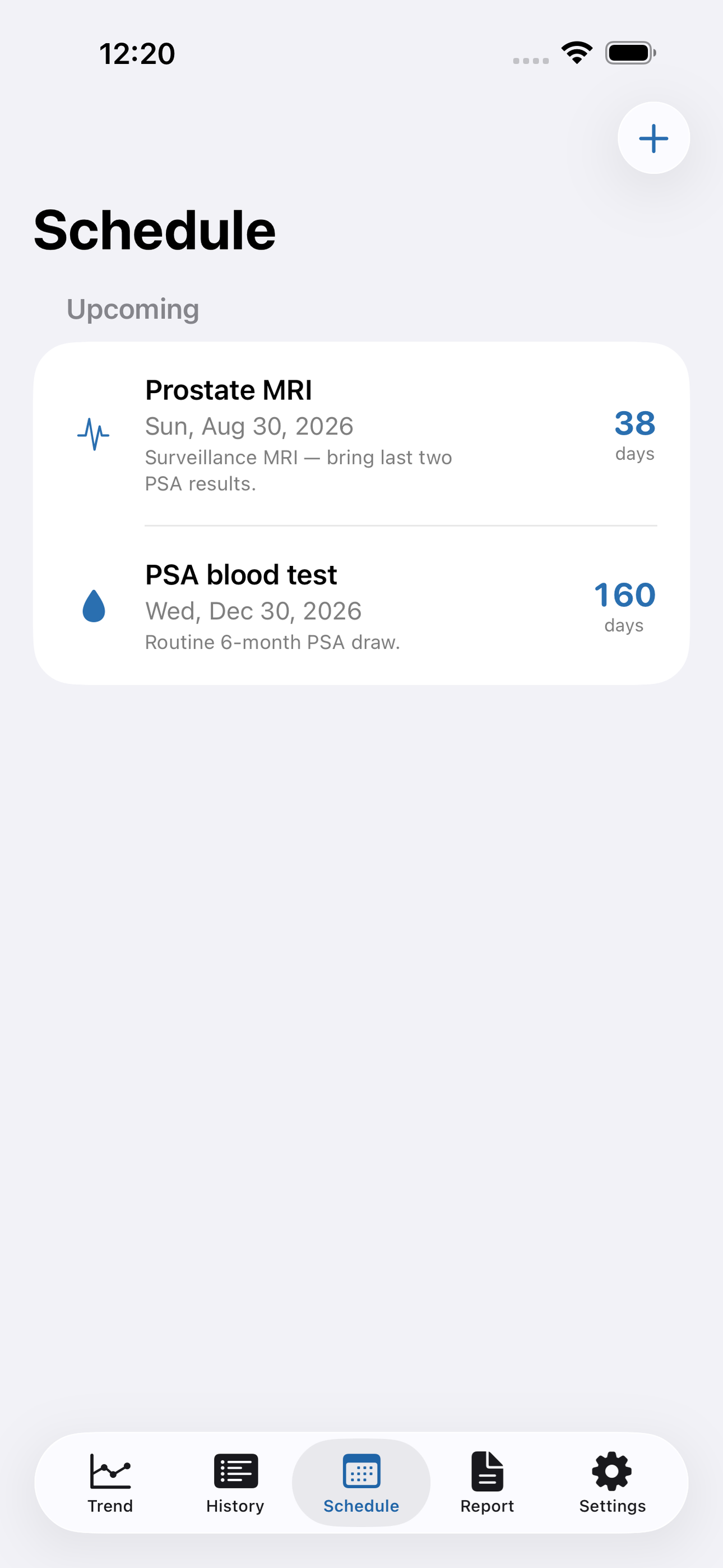
Round it out with an appointment schedule (next PSA draw, MRI, biopsy, urology visit) with local reminders, and a clean shareable report you can hand to your doctor or text to your spouse. Everything stays on your phone: no account, no server, no upload of your health history.
PSA Watch is a tracking and reference tool, not a diagnostic device. Every decision about biopsy, imaging or treatment belongs with your urologist.
• Trend chart of every PSA result with a reference threshold band • PSA velocity (ng/mL/yr) from a linear fit of your results • Doubling time (months) via regression on ln(PSA), guarded against flat or falling trends • PSA density from prostate volume, and free/total ratio tracking • “Real progression or noise?” plain-language readout against common thresholds • Appointment schedule with reminders for PSA draws, MRI and biopsy • Shareable summary report for your appointment • 100 percent offline — your PSA history never leaves your phone
A look inside
Tap any screenshot to open the full-resolution version.
What's inside
- PSA trend — Charted results with velocity, doubling time and density.
- Signal vs noise — Plain-language read on whether a change matters.
- Appointment schedule — PSA/MRI/biopsy reminders and a shareable report.
Why we built it
Men on prostate active surveillance can store PSA values but get none of the velocity, doubling-time and density math that actually informs a re-biopsy decision.
What makes it different
Computes PSA velocity, doubling time and density against progression thresholds and tells you whether a rise is real signal or normal noise — the numbers Apple Health can't calculate.
Who it's for
Sandwich-generation caregivers, adult children of aging parents, and anyone keeping records for more than one person.
In one line: PSA velocity & doubling time
Try it
See the PSA velocity & doubling time for the full feature list, the info table, and support links.
Use PSA Watch, found a bug, or have a feature request? Comments are open below — anonymous is fine.
0 comments
No comments yet — be the first.
Leave a reply
Sign in with Google to join the conversation. We require a quick sign-in to keep comments spam-free.
Sign in with Google to comment